
1. Introduction
This manual provides essential information for the safe and effective use of the Elecbee Waterproof Industrial Connector Socket (Model: EB-411-0411-V). This product is designed for robust electrical connections in demanding industrial environments, adhering to international standards IEC60309-1 and IEC60309-2. Please read this manual thoroughly before installation and operation.
2. Safety Information
WARNING: Electrical work should only be performed by qualified personnel. Failure to follow these safety instructions may result in electric shock, fire, or serious injury.
- Always disconnect power before installing, servicing, or removing the connector.
- Ensure the voltage and current ratings of the connector match the electrical system.
- Verify proper grounding connections.
- Do not use the connector if it appears damaged.
- Ensure all connections are secure and sealed to maintain the IP44 waterproof rating.
- Keep children away from electrical equipment.
3. Product Overview
The Elecbee Industrial Connector Socket is a 4-pin, 32A, 380V-415V, 3P+E (3-phase + Earth) device with an IP44 waterproof rating. It features an anti-corrosion design suitable for harsh environments.
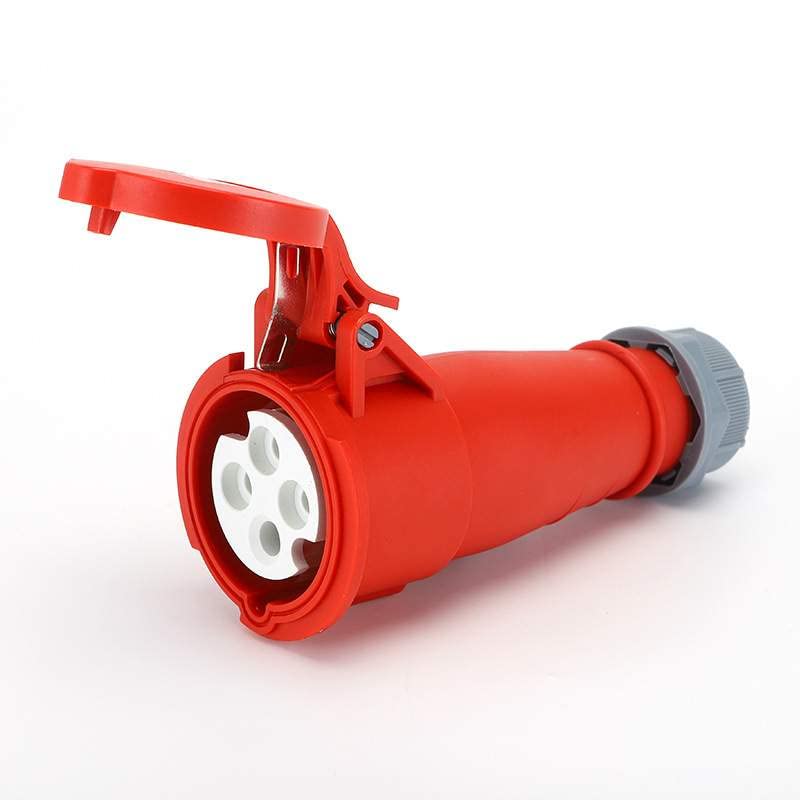
Figure 1: General view of the Elecbee industrial connector socket.
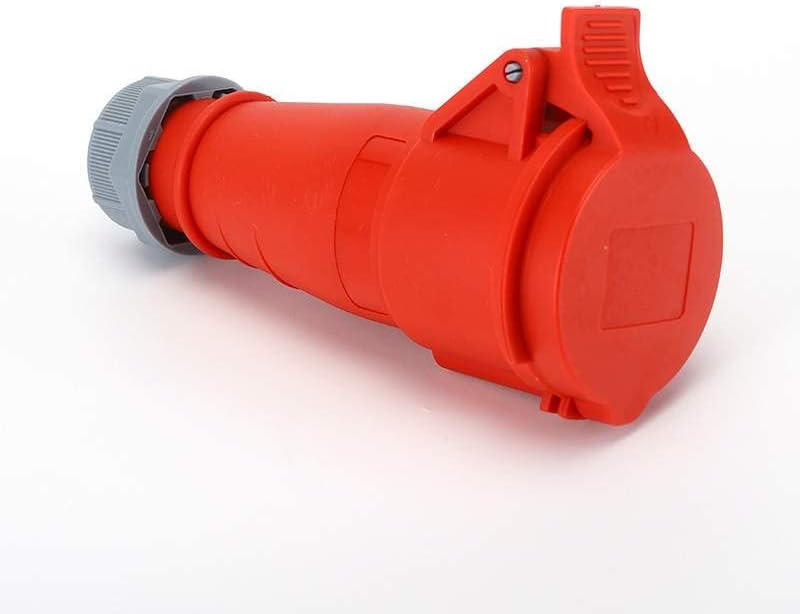
Figure 2: Side view of the industrial connector socket, highlighting the robust red body and grey cable gland.

Figure 3: Angled view of the industrial connector socket, showing the cable entry and secure locking mechanism.
4. Setup and Installation
Proper installation is crucial for safety and performance. Consult a qualified electrician if you are unsure about any steps.
- Power Disconnection: Ensure the main power supply to the installation area is completely disconnected and locked out to prevent accidental re-energization.
- Cable Preparation: Strip the outer sheath of the power cable to the appropriate length, exposing the insulated conductors. Strip the insulation from each conductor as required for terminal connection.
- Wiring: Connect the conductors to the corresponding terminals within the socket. Ensure correct phase (L1, L2, L3), neutral (if applicable), and earth (E) connections. Refer to local wiring codes and the connector's internal markings.
- Secure Connections: Tighten all terminal screws firmly to ensure good electrical contact and prevent loose connections.
- Cable Gland: Secure the cable gland at the entry point of the socket to provide strain relief and maintain the IP44 waterproof seal. Ensure the gland is tightened sufficiently to compress the sealing ring around the cable.
- Assembly: Reassemble the connector housing, ensuring all parts are correctly aligned and secured.
- Testing: After installation, perform continuity and insulation resistance tests before restoring power. Once power is restored, verify correct operation.
5. Operating Instructions
To operate the industrial connector socket:
- Ensure the power supply to the socket is active.
- Align the corresponding industrial plug with the socket, matching the keyway and pin configuration.
- Insert the plug firmly into the socket until it is fully seated.
- If the plug has a locking ring, rotate it to secure the connection and maintain the waterproof seal.
- To disconnect, ensure the connected equipment is turned off. Unlock the plug (if applicable) and pull it straight out from the socket. Do not pull by the cable.
6. Maintenance
Regular maintenance helps ensure the longevity and safe operation of the connector socket.
- Inspection: Periodically inspect the connector for any signs of physical damage, cracks, discoloration, or corrosion. Check for loose connections or frayed cables.
- Cleaning: Keep the connector clean and free from dust, dirt, and moisture. Use a dry, soft cloth for cleaning. Do not use abrasive cleaners or solvents.
- Seals: Ensure the waterproof seals and cable glands are intact and properly tightened. Replace any damaged seals immediately.
- Storage: When not in use, store the connector in a clean, dry environment, protected from direct sunlight and extreme temperatures.
7. Troubleshooting
If you encounter issues with the connector socket, consider the following:
- No Power:
- Check the main power supply and circuit breaker.
- Verify that the plug is fully inserted and locked into the socket.
- Inspect internal wiring for loose connections (only by qualified personnel with power disconnected).
- Intermittent Power:
- Check for loose connections at the terminals or within the plug.
- Inspect the cable for damage.
- Overheating:
- Ensure the current draw does not exceed the connector's 32A rating.
- Check for loose or corroded connections, which can cause resistance and heat.
- Water Ingress:
- Ensure the cable gland is properly tightened.
- Inspect the housing for cracks or damage to seals.
If problems persist, discontinue use and contact a qualified electrician or the manufacturer.
8. Specifications
| Model Number | EB-411-0411-V |
| Number of Positions | 4 Pin (3P+E) |
| Current Rating | 32A |
| Voltage Rating | 380V-415V |
| Waterproof Level | IP44 |
| Insulator Colour | Red |
| Standards | IEC60309-1, IEC60309-2 |
| Package Dimensions | 9.84 x 7.87 x 3.94 inches |
| Item Weight | 14.1 ounces |
| Manufacturer | Elecbee |
9. Warranty and Support
For specific warranty information regarding your Elecbee Industrial Connector Socket, please refer to the purchase documentation or contact your retailer. For technical support or inquiries, please reach out to the manufacturer, Elecbee, or the seller from whom the product was purchased.