
A-MIND RMP2105
A-MIND for Oppo Realme Pad Mini RMP2105 Screen Replacement Instruction Manual
Model: RMP2105
Product Overview
This document provides essential information for the A-MIND screen replacement for the Oppo Realme Pad Mini RMP2105. This product is an original 8.7-inch LCD display touch digitizer full assembly, designed to replace faulty screens and address issues such as ruptured LCDs, dead pixels, touch non-responsiveness, display problems, and false colors.
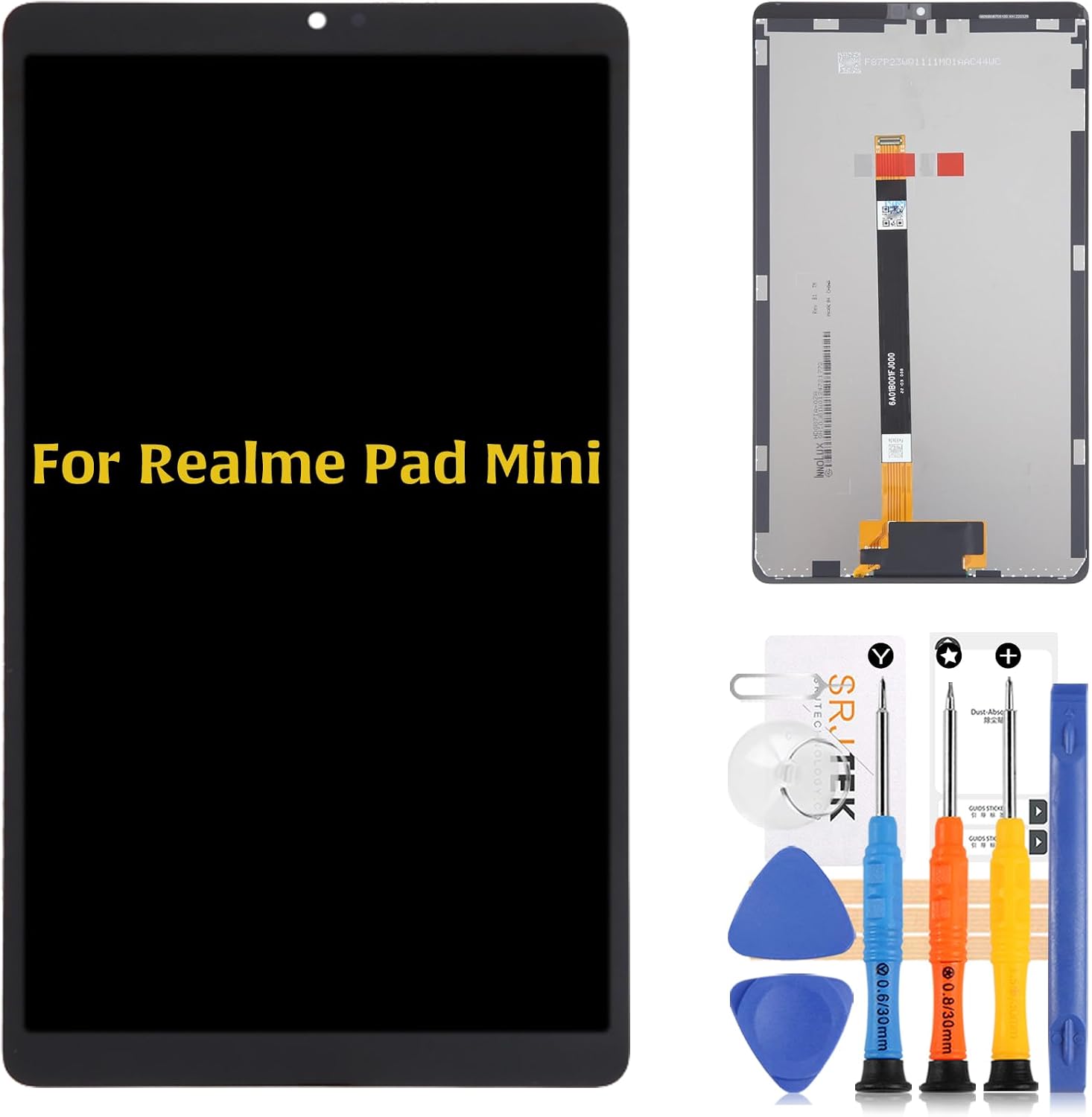
Image: A-MIND screen replacement kit for Oppo Realme Pad Mini RMP2105, including the new LCD display and a set of repair tools.
Product Features
- Compatible Models: Specifically designed for OPPO Realme Pad Mini RMP2105 8.7 inch LCD Display. Ensure correct model number before purchase.
- Strict Quality Control: All A-MIND products undergo rigorous quality inspection to ensure no scratches or dead areas in the LCD.
- Applications: Ideal for repairing faulty screens, ruptured LCDs, dead point pixels, touch non-action, touch response problems, display issues, false color problems, and non-functional screens.
Package Contents
- 1 x A-MIND for OPPO Realme Pad Mini RMP2105 LCD assembly
- 1 x Repair Tool Set (Note: May not be compatible with all tablets)
Installation Guidelines
This product does not come with a detailed installation manual. It is highly recommended to view video tutorials on platforms like YouTube for the replacement procedure before attempting installation. Attaching the screen requires specific knowledge and technique. For amateurs, seeking assistance from a professional service is advisable to prevent damage.
Important Installation Tips:
- Fragile Product: Screen replacement parts are very fragile. Handle them with extreme care and gentleness during opening and installation.
- Avoid Pressure: Do not strongly press on the edges or four corners of the screen, as this can easily cause breakage.
- LCD Cable: Do not bend the LCD cable excessively. Bending it beyond 90 degrees can result in a black display.
- Power Off: Always turn off the tablet and disconnect the battery cable before beginning the installation process.
- Clean Connectors: Clean the LCD connector with cleaning paper (if included in the package) before connecting.
- Screw Placement: Pay close attention to the position of screws. Place them in their correct locations, as they vary in dimensions and lengths.
- Cable Connection: Carefully connect the touchline and the battery flexible cable.
- Pre-Installation Test: Before final installation, connect the flex cable to test if the screen is in normal operation.
- Post-Installation Check: After connecting the battery, reboot the tablet and thoroughly check the new screen's functionality.

Image: Detailed view of the screen's flex cable, highlighting the delicate connection points that require careful handling during installation.

Image: A different angle of the screen's rear, emphasizing the integrated flex cables for LCD and touch digitizer, crucial for proper function.
Troubleshooting
- Display Issues (Lines, No Touch Response): If lines appear on the screen or the touch does not respond even after installation, remove the LCD display, thoroughly clean the connector, and then reinstall it carefully.
- Non-LCD Related Issues: If the tablet cannot be used for a reason other than a broken LCD panel (e.g., motherboard issue), replacing the LCD panel will not resolve the problem. Please confirm the root cause before purchasing and installing.
Specifications
| Attribute | Detail |
|---|---|
| Brand | A-MIND |
| Series | OPPO Realme Pad Mini RMP2105 |
| Item Model Number | RMP2105 |
| Color | Black |
| Compatible Devices | Tablet |
| Special Feature | Portable |
| Date First Available | July 18, 2023 |
Warranty and Support
A-MIND provides a replacement policy for product damage not caused by user error or incorrect installation. Parts damaged during installation are not accepted for return.
For inquiries regarding installation instructions, package details, or product information, please contact A-MIND customer service directly via Amazon Message. If you receive a package with visible damage, provide a photo and contact the service team promptly. Returns or exchanges can be processed within the specified period.
Disclaimer: We are not responsible for any damages or malfunctions caused by incorrect installation work. Please use at your own risk.
Ask a question about this manual
Ask about setup, troubleshooting, compatibility, parts, safety, or missing instructions. Manuals+ will review the question and use this page’s manual context to help answer it.