
1. Important Safety Information
Always assemble the desk according to the provided instructions. Do not exceed the weight capacity of the desk. Be cautious when using the electrical components and ensure they are properly grounded. Keep the desk away from heat sources and liquids to prevent damage or injury.
2. Package Contents
Before assembly, please verify that all components listed below are present and undamaged. If any parts are missing or damaged, please contact customer support.
- Desk Panels (various sizes for desktop, monitor stand, and shelves)
- Metal Frame Components
- Fabric Drawer
- LED Light Strip with Smart Controller
- Integrated Power Strip (4 AC Outlets, 2 USB Ports, 1 Type-C Port)
- Assembly Hardware (screws, bolts, small screwdriver)
- Instruction Manual
3. Setup & Assembly
Follow these steps carefully to assemble your SUPERJARE L-Shaped Desk. It is recommended to have a second person for assistance during certain steps.
3.1 Unpacking and Part Identification
Carefully unpack all components from the box. Lay out all parts on a clean, soft surface to prevent scratches. Identify each part by comparing it with the diagrams in the included instruction manual. All parts are labeled with letters for easy identification.
3.2 Assembling the Frame
Begin by assembling the metal frame sections. Ensure all screws are tightened securely but do not overtighten to avoid damaging the threads.
3.3 Reversible Design
The L-shaped section of the desk can be installed on either the left or right side to suit your room layout. Decide your preferred orientation before attaching the main desktop panels.
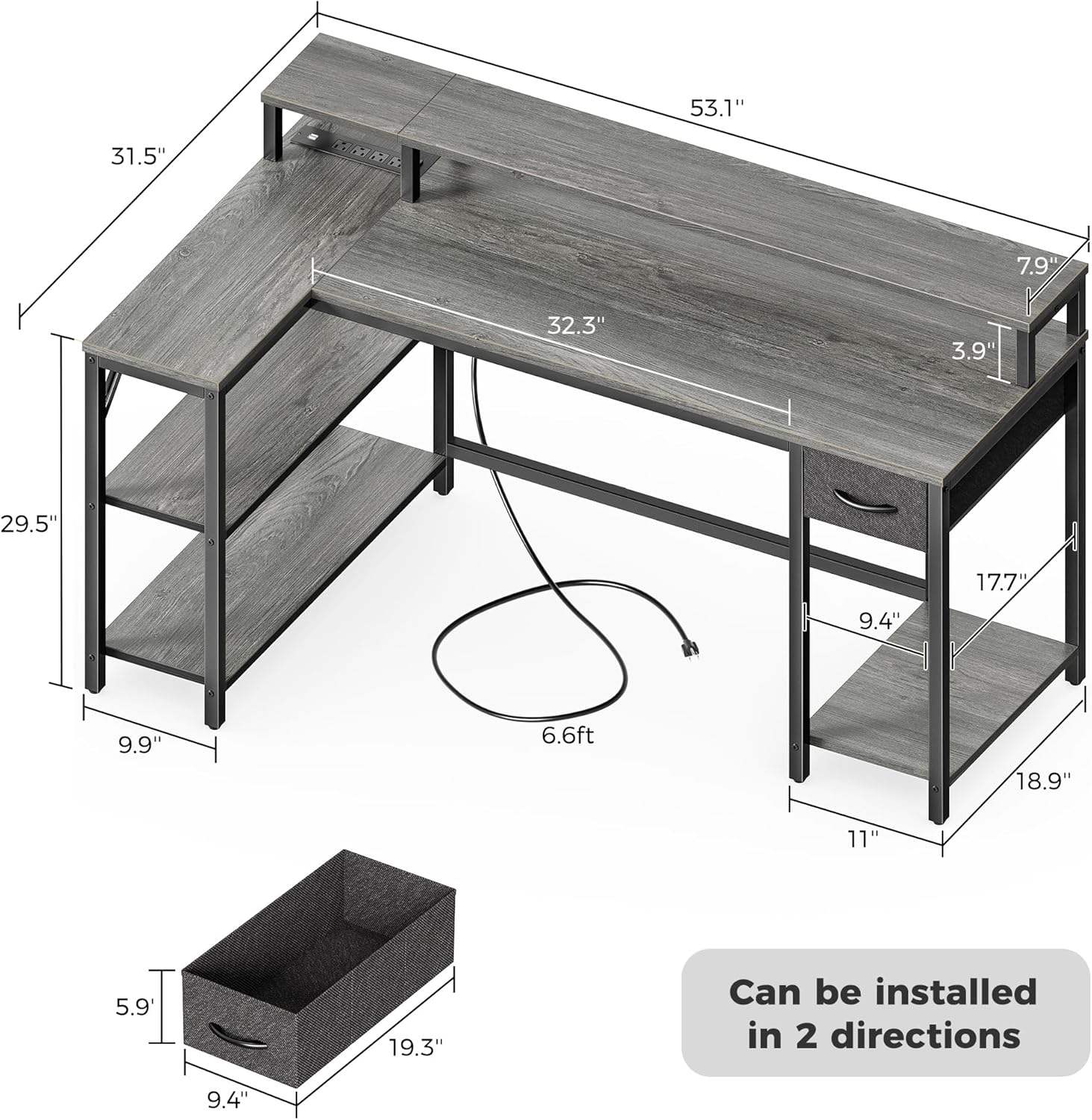
Figure 3.3: The desk's reversible design allows for left or right L-shaped configuration. Dimensions are provided for planning.
3.4 Attaching Desktop and Shelves
Attach the main desktop panels and the lower storage shelves to the assembled metal frame. The monitor stand is designed to elevate your screen for improved ergonomics.
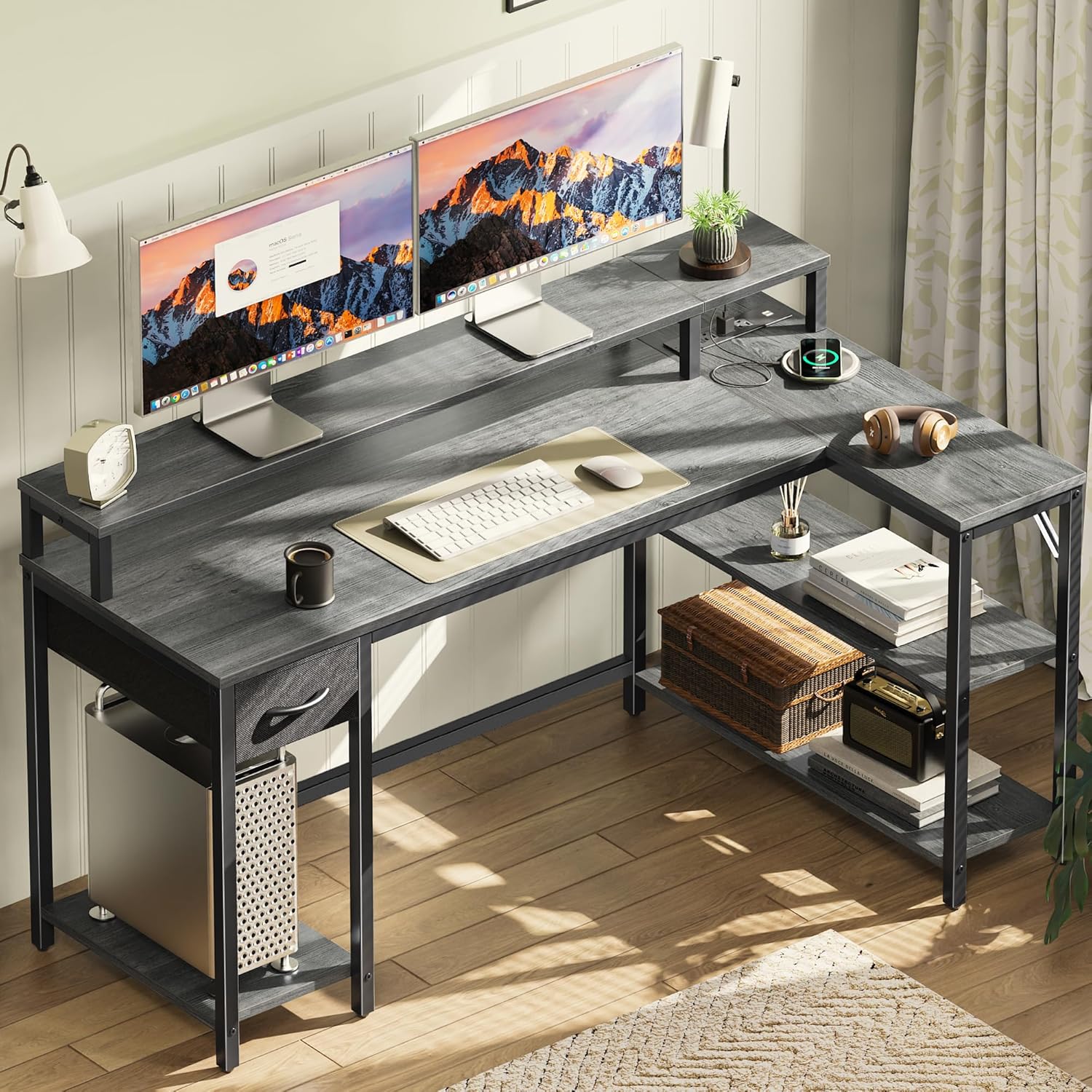
Figure 3.4: Fully assembled desk with monitor stand, shelves, and fabric drawer, ready for use.
3.5 Installing the Fabric Drawer
The fabric drawer is designed to fit into the designated slot. Ensure it is properly inserted for smooth operation.

Figure 3.5: Detailed view of the fabric drawer, highlighting its dimensions for storage capacity.
3.6 Connecting the Power Strip and LED Lights
Integrate the built-in power strip and attach the LED light strip according to the manual's instructions. Ensure all electrical connections are secure.
Video 3.6: An overview of the SUPERJARE LED Computer Desk, demonstrating its features including the power outlets and LED lights.

Figure 3.6.1: Detail of the integrated power strip, offering multiple charging options.
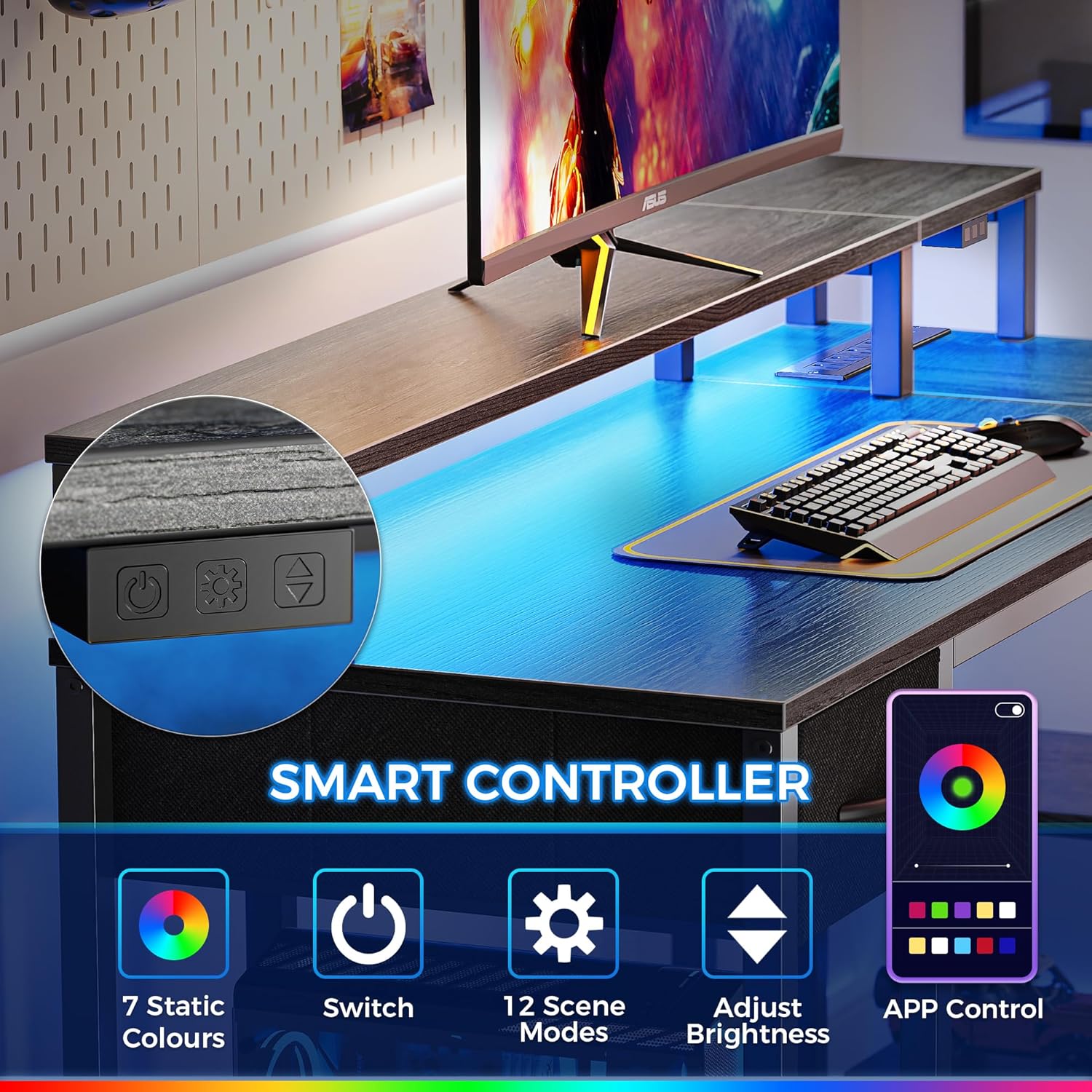
Figure 3.6.2: The LED light strip and its smart controller for customizable lighting effects.
4. Operating Instructions
4.1 LED Light Operation
The LED lights can be controlled via a dedicated App or the included smart controller. Use the smart controller to switch between 12 scene modes, adjust speed levels, and set 3 brightness levels. The App offers access to over 60,000 colors, timing mode, mic mode, and music mode.
4.2 Using the Power Outlets
The integrated power strip provides 4 standard AC outlets, 2 USB ports, and 1 Type-C port. These can be used to conveniently charge phones, laptops, gaming gear, and other office devices directly from your desk.
4.3 Monitor Stand
The elevated monitor stand helps raise your line of sight, promoting a proper sitting posture and contributing to cervical and spinal health.
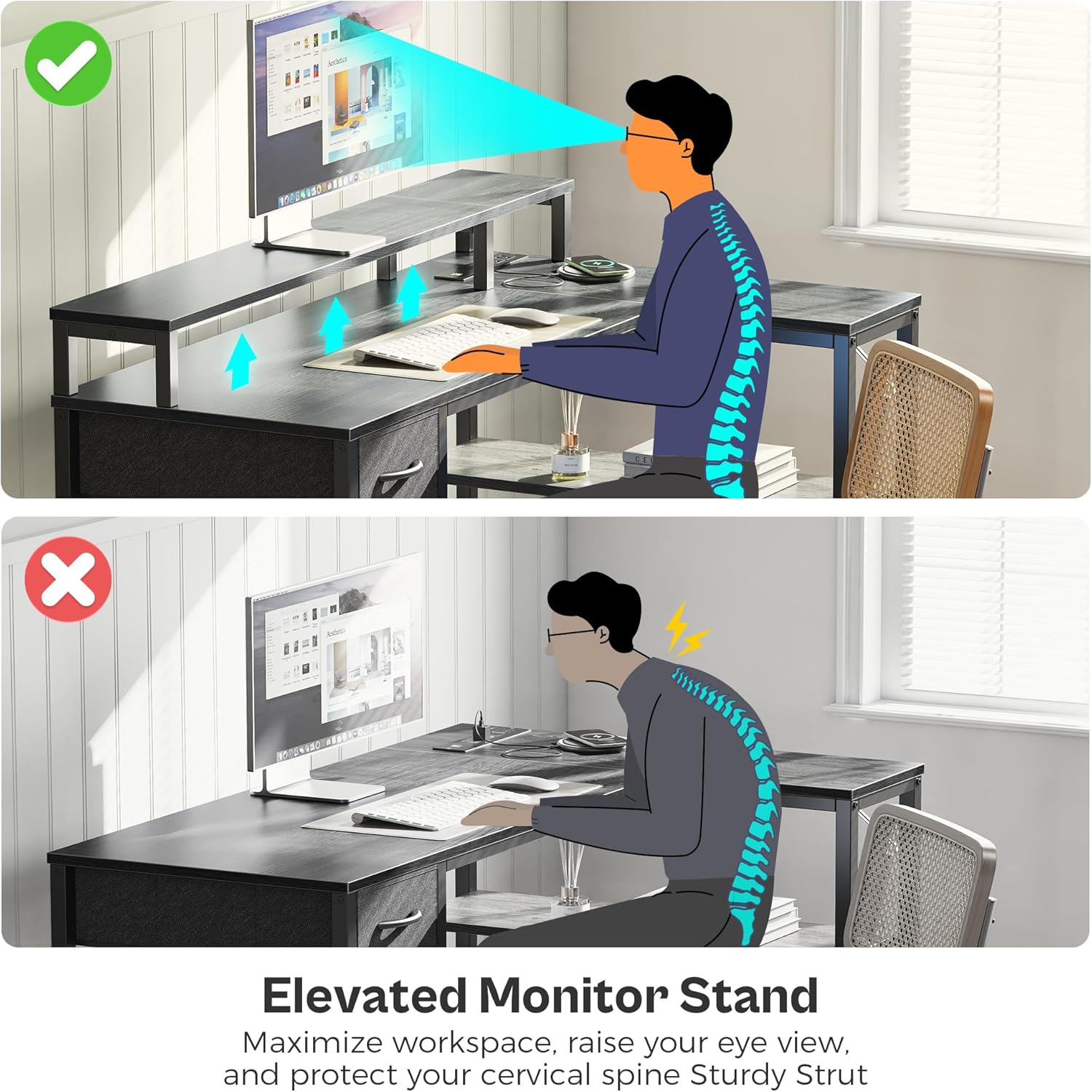
Figure 4.3: The monitor stand promotes ergonomic posture by elevating the screen.
4.4 Storage Features
The desk includes a fabric drawer for storing stationery and personal items, and two open shelves for organizing office supplies, a PC tower, or other accessories.
5. Maintenance
To maintain the appearance and longevity of your desk, wipe surfaces with a damp cloth as needed. Avoid using harsh chemicals or abrasive cleaners.
6. Troubleshooting
- Stability Issues: Ensure all screws and bolts are securely tightened. Verify the adjustable feet are properly leveled on uneven ground.
- LED Lights Not Working: Check that the LED strip is correctly connected to the power source and the smart controller. Ensure the power outlet is functional.
- Power Outlets Not Functioning: Confirm the desk's main power cord is securely plugged into a working wall outlet. Check for any tripped circuit breakers.
- Drawer Malfunction: Ensure the fabric drawer is correctly inserted into its slot and not obstructed by any items.
7. Specifications
| Feature | Detail |
|---|---|
| Brand | SUPERJARE |
| Model Number | 7964HC |
| Shape | L-Shape (Reversible) |
| Product Dimensions | 18.9"D x 53.1"W x 29.5"H |
| Color | Grey |
| Top Material Type | Engineered Wood |
| Base Material | Metal |
| Special Features | Built-In USB Outlet, LED Light Strips, Monitor Stand |
| Number of Drawers | 1 (Fabric) |
| Number of Shelves | 2 |
| Item Weight | 40 Pounds |
| Maximum Weight Recommendation | 150 Pounds |
| Required Assembly | Yes |
8. Warranty & Support
8.1 Warranty Information
This SUPERJARE desk comes with a Limited Warranty. Please refer to the warranty documentation included with your purchase for specific terms and conditions.
8.2 Customer Support
For any questions, assistance with assembly, or to report missing/damaged parts, please contact SUPERJARE customer support. Contact details can typically be found on the product packaging or the official SUPERJARE website.
