
Introduction
Thank you for choosing the Gvyugke Wireless Gaming Headset Captain 780. This manual provides detailed instructions for setting up, operating, maintaining, and troubleshooting your new headset. Please read this manual thoroughly before use to ensure optimal performance and longevity of your device.
Setup Guide
1. Package Contents
Before proceeding, please verify that all items are present in your package:
- Gvyugke Wireless Gaming Headset Captain 780
- 2.4GHz USB Wireless Adapter
- USB-C Charging Cable
- 3.5mm Audio Cable
- User Manual
2. Initial Charging
For first-time use, fully charge the headset. Connect the USB-C charging cable to the headset's charging port and the other end to a USB power source (e.g., computer USB port, wall adapter). The LED indicator on the headset will show charging status and turn off or change color when fully charged.
3. Connection Modes
The Gvyugke Captain 780 headset supports three connection methods: 2.4GHz wireless, Bluetooth, and wired via 3.5mm audio cable.
3.1. 2.4GHz Wireless Connection (for Xbox Series X/S, Xbox One, PS5, Nintendo Switch, PC Host)
- Insert the 2.4GHz USB wireless adapter into an available USB port on your gaming console or PC.
- Power on your headset.
- Ensure the headset is in 2.4GHz mode (check the mode switch on the headset). The headset should automatically pair with the adapter. A stable connection is indicated by a solid LED light on the headset.

Image: The Gvyugke Wireless Gaming Headset connecting wirelessly to an Xbox controller via a 2.4GHz USB adapter, highlighting low latency and extended range.

Image: A visual representation of the headset's versatile 3-in-1 connection capabilities, illustrating compatibility with various devices via 2.4GHz, Bluetooth, and wired modes.
3.2. Bluetooth Connection (for Phone, Tablet, Laptop)
- Power on your headset and switch it to Bluetooth mode. The LED indicator will typically flash, indicating pairing mode.
- On your device (phone, tablet, laptop), go to Bluetooth settings and search for available devices.
- Select "Gvyugke Captain 780" from the list to pair. The LED on the headset will become solid when connected.
3.3. Wired Connection (for Xbox, Nintendo Switch, PS4, PC Host)
- Connect one end of the 3.5mm audio cable to the headset's audio jack.
- Connect the other end of the 3.5mm audio cable to the audio output port of your device (e.g., controller, console, PC).
- The headset will operate in wired mode, bypassing wireless functions.
Operating Instructions
1. Power On/Off
To power on the headset, press and hold the power button for approximately 3 seconds. To power off, press and hold the power button again for 3 seconds.
2. Volume Control
Adjust the audio volume using the volume roller or wheel located on the headset's ear cup. Roll up to increase volume, roll down to decrease.
3. Microphone Usage
The headset features an integrated, omnidirectional microphone with noise-cancelling capabilities. To mute the microphone, simply flip it upwards. Flip it down to unmute and activate the microphone.

Image: A close-up of the headset's integrated microphone, illustrating its flip-to-mute functionality and noise-cancelling technology for clear communication.
4. On-Ear Controls
The headset is equipped with intuitive on-ear controls for easy access to various functions:
- Power Button: Press and hold to power on/off.
- Mode Switch: Toggle between 2.4GHz wireless mode and Bluetooth mode.
- Volume Roller: Adjust audio output volume.
- Microphone: Flip up to mute, flip down to unmute.

Image: Detailed view of the headset's on-ear controls, including the power button, mode switch for 2.4GHz and Bluetooth, and the volume roller, designed for convenient access during use.
5. Sound Features
Experience immersive audio with 3D surround sound and powerful 50mm drivers, designed to enhance your gaming experience by providing clear and directional audio cues.

Image: A user enjoying the headset, highlighting the 3D surround sound capability and the 50mm drivers that contribute to an immersive gaming audio experience.
6. Battery Life
The headset is equipped with a 1050mAh battery, providing up to 45 hours of usage on a single charge. It also supports charging while gaming, ensuring uninterrupted play.

Image: An illustration of the headset's long-lasting battery, indicating a 1050mAh capacity and up to 45 hours of continuous use, with a note about charging while gaming.
Care and Maintenance
Proper care ensures the longevity and performance of your headset.
- Cleaning: Use a soft, dry cloth to clean the headset. For ear cups, gently wipe with a slightly damp cloth if necessary, avoiding excessive moisture. Do not use harsh chemicals or abrasive cleaners.
- Storage: When not in use, store the headset in a cool, dry place away from direct sunlight and extreme temperatures. The headset is designed to be compact and foldable for easy storage and portability.
- Ear Cup Comfort: The ear cups are made with athletic-weave fabric for breathable comfort, which also aids in maintenance by resisting moisture and wear.

Image: A detailed view of the headset's ear cup, emphasizing the athletic-weave fabric designed for breathable comfort during extended use.
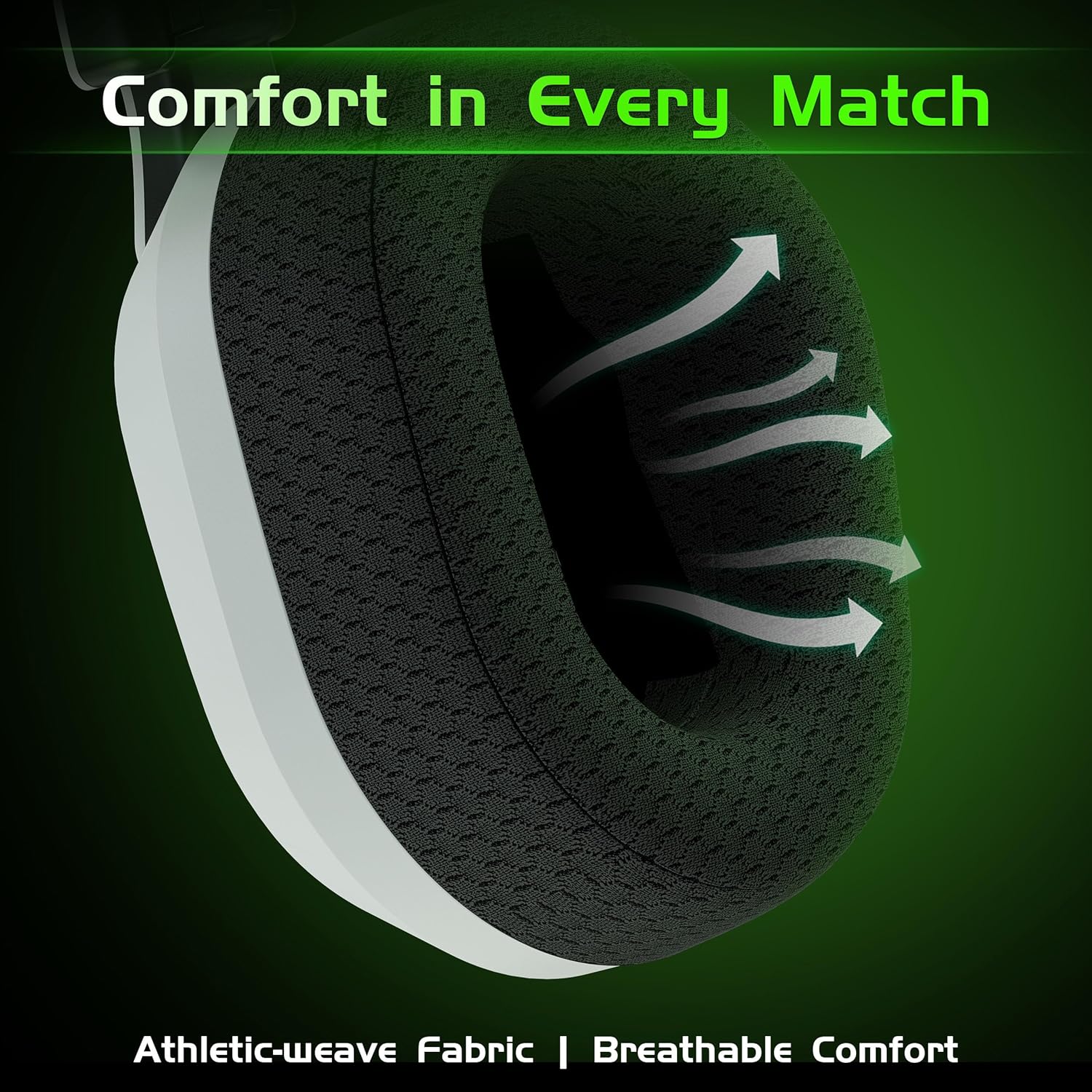
Image: A person demonstrating the headset's compact and foldable design, making it easy to store and transport in a bag.
Troubleshooting
If you encounter issues with your headset, refer to the following common problems and solutions:
| Problem | Possible Cause | Solution |
|---|---|---|
| No sound from headset |
|
|
| Microphone not working |
|
|
| Cannot connect wirelessly |
|
|
| Headset not charging |
|
|
Product Specifications
- Brand: Gvyugke
- Model Name: Captain 780
- Connectivity Technology: Wireless (2.4GHz, Bluetooth 5.2), Wired (3.5mm)
- Included Components: Headset, 2.4GHz USB Adapter, USB-C Charging Cable, 3.5mm Audio Cable
- Color: Lemon (Note: Product images may show other color variants)
- Microphone: Omnidirectional, Noise-Cancelling, Flip-to-Mute
- Battery Capacity: 1050mAh
- Battery Life: Up to 45 hours
- Driver Size: 50mm
- Cable Feature: Retractable (for 3.5mm audio cable)
- Additional Features: 3D Surround Sound, Charging while gaming, Compact and Foldable design
Warranty and Customer Support
The Gvyugke Wireless Gaming Headset Captain 780 comes with a standard manufacturer's warranty. For specific warranty details, please refer to the warranty card included in your product packaging or visit the official Gvyugke website. If you require technical assistance, troubleshooting beyond this manual, or have any questions, please contact Gvyugke customer support through the contact information provided on our official website or your purchase platform.
