
1. Introduction
This manual provides detailed instructions for the safe and effective use of your HOTLIGH Rechargeable Work Light. Please read this manual thoroughly before operating the device and retain it for future reference.
The HOTLIGH Work Light is a versatile and portable illumination tool designed for various applications, including automotive repair, mechanics, and general DIY tasks. It features multiple lighting modes, adjustable brightness, a strong magnetic base, and a built-in power bank function.
2. What's in the Box
- 1 x HOTLIGH Rechargeable Work Light
- 1 x Type-C Charging Cable
3. Product Features
- Versatile and Portable Design: Features a 360° vertical rotation and 180° horizontal rotation for multi-angle illumination. Compact foldable dimensions of 7 x 1.4 inches for easy portability.
- 5000mAh Rechargeable Battery: Built-in 5000mAh battery rechargeable via Type-C port. Includes USB-A discharge ports to charge external devices like phones or speakers.
- Advanced Lighting Modes: Produces a powerful 1200 lumens. Designed with three light sources: White Light Bar, Warm Light Bar, and Front Flashlight. Offers stepless brightness adjustment.
- Solid and Durable Construction: Crafted from high-quality aluminum alloy with precision CNC machined unibody design. Features a strong magnetic stone base for secure attachment and enhanced durability.
4. Setup
4.1. Initial Charging
Before first use, fully charge the work light. Connect the supplied Type-C charging cable to the Type-C port on the device and plug the other end into a compatible USB power adapter (not included). The indicator light will show charging status.

Figure 1: Type-C charging port and USB-A output ports for external device charging.
4.2. Battery Installation (if applicable)
The HOTLIGH Work Light comes with a pre-installed 5000mAh Lithium-Ion battery. To access or replace the battery, unscrew the bottom cap of the flashlight. Ensure the battery is inserted with the correct polarity (+/-) as indicated inside the battery compartment. Securely screw the cap back on.

Figure 2: The HOTLIGH Work Light in its compact, folded state and extended for use.
5. Operating Instructions
5.1. Power On/Off and Mode Selection
Press the power button located on the side of the main body to turn the light on. Subsequent presses will cycle through the three lighting modes:
- White Light Bar (main COB LED)
- Warm Light Bar (secondary COB LED)
- Front Flashlight (end-mounted LED)
To turn the light off, continue pressing the power button until all lights are off, or long-press the button in any mode.

Figure 3: The work light providing illumination in a confined space, demonstrating its brightness capabilities.
5.2. Stepless Brightness Adjustment
While the light is on in any mode, press and hold the power button to activate stepless brightness adjustment. The light will gradually increase or decrease in intensity. Release the button at your desired brightness level.
5.3. Rotational and Foldable Design
The work light features a 360° vertical rotation and 180° horizontal rotation at its joint, allowing you to direct light precisely where needed. Gently adjust the light bar to achieve the desired angle.

Figure 4: Illustration of the work light's 360-degree rotational capability for comprehensive illumination.
5.4. Magnetic Base and Tip
The strong magnetic base allows the work light to be securely attached to metallic surfaces, providing hands-free operation. The front flashlight also features a magnetic tip, useful for retrieving small metallic objects from hard-to-reach areas.

Figure 5: The work light securely mounted via its magnetic base, showcasing its robust aluminum alloy construction.
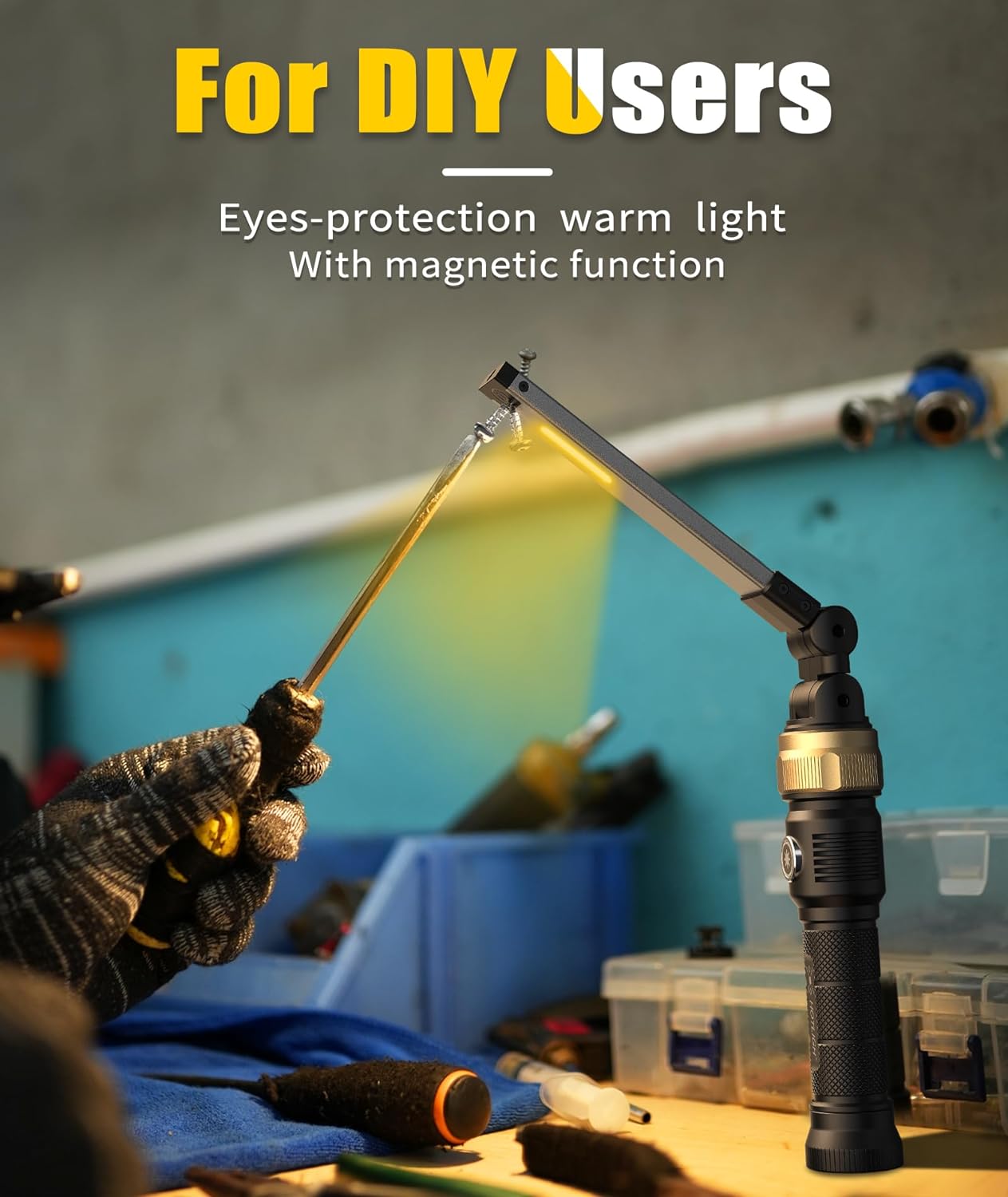
Figure 6: The work light emitting a warm, eye-protective light, ideal for close-up tasks and DIY projects.
6. Maintenance
- Cleaning: Wipe the surface of the work light with a soft, damp cloth. Do not use abrasive cleaners or solvents.
- Storage: Store the device in a cool, dry place away from direct sunlight and extreme temperatures.
- Battery Care: For optimal battery life, charge the device at least once every three months if not in regular use.
7. Troubleshooting
| Problem | Possible Cause | Solution |
|---|---|---|
| Light does not turn on. | Battery is depleted. | Charge the work light fully. |
| Light is dim or flickers. | Low battery or incorrect brightness setting. | Recharge the battery. Adjust brightness using the stepless adjustment feature. |
| Cannot charge external devices. | Work light battery is too low or cable is faulty. | Ensure the work light is sufficiently charged. Try a different USB-A cable. |
8. Specifications
| Feature | Detail |
|---|---|
| Brand | HOTLIGH |
| Model Number | ZF7549 |
| Color | Black |
| Material | Aluminum |
| Light Source Type | LED |
| Brightness | 1200 Lumens |
| Power Source | Battery Powered |
| Battery Type | 1 Lithium Ion battery (included) |
| Battery Capacity | 5000mAh |
| Voltage | 3.7 Volts |
| Wattage | 8 Watts |
| Color Temperature | 3500 Kelvin |
| Product Dimensions | 7"L x 1.4"W x 1.4"H |
| Item Weight | 12.63 ounces |
| Mounting Type | Free-standing or Magnetic |
| Special Features | Adjustable, Stepless brightness adjustment, multiple light sources |
9. Warranty and Support
The HOTLIGH Rechargeable Work Light is covered by a standard manufacturer's warranty. For specific warranty details, please refer to the product packaging or contact HOTLIGH customer support.
For technical support, troubleshooting assistance, or warranty claims, please visit the official HOTLIGH website or contact their customer service department. Contact information can typically be found on the product packaging or the brand's official online store.
You can visit the HOTLIGH Store at: HOTLIGH Store