
1. Introduction
Thank you for purchasing the MOMOHO B21 Portable Karaoke Machine. This device combines a powerful Bluetooth speaker with two wireless microphones, offering a versatile audio experience for various occasions. Please read this manual thoroughly before use to ensure proper operation and to maximize your enjoyment of the product.
2. Safety Information
- Do not expose the device to water or excessive moisture.
- Avoid extreme temperatures.
- Do not attempt to disassemble or repair the unit yourself. Contact qualified service personnel.
- Keep out of reach of small children to prevent choking hazards from small parts.
- Use only the provided charging cable and adapter.
- Ensure proper ventilation when operating the device.
3. Package Contents
Verify that all items are present in your package:
- MOMOHO B21 Karaoke Speaker
- 2 Wireless Microphones
- USB Charging Cable
- User Manual

Image: Contents of the MOMOHO B21 package, showing the main speaker unit, two wireless microphones, and charging cables.
4. Product Overview
The MOMOHO B21 features a compact design with integrated lighting and intuitive controls.
Speaker Unit Features
- Loud Bluetooth Speaker: Equipped with 2*5W output for clear audio.
- Disco Light: A 360-degree disco light projects patterns.
- RGB Light: An RGB light band illuminates the speaker base.
- Time Display: Digital clock display on the front.
- Connectivity: Supports Bluetooth 5.2, SD Card, Type-C, and AUX input.
- Portable Strap: For easy carrying.

Image: An exploded view of the MOMOHO B21 speaker, highlighting its internal speakers and individual bass amplifier for enhanced sound quality.

Image: Detailed diagram illustrating the control buttons on the MOMOHO B21 speaker unit and the wireless microphones, including power, volume, track control, and sound effect switches.
Microphone Features
- Wireless Connection: Connects wirelessly to the speaker.
- Sound Effects: Six built-in sound effects (Male voice, Female voice, Children's voice, Electroacoustic, Soundtrack, Reverberation).
- Controls: Power switch, Volume +/-, Sound effects switch.
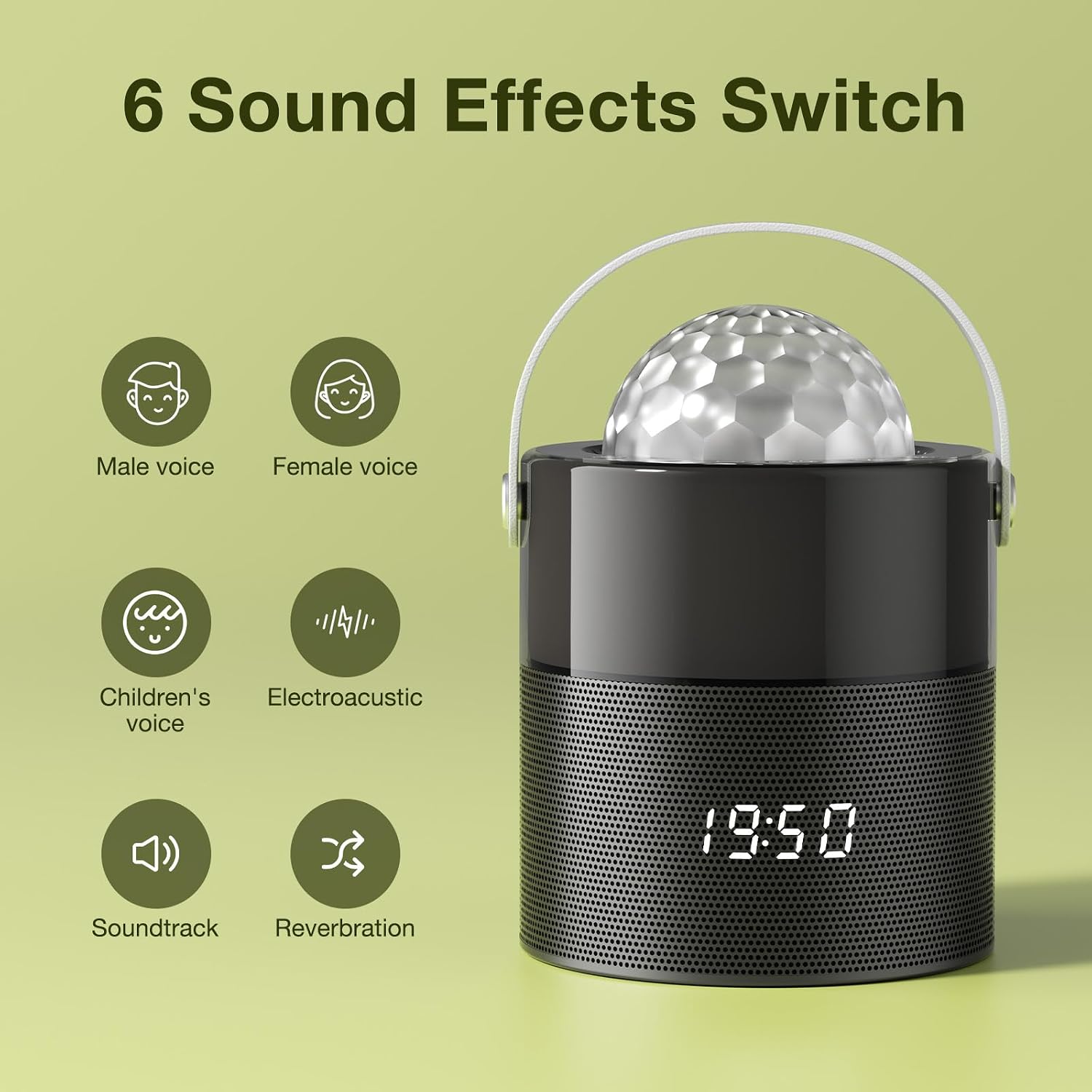
Image: Visual representation of the six sound effects that can be switched on the wireless microphones: Male voice, Female voice, Children's voice, Electroacoustic, Soundtrack, and Reverberation.
5. Setup
5.1 Charging the Device
Before first use, fully charge the speaker and microphones.
- Connect the USB charging cable to the Type-C port on the speaker.
- Connect the other end to a compatible USB power adapter (not included).
- The indicator light will show charging status.
- Charge the microphones using their respective charging ports.
5.2 Bluetooth Pairing
To connect your audio source to the MOMOHO B21 speaker:
- Power on the MOMOHO B21 speaker. It will automatically enter Bluetooth pairing mode.
- On your device (smartphone, tablet, etc.), enable Bluetooth and search for available devices.
- Select "MOMOHO B21" from the list.
- Once connected, you will hear an audible confirmation.

Image: The MOMOHO B21 speaker demonstrating compatibility with various Bluetooth 5.2 devices such as TV, Android phones, iPads, computers, iPhones, and laptops.
5.3 Microphone Pairing
The microphones are typically pre-paired with the speaker. If re-pairing is needed:
- Ensure the speaker is powered on.
- Power on each microphone. They should automatically connect to the speaker.
- If a microphone does not connect, refer to the troubleshooting section.
6. Operating Instructions
6.1 Basic Playback
- Power On/Off: Press and hold the power button on the speaker or microphones.
- Volume Control: Use the volume buttons on the speaker or microphones to adjust audio levels.
- Track Control: Use the previous/next track buttons on the speaker to navigate songs.
6.2 Karaoke Function
Once your device is connected via Bluetooth and microphones are paired:
- Play music from your connected device.
- Speak or sing into the wireless microphones.
- Adjust microphone volume and apply sound effects using the microphone controls.
6.3 Sound Effects
The microphones feature six sound effects:
- Male voice
- Female voice
- Children's voice
- Electroacoustic
- Soundtrack
- Reverberation
Press the sound effects switch button on the microphone to cycle through these effects.
6.4 Lighting Modes
The speaker features both a disco light and an RGB light band.
- Disco Light: Press the dedicated button on the speaker to activate or change the disco light patterns.
- RGB Light: The RGB light band typically operates automatically or can be adjusted via a dedicated button if available.

Image: The MOMOHO B21 karaoke machine displaying its two types of lights: a disco light on top and an LED light band around the base, creating a vibrant atmosphere.
6.5 Other Modes
- SD Card Playback: Insert a TF (Micro SD) card into the designated slot. The speaker will automatically switch to SD card mode and play audio files.
- AUX Input: Connect an external audio device using a 3.5mm AUX cable (not included) to the AUX port. The speaker will switch to AUX mode.
7. Maintenance
- Cleaning: Wipe the device with a soft, dry cloth. Do not use abrasive cleaners or solvents.
- Storage: Store the device in a cool, dry place away from direct sunlight when not in use.
- Battery Care: To prolong battery life, charge the device regularly, even if not used frequently. Avoid fully discharging the battery for extended periods.
8. Troubleshooting
| Problem | Possible Cause | Solution |
|---|---|---|
| Device does not power on | Low battery | Charge the device fully. |
| No sound from speaker | Volume too low; Device not connected; Incorrect mode | Increase volume; Ensure Bluetooth is paired or AUX/SD card is properly inserted; Switch to correct input mode. |
| Microphone not working | Microphone off; Low battery; Not paired | Power on microphone; Charge microphone; Re-pair microphone with speaker (refer to pairing instructions). |
| Bluetooth connection unstable | Device too far; Interference | Move device closer to speaker; Avoid obstacles; Turn off other Bluetooth devices. |
9. Specifications
| Feature | Detail |
|---|---|
| Model Number | B21 |
| Power Output | 10W (2*5W) |
| Connectivity | Bluetooth 5.2, USB, AUX, TF Card Slot |
| Battery Capacity | 3000mAh (Speaker) |
| Play Time | Up to 12 hours (varies with usage) |
| Product Dimensions | 4.41 x 4.41 x 5.87 inches |
| Item Weight | 1.92 pounds |
| Microphones Included | 2 Wireless Microphones |
| Sound Effects | 6 (Male, Female, Children, Electroacoustic, Soundtrack, Reverberation) |
| Lighting | 360-degree Disco Light, RGB Light |

Image: The MOMOHO B21 karaoke system, emphasizing its 12-hour play time and 3000mAh battery capacity, along with icons for time display, Bluetooth speaker, TF card slot, portable strap, rechargeability, and long battery life.
10. Warranty & Support
MOMOHO products are designed for reliability and performance. For warranty information or technical support, please refer to the contact details provided with your purchase or visit the official MOMOHO website. Keep your purchase receipt as proof of purchase for warranty claims.
11. Product Video Demonstration
Video: A demonstration of the MOMOHO B21 Karaoke Machine, showcasing its features, lighting effects, and sound capabilities. This video provides a visual guide to the product's functionality.