
1. Important Safety Instructions
Please read all instructions carefully before using the appliance and retain them for future reference. Failure to follow these instructions may result in electric shock, fire, or serious injury.
General Safety
- This appliance is for indoor use only.
- Do not operate the unit in wet rooms such as bathrooms or laundries without proper ventilation.
- Keep the appliance away from heat sources, direct sunlight, and flammable materials.
- Ensure the appliance is placed on a stable, level surface to prevent tipping.
- Do not block the air inlet or outlet. Maintain at least 20 cm clearance around the unit.
- Do not insert objects into the air vents.
- Supervise children and ensure they do not play with the appliance.
Electrical Safety
- Connect the appliance to a properly grounded power outlet with the correct voltage.
- Do not use extension cords or multi-plugs.
- Do not operate the appliance with a damaged power cord or plug.
- Always unplug the appliance before cleaning, maintenance, or when not in use.
- Do not touch the power plug with wet hands.
2. Product Overview
The Noaton DF 4112 is a compact and efficient dehumidifier designed to reduce excess moisture in your living spaces, helping to prevent mold growth and improve air quality.

Figure 2.1: Front view of the Noaton DF 4112 Dehumidifier.
Key Features
- Dehumidification Capacity: Up to 13 liters per 24 hours.
- Water Tank Capacity: 2.5 liters.
- Suitable Room Size: Up to 25 m².
- Integrated Humidity Sensor: For automatic humidity control.
- Timer Function: Programmable operation.
- Two Fan Speeds: For flexible operation.
- Continuous Drainage Option: With included hose.
- Portable Design: Equipped with handles and wheels for easy transport.

Figure 2.2: Overview of the dehumidifier's performance specifications, including dehumidification capacity, power consumption, recommended room size, and airflow.
Component Identification

Figure 2.3: Diagram showing key components: side handles, continuous drainage hose outlet, removable 2.5L water tank, and transport wheels.
- Control Panel: Located on the top, for setting functions.
- Air Outlet: Top grille for expelling dry air.
- Air Inlet/Filter: Rear grille for drawing in moist air.
- Side Handles: For lifting the unit.
- Continuous Drainage Outlet: Located at the back for hose connection.
- Water Tank: Removable tank at the bottom front for collected water.
- Wheels: For easy movement of the unit.
3. Setup
Unpacking
- Carefully remove the dehumidifier from its packaging.
- Remove all packing materials, including any tape or protective films.
- Inspect the unit for any signs of damage. If damaged, do not operate and contact customer support.
Placement
- Place the dehumidifier on a firm, level surface in the desired room.
- Ensure there is at least 20 cm of clear space around the air inlet and outlet to allow for proper airflow.
- Avoid placing the unit near heat sources, in direct sunlight, or in areas with excessive dust.
- The unit is suitable for various environments, including bathrooms and cellars, to reduce humidity and prevent mold.

Figure 3.1: The dehumidifier effectively reduces humidity and removes mold, making it suitable for use in bathrooms and cellars.
Power Connection
Plug the power cord into a grounded electrical outlet. Ensure the voltage matches the specifications of the unit.
Continuous Drainage (Optional)
For continuous operation without needing to empty the water tank, you can connect the included drainage hose:
- Locate the continuous drainage outlet at the back of the unit.
- Remove the rubber stopper (if present).
- Connect one end of the drainage hose to the outlet.
- Direct the other end of the hose to a suitable drain or container, ensuring it is lower than the unit's outlet for gravity drainage.
4. Operating Instructions
Control Panel

Figure 4.1: The control panel features buttons for humidity setting, timer, fan speed, and power, along with a digital display.
- POWER Button: Turns the unit On or Off.
- HUMIDITY SETTING Button: Adjusts the desired humidity level (e.g., 40%, 50%, 60%). The unit will automatically maintain this level.
- TIMER Button: Sets the operating time (e.g., 2, 4, 8 hours) after which the unit will turn off.
- SPEED Button: Selects between two fan speeds (Low/High).
- Display: Shows current humidity, set humidity, or timer settings.
- Indicators: DEFROST, TANK FULL, TIMER, LOW (speed), HI (speed), OPERATION.
Basic Operation
- Power On: Press the POWER button. The unit will start operating in default mode.
- Set Desired Humidity: Press the HUMIDITY SETTING button repeatedly to cycle through desired humidity levels. The unit will run until the room humidity reaches the set level, then cycle on and off to maintain it.
- Adjust Fan Speed: Press the SPEED button to switch between Low and High fan speeds. High speed provides faster dehumidification.
- Set Timer: Press the TIMER button to set the desired operating duration (e.g., 2, 4, 8 hours). The unit will turn off automatically after the set time.
- Power Off: Press the POWER button again to turn off the unit.
Automatic Functions
- Automatic Humidity Maintenance: Once the desired humidity level is set, the unit will automatically turn on and off to maintain that level, saving energy.
- Auto Defrost: If frost builds up on the evaporator coils, the unit will automatically enter defrost mode. The DEFROST indicator will illuminate, and the dehumidification function will pause until defrosting is complete.
- Water Tank Full Shut-off: When the water tank is full, the unit will automatically stop operating, and the TANK FULL indicator will illuminate. Empty the tank to resume operation.
5. Maintenance
Regular maintenance ensures optimal performance and extends the lifespan of your dehumidifier. Always unplug the unit before performing any maintenance.
Emptying the Water Tank
- When the TANK FULL indicator lights up, gently pull out the water tank from the front of the unit.
- Carefully carry the tank to a sink or drain.
- Pour out the collected water.
- Rinse the tank with clean water if necessary. Do not use harsh detergents.
- Slide the empty tank back into the unit until it clicks into place. The unit will resume operation if the power is on and humidity is above the set level.
Cleaning the Air Filter
The air filter should be cleaned every two weeks or more frequently depending on usage and air quality.
- Unplug the dehumidifier.
- Locate the air filter behind the rear air inlet grille.
- Gently remove the filter.
- Clean the filter using a vacuum cleaner to remove dust, or wash it with warm, soapy water.
- Rinse the filter thoroughly and allow it to air dry completely before reinserting. Do not expose to direct sunlight or high heat.
- Reinsert the dry filter into its slot.
Cleaning the Unit Exterior
Wipe the exterior of the dehumidifier with a soft, damp cloth. Do not use abrasive cleaners, solvents, or harsh chemicals, as these can damage the surface.
Storage
If the unit will not be used for an extended period:
- Unplug the unit and empty the water tank.
- Clean the air filter and the exterior.
- Allow the unit to dry completely for at least 24 hours in a well-ventilated area to prevent mold or mildew growth inside.
- Store the dehumidifier in a cool, dry place, away from direct sunlight and extreme temperatures.
6. Troubleshooting
Before contacting customer support, please refer to the following troubleshooting guide for common issues.
| Problem | Possible Cause | Solution |
|---|---|---|
| Unit does not turn on. | No power supply. Power button not pressed. | Ensure the power cord is securely plugged into a working outlet. Press the POWER button. |
| No dehumidification. | Air filter clogged. Room temperature too low. Humidity setting too high. Air inlet/outlet blocked. | Clean the air filter. Ensure room temperature is above 5°C. Set desired humidity lower than current room humidity. Ensure proper clearance around the unit. |
| Water tank full indicator on, but tank is not full. | Water tank not properly seated. | Remove and reinsert the water tank, ensuring it is correctly positioned. |
| Unit is noisy. | Unit not on a level surface. Air filter clogged. | Place the unit on a flat, stable surface. Clean the air filter. |
| Water leaking from unit. | Water tank not properly inserted. Continuous drainage hose loose or blocked. | Ensure the water tank is correctly seated. Check the continuous drainage hose connection and ensure it is not kinked or blocked. |
7. Specifications
| Brand | Noaton |
| Model | DF 4112 |
| Dehumidification Capacity | 12-13 Liters/24h |
| Water Tank Capacity | 2.5 Liters |
| Power Consumption | 150 W - 240 W (Nominal 190 W) |
| Noise Level | 43 dB |
| Dimensions (L x W x H) | 24 x 29 x 41.4 cm |
| Weight | 7.8 Kilograms |
| Recommended Room Size | Up to 25 m² |
| Airflow | 90 m³/h |
| Operating Temperature Range | 5°C - 32°C (approx.) |
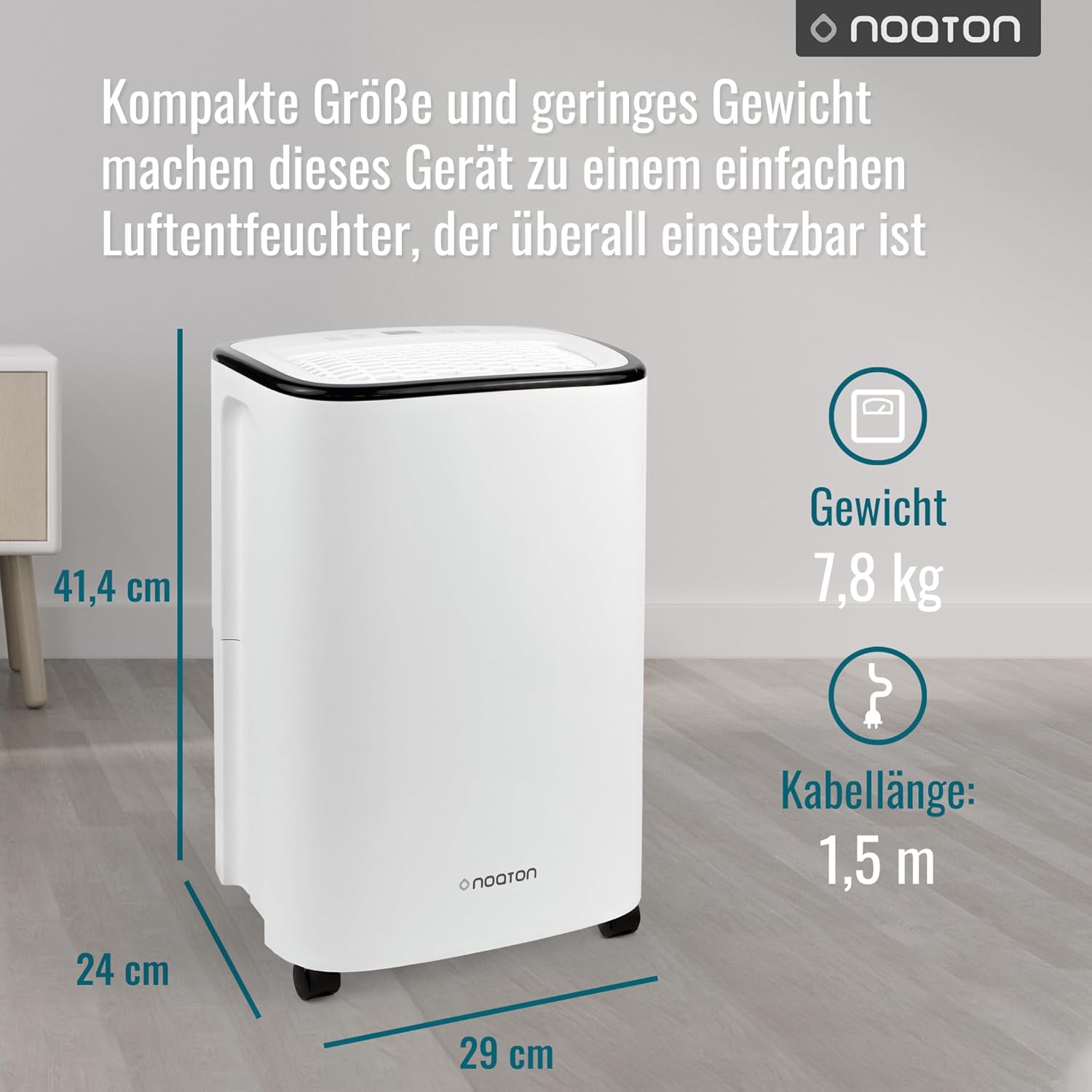
Figure 7.1: Physical dimensions and weight of the Noaton DF 4112 Dehumidifier.

Figure 7.2: Power consumption range of the dehumidifier, highlighting its energy efficiency.
8. Warranty and Support
The Noaton DF 4112 Dehumidifier comes with a standard manufacturer's warranty. Please refer to the warranty card included in your product packaging for specific terms and conditions, including the warranty period and coverage details.
Customer Support
If you encounter any issues not covered in the troubleshooting section or require further assistance, please contact Noaton customer support. Contact information can typically be found on the product packaging, the official Noaton website, or your purchase documentation.
When contacting support, please have your model number (DF 4112) and purchase date ready.

