
KITWLEMEN F005
KITWLEMEN Table Fan with Remote - Instruction Manual
Model: F005
1. Product Overview
The KITWLEMEN Table Fan is a versatile and portable desk fan designed to provide powerful yet quiet airflow. It features a USB-powered design, remote control operation, adjustable fan speeds, RGB mood lighting, and a convenient timer function, making it ideal for various settings including home, office, and dorms.

Image: Front view of the KITWLEMEN Table Fan, showcasing its white fan unit and wood-grain base.
Key Features:
- USB Powered: Operates without batteries, powered by any USB output port (adapter, laptop, power bank, car charger).
- Remote & Button Control: Conveniently control settings from up to 16 feet away with the included remote, or use the on-board buttons.
- RGB Mood Light & Timers: Features RGB lighting with 3 modes, 5 brightness levels, and 7 colors. Includes 1/3/5 hour auto-off timers.
- Powerful & Quiet Airflow: Delivers strong airflow (up to 11.8 ft./s) with quiet operation (<30dB noise level).
- 360° Adjustable Head: Allows for flexible airflow direction.
- Lightweight & Portable: Compact 8-inch design, easy to carry and place anywhere.
2. Package Contents
Please check the package for the following items:
- KITWLEMEN Table Fan Unit
- Remote Control
- USB Power Cord
3. Setup Instructions
Power Connection:
The KITWLEMEN Table Fan is USB powered. Connect the provided USB power cord to the fan's USB-C port (located at the back of the fan unit) and plug the USB-A end into any compatible USB power source (e.g., USB wall adapter, laptop USB port, power bank, car charger). The fan is designed for continuous operation when connected to power.

Image: Rear view of the fan showing the USB power input and control buttons.
4. Operating Instructions
Fan Speed Control:
The fan offers 3 adjustable speeds to suit your cooling needs. You can control the fan speed using either the remote control or the buttons located on the back of the fan unit.
- Using Remote: Press the fan icon button on the remote to cycle through the 3 speed settings (Low, Medium, High).
- Using On-board Buttons: Press the fan speed button on the back of the fan to adjust the speed.

Image: Visual representation of the fan's three speed settings: Breeze (7.2 ft/s), Refreshing (9.2 ft/s), and Intense (11.8 ft/s).
Remote Control Operation:
The included remote control allows for convenient operation from up to 16 feet away. Ensure to remove the insulation sheet from the remote's battery compartment before first use.

Image: A person using the remote control to operate the fan from a distance.
The remote features dedicated buttons for power, fan speed, light control, and timer settings. A groove at the bottom of the fan's base provides a convenient storage spot for the remote.
RGB Light Control:
The fan is equipped with an RGB mood light. Use the light button on the remote or the fan's back panel to control the lighting.
- Light Modes: Cycle through 3 light modes: Steady, Fade, and Smooth.
- Colors: Choose from 7 static colors (red, white, green, yellow, purple, blue, cyan) or an automatic color-changing sequence.
- Brightness: Adjust brightness across 5 levels.
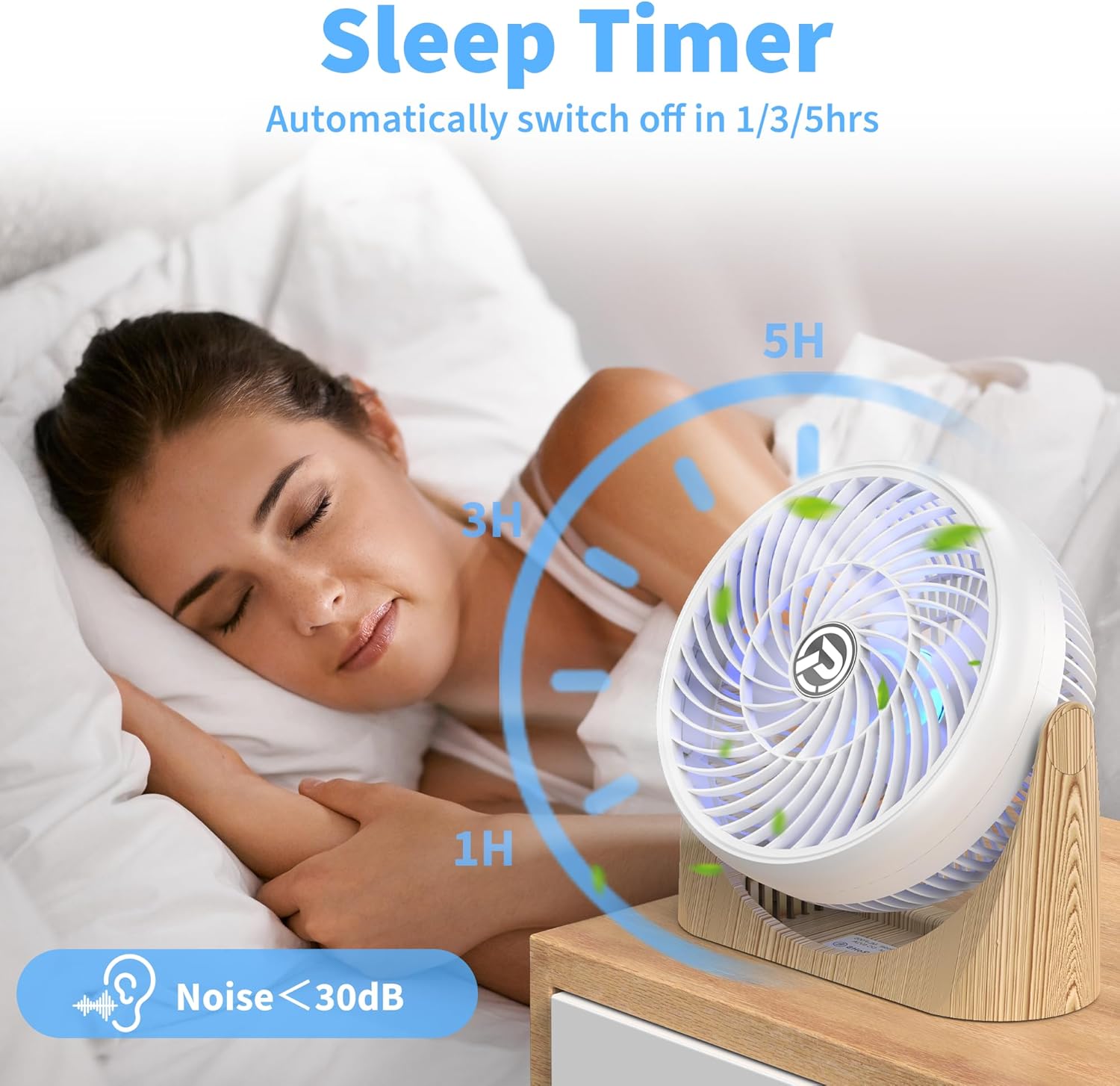
Image: The fan displaying various RGB light colors, with brightness levels indicated.
Timer Function:
Set the fan to automatically turn off after a specified period using the timer function.
- Timer Settings: Available timer options are 1 hour, 3 hours, and 5 hours.
- Activation: Press the timer button on the remote or the fan's back panel to select the desired auto-off duration.

Image: The fan operating with the sleep timer function, showing 1H, 3H, and 5H options.
Adjustable Airflow:
The fan head can be manually pivoted 360° to direct airflow precisely where needed, ensuring optimal air circulation.
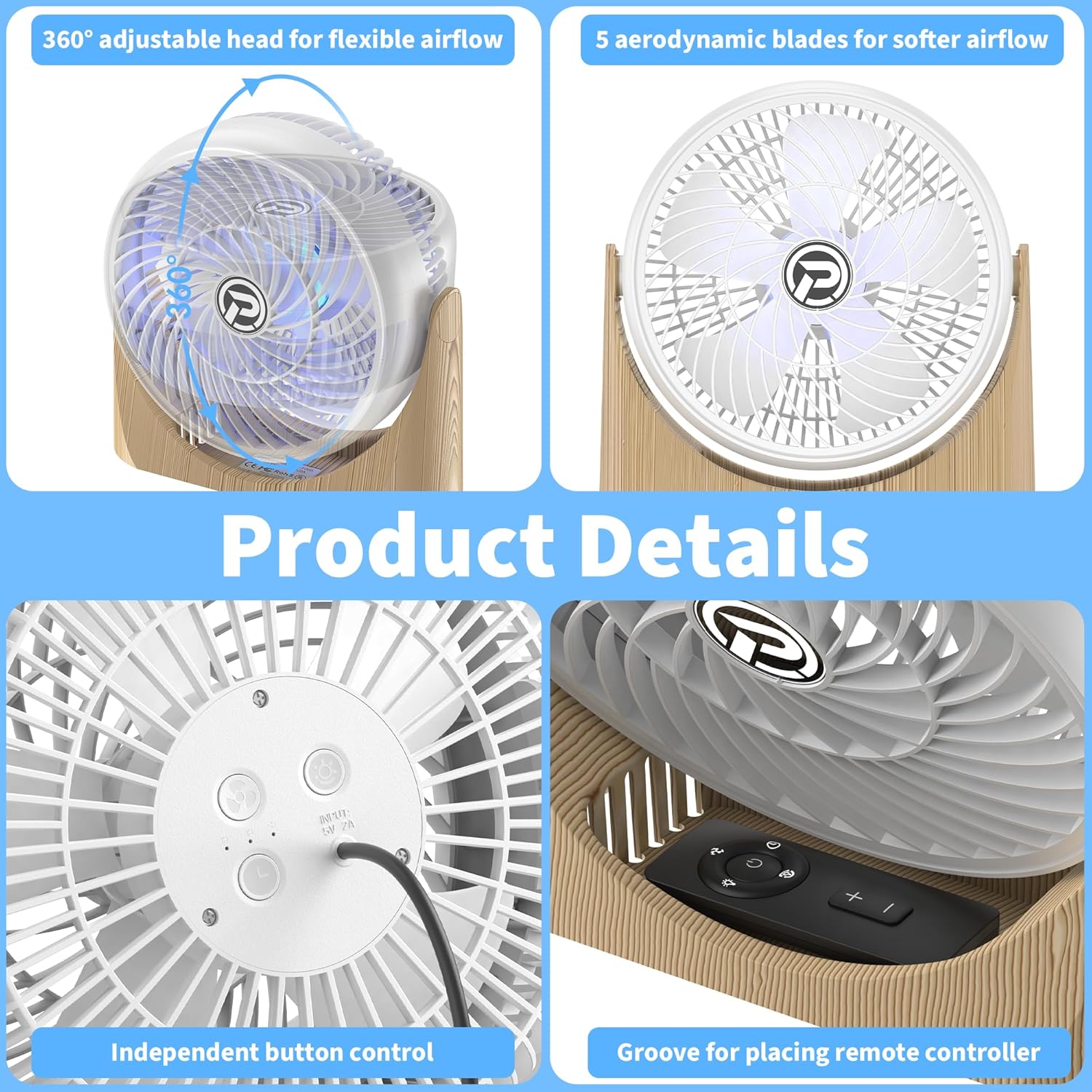
Image: Diagrams illustrating the fan's 360-degree adjustable head for flexible airflow.
5. Maintenance
Cleaning:
To maintain optimal performance and cleanliness, regularly clean your fan. Ensure the fan is unplugged from the power source before cleaning.
- Use a soft, dry cloth to wipe down the exterior surfaces of the fan and base.
- For dust accumulation on the fan blades, use a soft brush or a vacuum cleaner with a brush attachment to gently remove dust through the grilles.
- Do not use abrasive cleaners, solvents, or immerse the fan in water.
6. Troubleshooting
If you encounter any issues with your KITWLEMEN Table Fan, please refer to the following common problems and solutions:
| Problem | Solution |
|---|---|
| Fan does not turn on. | Ensure the USB power cord is securely connected to both the fan and a working USB power source. Try a different USB port or adapter. |
| Remote control is not working. | Check if the insulation sheet has been removed from the remote's battery compartment. Replace the remote battery (CR2023 or CR2025 type). Ensure there are no obstructions between the remote and the fan's sensor. |
| Fan turns on/off randomly. | This could indicate a power supply issue. Try connecting the fan to a different USB power source or adapter. Ensure the power connection is stable. |
| Light function is not working. | Ensure the fan is powered on. Press the light button on the remote or the fan's back panel to activate or cycle through light modes. |
| Weak airflow. | Increase the fan speed using the remote or on-board buttons. Ensure the fan grilles are not obstructed by dust or debris. Clean the fan if necessary. |
7. Product Specifications
| Specification | Detail |
|---|---|
| Brand | KITWLEMEN |
| Model Name | Table Fan |
| Model Number | F005 |
| Color | White |
| Product Dimensions | 3.9"D x 9.3"W x 9.6"H |
| Item Weight | 1.3 Pounds |
| Power Source | DC (USB Powered) |
| Voltage | 5 Volts |
| Wattage | 8 watts |
| Number of Blades | 5 |
| Number of Power Levels | 3 |
| Control Method | Remote, Push Button |
| Light Type | LED (RGB Mood Light) |
| Special Features | Remote Controlled, Portable, LED Light, Timer, Adjustable Tilt |
8. Warranty and Support
KITWLEMEN products are manufactured with high-quality materials and undergo strict quality control. For specific warranty details and terms, please refer to the warranty card included in your product packaging or visit the official KITWLEMEN website.
If you require technical assistance, have questions about product operation, or need to report an issue, please contact KITWLEMEN Customer Support through the contact information provided on the product packaging or the official brand store. Please have your product model number (F005) and purchase details ready when contacting support.
For more information, visit the KITWLEMEN Store on Amazon.
Ask a question about this manual
Ask about setup, troubleshooting, compatibility, parts, safety, or missing instructions. Manuals+ will review the question and use this page’s manual context to help answer it.