
BIGASUO KA216
BIGASUO KA216 Portable Karaoke Machine User Manual
Comprehensive guide for setup, operation, and maintenance of your BIGASUO KA216 Karaoke Machine.
1. Setup Guide
1.1 Package Contents
Verify that all items are included in your package:
- 1 x Karaoke Speaker
- 2 x Wireless Microphones
- 4 x AA Batteries (for microphones)
- 1 x Power Adapter
- 1 x 3.5mm AUX Cord
- 1 x USB Cable (for PC connection)
- 4 x Foam Microphone Covers
- 1 x User Manual

Figure 1: Contents of the BIGASUO KA216 Karaoke Machine package.
1.2 Initial Charging
Before first use, fully charge the karaoke machine. The built-in 13200mAh rechargeable battery provides 4-6 hours of playtime on a full charge. Connect the provided power adapter to the charging port on the back of the speaker.
1.3 Microphone Setup
Insert the 2 AA batteries into each wireless microphone. The microphones will automatically connect to the speaker when both are powered on. Ensure the foam microphone covers are placed on the microphone heads for protection and hygiene.
1.4 Setup Overview Video
Video 1: An overview of the BIGASUO Portable Karaoke Machine, including unboxing and initial setup steps.
2. Operating Instructions
2.1 Power On/Off
Long press the power button on the top control panel of the speaker to turn the unit on or off. The LED display will illuminate upon power-on.
2.2 Bluetooth Connectivity
The BIGASUO KA216 features Bluetooth 5.0 for stable wireless connection. To connect your device:
- Ensure the karaoke machine is powered on and in Bluetooth mode (indicated by "BLUE" on the display).
- On your smartphone, tablet, or other Bluetooth-enabled device, search for "KA216" in the Bluetooth settings.
- Select "KA216" to pair. A confirmation sound will indicate a successful connection.

Figure 2: Effortlessly sync your BIGASUO KA216 with TV and phone via Bluetooth or AUX/RCA cable.
2.3 Other Connectivity Options
The system supports various input modes:
- USB: Insert a USB drive with audio files into the USB port.
- AUX IN: Connect external devices like TVs, PCs, or other audio sources using the provided 3.5mm AUX cord. For TV connection, an RCA cable (not included) can be used for synchronized lyrics.
- PC: Connect to a computer via the PC port for audio playback.

Figure 3: The BIGASUO KA216 Karaoke Machine ready for use with a tablet for lyrics and two microphones.
2.4 Microphone Usage and Controls
The two wireless UHF microphones offer stable signal transmission up to 33 feet. They feature 360° sound pickup and advanced noise reduction technology for clear vocals.
Each microphone has a control panel allowing you to adjust:
- Speaker Volume: Adjust the overall music volume.
- Microphone Volume: Control the individual microphone's output level.
- ECHO Level: Add reverberation to your voice.
- Beautify Sound Level: Enhance vocal quality.
Short press the power button on the microphone to check its battery level. Microphones are powered by 2 AA batteries and can last up to 20 hours.
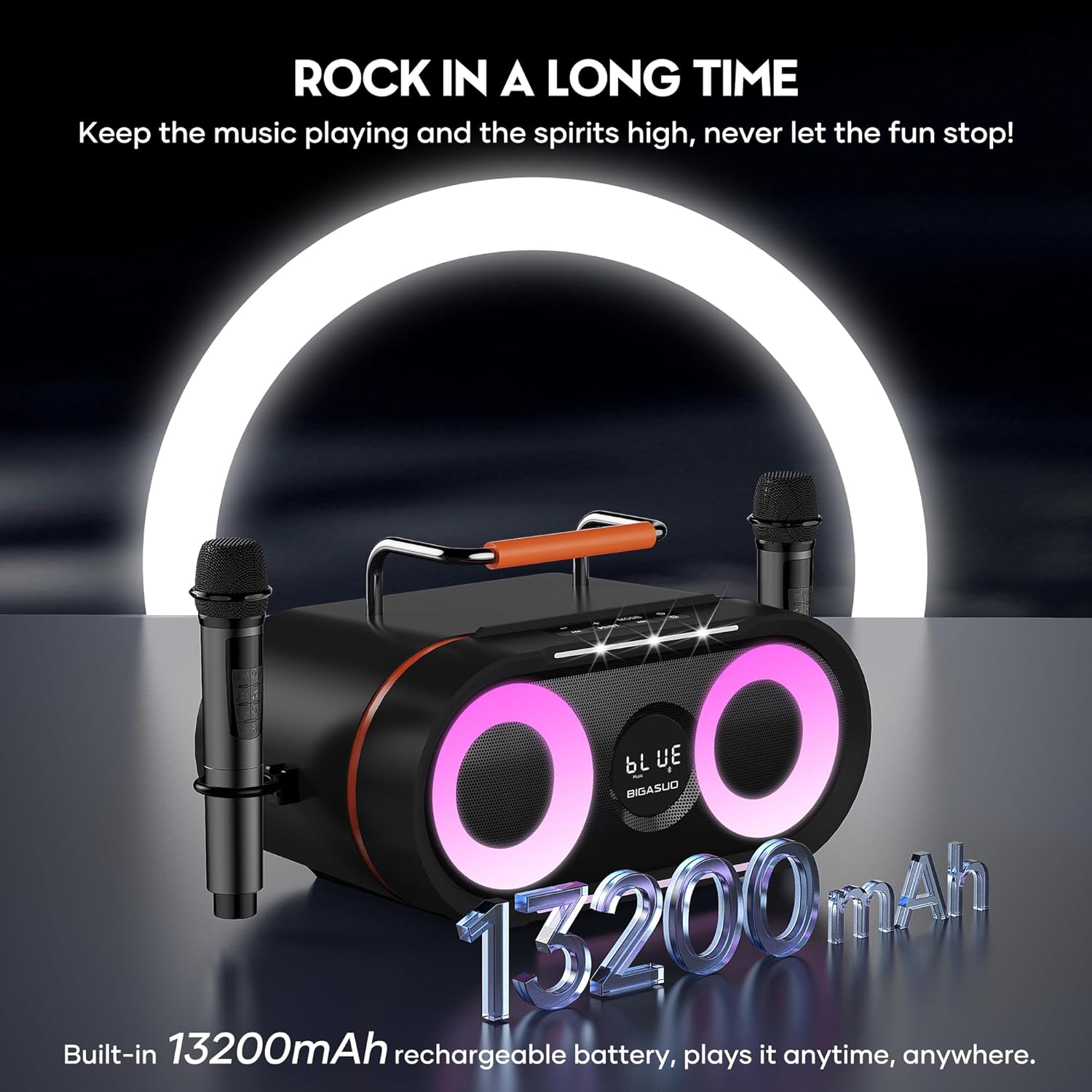
Figure 4: Features of the wireless UHF microphones, including 360° sound pickup and noise reduction.
2.5 Sound Quality and Bass
The karaoke machine is equipped with 2x20W tweeters and a 30W subwoofer. It utilizes a professional digital processor (DSP chip) and high-low pitch separation technology to optimize sound effects, providing clear treble, strong bass, and moderate volume.

Figure 5: Internal speaker configuration for powerful immersive sound and deep bass.
2.6 Colorful RGB Disco Lights
Enhance your karaoke experience with colorful RGB disco lights, featuring 3 modes that sync with the beat of your music:
- Musical Pulse: Lights pulse from bottom to top.
- Half-circle Rotation: Lights rotate with the rhythm.
- Breathing: Lights cycle through a breathing effect.
An additional Explosive Flashing Light on the front top pulses with the music, creating a dynamic atmosphere.

Figure 6: Explore the three light effects and the explosive flashing light feature for a vibrant party atmosphere.
2.7 Light Effects Overview Video
Video 2: Demonstrates the colorful RGB disco lights and explosive flashing light features of the BIGASUO Karaoke Machine.
3. Maintenance
3.1 Cleaning
Wipe the exterior of the karaoke machine and microphones with a soft, dry cloth. Do not use liquid cleaners or abrasive materials, as they may damage the surface or internal components.
3.2 Storage
When not in use, store the unit in a cool, dry place away from direct sunlight and extreme temperatures. Ensure the microphones are stored securely, ideally in their designated slots on the speaker.

Figure 7: The portable design with a sturdy handle makes the BIGASUO KA216 easy to carry for indoor or outdoor use.
3.3 Battery Care
To prolong battery life, avoid fully discharging the unit frequently. Recharge the main speaker battery regularly, even if not in constant use. For microphones, replace AA batteries when low to ensure optimal performance.

Figure 8: The built-in 13200mAh rechargeable battery ensures extended playtime for your karaoke sessions.
4. Troubleshooting
4.1 Low Music Volume
If the music played through the speaker is very low, check the volume settings on both the karaoke machine and your connected device (smartphone, tablet, etc.). Ensure both are turned up to an appropriate level.
4.2 Microphone Issues
If microphones are not connecting or have low volume, ensure they are powered on and have fresh AA batteries. Verify that the speaker is also powered on and the microphones are within the 33-foot working range.
4.3 General Issues
For any other issues, please refer to the detailed troubleshooting section in the included user manual or contact BIGASUO customer service.
5. Specifications
| Feature | Detail |
|---|---|
| Brand | BIGASUO |
| Model Number | KA216 |
| Product Dimensions | 15.8 x 10.4 x 10.3 inches |
| Item Weight | 10.6 ounces (speaker), 300 Grams (total) |
| Connectivity Technology | Bluetooth 5.0, USB, AUX IN, PC |
| Output Wattage | 70 Watts (2x20W tweeters, 1x30W subwoofer) |
| Power Source | Battery Powered (13200mAh Lithium Polymer) |
| Microphones | 2 x Wireless UHF Microphones (2xAA batteries each) |
| Light Effects | Colorful RGB Disco Lights (3 modes), Explosive Flashing Light |
| Recommended Uses | Indoor/Outdoor, Party, Family Karaoke, Weddings, Street Performances |
6. Warranty and Support
BIGASUO is committed to providing high-quality products and excellent customer service.
- Warranty: Enjoy 365 Days replacement service.
- Technical Support: Life-time technology support is available for your product.
If you have any questions or require assistance, please do not hesitate to contact BIGASUO customer service. They are dedicated to helping you solve any problems you may encounter.
Related documentsKA216

Ask a question about this manual
Ask about setup, troubleshooting, compatibility, parts, safety, or missing instructions. Manuals+ will review the question and use this page’s manual context to help answer it.