
1. Introduction
The Tiffcofio Outdoor Light Timer TF-1502 is designed to automate the control of outdoor electrical devices, such as lighting, with various timing functions including dusk-to-dawn and countdown modes. This timer features two grounded outlets and is built for outdoor use with a waterproof design.
2. Safety Information
- Electrical Rating: Do not exceed the maximum electrical rating of 15 Amps, 125 Volts AC, 1875 Watts. Overloading the timer can cause damage or fire.
- Grounding: Always connect the timer to a grounded 3-prong outlet.
- Waterproof Installation: For optimal waterproof performance, mount the timer vertically with the outlets facing downwards, at least 2 feet (0.6 meters) above ground level. Ensure the timer is not submerged in water.
- Placement: Position the timer where the light sensor is exposed to natural light for accurate dusk-to-dawn operation. Avoid placing it under eaves or in shaded areas that could interfere with the sensor.
- Cord Management: Ensure all cords are routed safely to prevent tripping hazards and damage.
- Children and Pets: Keep the timer and connected devices out of reach of children and pets.
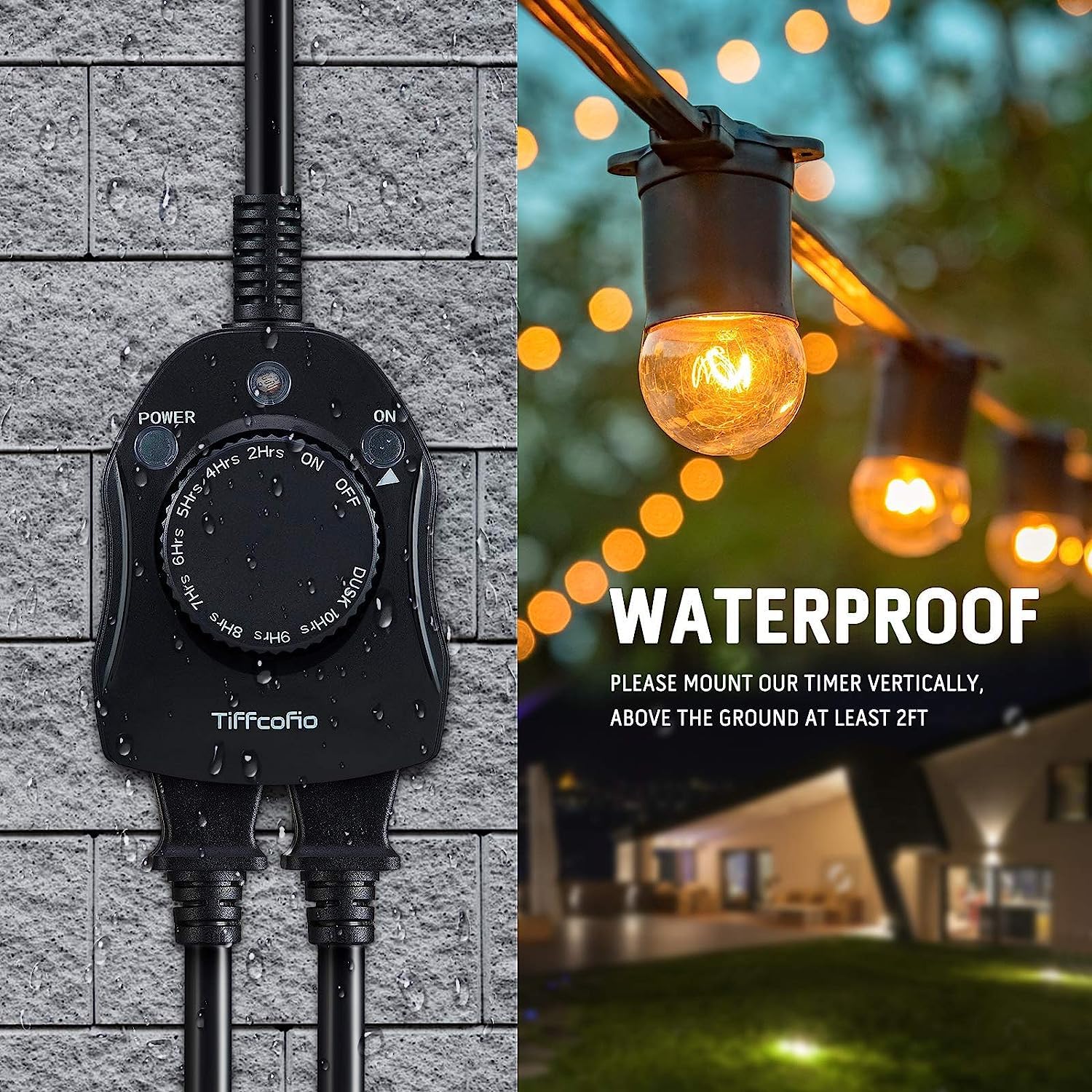
Image: Proper vertical mounting of the Tiffcofio Outdoor Light Timer, demonstrating its waterproof design. The timer should be mounted at least 2 feet above the ground.
3. Product Features and Diagram
The Tiffcofio TF-1502 timer features a robust design with multiple timing functions and two grounded outlets for versatile outdoor use.

Image: Detailed diagram illustrating the components of the Tiffcofio Outdoor Light Timer, including the flat plug, 6-inch cord, mounting hole, light sensor, power indicator, output indicator, and two grounded outlets.
- Flat Plug: Space-saving design for wall outlets.
- 6" Cord: Provides flexibility for placement.
- Mounting Hole: For secure vertical installation.
- Light Sensor: Detects ambient light for dusk-to-dawn operation.
- Power Indicator: Illuminates when the timer is receiving power.
- Output Indicator: Illuminates when the outlets are active.
- 2 Grounded Outlets: For connecting two devices.
- Rotary Dial: Selects various timing functions.
4. Setup
- Unpack: Carefully remove the timer from its packaging.
- Mounting: Choose a suitable outdoor location for mounting. The timer should be mounted vertically, with the outlets facing downwards, at least 2 feet (0.6 meters) above the ground. Use the integrated mounting hole to secure it.
- Light Sensor Placement: Ensure the light sensor (located on the top of the timer) is unobstructed and exposed to natural daylight. Avoid areas under overhangs, dense foliage, or artificial light sources that could interfere with its operation.
- Plug In: Connect the timer's flat plug into a grounded 3-prong outdoor electrical outlet. The Power Indicator light should illuminate.
- Connect Devices: Plug your outdoor lights or other electrical devices into the two grounded outlets on the timer.
5. Operating Instructions
The Tiffcofio TF-1502 timer offers 11 timing functions controlled by a rotary dial.

Image: The rotary dial of the Tiffcofio Outdoor Light Timer, highlighting the 11 available timing functions and the two grounded outlets.

Image: Visual representation of the timer's light sensor, its role in energy saving, and automatic control capabilities.
Setting the Timer Functions:
Rotate the dial clockwise to select your desired operating mode. The available functions are:
- ON: The connected devices will remain continuously on. The Output Indicator will be lit.
- OFF: The connected devices will remain continuously off. The Output Indicator will be off.
- DUSK: The connected devices will turn on at dusk and remain on until dawn. This mode utilizes the built-in light sensor.
- 2H / 4H / 5H / 6H / 7H / 8H / 9H / 10H (Countdown Modes): The connected devices will turn on at dusk and remain on for the selected duration (e.g., 2 hours, 4 hours, up to 10 hours), then turn off. This mode also utilizes the light sensor.
After selecting a mode, the timer will automatically begin its operation cycle.
6. Maintenance
- Cleaning: Periodically wipe the timer's exterior with a soft, damp cloth. Do not use abrasive cleaners or immerse the timer in water.
- Inspect Cords: Regularly check the power cord and connected device cords for any signs of damage, fraying, or wear. Replace damaged cords immediately.
- Sensor Cleanliness: Ensure the light sensor is clean and free from dirt, dust, or debris that could obstruct its function.
- Seasonal Storage: If storing the timer for an extended period, disconnect it from the power source and store it in a cool, dry place.
7. Troubleshooting
- Timer not turning on:
- Ensure the timer is securely plugged into a working grounded outlet.
- Check if the Power Indicator light is on. If not, test the outlet with another device.
- Verify that the dial is not set to 'OFF'.
- Connected devices not turning on/off as expected:
- Ensure the connected devices are properly plugged into the timer's outlets and are switched to their 'ON' position.
- Check the selected timing function on the rotary dial.
- For Dusk-to-Dawn or Countdown modes: Ensure the light sensor is clean and fully exposed to natural light. Artificial light sources (e.g., porch lights, streetlights) or shaded areas can interfere with the sensor's ability to detect dusk/dawn accurately. The sensor requires direct ambient light to operate correctly.
- Verify that the Output Indicator light is on when devices should be active.
- Timer appears damaged or is sparking:
- Immediately unplug the timer from the power source.
- Do not attempt to repair the timer. Contact customer support.
8. Specifications
| Specification | Detail |
|---|---|
| Model Number | TF-1502 |
| Brand | Tiffcofio |
| Current Rating | 15 Amps |
| Operating Voltage | 125 Volts (AC) |
| Wattage | 1875 Watts |
| International Protection Rating | IP65 (Waterproof) |
| Certification | CSA Listed |
| Material | Plastic |
| Operation Mode | ON-OFF, Dusk-to-Dawn, Countdown |
| Number of Outlets | 2 Grounded Outlets |
| Cord Length | 6 inches |
9. Warranty and Support
For warranty information or technical support, please refer to the product packaging or contact Tiffcofio customer service directly. Keep your purchase receipt for warranty claims.