
1. Product Overview
The KUIDAMOS Wireless Car Seat Adjustment Switch is designed to provide convenient remote control for the passenger seat in compatible vehicles. This device allows both rear seat passengers and the main driver to adjust the passenger seat with ease, enhancing comfort and accessibility. It features a compact design and wireless operation, ensuring a seamless integration without interfering with the vehicle's original systems.

Image: Overview of the KUIDAMOS Car Seat Remote Control, highlighting its wireless seat adjustment capability and compatibility with Model Y 2021+.
Key Features:
- Wireless Control: Enables remote adjustment of the passenger seat.
- High Sensitivity: Ensures responsive and accurate seat adjustments.
- Easy Installation: Designed for simple setup without damaging original vehicle components.
- Compact Design: Small footprint, does not obstruct visibility or space.
- Compatibility: Specifically designed for Y 2021+ models.
- No Damage to Wiring: Integrates without altering the vehicle's existing electrical system.
- Stable Signal: Provides a reliable and consistent connection for adjustments.
- No Conflict: Operates independently without conflicting with the original car's adjustment buttons.

Image: Visual representation of key features including free adjustment, no wiring damage, and wireless operation.

Image: Illustration emphasizing a safe and solid signal, and no conflict with existing vehicle controls.
2. Package Contents
Before installation, please verify that all components are present in the package:
- Wireless Car Seat Adjustment Switch Unit
- Control Module
- Wiring Harness
- Mounting Accessories (e.g., cable ties, adhesive pads, small wrench)

Image: The KUIDAMOS Wireless Car Seat Adjustment Switch along with its control module, wiring, and various installation accessories.
3. Installation Guide
This section provides step-by-step instructions for installing your KUIDAMOS Wireless Car Seat Adjustment Switch. It is recommended to perform installation in a well-lit area and ensure the vehicle is turned off.
- Identify Installation Location: Choose a suitable location on the side of the passenger seat for mounting the switch. Ensure it is easily accessible for both front and rear passengers and does not obstruct any existing controls or safety features.
- Prepare the Surface: Clean the chosen mounting surface thoroughly to ensure proper adhesion of any adhesive pads.
- Connect Wiring Harness: Carefully connect the provided wiring harness to the vehicle's seat adjustment system. Refer to your vehicle's specific wiring diagram if necessary. The design ensures no damage to original wiring.
- Mount the Control Module: Secure the control module in a discreet location, ensuring it does not interfere with seat movement or other vehicle functions. Use cable ties or adhesive pads as needed.
- Attach the Switch Unit: Mount the wireless switch unit to the prepared location on the passenger seat. The compact design allows for placement without blocking the line of sight or taking up excessive space.
- Test Functionality: After installation, turn on the vehicle and test the seat adjustment switch to ensure it operates correctly and smoothly.
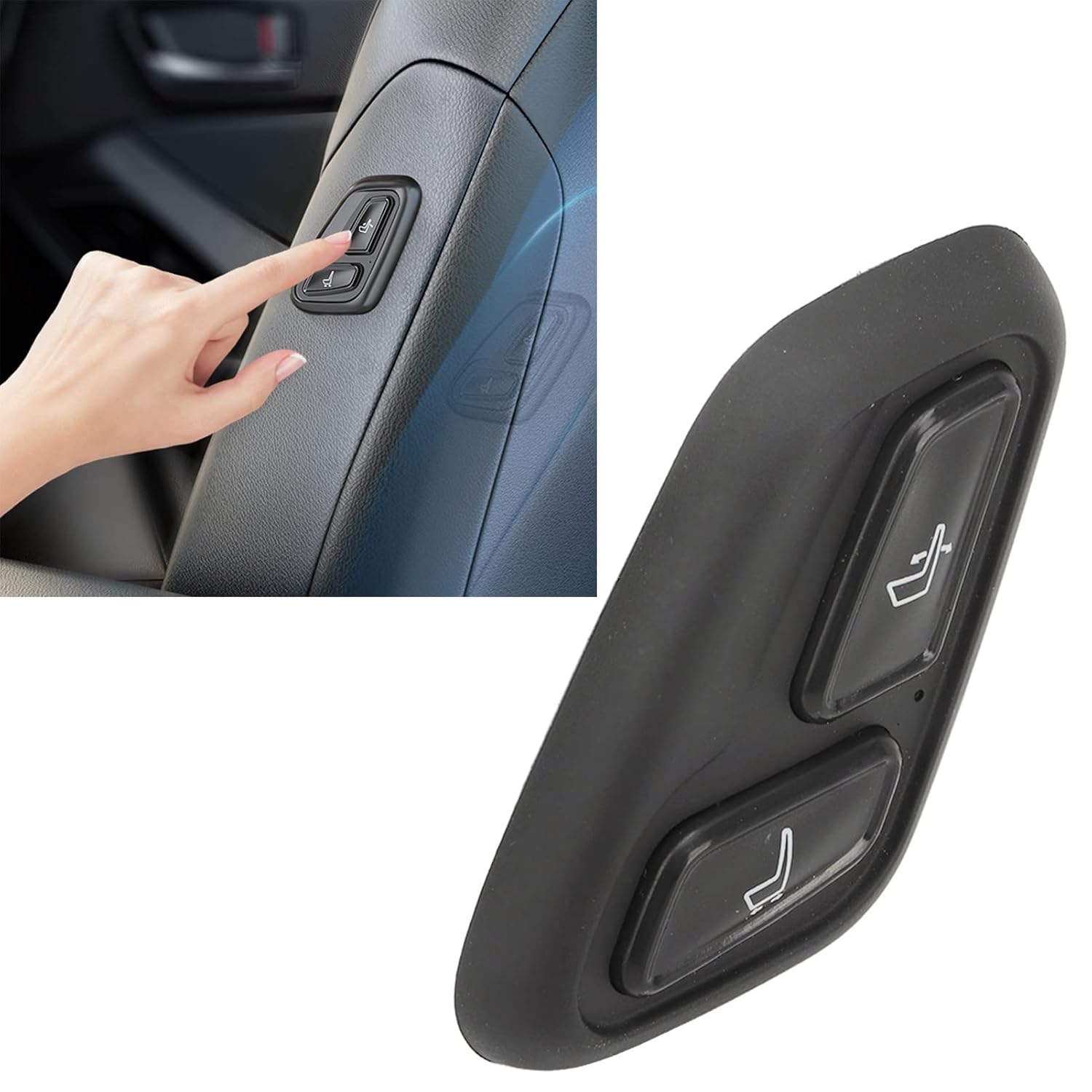
Image: The wireless seat adjustment switch neatly installed on the side of the passenger seat, demonstrating its integrated appearance.
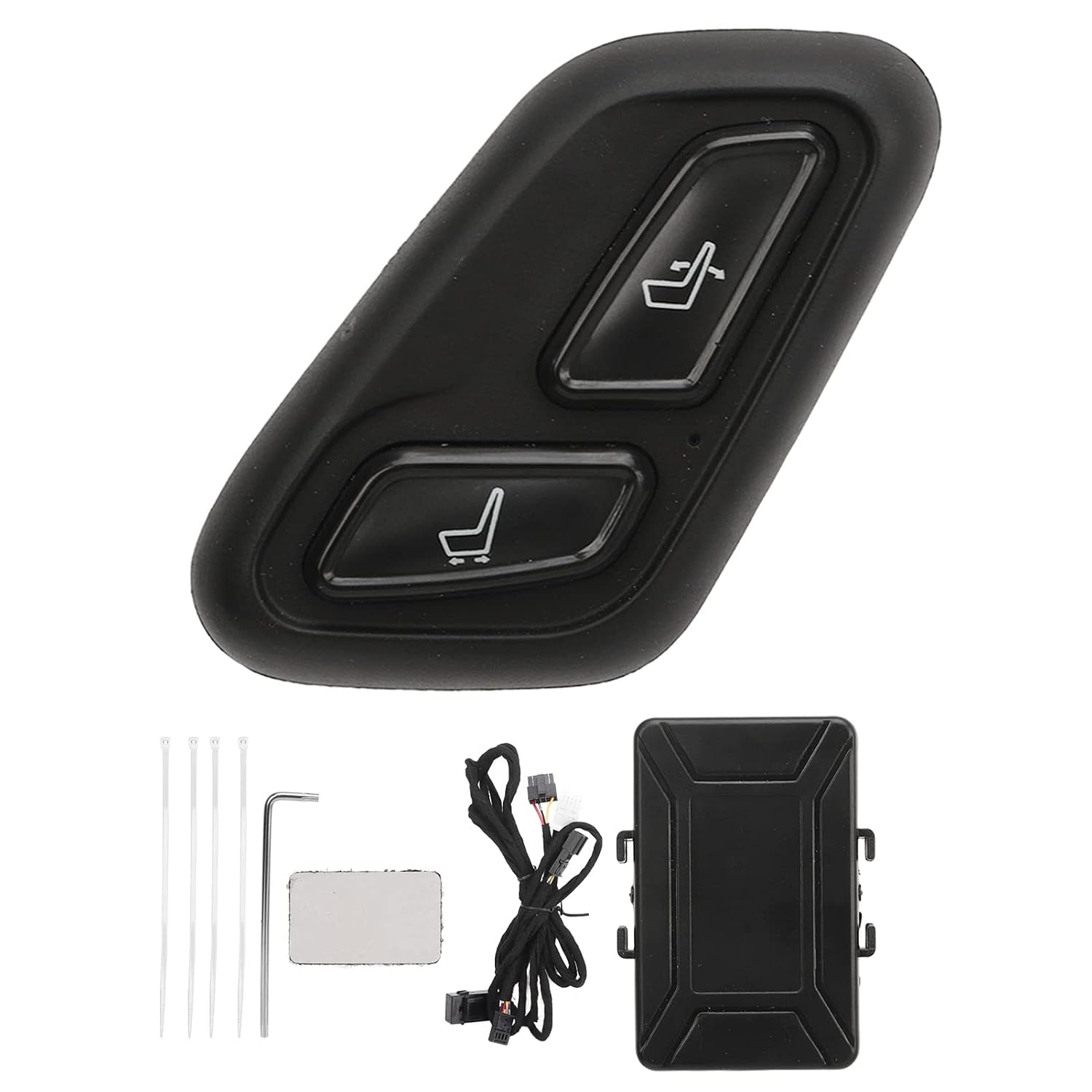
Image: A close-up view of the installed switch, showing its ergonomic placement and minimal intrusion.
4. Operating Instructions
The KUIDAMOS Wireless Car Seat Adjustment Switch is designed for intuitive operation. It allows for easy adjustment of the passenger seat from various positions within the vehicle.
Using the Remote Control:
- The switch features two primary buttons, typically marked with seat adjustment icons (e.g., forward/backward, recline).
- Press and hold the desired button to move the passenger seat in the corresponding direction.
- Release the button to stop the seat movement.
- The wireless signal ensures a stable and responsive connection, allowing for precise adjustments.

Image: A hand demonstrating the use of the seat adjustment switch, showing its convenient placement for easy access.

Image: The remote control in use, illustrating the wireless signal transmission for seat adjustment.
5. Maintenance and Care
To ensure the longevity and optimal performance of your KUIDAMOS Wireless Car Seat Adjustment Switch, follow these maintenance guidelines:
- Cleaning: Wipe the surface of the switch with a soft, dry cloth. Avoid using harsh chemicals or abrasive cleaners, which can damage the finish.
- Battery Replacement: (If applicable, for the remote unit) If the remote control's responsiveness decreases, consider replacing its battery. Refer to the product specifications for battery type.
- Environmental Conditions: Avoid exposing the device to extreme temperatures, direct sunlight for prolonged periods, or excessive moisture.
- Inspection: Periodically check the wiring and mounting for any signs of wear or loosening.
6. Troubleshooting
If you encounter issues with your KUIDAMOS Wireless Car Seat Adjustment Switch, refer to the following troubleshooting steps:
| Problem | Possible Cause | Solution |
|---|---|---|
| Switch is unresponsive. | No power to the control module, loose wiring, or depleted remote battery (if applicable). | Check all wiring connections. Ensure the vehicle's power is on. Replace remote battery if necessary. |
| Seat movement is erratic or slow. | Weak signal, obstruction, or issue with the vehicle's seat motor. | Ensure no objects are blocking the signal path. Verify the vehicle's original seat adjustment functions correctly. |
| Switch buttons feel stiff. | Accumulation of dirt or debris. | Gently clean around the buttons with a soft, dry cloth. Do not force the buttons. |
If the problem persists after attempting these solutions, please contact KUIDAMOS customer support for further assistance.
7. Product Specifications
| Specification | Detail |
|---|---|
| Brand | KUIDAMOS |
| Model Compatibility | Y 2021+ |
| Operation Mode | ON-OFF-ON |
| Contact Type | Normally Open |
| Connector Type | Wireless |
| Material | ABS and Metal |
| Actuator Type | Push Button |
| Package Dimensions | 9.06 x 6.69 x 2.36 inches |
8. Warranty and Support
KUIDAMOS products are manufactured to high-quality standards. This product comes with a standard manufacturer's warranty covering defects in materials and workmanship from the date of purchase.
- Warranty Period: Please refer to your purchase documentation or the KUIDAMOS official website for specific warranty duration.
- Claim Process: In case of a warranty claim, please retain your proof of purchase and contact KUIDAMOS customer support.
- Exclusions: The warranty does not cover damage caused by improper installation, misuse, accidents, unauthorized modifications, or normal wear and tear.
Customer Support:
For technical assistance, troubleshooting, or warranty inquiries, please visit the official KUIDAMOS store or contact our customer service team:
KUIDAMOS Official Store: Visit Store
Email: Refer to the official website for contact email.
Phone: Refer to the official website for contact number.