
Product Overview
The LUMI LPA49-486XLD is a heavy-duty, full-motion TV wall mount designed for televisions ranging from 43 to 90 inches. It features an impressive 1044mm (41.1") arm extension and supports a weight capacity of up to 80kg (176lbs). This mount provides extensive viewing flexibility with its swiveling arms, toolless tilting, and quick-release mechanism for easy TV installation and removal. Integrated cable management helps maintain a clean and organized appearance.
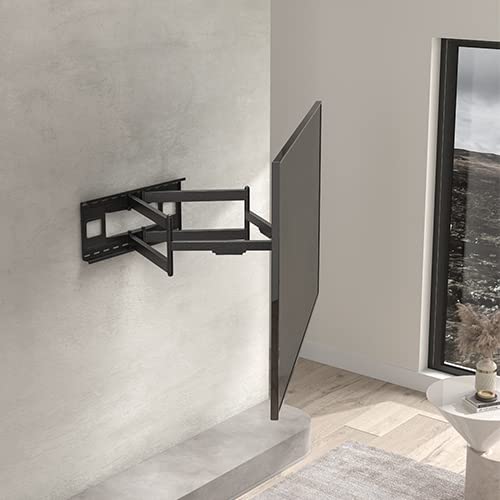
Image: The LUMI LPA49-486XLD TV wall mount shown installed with a television, demonstrating its full-motion capabilities and extended arm.
Safety Information
Please read this entire instruction manual before installation and assembly. If you have any questions regarding any of the instructions or warnings, please contact your local distributor for assistance. Failure to follow the instructions and warnings may result in serious personal injury, property damage, or both.
- This product is designed for installation by qualified personnel only.
- Ensure the supporting surface (wall) will safely support the combined weight of the equipment and all attached hardware and components.
- Use mounting screws as provided and DO NOT overtighten mounting screws.
- This product is intended for indoor use only.
- Do not exceed the maximum weight capacity of 80kg (176lbs).
- Always use a stud finder to locate wall studs for secure mounting.
Setup and Installation
Proper installation is crucial for the safety and stability of your television. It is highly recommended to have this mount installed by a professional. Always ensure you have all necessary tools and components before beginning.
Tools Required (Not Included):
- Drill
- Stud Finder
- Level
- Tape Measure
- Pencil
- Socket Wrench / Spanner
- Phillips Head Screwdriver
Installation Steps:
- Prepare the Wall: Use a stud finder to locate two adjacent wooden studs in your desired mounting location. Mark the center of the studs. Ensure there are no electrical wires or plumbing in the drilling path.
- Attach Wall Plate: Position the wall plate against the wall, aligning the mounting holes with the marked stud centers. Use a level to ensure it is perfectly horizontal. Mark the drill points. Drill pilot holes into the studs. Secure the wall plate to the wall using the provided lag bolts and washers. DO NOT overtighten.
- Attach TV Brackets: Identify the correct size screws for your TV's VESA mounting holes. Attach the vertical TV brackets to the back of your television. Ensure the brackets are centered and securely fastened.
- Mount the TV: With assistance, carefully lift the television and hook the TV brackets onto the wall plate's arms. Ensure the brackets are properly seated.
- Secure the TV: Utilize the quick-release latch mechanism to secure the TV to the mount. This prevents accidental dislodgement.
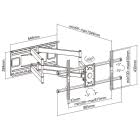
Image: Detailed dimensional drawing of the LPA49-486XLD mount, showing measurements for installation planning and VESA compatibility.
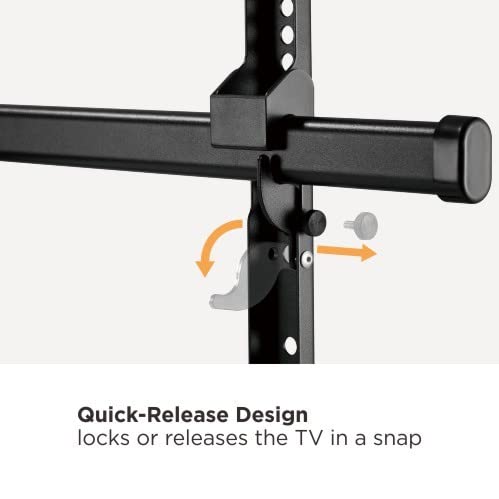
Image: Close-up view illustrating the quick-release design, which allows for easy locking and unlocking of the TV to the mount.
Operating Instructions
The LPA49-486XLD mount offers various adjustments to achieve optimal viewing angles.
- Extension: Gently pull or push the TV to extend or retract the arm. The mount provides a long extension arm for a wide range of viewing angles.
- Swivel: The swiveling arm(s) allow you to rotate the TV horizontally up to 60 degrees in either direction (left/right), offering maximum viewing flexibility.
- Tilt: The free-tilting design allows you to adjust the TV vertically from +5 degrees to -15 degrees. This adjustment helps reduce glare and provides better viewing from different heights. This is a toolless adjustment.
- Cable Management: Utilize the integrated cable management clips or channels along the arm to route and secure your TV cables, ensuring a clean and organized setup.
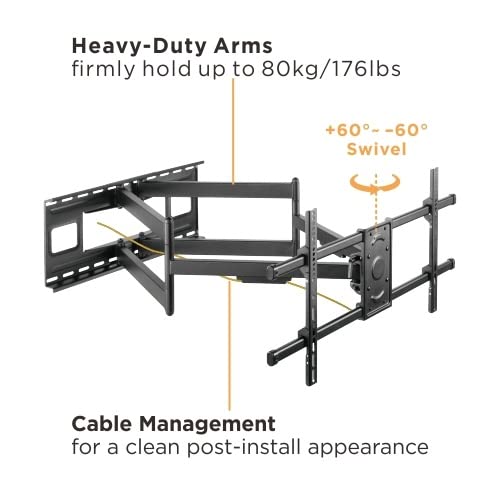
Image: Diagram highlighting the heavy-duty arms, the +/- 60-degree swivel capability, and the integrated cable management system for a tidy installation.
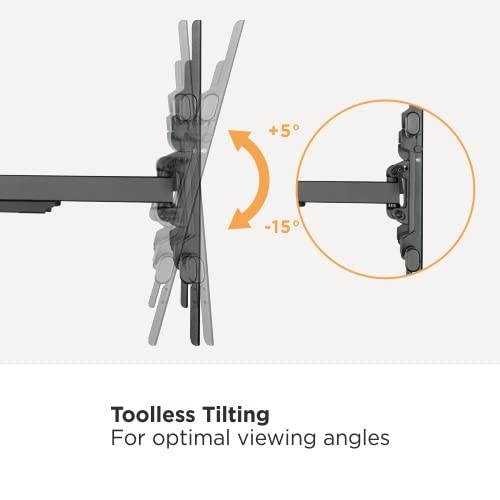
Image: Illustration demonstrating the toolless tilting feature, allowing for easy vertical angle adjustments of the television.
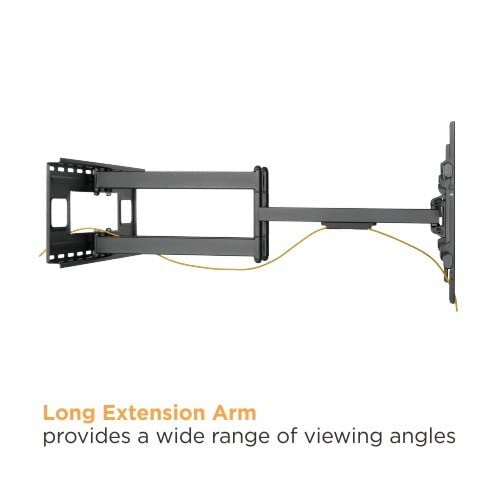
Image: Side view of the mount showcasing its long extension arm, which provides significant reach for flexible TV positioning.
Maintenance
Regular maintenance ensures the longevity and safe operation of your TV wall mount.
- Cleaning: Wipe the mount with a soft, dry cloth to remove dust. Do not use abrasive cleaners or solvents.
- Periodic Checks: Periodically check all screws and bolts to ensure they remain tight and secure. Re-tighten if necessary, but do not overtighten.
- Movement Check: Occasionally move the mount through its full range of motion to ensure smooth operation.
Troubleshooting
If you encounter issues with your LUMI TV wall mount, refer to the following common solutions:
- TV is not level: Check the level of the wall plate during installation. Most mounts allow for minor post-installation leveling adjustments on the TV brackets. Refer to the specific bracket design for adjustment screws.
- Difficulty moving the arm: Ensure all adjustment knobs or bolts are sufficiently loosened for movement. If the mount feels stiff, it may require lubrication at pivot points (use a silicone-based lubricant sparingly).
- TV feels loose on the mount: Verify that the quick-release latch is fully engaged and that all TV bracket screws are securely tightened to the TV. Re-check the lag bolts securing the wall plate to the wall.
- Cables are not organized: Re-route cables through the integrated cable management channels or clips.
Specifications
| Feature | Detail |
|---|---|
| Model Number | LPA49-486XLD |
| Brand | LUMI |
| Screen Size Compatibility | 43" - 90" |
| Weight Capacity | 80 kg (176 lbs) |
| Material | Metal |
| Mounting Type | Wall Mount |
| Arm Extension | Up to 1044 mm (41.1") |
| Tilt Range | +5° to -15° (Toolless) |
| Swivel Range | Up to +/- 60° |
| Cable Management | Integrated |
| Quick Release | Yes |
Warranty and Support
For warranty information and customer support, please refer to the documentation included with your purchase or contact your retailer or the manufacturer directly. Specific warranty terms may vary by region and retailer.
For technical assistance or inquiries, please visit the official LUMI website or contact their customer service department.

