
1. Introduction
The Crivit Silvercrest Smart Home Gateway serves as the central hub for your intelligent home network. It enables the connection and control of various Smart Home devices, including lamps, motion sensors, smart plugs, and cameras. This gateway supports the Zigbee 3.0 radio standard, ensuring secure communication and broad compatibility with other Zigbee 3.0 compatible products.
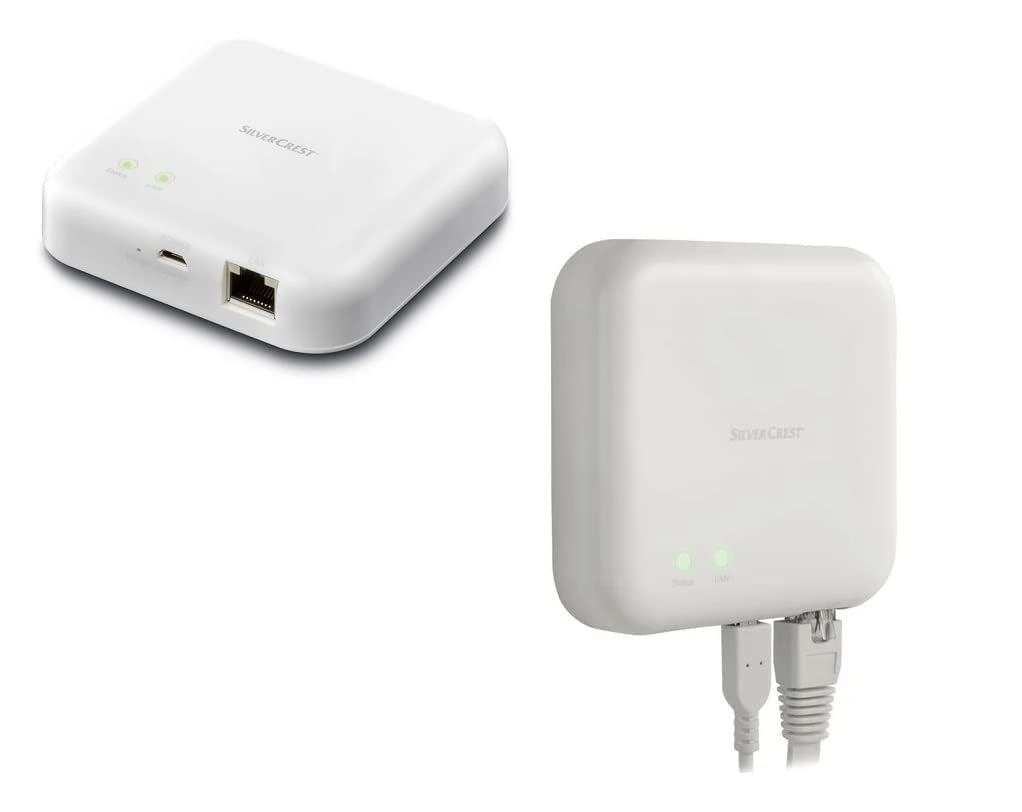
Image 1.1: The Silvercrest Smart Home Gateway, showing its compact design and connectivity ports.
2. Setup
- Power Connection: Connect the gateway to a power source using the micro USB input.
- Network Connection: Connect the gateway to your home router using an Ethernet cable via the RJ45 Ethernet port.
- App Installation: Download and install the Lidl Home App on your smartphone or tablet. The app is essential for controlling and managing your Smart Home devices.
- Device Pairing: Follow the instructions within the Lidl Home App to pair your Zigbee 3.0 compatible devices (e.g., lamps, motion sensors, smart plugs) with the gateway. The gateway facilitates secure, encrypted communication with these devices.
3. Operating
Once set up, the Silvercrest Smart Home Gateway allows you to control your connected devices both from home and remotely.
- Lidl Home App Control: Use the Lidl Home App to monitor the status of your devices (e.g., lights on/off) and control them directly.
- Voice Control: The gateway supports voice control through Google Assistant and Apple Assistant. Ensure your voice assistant is configured to work with the Lidl Home Gateway for seamless operation.
4. Maintenance
The Silvercrest Smart Home Gateway is designed for low maintenance. Keep the device clean and free from dust. Ensure it is placed in a well-ventilated area to prevent overheating. Avoid exposing the device to moisture or extreme temperatures.
5. Troubleshooting
If you encounter issues with your Smart Home Gateway, consider the following:
- No Connection: Check if the micro USB power cable and RJ45 Ethernet cable are securely connected. Ensure your internet router is functioning correctly.
- Device Not Responding: Verify that the device is properly paired with the gateway via the Lidl Home App. Check the device's power supply and its proximity to the gateway (within 70m in open areas).
- App Issues: Ensure your Lidl Home App is updated to the latest version. Try restarting the app or your smartphone.
- Voice Control Problems: Confirm that your Google Assistant or Apple Assistant is correctly linked to the Lidl Home Gateway and that your commands are clear.
If problems persist, consult the Lidl Home App's help section or contact customer support.
6. Specifications
| Model Number | 15sfd |
| Connectivity Protocol | Zigbee 3.0 |
| Wireless Range | Approx. 70 m (open area) |
| Reception Angle | 360° |
| Connections | Micro USB input, RJ45 Ethernet |
| Material | Plastic |
| Dimensions (W x L x H) | Approx. 8.9 x 8.9 x 2.35 cm |
| Item Dimensions (L x W x H) | 10 x 15 x 4 cm |
| Weight | Approx. 76 g |
| Operating Voltage | 10 Volts |
| Rated Current | 2.5 Kiloampere |
| Control Type | Voice control (Google Assistant, Apple Assistant) |
| Compatible Devices | Zigbee 3.0 compatible devices |
| International Protection Rating | IP00 |
| Certifications | TUV |
| Components Included | Gateway |
7. Warranty & Support
For warranty information, please refer to the documentation provided at the time of purchase or contact your retailer. For technical support or further assistance, please consult the help section within the Lidl Home App or visit the official Crivit support website.