
1. Introduction
Thank you for choosing the TODO Walking Pad Treadmill, Model Zc-pb. This manual provides essential information for the safe and efficient operation, maintenance, and troubleshooting of your new walking pad. Please read this manual thoroughly before initial use and retain it for future reference.
The TODO Walking Pad Treadmill is designed for home and office use, offering a compact and convenient way to incorporate physical activity into your daily routine. It features a 550W motor, a speed range of 1 to 8 km/h, and an integrated LCD display to track your workout data.

Image 1.1: The TODO Walking Pad Treadmill in operation, demonstrating its use for both running and walking while working at a standing desk.
2. Safety Instructions
To ensure safe operation and prevent injury, please adhere to the following safety guidelines:
- Always place the treadmill on a flat, stable surface.
- Ensure there is adequate clear space (at least 0.6 meters) around the treadmill during operation.
- The maximum user weight capacity for this treadmill is 110 kg (242 lbs). Do not exceed this limit.
- Keep children and pets away from the treadmill during operation.
- Do not operate the treadmill if the power cord is damaged or if the machine is not functioning correctly.
- Always use the safety key. The treadmill will stop immediately if the safety key is disengaged.
- Wear appropriate athletic footwear during use.
- Consult a physician before starting any new exercise program.
- Do not attempt to disassemble or repair the treadmill yourself. Contact customer support for assistance.

Image 2.1: Illustration of the treadmill's maximum weight capacity, which is 110 kilograms.
3. Package Contents
Carefully unpack the box and ensure all items are present and in good condition. If any items are missing or damaged, please contact customer support.
- TODO Walking Pad Treadmill
- Remote Control
- Safety Key
- Power Cable
- User Manual (this document)
4. Setup
The TODO Walking Pad Treadmill requires no assembly. Follow these steps for initial setup:
- Placement: Choose a flat, stable surface for the treadmill. Ensure sufficient space around the unit for safe operation.
- Power Connection: Plug the power cable into the treadmill's power port and then into a grounded electrical outlet.
- Safety Key: Attach the safety key clip to your clothing and insert the magnetic end into the designated slot on the treadmill's console. The treadmill will not operate without the safety key properly engaged.
- Initial Lubrication: Before first use, and periodically thereafter, apply silicone lubricant under the running belt as instructed in the Maintenance section.

Image 4.1: The compact design allows for easy storage under furniture, and integrated wheels facilitate movement.
5. Operating Instructions
Your TODO Walking Pad Treadmill is controlled via the included remote control and features an LCD display for tracking workout data.
5.1. Getting Started
- Ensure the treadmill is plugged in and the safety key is correctly inserted.
- Step onto the running belt carefully.
- Press the Start/Stop button on the remote control to begin. The treadmill will typically start at a low speed.
5.2. Adjusting Speed
- Use the + button on the remote control to increase speed.
- Use the - button on the remote control to decrease speed.
- The treadmill offers a speed range from 1 km/h to 8 km/h.

Image 5.1: The treadmill supports speeds up to 8 km/h, controlled by the remote.

Image 5.2: Recommended speed ranges for various activities: walking, working, and jogging/running.
5.3. LCD Display
The integrated LCD display shows your workout data, including:
- Time: Duration of your workout.
- Speed: Current speed in km/h.
- Distance: Total distance covered.
- Calories: Estimated calories burned.
5.4. Stopping the Treadmill
- Press the Start/Stop button on the remote control to pause or stop the treadmill.
- Pulling the safety key from its slot will immediately stop the treadmill for emergency situations.
6. Maintenance
Regular maintenance ensures the longevity and optimal performance of your treadmill.
6.1. Cleaning
- Unplug the treadmill before cleaning.
- Wipe down the treadmill with a damp cloth after each use to remove sweat and dust.
- Do not use abrasive cleaners or solvents.
6.2. Belt Lubrication
The running belt requires periodic lubrication with silicone oil to reduce friction and extend its lifespan. Lubricate every 30-50 hours of use or every 1-2 months, depending on usage frequency.
- Unplug the treadmill.
- Lift one side of the running belt.
- Apply a small amount of 100% silicone lubricant (not included) evenly onto the center of the deck, underneath the belt.
- Repeat on the other side.
- Plug in the treadmill and run it at a low speed (e.g., 1-2 km/h) for 5 minutes to distribute the lubricant.
6.3. Belt Alignment
If the running belt shifts to one side during use, it may need adjustment. Refer to the specific instructions provided with your treadmill for belt alignment, which typically involves adjusting screws at the rear of the unit with an Allen wrench.
7. Troubleshooting
If you encounter issues with your treadmill, refer to the following common problems and solutions:
| Problem | Possible Cause | Solution |
|---|---|---|
| Treadmill does not start. | Power cable not connected; Safety key not inserted; Power switch off. | Check power connection; Ensure safety key is fully inserted; Turn on power switch. |
| Running belt slips or hesitates. | Belt too loose; Insufficient lubrication. | Adjust belt tension (refer to specific instructions); Apply silicone lubricant. |
| Excessive noise during operation. | Belt misalignment; Loose components; Lack of lubrication. | Check belt alignment; Inspect for loose screws and tighten; Lubricate the belt. |
| Display not working or showing incorrect data. | Loose connection; Sensor issue. | Ensure all connections are secure; Restart the treadmill. If problem persists, contact support. |
If the problem persists after attempting these solutions, please contact TODO customer support for further assistance.
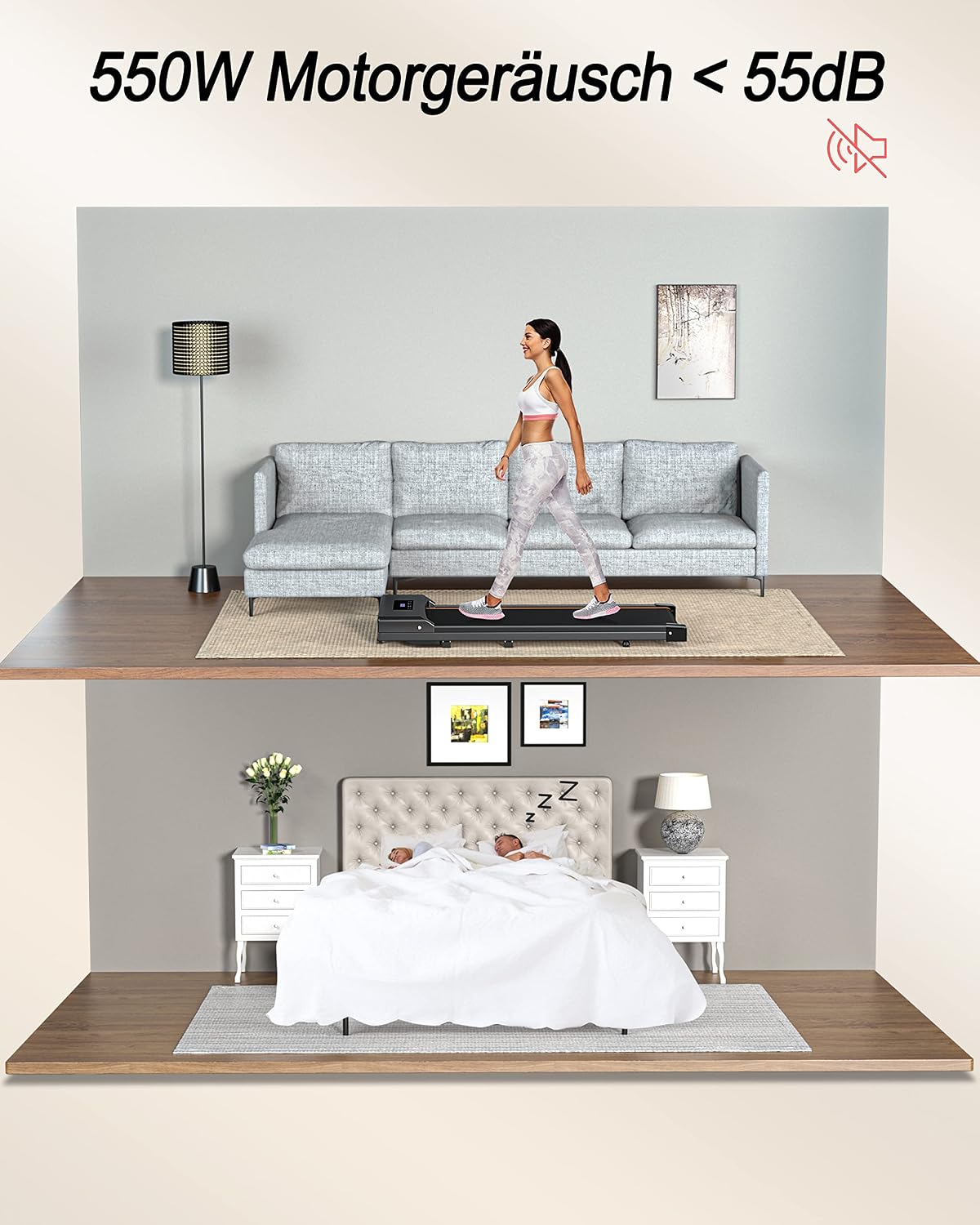
Image 7.1: The 550W motor operates quietly, typically below 55dB, suitable for home environments.
8. Specifications
Detailed technical specifications for the TODO Walking Pad Treadmill, Model Zc-pb:
| Feature | Specification |
|---|---|
| Brand | TODO |
| Model Number | Zc-pb |
| Motor Power | 550 Watts |
| Speed Range | 1 - 8 km/h |
| Maximum Weight Capacity | 110 Kilograms (242 lbs) |
| Product Dimensions (L x W x H) | 123 x 50 x 12 cm |
| Product Weight | 18.5 Kilograms (40.8 lbs) |
| Display Type | LCD |
| Main Materials | Metal, ABS, PP, PVC |
| Power Source | Corded Electric |
| Special Features | Compact Design, Shock Absorption, Integrated Wheels |

Image 8.1: Key specifications and dimensions of the treadmill.
9. Warranty and Support
Specific warranty details for the TODO Walking Pad Treadmill, Model Zc-pb, are typically provided with your purchase documentation or can be found on the manufacturer's official website. Please retain your proof of purchase for warranty claims.
For technical support, troubleshooting assistance beyond what is covered in this manual, or to inquire about replacement parts, please contact TODO customer service through their official channels. Contact information is usually available on the product packaging or the brand's website.