
1. Introduction
Thank you for choosing the Kunodi F4 Pro Bluetooth Shower Speaker. This manual provides essential information for setting up, operating, and maintaining your speaker. Please read it thoroughly to ensure proper use and to maximize your enjoyment of its features, including IPX7 waterproofing, dynamic lights, and True Wireless Stereo capabilities.
2. What's in the Box
- Kunodi F4 Pro Bluetooth Shower Speaker
- USB-C Charging Cable
- Suction Cup Mount
- Carabiner Clip
- User Manual

Image: Contents of the Kunodi F4 Pro package, showing the speaker, USB-C cable, suction cup, and carabiner.
3. Product Overview
The Kunodi F4 Pro is designed for portability and durability, featuring a compact form factor with intuitive controls and vibrant dynamic lighting. It includes a built-in carabiner and a detachable suction cup for versatile mounting options.

Image: Close-up of the Kunodi F4 Pro speaker, highlighting the control buttons for power, volume, track control, and light modes.
4. Setup
4.1 Charging the Speaker
- Locate the USB-C charging port on the side of the speaker, usually protected by a waterproof flap.
- Connect the provided USB-C cable to the speaker and the other end to a compatible USB power adapter (not included).
- The LED indicator will show charging status (e.g., red for charging, off or blue for fully charged).
- Ensure the waterproof flap is securely closed after charging to maintain IPX7 rating.
4.2 Bluetooth Pairing
- Press and hold the Power button (⏻) for 3 seconds to turn on the speaker. The LED indicator will flash, indicating it's in pairing mode.
- On your smartphone, tablet, or laptop, enable Bluetooth.
- Search for available Bluetooth devices and select "Kunodi F4 Pro" from the list.
- Once connected, the LED indicator will stop flashing and remain solid blue.
4.3 True Wireless Stereo (TWS) Pairing
To achieve a stereo sound experience, you can pair two Kunodi F4 Pro speakers together:
- Ensure both speakers are turned off and not connected to any Bluetooth device.
- Turn on both speakers. They will enter Bluetooth pairing mode.
- On one of the speakers (this will be your primary speaker), double-press the Power button. The speakers will attempt to connect to each other.
- Once successfully paired, you will hear an audible confirmation, and the LED indicators on both speakers will change to a solid blue.
- Now, connect your device to the primary speaker via Bluetooth as described in section 4.2.

Image: Two Kunodi F4 Pro speakers shown together, illustrating the True Wireless Stereo pairing feature for enhanced audio.
5. Operating Instructions
5.1 Basic Controls
- Power On/Off: Press and hold the Power button (⏻) for 3 seconds.
- Play/Pause: Short press the Play/Pause button (▶‖).
- Volume Up: Short press the Volume Up button (+).
- Volume Down: Short press the Volume Down button (-).
- Next Track: Long press the Volume Up button (+).
- Previous Track: Long press the Volume Down button (-).
- Answer/End Call: Short press the Play/Pause button (▶‖) during an incoming call.
- Reject Call: Long press the Play/Pause button (▶‖) during an incoming call.
5.2 Dynamic Lights Control
The Kunodi F4 Pro features dynamic LED lights that can be controlled independently:
- Change Light Mode: Short press the Light button (💡) to cycle through different color modes.
- Turn Lights On/Off: Long press the Light button (💡) to turn the dynamic lights on or off.
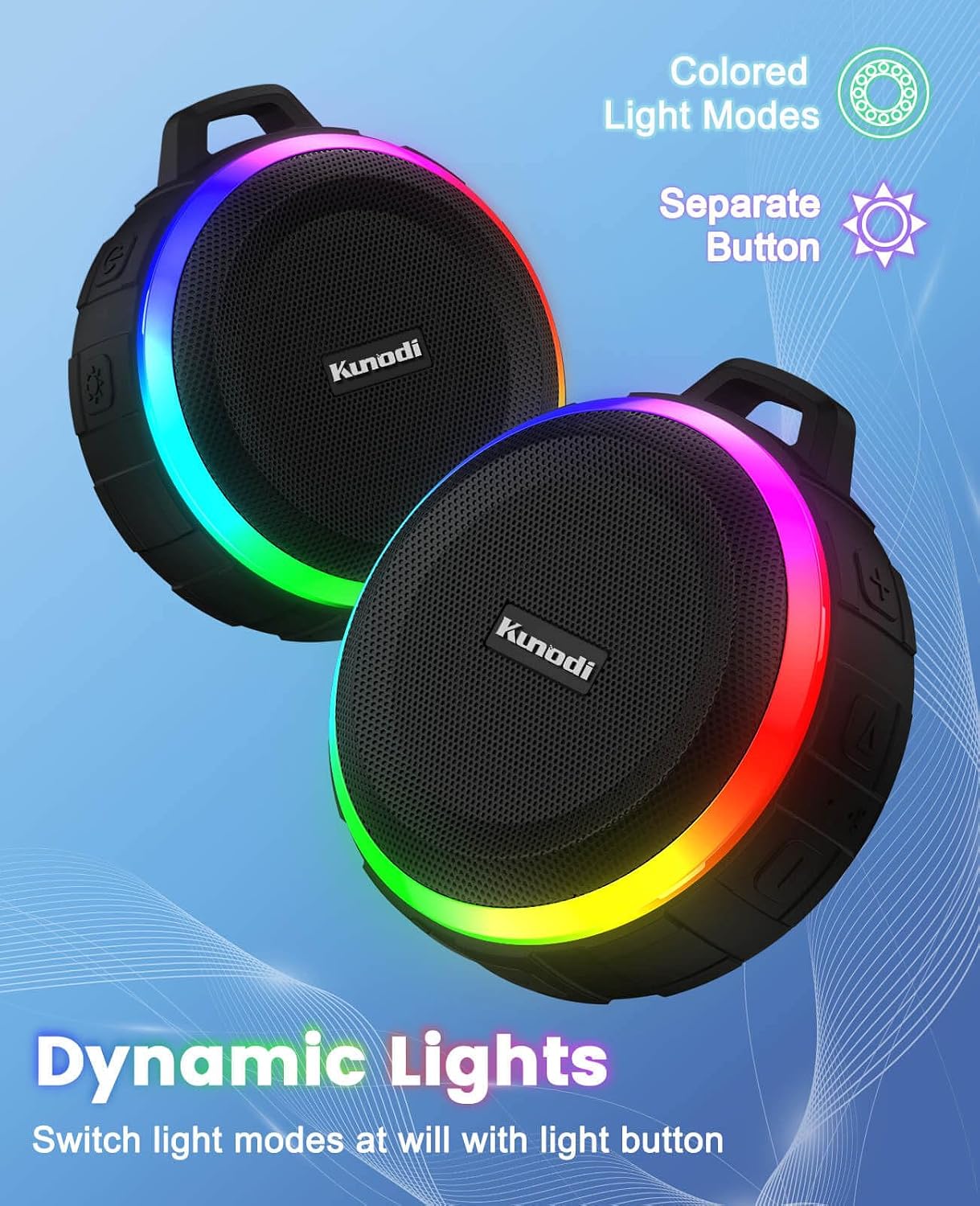
Image: The Kunodi F4 Pro speaker showcasing its dynamic LED light modes, which can be changed with a dedicated button.
5.3 Mounting Options
- Suction Cup: Attach the suction cup to the threaded insert on the back of the speaker. Press the suction cup firmly onto a clean, smooth, non-porous surface (e.g., shower tile, glass) until it creates a strong seal.
- Carabiner Clip: Use the included carabiner clip to attach the speaker to a backpack, shower caddy, tent, or other suitable loops for portable use.

Image: The Kunodi F4 Pro speaker securely attached to a shower wall via its suction cup, demonstrating its use in a wet environment.
6. Maintenance
- Cleaning: Wipe the speaker with a soft, damp cloth. Do not use harsh chemicals or abrasive cleaners.
- Waterproofing: Always ensure the charging port's waterproof flap is securely closed before exposing the speaker to water. While IPX7 rated, avoid prolonged submersion beyond 1 meter for 30 minutes.
- Storage: Store the speaker in a cool, dry place when not in use.
7. Troubleshooting
| Problem | Possible Cause | Solution |
|---|---|---|
| Speaker does not turn on | Low battery | Charge the speaker fully using the provided USB-C cable. |
| Cannot pair via Bluetooth | Speaker not in pairing mode; device Bluetooth off; too far from device | Ensure speaker is in pairing mode (flashing LED). Turn device Bluetooth off and on. Move speaker closer to device (within 10 meters). |
| No sound after pairing | Volume too low; incorrect audio output selected on device | Increase speaker and device volume. Check device's audio output settings. |
| TWS pairing fails | Speakers already paired to another device; incorrect pairing steps | Ensure both speakers are disconnected from other devices. Follow TWS pairing steps carefully (Section 4.3). |
8. Specifications
| Feature | Detail |
|---|---|
| Model Number | F4 Pro |
| Dimensions | 5 x 8 x 8 cm |
| Weight | 0.26 Kilograms |
| Waterproof Rating | IPX7 |
| Connectivity | Bluetooth 5.0, TF Card |
| Audio Output Mode | Stereo |
| Speaker Maximum Output Power | 6 Watts |
| Battery Capacity | 1500 Milliamp Hours |
| Mounting Type | Clip on, Suction Cup |
| Additional Features | Dynamic Lights, True Wireless Stereo |
9. Warranty & Support
For warranty information or technical support, please refer to the contact details provided on the product packaging or visit the official Kunodi website. Keep your purchase receipt for warranty claims.

