
Introduction
The Luminette 3 Light Therapy Glasses are a wearable device designed to provide blue-enriched white LED light therapy. This device aims to help regulate your circadian rhythm, offering natural relief for sleep problems, seasonal mood disorders, and jet lag. Its portable design allows for use during various daily activities.
Please read this manual thoroughly before using your Luminette 3 glasses to ensure safe and effective operation.
Key Features
- Wearable and Portable Design: Allows for light therapy sessions while on the go, during exercise, travel, or work.
- Blue-Enriched White LED Light: Emits light in three intensities (500, 1000, and 1500 lux) to effectively support mood and sleep regulation.
- Comfortable and Lightweight: Slim profile (0.39 inches) and low weight (0.42 ounces) for extended wear.
- Patented Illumination System: Delivers light without interfering with vision, compatible with contact lenses or prescription glasses.
- Integrated Timer: Sessions automatically conclude after a set duration (20, 30, or 60 minutes) depending on the chosen intensity.
- Rechargeable Battery: Provides 5-10 sessions per charge, includes micro-USB cable and US plug charger.
- Certified Safety: Classified as a "zero-risk" device according to European Standard IEC62471 on photobiological safety.
Setup
-
Unboxing and Initial Charge
Carefully remove the Luminette 3 glasses and all accessories from the packaging. Before first use, fully charge the device. Connect the provided micro-USB cable to the charging port on the glasses and the other end to the US plug charger. A full charge takes approximately 2 hours and provides power for 5-10 sessions.
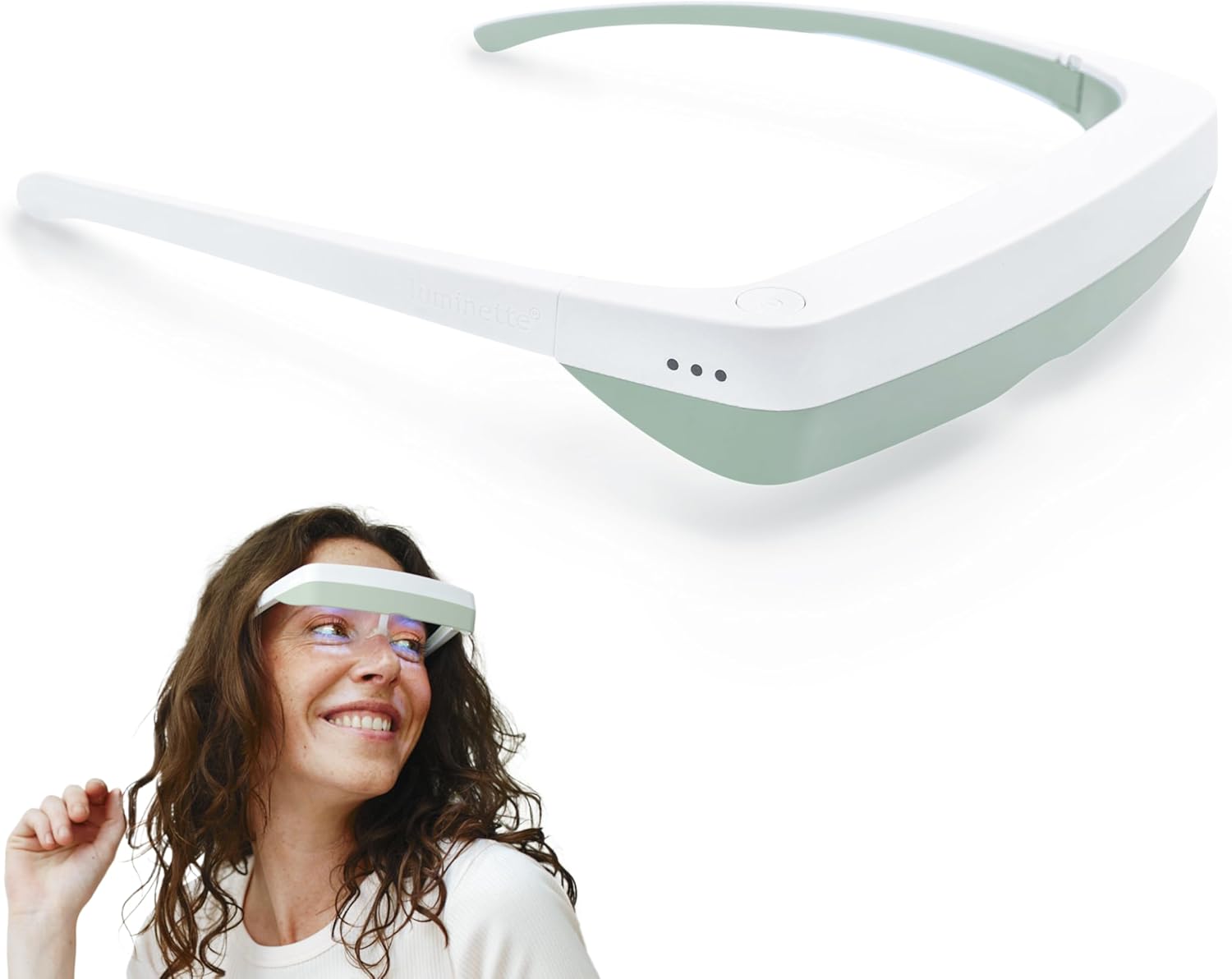
Image: The Luminette 3 Light Therapy Glasses, showing their sleek design.
-
Adjusting the Nose Piece
The Luminette 3 features an adjustable nose piece for comfort and proper positioning. Gently pull or push the nose piece to find a comfortable fit that ensures the light is directed correctly towards your eyes without obstructing your vision.

Image: A woman wearing the Luminette 3 glasses over her prescription glasses, demonstrating compatibility.
-
Removing Protective Film
A protective film may be present over the holographic light-diffusing surface. Carefully peel off this film before use to ensure optimal light delivery. Exercise caution to avoid damaging the holographic surface.
Operating Instructions
-
Wearing the Glasses
Place the Luminette 3 glasses on your head like regular eyewear. Ensure the light-emitting surface is positioned above your line of sight, allowing you to perform daily activities without visual obstruction. The device is designed to be worn comfortably with or without prescription glasses or contact lenses.

Image: A man wearing Luminette 3 glasses while working at a computer, illustrating hands-free use.
-
Powering On and Selecting Intensity
Press the power button located on the side of the device once to turn it on. Each subsequent press will cycle through the three intensity levels:
- Level 1 (Low - 500 lux): Recommended for 60-minute sessions.
- Level 2 (Medium - 1000 lux): Recommended for 30-minute sessions.
- Level 3 (High - 1500 lux): Recommended for 20-minute sessions.
The device will automatically turn off once the selected session duration is complete. To manually turn off the device, long-press the power button.
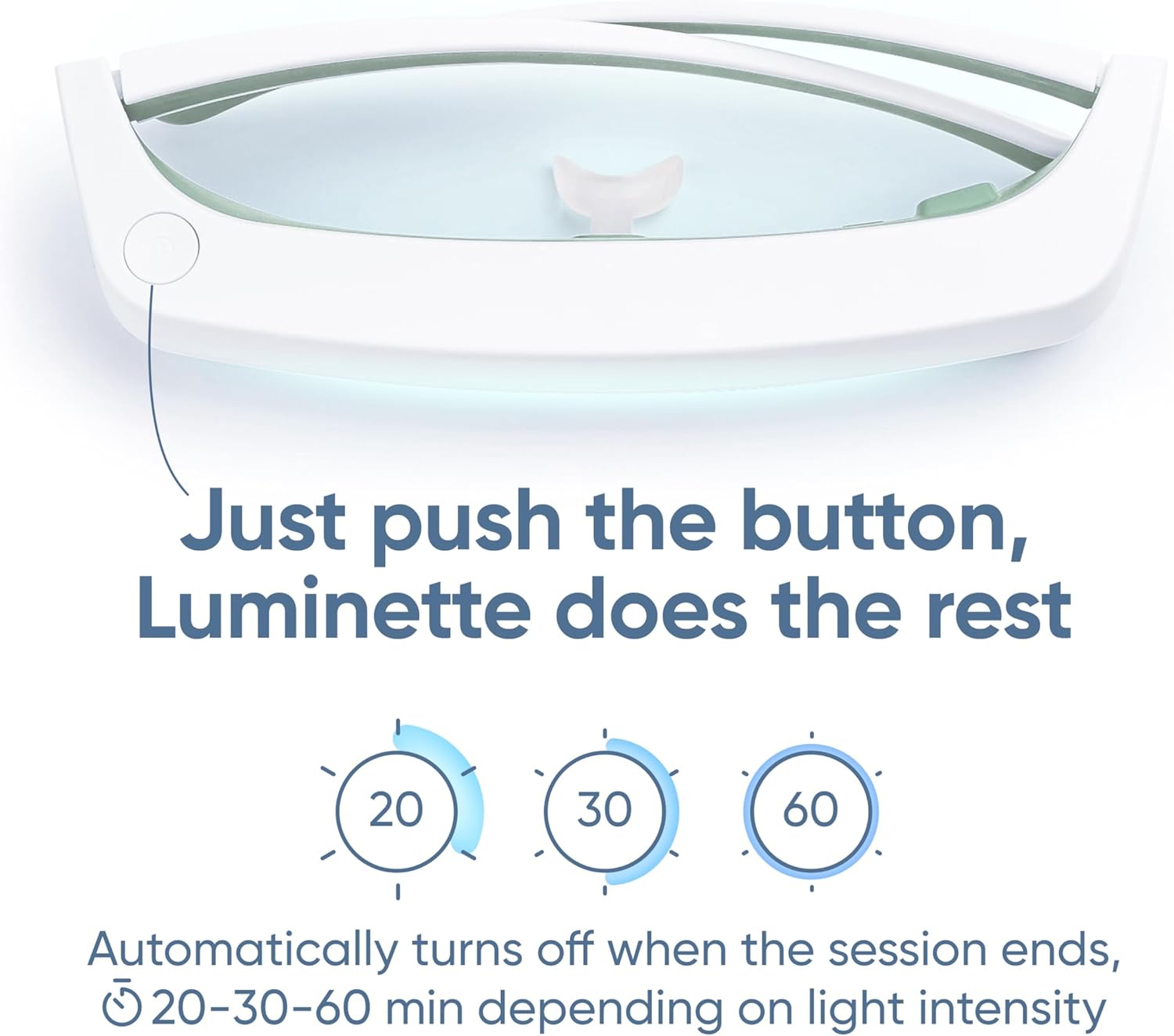
Image: A close-up view of the Luminette 3, highlighting the power button and light indicators for different intensity settings.
-
Recommended Usage
For optimal results, use the Luminette 3 daily, preferably in the morning. Consistency is key for regulating your circadian rhythm and experiencing the full benefits of light therapy.

Image: A woman wearing Luminette 3 glasses while reading in bed, illustrating morning use for sleep regulation.
Maintenance
- Cleaning: Use a soft, dry, lint-free cloth to clean the device. Do not use abrasive cleaners or immerse the device in water.
- Storage: Store the Luminette 3 in its protective carrying case when not in use to prevent damage. Keep it in a cool, dry place away from direct sunlight.
- Battery Care: To maintain battery health, avoid fully discharging the device frequently. Charge it when the battery indicator shows one LED.
Troubleshooting
| Problem | Possible Cause | Solution |
|---|---|---|
| Device does not turn on. | Low or depleted battery. | Charge the device using the provided micro-USB cable and charger. Ensure the charging indicator lights up. |
| Light intensity seems too low or too high. | Incorrect intensity setting selected. | Press the power button repeatedly to cycle through the three intensity levels until the desired brightness is achieved. Refer to operating instructions for recommended session durations. |
| Discomfort on the nose or ears. | Nose piece or ear arms not properly adjusted. | Adjust the flexible nose piece for a better fit. Ensure the ear arms sit comfortably without excessive pressure. |
Specifications
- Model: Luminette 3
- Light Source: Blue-enriched white LEDs
- Intensity Levels: 500 lux, 1000 lux, 1500 lux
- Recommended Session Durations: 60 min (low), 30 min (medium), 20 min (high)
- Battery: 2 Lithium Polymer batteries (included)
- Charging Time: Approximately 2 hours from empty
- Battery Life: 5-10 sessions per charge
- Connectivity: Micro-USB for charging
- Dimensions: 8.58 x 4.61 x 4.09 inches (packaged)
- Weight: 1.32 Pounds (packaged)
- Manufacturer: Lucimed
Safety Information
The Luminette 3 is certified as a "zero-risk" device according to European Standard IEC62471 on photobiological safety. It emits blue-enriched white light peaking at 468nm, safely away from UV and infrared, a wavelength known to effectively trigger the body's natural response to sunlight.
Legal Disclaimer:
Statements regarding dietary supplements have not been evaluated by the FDA and are not intended to diagnose, treat, cure, or prevent any disease or health condition. Consult with a healthcare professional before starting any new light therapy regimen, especially if you have pre-existing eye conditions, are taking photosensitizing medications, or have a history of bipolar disorder.
Discontinue use and consult a doctor if you experience eye strain, headaches, or any other adverse reactions.
Warranty and Support
For product registration and warranty information, please refer to the product registration card included in your packaging or visit the official Luminette website. For technical support or further inquiries, please contact Luminette customer service.
Keep your proof of purchase for warranty claims.


