1. Introduction
The SUNWHEEL 1500W Pure Sine Wave Inverter is designed to convert 12V DC power from your battery into stable 110V/120V AC power, suitable for a wide range of applications including RVs, off-grid systems, trucks, and emergency power needs. This inverter delivers a continuous power output of 1500W with a peak surge capability of 3000W, ensuring reliable operation for sensitive electronics and various appliances.
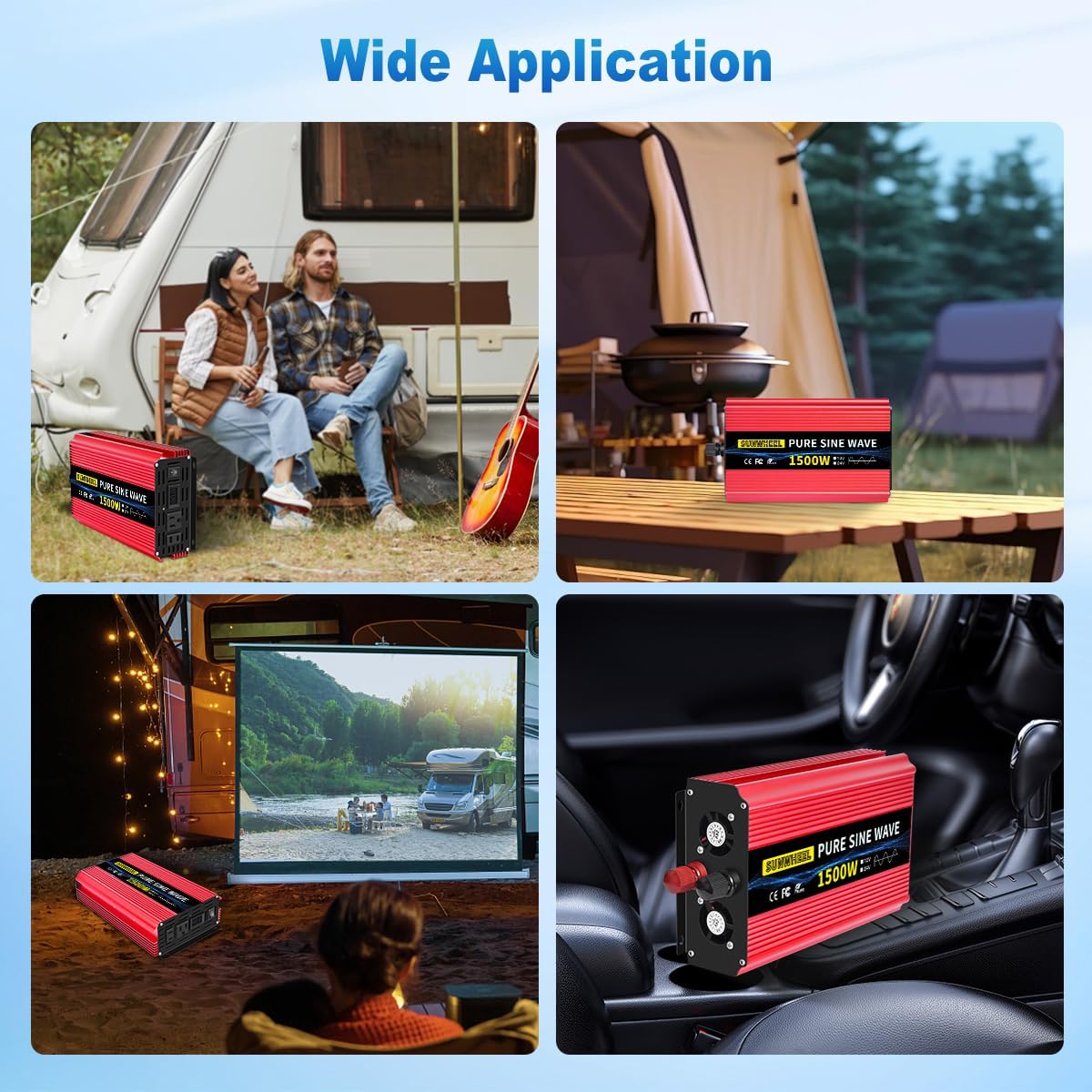
Image: The SUNWHEEL 1500W Pure Sine Wave Inverter shown in a wide application scenario, including RV and camping use.
2. Safety Information
Please read all safety instructions carefully before installing and operating the inverter. Failure to follow these instructions may result in electric shock, fire, or serious injury.
- Ventilation: Ensure adequate ventilation around the inverter. Do not block ventilation openings.
- Environment: Do not expose the inverter to rain, moisture, direct sunlight, or extreme temperatures. Operate within the specified temperature range (-4°F to 104°F / -20°C to 40°C).
- Grounding: Always ensure the inverter chassis is properly grounded to prevent electrical shock.
- Connections: Connect the inverter only to a 12V DC power source. Ensure correct polarity (+ to + and - to -) when connecting battery cables. Incorrect connections can damage the inverter and battery.
- Load Capacity: Do not exceed the inverter's rated continuous power output of 1500W. The peak surge capacity is 3000W for starting inductive loads.
- Maintenance: Do not attempt to open or service the inverter yourself. Refer all servicing to qualified personnel.
- GFCI: The inverter is equipped with a Ground-Fault Circuit Interrupter (GFCI) for enhanced safety.
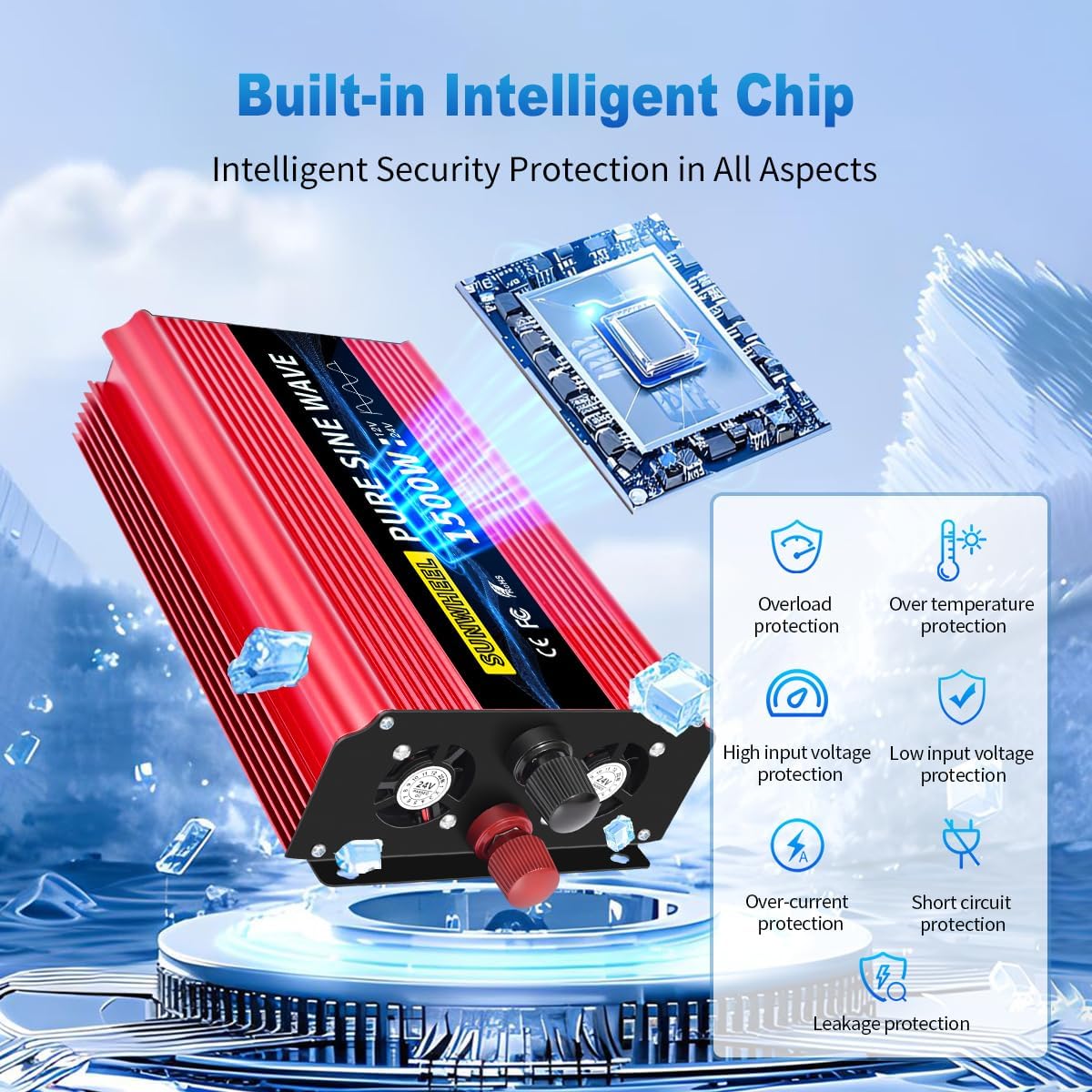
Image: The inverter features a built-in intelligent chip providing multiple safety protections including overload, over-temperature, high/low input voltage, over-current, short circuit, and leakage protection.

Image: The inverter includes a GFCI safety device to prevent electrical shocks. Proper grounding of the chassis is essential.
3. Package Contents
Verify that all items are present in your package:
- SUNWHEEL 1500W Pure Sine Wave Inverter
- Battery Cables (Red for positive, Black for negative)
- Instruction Manual (this document)
- Spare Fuses

Image: The SUNWHEEL 1500W Pure Sine Wave Inverter, along with the included battery cables and spare fuses.
4. Product Overview
The SUNWHEEL 1500W Pure Sine Wave Inverter is designed for efficiency and reliability. Key features include:
- Pure Sine Wave Output: Provides clean, stable power suitable for sensitive electronics, minimizing power loss and extending equipment lifespan.
- LCD Display: Digital display for monitoring voltage and other operational parameters.
- AC Outlets: Two 110V/120V AC outlets for connecting multiple devices simultaneously.
- Intelligent Cooling Fan: Automatically activates when load exceeds 900W or internal temperature rises above 104°F (40°C), ensuring efficient heat dissipation and quiet operation (less than 45 dB).
- Durable Construction: Robust aluminum alloy casing designed to withstand harsh environments and impacts.

Image: Overview of the Pure Sine Wave Power Inverter's features, including pure sine wave output, smart chip, LCD display, two sockets, and efficient fan.

Image: The inverter features an intelligent cooling fan for efficient heat dissipation and low noise operation, ensuring a quiet environment.
5. Setup
Follow these steps for proper installation and setup of your inverter:
- Choose a Location: Select a dry, well-ventilated area away from direct sunlight, heat sources, and flammable materials. The inverter can be mounted horizontally or vertically.
- Prepare Battery: Ensure your 12V DC battery is fully charged and in good condition. The inverter is compatible with various battery types including LI, FLD, GEL, SLD, and AGM.
- Connect Ground Wire: Connect the inverter's grounding terminal to a proper earth ground. This is crucial for safety.
- Connect Battery Cables:
- Connect the red (positive) battery cable to the positive (+) terminal of the inverter.
- Connect the other end of the red cable to the positive (+) terminal of your 12V battery.
- Connect the black (negative) battery cable to the negative (-) terminal of the inverter.
- Connect the other end of the black cable to the negative (-) terminal of your 12V battery.
Important: Always ensure tight connections to prevent overheating and power loss. Connect the negative terminal last to minimize sparking.
- Power On: Once all connections are secure, switch on the inverter using the power button. The LCD display will illuminate, indicating readiness.

Image: A typical wiring diagram showing the connection of solar panels, charge controller, battery, and the SUNWHEEL inverter to power DC and AC loads in a home setup.

Image: Diagram illustrating an off-grid solar system setup, where the inverter converts battery power to AC for various appliances like laptops, printers, microwaves, and refrigerators.

Image: The inverter is compatible with various battery types, including Lithium (LI), Flooded (FLD), Gel, Sealed Lead Acid (SLD), and Absorbed Glass Mat (AGM) batteries.
6. Operating Instructions
Once the inverter is properly set up and powered on, you can begin using it to power your AC devices.
- Connect Devices: Plug your 110V/120V AC appliances into the AC outlets on the front of the inverter.
- Monitor Load: Observe the LCD display to monitor the input voltage and output power. Ensure the total wattage of connected devices does not exceed the inverter's continuous rating of 1500W.
- Overload Protection: If the inverter detects an overload, it will automatically shut down to prevent damage. Disconnect some appliances and restart the inverter if this occurs.
- Cooling Fan Operation: The intelligent cooling fan will activate automatically when needed to maintain optimal operating temperature. This is normal operation.
- Shut Down: To turn off the inverter, first disconnect all AC appliances, then switch off the inverter using the power button.
The inverter can power a variety of devices, including but not limited to:
- Coffee machines
- Car refrigerators
- Microwaves
- Air conditioners (small)
- Ovens (small)
- Cameras
- Hairdryers
- Electric drills
- Televisions
- Home theaters
- Car stereos

Image: The inverter's capability to run multiple devices, illustrating various appliances it can power, such as coffee machines, car refrigerators, and microwaves.
7. Maintenance
Proper maintenance ensures the longevity and optimal performance of your SUNWHEEL inverter.
- Cleaning: Keep the inverter clean and free from dust and debris. Use a dry cloth to wipe the exterior. Do not use liquid cleaners.
- Ventilation: Regularly check that the ventilation openings are not blocked. Clear any obstructions to ensure proper airflow.
- Connections: Periodically inspect battery cable connections for tightness and corrosion. Clean terminals if necessary.
- Storage: If storing the inverter for an extended period, disconnect it from the battery and store it in a cool, dry place.
- Fuse Replacement: The inverter comes with spare fuses. If a fuse blows, refer to the troubleshooting section or contact support for guidance on replacement. Note that replacing fuses may require opening the casing.
8. Troubleshooting
This section addresses common issues you might encounter with your inverter.
| Problem | Possible Cause | Solution |
|---|---|---|
| Inverter not turning on | Loose battery connections, low battery voltage, blown fuse, power switch off. | Check battery cable connections, ensure battery is charged (12V minimum), check and replace fuses if necessary, ensure power switch is ON. |
| No AC output | Overload, short circuit, over-temperature, low/high input voltage. | Reduce load, check for short circuits in appliances, allow inverter to cool down, check battery voltage. The LCD display will show error codes. |
| Inverter shuts down frequently | Overload, insufficient ventilation, high ambient temperature. | Reduce total load, ensure clear ventilation, move inverter to a cooler environment. |
| Fan runs constantly or loudly | High internal temperature, heavy load. | This is normal operation under heavy load or high temperature. Ensure ventilation is not blocked. If noise is excessive and not related to load/temp, contact support. |
If the problem persists after attempting these solutions, please contact SUNWHEEL customer service for further assistance.
9. Specifications
| Feature | Detail |
|---|---|
| Model | SWPS121101500 |
| Continuous Power | 1500W |
| Peak Surge Power | 3000W |
| DC Input Voltage | 12V DC |
| AC Output Voltage | 110V/120V AC |
| Output Waveform | Pure Sine Wave |
| Conversion Efficiency | > 92% |
| No-Load Loss | Low |
| Operating Noise | < 45 dB (fan on) |
| Protections | Under-voltage, Over-voltage, Over-temperature, Over-load, Short Circuit, GFCI |
| Construction Material | Durable Aluminum Alloy |
| Cooling System | Intelligent Cooling Fans |
| Product Dimensions | 9.84 x 5.91 x 2.56 inches |
| Item Weight | 4.93 pounds |
| Operating Temperature | -4°F to 104°F (-20°C to 40°C) |

Image: A comparison table highlighting the superior performance of the SUNWHEEL Pure Sine Wave Inverter in terms of Total Harmonic Distortion (THD), GFCI presence, noise level, and inverter efficiency compared to other types.

Image: A table detailing low voltage shutdown settings for various battery types (AGM, GEL, USER, SLA, CLA, LI, FLD), indicating the inverter's broad compatibility.
10. Warranty and Support
Your SUNWHEEL 1500W Pure Sine Wave Inverter comes with a 12-month warranty from the date of purchase. This warranty covers defects in materials and workmanship under normal use.
Warranty Exclusions: The warranty does not cover damage caused by improper installation, misuse, abuse, unauthorized modifications, natural disasters, or normal wear and tear.
Customer Service: For technical support, warranty claims, or any questions regarding your product, please contact SUNWHEEL customer service. Refer to the contact information provided with your purchase documentation or visit the official SUNWHEEL website.
If any product cannot be used normally due to quality problems within 1 year, it will be replaced with a new one after confirmation by SUNWHEEL.