
1. Introduction
Thank you for choosing the Sunbox Smart Night Light and Sunrise Alarm Clock, Model BL-HXD03. This device combines multiple functionalities including a personalized wake-up light, ambient night light, white noise sound machine, and Bluetooth speaker, all controllable via an intuitive app or remote. This manual provides essential information to help you set up and operate your device effectively.
2. Safety Information
Please read all safety instructions before using this product to prevent injury or damage.
- Do not expose the device to water or excessive moisture.
- Use only the provided power adapter.
- Keep out of reach of children and pets.
- Do not attempt to disassemble or repair the device yourself. Contact customer support for assistance.
- Ensure proper ventilation around the device during operation.
3. Package Contents
Verify that all items are present in your package:
- Sunbox Smart Night Light Unit (Model BL-HXD03)
- Remote Control
- Power Adapter
- User Manual (this document)

Image: The Sunbox Smart Night Light, showcasing its circular design, digital display, included remote control, and a smartphone screen displaying the companion app.
4. Setup
4.1 Power Connection
- Unpack the Sunbox Smart Night Light and its power adapter.
- Connect the power adapter to the DC input port on the back of the device.
- Plug the power adapter into a standard wall outlet. The device display should illuminate.
4.2 App Download and Pairing
For full functionality, download the companion app and pair it with your device.
- Search for the "Smart Q Wake Up Light" app on your smartphone's app store (iOS or Android).
- Install and open the app.
- Ensure Bluetooth is enabled on your smartphone.
- Follow the in-app instructions to discover and pair with your Sunbox Smart Night Light.
- Upon first connection, the app will automatically calibrate the device's time.
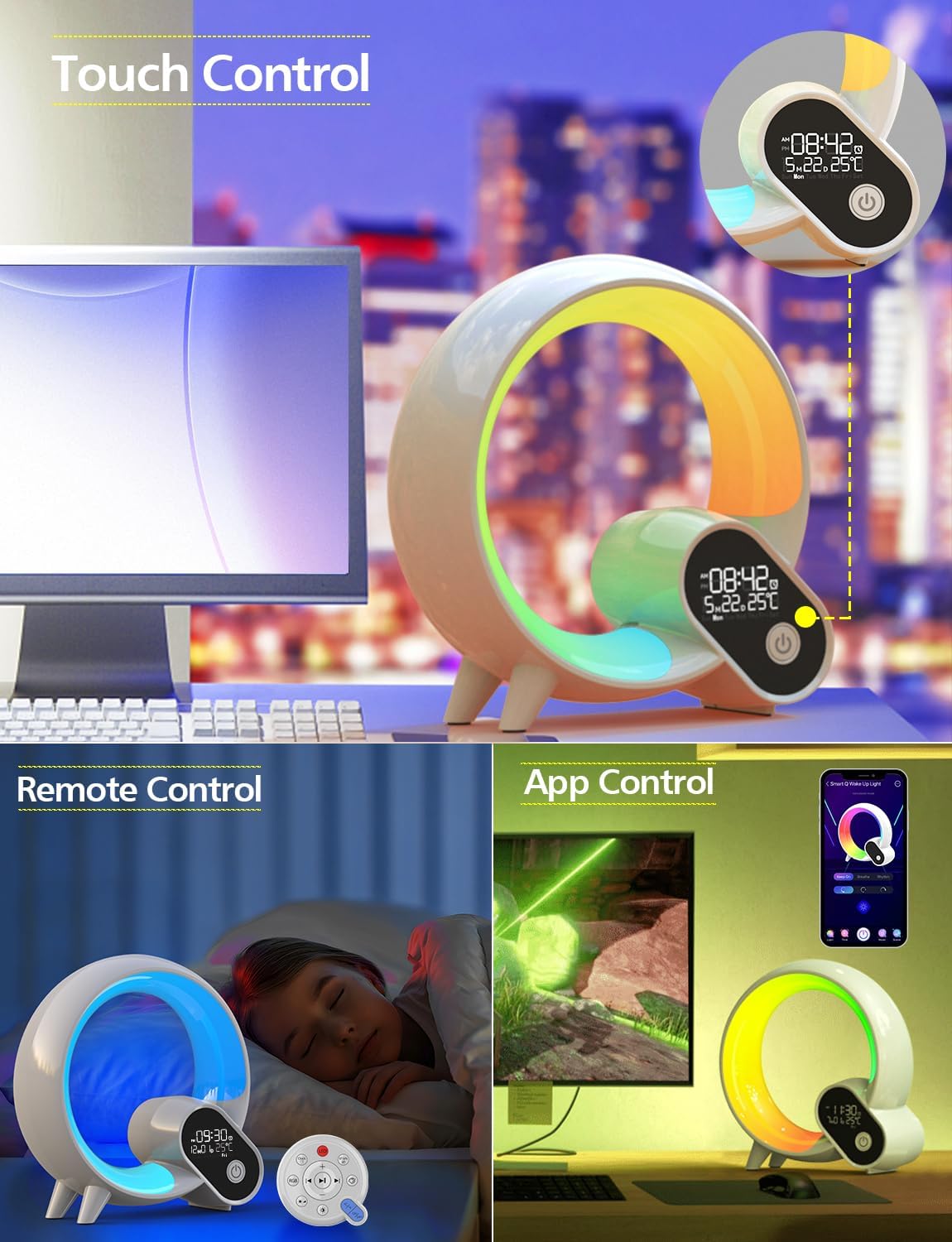
Image: The Smart Night Light demonstrating its various control methods: touch buttons on the device, a dedicated remote control, and a smartphone app interface.
5. Operating Instructions
5.1 Light Functions
- On/Off: Press the power button on the device or remote to turn the light on or off.
- Brightness Adjustment: Use the brightness controls on the remote, app, or touch controls on the device to adjust light intensity from 0% to 100%.
- Color Selection: Choose from 8 preset colors using the remote or device controls. The app offers 16 million color options for personalized ambiance.

Image: The Smart Night Light illustrating four distinct brightness levels, from dim to bright, suitable for various activities like sleeping, relaxing, reading, and working.

Image: A close-up of the Smart Night Light showcasing a spectrum of vibrant color options available for ambient lighting.
5.2 Alarm Clock Functions
- Setting Alarms: Use the app to set multiple alarms. You can customize alarm times, days of the week, and associated sounds/lights.
- Sunrise Simulation: The wake-up light feature gradually transitions from dark to soft warm white light 2 minutes before your set alarm time, simulating a natural sunrise.
- Snooze Function: Tap the device or press the snooze button on the remote to activate snooze, providing a temporary delay before the alarm sounds again.

Image: The Smart Night Light on a bedside table, displaying the time and temperature, with icons indicating alarm, snooze, and countdown functions.
5.3 White Noise Sound Machine
The device offers 15 nature sounds to aid sleep or relaxation:
- Waves, White Noise, Summer Night, Thunderstorm, Water, Frog, Wind Chimes, Waterfalls, Rain, Birds, Breeze, Fire, Lullabies (3 variations).
- Sound Selection: Cycle through sounds using the remote or app.
- Volume Control: Adjust the volume using the remote or app.
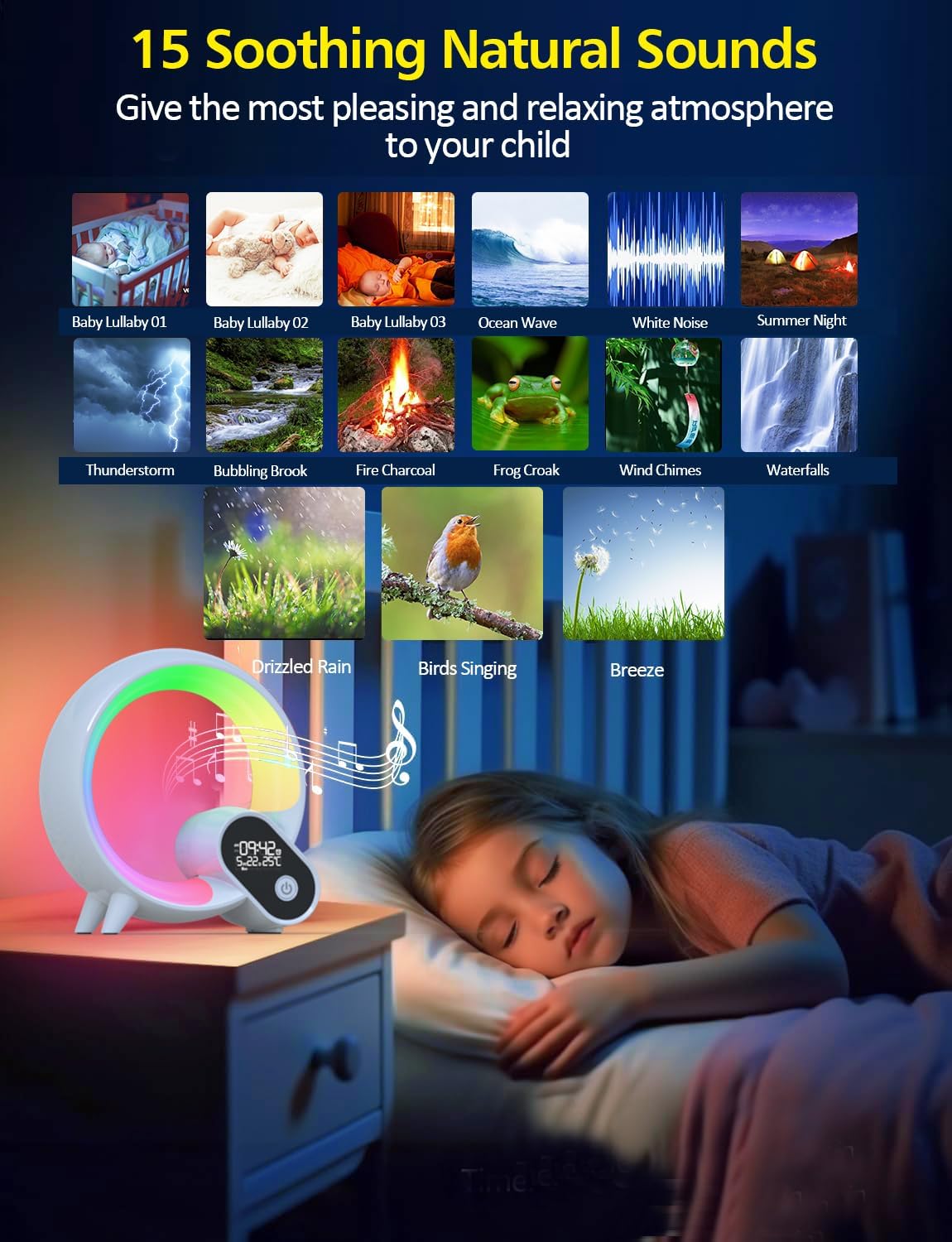
Image: The Smart Night Light with a visual representation of 15 soothing natural sounds, including baby lullabies, ocean waves, white noise, and various nature sounds, designed to create a relaxing atmosphere.
5.4 Bluetooth Speaker
- Pairing: Ensure Bluetooth is enabled on your smartphone. Select "BL-HXD03" from your device's Bluetooth settings to pair.
- Playing Audio: Once paired, you can stream your favorite music or audio content directly through the device's speaker.

Image: The Smart Night Light with musical notes and a Bluetooth icon, indicating its functionality as a Bluetooth speaker for playing phone music.
5.5 Control Methods
- Remote Control: The included remote allows for convenient adjustment of light colors, sounds, alarm settings, and snooze mode.
- Touch Control: The device features touch-sensitive controls for basic functions like power and brightness.
- App Control: The "Smart Q Wake Up Light" app provides comprehensive control over all features, including personalization of light colors, sounds, alarms, and multiple scene settings.
6. Maintenance
- Cleaning: Wipe the device with a soft, dry cloth. Do not use abrasive cleaners or solvents.
- Storage: When not in use for extended periods, store the device in a cool, dry place, away from direct sunlight and extreme temperatures.
7. Troubleshooting
| Issue | Possible Solution |
|---|---|
| Device does not power on. | Ensure the power adapter is securely connected to both the device and a working wall outlet. Try a different outlet. |
| Lights are not responding. | Check if the device is powered on. Ensure the remote control has working batteries and is pointed at the device. Try controlling via the app. |
| Bluetooth connection issues. | Ensure Bluetooth is enabled on your smartphone and the device is within range. Try unpairing and re-pairing the device in your phone's Bluetooth settings. Restart both the device and your phone. |
| Alarm not working as expected. | Verify alarm settings in the app, including time, days, and sound/light preferences. Ensure the device is powered on. |
| Time display is incorrect. | Connect the device to the app for automatic time calibration. Ensure your smartphone's time is correct. |
8. Specifications
| Feature | Detail |
|---|---|
| Model Number | BL-HXD03 |
| Brand | Sunbox |
| Dimensions (D x W x H) | 8.6" x 8.4" x 3.3" |
| Item Weight | 1.5 pounds (0.68 Kilograms) |
| Material | Acrylonitrile Butadiene Styrene |
| Light Source Type | LED |
| Number of Light Sources | 8 |
| Wattage | 8 watts |
| Voltage | 5 Volts |
| Control Method | App, Remote |
| Special Features | Dimmable, Energy Efficient |
| Power Source | Battery Powered (Note: Product description states 'Battery Powered' but also 'Is Cordless? No'. This implies it has a battery for backup/portability but requires a power source for full function or charging.) |
| UPC | 765133539765 |
9. Warranty and Support
For warranty information or technical support, please refer to the contact details provided with your purchase or visit the official Sunbox website. Keep your purchase receipt for warranty claims.
10. Product Videos
No relevant product videos from the seller were found in the provided data. The available videos pertain to a different product (Christmas trees).