1. Introduction
Thank you for choosing the Mebus Electronic Alarm Clock, Model 785836 (also known as Mebus 25738 Quartz Alarm Clock). This manual provides detailed instructions for the setup, operation, and maintenance of your new alarm clock. Please read this manual thoroughly before use to ensure proper functionality and to maximize your product experience. Keep this manual for future reference.
2. Product Overview
The Mebus Electronic Alarm Clock is a versatile timepiece designed for reliability and ease of use. It features a clear digital display showing time, month, date, day, and temperature. Its compact design makes it suitable for various environments, including home offices and bedrooms.
2.1 Key Features
- Digital time display
- Alarm function
- Date and day display
- Temperature display
- Durable plastic and metal construction
2.2 Components
Familiarize yourself with the main components of your alarm clock:
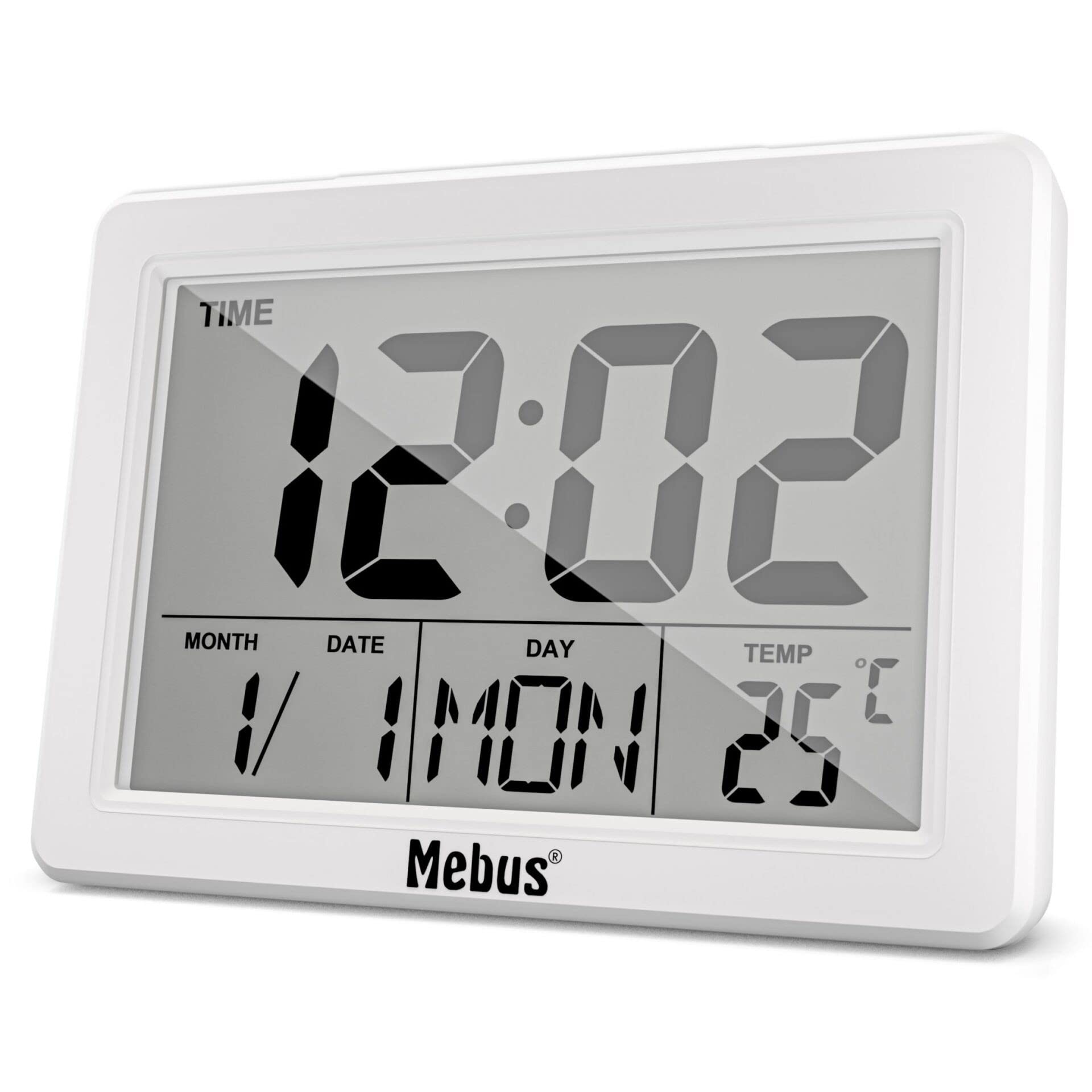
Figure 1: Front View of the Mebus Electronic Alarm Clock. This image displays the clock's face, clearly showing the digital time (12:02), month, date, day (MON), and temperature (25°C). The Mebus logo is visible at the bottom right.
- Digital Display: Shows time, date, day, and temperature.
- Control Buttons: (Located on the back or sides, specific functions detailed in Section 4) Used for setting time, alarm, and other functions.
- Battery Compartment: (Located on the back) For battery installation.
3. Setup
3.1 Battery Installation
The Mebus Electronic Alarm Clock requires batteries for operation. Batteries are not included with the product.
- Locate the battery compartment cover on the back of the alarm clock.
- Remove the cover by sliding or lifting it.
- Insert the required batteries (e.g., AA or AAA, refer to the compartment markings) ensuring correct polarity (+ and -).
- Replace the battery compartment cover securely.
The clock should now power on and display default settings or a flashing time.
4. Operating Instructions
This section guides you through setting the time, alarm, and other display functions.

Figure 2: Detailed Display of the Mebus Electronic Alarm Clock. This image provides a closer look at the digital segments, clearly showing the time, date, day, and temperature readings.
4.1 Setting the Time
- Press the MODE button (usually located on the back) repeatedly until the time display starts flashing or you enter time setting mode.
- Use the UP or DOWN buttons (or similar labeled buttons) to adjust the hours.
- Press MODE again to move to minutes, then use UP/DOWN to adjust.
- Continue pressing MODE to cycle through year, month, and date settings, adjusting each with the UP/DOWN buttons.
- Once all settings are correct, press MODE one last time or wait a few seconds for the settings to save automatically.
4.2 Setting the Alarm
- Press the ALARM button (or MODE until 'AL' or an alarm icon appears). The alarm time should start flashing.
- Use the UP or DOWN buttons to set the desired alarm hour.
- Press ALARM again to move to minutes, then use UP/DOWN to adjust.
- Press ALARM one last time to confirm. An alarm icon should appear on the display, indicating the alarm is active.
4.3 Snooze Function
When the alarm sounds, press the SNOOZE button (often a large button on top) to temporarily silence the alarm. The alarm will sound again after a few minutes (typically 5-10 minutes).
4.4 Disabling the Alarm
To turn off the alarm completely, press any button other than SNOOZE when the alarm is sounding, or press the ALARM button repeatedly until the alarm icon disappears from the display.
5. Maintenance
5.1 Cleaning
To clean your alarm clock, use a soft, dry cloth. For stubborn marks, a slightly damp cloth can be used, followed by a dry cloth. Do not use abrasive cleaners, solvents, or chemical sprays, as these can damage the display or casing.
5.2 Battery Replacement
When the display dims or the clock functions become erratic, it is time to replace the batteries. Follow the battery installation steps in Section 3.1. Always dispose of old batteries responsibly according to local regulations.
6. Troubleshooting
| Problem | Possible Cause | Solution |
|---|---|---|
| Display is blank or dim. | Low or dead batteries; incorrect battery installation. | Replace batteries with new ones, ensuring correct polarity. |
| Alarm does not sound. | Alarm not set or disabled; alarm volume too low (if adjustable). | Verify alarm time is set and activated (check for alarm icon). Ensure volume is audible. |
| Time is incorrect. | Time not set correctly; power interruption (if applicable). | Reset the time following instructions in Section 4.1. |
| Buttons are unresponsive. | Low batteries; internal malfunction. | Replace batteries. If problem persists, contact customer support. |
7. Specifications
- Model Number: 785836
- Product Type: Electronic Alarm Clock (Mebus 25738 Quartz Alarm Clock)
- Brand: Mebus
- Color: Multicolored (as per product description, actual display is monochrome)
- Dimensions: Approximately 14.4 x 13.8 x 5.2 cm (Package dimensions)
- Weight: Approximately 200 grams
- Material: Plastic and Metal
- Display Type: Analog (refers to the movement type, visual display is digital)
- Special Feature: Alarm
- Power Source: Batteries (not included)
- Mounting Type: Table Mount
8. Warranty and Support
Mebus products are manufactured with high-quality materials. For any questions, technical assistance, or warranty claims, please refer to the retailer where you purchased the product or visit the official Mebus website for contact information. Please retain your proof of purchase for warranty purposes.