
Aigostar A60 E27 6W
Contents
Aigostar Bluetooth Mesh Smart Filament LED Bulb User Manual
Model: A60 E27 6W | Brand: Aigostar
1. Introduction
Thank you for choosing the Aigostar Bluetooth Mesh Smart Filament LED Bulb. This manual provides essential information for the safe and efficient use of your smart bulbs. Please read it thoroughly before installation and operation, and retain it for future reference.
These smart bulbs feature Bluetooth Mesh technology, allowing for stable and fast connections, and offer multiple control methods including Alexa voice control, the AigoSmart app, and a dedicated remote control. Enjoy customizable lighting with adjustable brightness and color temperature to create the perfect ambiance for any occasion.
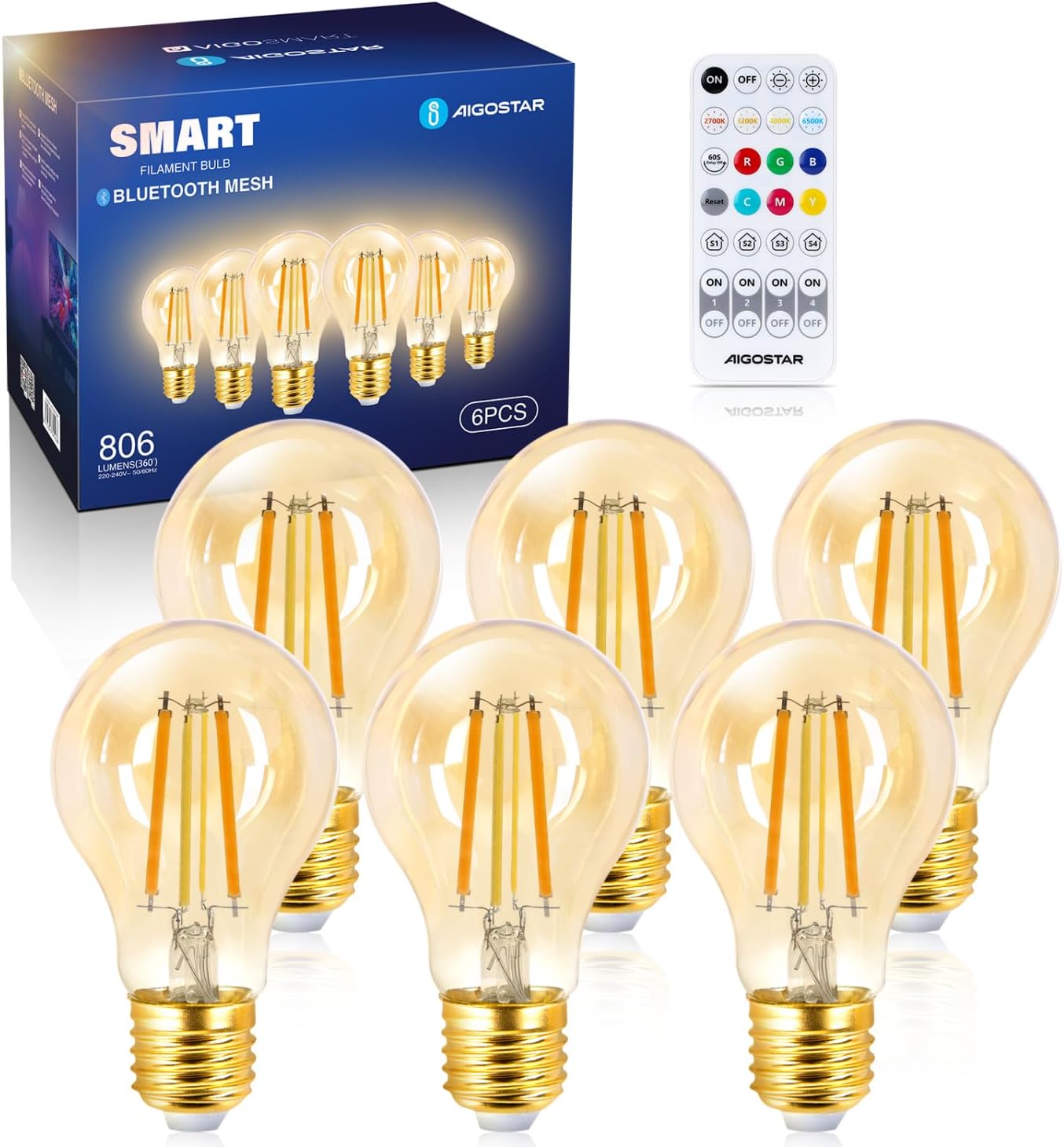
Image 1.1: Aigostar Bluetooth Mesh Smart Filament LED Bulbs (6-pack) with included remote control.
2. Safety Information
- Ensure the power is turned off before installing or replacing the bulb.
- Do not use in fully enclosed luminaires as this may shorten the bulb's lifespan.
- Not suitable for use with standard dimmers. Use only with specified smart control methods.
- Avoid exposing the bulb to direct water or extreme humidity.
- Do not disassemble or modify the bulb.
- Keep out of reach of children.
3. Package Contents
The package typically includes:
- 6 x Aigostar Bluetooth Mesh Smart Filament LED Bulbs (A60 E27 6W)
- 1 x Remote Control
- 1 x User Manual (this document)
4. Setup
4.1. Bulb Installation
- Ensure the power to the light fixture is off.
- Screw the Aigostar smart bulb into a standard E27 socket.
- Turn on the power to the light fixture. The bulb should light up.
4.2. Bluetooth Mesh Technology Overview
The Aigostar smart bulbs utilize Bluetooth 5.0 Mesh technology, enabling direct communication between multiple devices without needing a central hub for basic control. This allows for stable performance and faster connection speeds, supporting up to 200 mesh devices.

Image 4.1: Illustration of Bluetooth Mesh technology connecting various smart home devices, ensuring reliable control even without Wi-Fi.
4.3. Control Methods
Your Aigostar smart bulbs can be controlled via three primary methods:
- Alexa Voice Control: Direct control with Amazon Echo (2nd generation or later).
- AigoSmart Application: Available on iOS and Android for advanced features.
- Included Remote Control: For convenient local control.
4.3.1. Connecting with Alexa (Direct Control)
For direct control, ensure you have an Amazon Echo speaker (2nd generation or later). No additional app download is required for basic voice commands.
- Install the smart bulb and turn on the power.
- Say, "Alexa, discover devices."
- Alexa will search for and connect to the new smart bulb.
- Once discovered, you can use voice commands like "Alexa, turn on the light" or "Alexa, set brightness to 50%."

Image 4.2: Example of voice control with Alexa, demonstrating hands-free operation of the smart bulb.
4.3.2. Using the AigoSmart Application
For full functionality, including remote control and timer functions, download the AigoSmart app from the App Store (iOS) or Google Play Store (Android).
- Download and install the AigoSmart app.
- Register or log in to your AigoSmart account.
- Follow the in-app instructions to add your smart bulbs. This typically involves ensuring the bulb is powered on and in pairing mode (often achieved by cycling power 3 times).
- Once added, you can control brightness, color temperature, and set schedules.
Note on Remote Control via App:
To enable remote control of your bulbs when you are away from home, an Aigostar Smart Gateway is required. This gateway connects your Bluetooth Mesh devices to your Wi-Fi network, allowing control via the AigoSmart app from anywhere. The gateway is sold separately if not included in your package.

Image 4.3: Remote control functionality via the AigoSmart app, requiring an Aigostar Smart Gateway for off-site access.

Image 4.4: The Aigostar Smart Gateway, essential for remote control capabilities.
4.3.3. Using the Remote Control
The included remote control allows for direct, local control of your bulbs without an app or gateway.
- On/Off: Power the bulbs on or off.
- Brightness Adjustment: Increase or decrease light intensity.
- Color Temperature: Switch between warm white (2700K) and cool white (6500K) presets.
- Grouping: The remote may have buttons (e.g., 1, 2, 3, 4) to control different groups of bulbs. Refer to the remote's specific instructions for grouping.
5. Operating Your Smart Bulbs
5.1. Adjusting Brightness and Color Temperature
The bulbs offer a wide range of brightness from 1% to 100% and color temperatures from a warm 2700K to a cool 6500K. These adjustments can be made via the AigoSmart app, Alexa voice commands, or the remote control.
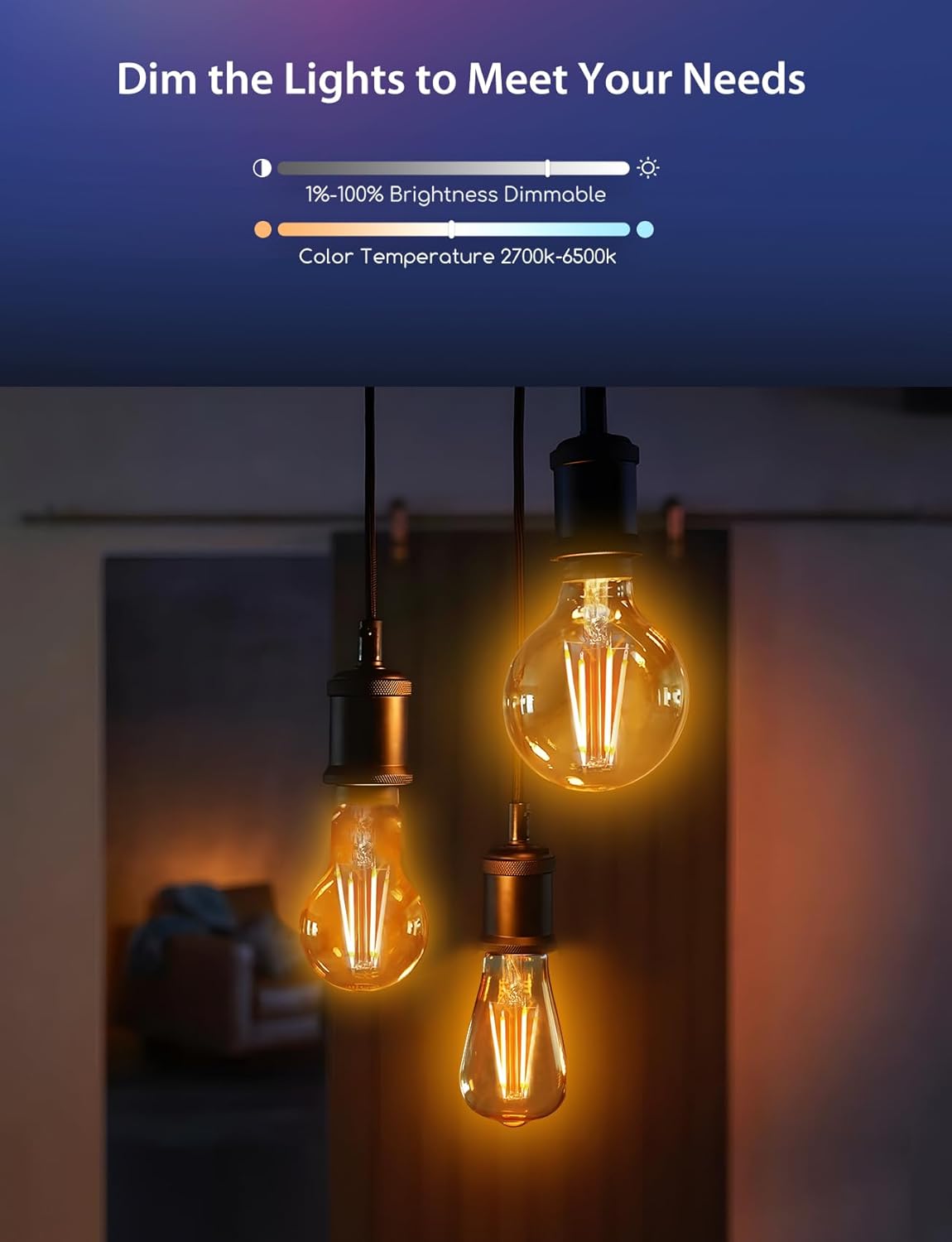
Image 5.1: Visual representation of adjustable brightness (1-100%) and color temperature (2700K-6500K) settings.

Image 5.2: Examples of combining functional and mood lighting using the smart bulbs.
5.2. Timer Function
Utilize the AigoSmart app to schedule your lighting needs. You can set specific times for the bulbs to turn on or off, helping to automate your daily routine.
- Open the AigoSmart app.
- Select the bulb(s) you wish to schedule.
- Navigate to the "Timer" or "Schedule" section.
- Set your desired on/off times and repeat preferences.

Image 5.3: The timer function allows your lighting to follow your routine, enhancing convenience and energy efficiency.
6. Maintenance
- Before cleaning, ensure the bulb is cool and the power is off.
- Wipe the bulb with a soft, dry cloth. Do not use liquid cleaners or abrasive materials.
- Regularly check the bulb and socket for any signs of damage or loose connections.
7. Troubleshooting
| Problem | Possible Cause | Solution |
|---|---|---|
| Bulb does not light up. | No power; bulb not screwed in properly; bulb is faulty. | Check power supply; ensure bulb is securely screwed in; try another bulb in the same socket. |
| Cannot connect to Alexa. | Alexa device is too old; bulb not in pairing mode; interference. | Ensure Alexa device is 2nd generation or later. Cycle bulb power 3 times to enter pairing mode. Reduce distance between bulb and Alexa device. |
| Remote control not working. | Battery depleted; remote not paired; obstruction. | Replace remote battery. Ensure remote is within range and pointed towards the bulb. Re-pair remote if necessary (refer to remote's specific instructions). |
| Remote control via app not working when away from home. | Aigostar Smart Gateway not connected or not present. | Ensure the Aigostar Smart Gateway is properly set up and connected to your home network. If you do not have one, purchase it separately for remote access. |
| Bulb flickers or dims unexpectedly. | Unstable power supply; incompatible dimmer (if present); faulty bulb. | Check power stability. Ensure no incompatible dimmers are used. Replace bulb if issue persists. |
8. Specifications
| Feature | Detail |
|---|---|
| Brand | Aigostar |
| Model | A60 E27 6W Cct |
| Product Dimensions (L x W x H) | 6 x 6 x 11.1 cm |
| Weight | 370 grams (for 6 bulbs) |
| Number of Bulbs | 6 |
| Color | A60 E27 6 W Cct |
| Shape | Filament (Vintage Edison style) |
| Included Components | Remote Control |
| Maximum Wattage | 6 Watts per bulb |
| Voltage | 220 Volts (AC) |
| Specific Uses | Decoration |
| Special Features | Cordless (referring to smart control), Dimmable, Color Temperature Adjustable |
| Lighting Angle | Adjustable |
| Socket Type | E27 |
| Luminous Flux | 806 lm |
| Incandescent Equivalent | 60 Watts |
| Color Temperature Range | 2700K (Warm White) - 6500K (Cool White) |
| Color Rendering Index (CRI) | 80.00 |
| Average Lifespan | 15000 Hours |
| Energy Efficiency Rating | E |
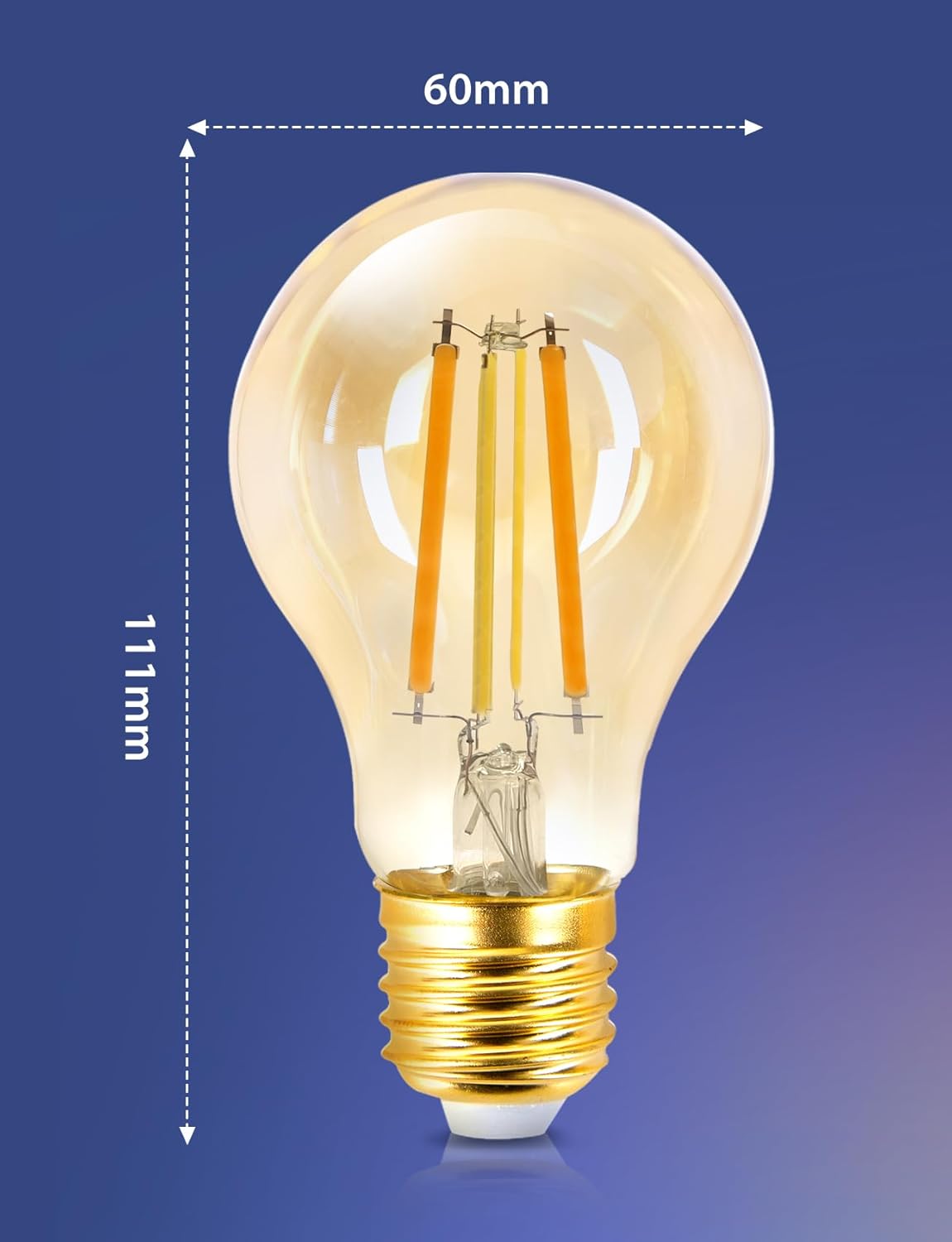
Image 8.1: Dimensions of the Aigostar A60 E27 smart bulb.

Image 8.2: EU Energy Label for the Aigostar smart bulb. For more details, visit EPREL Database.
9. Warranty and Support
Aigostar products are designed and manufactured to the highest quality standards. For warranty information, technical support, or frequently asked questions, please refer to the official Aigostar website or contact customer service.
You can find more information and FAQs regarding Mesh products by scanning the QR code below or visiting the Aigostar support page:

Image 9.1: Scan this QR code for frequently asked questions about Aigostar Mesh products, or visit Aigostar Support.
For further assistance, please visit the Aigostar Brand Store on Amazon.
Ask a question about this manual
Ask about setup, troubleshooting, compatibility, parts, safety, or missing instructions. Manuals+ will review the question and use this page’s manual context to help answer it.