1. Introduction
This manual provides instructions for the LEXIBOOK Barbie Nightlight Alarm Clock, model RL800BB. This device combines an alarm clock with a nightlight feature, offering various sounds and melodies. It is designed for indoor use and operates on batteries.

Figure 1: Front view of the LEXIBOOK Barbie Nightlight Alarm Clock, showing the Barbie figure seated on top of the pink clock base with a digital display.
2. Setup
2.1 Battery Installation
The alarm clock requires 3 x AA/LR6 batteries (not included). Follow these steps to install them:
- Locate the battery compartment on the underside of the clock.
- Using a screwdriver, open the battery compartment cover.
- Insert 3 AA/LR6 batteries, ensuring correct polarity (+/-) as indicated inside the compartment.
- Replace the battery compartment cover and secure it with the screw.
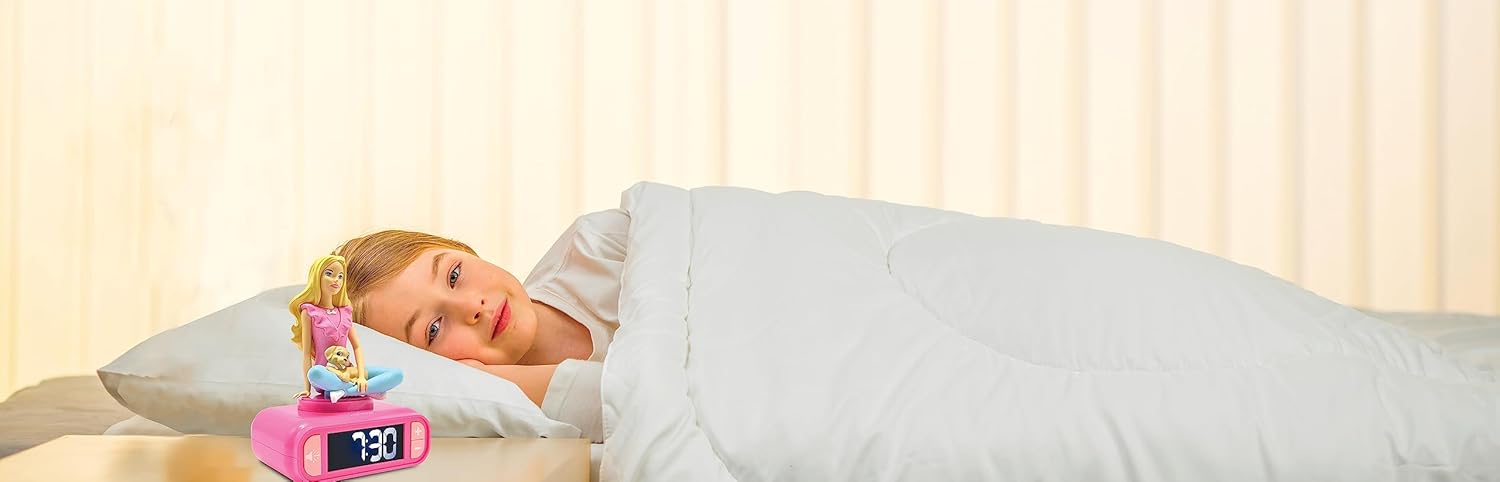
Figure 2: Rear view of the alarm clock, highlighting the battery compartment and control buttons for setting time and alarm.
2.2 Setting the Time
To set the current time:
- Press and hold the 'Time Set' button (often indicated by a clock icon) located on the back or bottom of the unit.
- While holding the 'Time Set' button, use the '+' and '-' buttons to adjust the hours.
- Release and press the 'Time Set' button again to switch to minutes adjustment.
- Use the '+' and '-' buttons to adjust the minutes.
- Release the 'Time Set' button to save the time.
3. Operation
3.1 Setting the Alarm
To set an alarm:
- Press and hold the 'Alarm Set' button (often indicated by a bell icon).
- While holding the 'Alarm Set' button, use the '+' and '-' buttons to adjust the alarm hours.
- Release and press the 'Alarm Set' button again to switch to minutes adjustment.
- Use the '+' and '-' buttons to adjust the alarm minutes.
- Release the 'Alarm Set' button to save the alarm time.
- To activate or deactivate the alarm, press the 'Alarm On/Off' button (often the same as 'Alarm Set' or a dedicated switch). An alarm icon will appear on the display when active.
3.2 Nightlight Function
The Barbie figure on top of the clock functions as a nightlight.
- To activate the nightlight, gently press down on the Barbie figure.
- The nightlight will illuminate for a set duration.
- To turn off the nightlight manually, press the Barbie figure again.

Figure 3: The alarm clock functioning as a nightlight in a child's bedroom, providing a soft glow.
3.3 Snooze Function
When the alarm sounds, you can activate the snooze function:
- Tap the top of the clock or the Barbie figure to temporarily silence the alarm.
- The alarm will sound again after approximately 9 minutes.
3.4 Turning Off the Alarm
To turn off the alarm completely after it sounds:
- Press any button on the back of the clock, or specifically the 'Alarm On/Off' button, to stop the alarm for the day.
- To disable the alarm for future days, refer to section 3.1.
3.5 Adjusting Volume and LCD Screen
- Volume: Use the dedicated volume buttons (if available) or the '+' and '-' buttons during alarm setting to adjust the alarm sound volume.
- LCD Screen: The LCD screen is dimmable. Consult the specific controls on your device, usually a dedicated button or a combination of buttons, to adjust the brightness or turn the display off for a sleep-friendly environment.
Video 1: Official product video demonstrating the features and operation of the Lexibook Barbie Nightlight Alarm Clock RL800BB.
4. Maintenance
4.1 Cleaning
To clean the alarm clock:
- Ensure the device is off and batteries are removed before cleaning.
- Wipe the surface with a soft, dry cloth.
- Do not use abrasive cleaners, solvents, or chemical sprays, as these may damage the finish.
4.2 Battery Replacement
When the low battery indicator appears on the display, or if the clock's functions become erratic, replace all three AA/LR6 batteries simultaneously. Refer to section 2.1 for battery installation instructions.
5. Troubleshooting
| Problem | Possible Cause | Solution |
|---|---|---|
| Clock does not turn on or display is blank. | Batteries are dead or incorrectly installed. | Check battery polarity; replace with new AA/LR6 batteries. |
| Alarm does not sound. | Alarm is not set or is deactivated. Volume is too low. | Ensure alarm is set and activated (alarm icon visible). Increase volume. |
| Nightlight does not illuminate. | Barbie figure not pressed correctly. Low batteries. | Press the Barbie figure firmly. Replace batteries if low. |
| Time or alarm settings are difficult to adjust. | Buttons are not being held or pressed correctly. | Refer to sections 2.2 and 3.1 for correct button sequences. |
6. Specifications
- Brand: LEXiBOOK
- Model Number: RL800BB
- Color: Pink
- Display Type: Digital
- Special Features: Alarm, Snooze, Nightlight
- Product Dimensions: 3.54" (W) x 7.17" (H)
- Power Source: Battery Powered
- Batteries Required: 3 x AA batteries (not included)
- Material: Plastic
- Mounting Type: Tabletop
- Item Weight: Approximately 331 Grams (11.7 ounces)

Figure 4: Diagram illustrating the width and height dimensions of the alarm clock.
7. Warranty and Support
For warranty information, technical support, or service inquiries regarding your LEXIBOOK Barbie Nightlight Alarm Clock RL800BB, please refer to the warranty card included with your product or visit the official LEXIBOOK website. Contact details for customer service are typically provided in these resources.


