
Introduction
The STATIK 100W GaN Charger is a high-performance, multi-port wall charger designed for efficient and fast charging of various electronic devices. Utilizing advanced GaN (Gallium Nitride) technology, this charger offers a compact design, reduced heat generation, and improved power efficiency. It features multiple USB-C and USB-A ports to charge up to four devices simultaneously.
- Super Fast Charging: Delivers up to 100W of power for rapid charging.
- Advanced GaN Technology: Ensures a compact size, lower heat, and higher charging efficiency.
- Universal Compatibility: Supports a wide range of devices including MacBook Pro/Air, iPad, iPhone, Samsung Galaxy, Nintendo Switch, and more.
- Overheat and Overload Protection: Built-in safety features protect against overheating, overloading, and short circuits.
- Compact and Portable: Designed for easy travel and everyday use with a foldable plug.

Image: The STATIK 100W GaN Charger in use, demonstrating its high-speed charging for a laptop.

Image: The compact design of the STATIK 100W GaN Charger compared to a larger standard charger.
Package Contents
Please verify that all items are present in your package:
- STATIK 100W GaN Charger (Model: PUP-0295)
- Instruction Manual (this document)
Setup
Follow these steps to set up your STATIK 100W GaN Charger:
- Unfold the Plug: Gently unfold the AC prongs from the charger body. The charger features a foldable plug for portability.
- Connect to Power Outlet: Insert the charger's prongs into a standard wall power outlet. Ensure it is securely plugged in.
- Connect Devices: Use appropriate charging cables (not included) to connect your devices to the available USB-C or USB-A ports on the charger.

Image: The STATIK 100W GaN Charger showing its four ports (3 USB-C, 1 USB-A) and the foldable AC plug in both folded and unfolded positions.

Image: The charger plugged into a wall socket, demonstrating its use with multiple devices.
Operating Instructions
The STATIK 100W GaN Charger is designed for simple plug-and-play operation. It automatically detects connected devices and delivers optimal charging power.
Charging Single Device:
Connect your device to any available USB-C or USB-A port using a compatible cable. For maximum speed, especially for laptops or high-power devices, use one of the USB-C ports (USB-C1 or USB-C2) which can deliver up to 100W individually.
Charging Multiple Devices:
The charger can power up to four devices simultaneously. The total 100W power output is dynamically distributed among the connected ports. Refer to the power distribution guide below for typical scenarios.
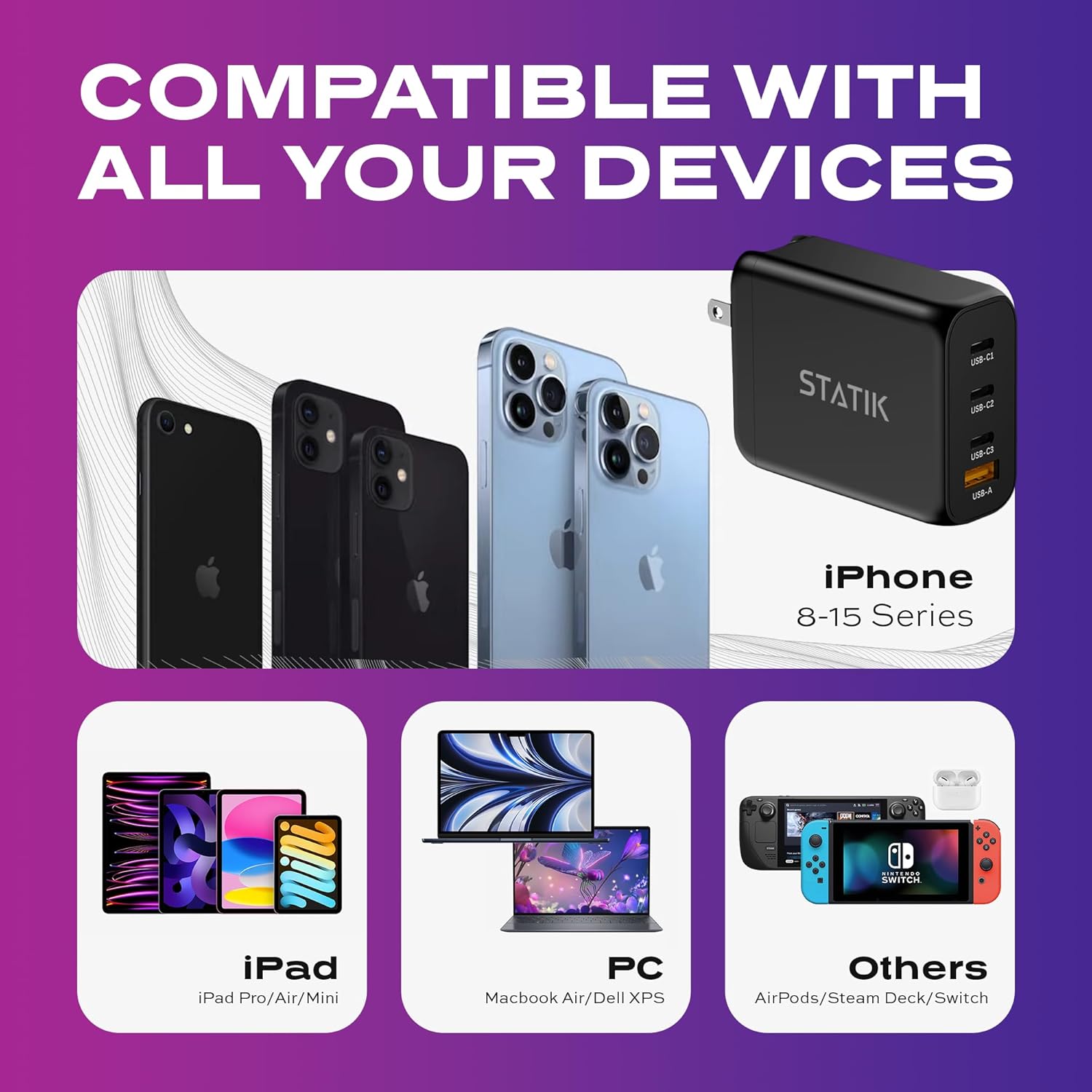
Image: The charger's universal compatibility with a range of devices including iPhones, iPads, laptops, and gaming consoles.

Image: The charger actively charging four devices at once, including a laptop, tablet, smartphone, and wireless earbuds.
Power Output Configuration:
The charger intelligently adjusts power output based on the number and type of connected devices. Below are common power distribution scenarios:
- Single Device: USB-C1 or USB-C2: Up to 100W; USB-C3: Up to 65W; USB-A: Up to 30W.
- Two Devices:
- USB-C1 (65W) + USB-C2 (30W)
- USB-C1 (65W) + USB-C3 (30W)
- USB-C1 (65W) + USB-A (30W)
- USB-C2 (65W) + USB-C3 (30W)
- USB-C2 (65W) + USB-A (30W)
- USB-C3 (30W) + USB-A (30W)
- Three Devices:
- USB-C1 (45W) + USB-C2 (30W) + USB-C3 (7.5W)
- USB-C1 (45W) + USB-C2 (30W) + USB-A (7.5W)
- Four Devices: USB-C1 (45W) + USB-C2 (35W) + USB-C3 (7.5W) + USB-A (7.5W)

Image: Visual representation of the charging guide, illustrating maximum power output for single and multiple device connections across USB-C and USB-A ports.
Maintenance
To ensure the longevity and optimal performance of your charger, follow these maintenance guidelines:
- Cleaning: Disconnect the charger from the power outlet and all devices before cleaning. Use a soft, dry cloth to wipe the surface. Do not use liquid cleaners or aerosols.
- Storage: When not in use, store the charger in a cool, dry place away from direct sunlight and extreme temperatures. Fold the prongs for compact storage.
- Avoid Moisture: Do not expose the charger to water or excessive humidity.
- Handle with Care: Avoid dropping the charger or subjecting it to strong impacts.
Troubleshooting
If you encounter issues with your STATIK 100W GaN Charger, refer to the following common problems and solutions:
| Problem | Possible Cause | Solution |
|---|---|---|
| Device not charging. |
|
|
| Slow charging speed. |
|
|
| Charger feels warm. |
|
|
Specifications
| Model Number | PUP-0295 |
| Brand | Statik |
| Wattage | 100 watts (Max) |
| Total USB Ports | 4 (3x USB-C, 1x USB-A) |
| Connector Type | USB C + USB-A |
| Input Voltage | AC 100-240V, 50/60Hz |
| Max Output Amperage | 5 Amps |
| Special Features | Foldable Plug, Lightweight, Portable, Fast Charging, Smart Overheat & Overcharge Protection |
| Dimensions | 4.13 x 3.43 x 1.34 inches |
| Item Weight | 8.4 ounces |
Safety Information
Your safety and the safety of your devices are paramount. The STATIK 100W GaN Charger incorporates multiple safety features:
- Overheat Protection: Prevents the charger from exceeding safe operating temperatures.
- Overload Protection: Safeguards against excessive current draw.
- Short Circuit Protection: Protects against damage from short circuits.
Always use the charger in a well-ventilated area and avoid covering it during operation. Do not attempt to disassemble or modify the charger.
Warranty and Support
For product support, technical assistance, or warranty inquiries, please contact Statik customer service. Refer to the official Statik website or your purchase documentation for contact details.
This product is manufactured by Curv Group LLC.