
Introduction
Thank you for choosing the nipify Solar Spot Light. This 6-pack of 62-LED, warm white, motion-sensing, and waterproof solar lights is designed to illuminate your outdoor yard pathways, gardens, and other landscape areas efficiently and reliably. These lights harness solar energy during the day and provide bright, motion-activated lighting at night, enhancing both aesthetics and security.
Key Features
- Super Bright Illumination: Each spot light is equipped with 62 high-efficiency LEDs, providing a total of 372 LEDs for the 6-pack, ensuring a brighter and larger lighting area.
- Sensitive Motion Sensor: Built-in PIR motion sensor provides timely and efficient lighting when motion is detected, enhancing safety and energy efficiency.
- Upgraded 3 Lighting Modes: Offers versatile lighting options to suit different needs and extend battery life.
- 2-in-1 Installation: Can be easily installed by inserting into the ground as a spotlight or mounted on a wall as a wall light.
- Durable & Waterproof (IP65): Constructed from high-quality ABS material with an IP65 waterproof rating, designed to withstand various weather conditions including rain, snow, frost, and heat.
- Energy Saving & Auto ON/OFF: Converts sunlight into electrical energy during the day and automatically turns on at dusk and off at dawn, eliminating electricity costs.
- Adjustable Angle: The light head can be adjusted 90 degrees vertically to direct illumination precisely where needed.
Package Contents
The nipify Solar Spot Light package includes the following components:
- 6 x nipify Solar Spot Lights (with integrated solar panels and LEDs)
- 6 x Ground Stakes
- 1 x User Manual
- 12 x Mounting Screws
- 12 x Wall Plugs (Anchors)

Figure 1: Package Contents. This image displays the six solar spot lights, six ground stakes, the user manual, and the included screws and wall plugs for installation.
Installation
The nipify Solar Spot Lights offer two versatile installation methods:
1. Ground Insertion (Spotlight Function)
- Attach the ground stake to the bottom of the solar light unit. Ensure it is securely fastened.
- Select a location in your garden, yard, or pathway that receives direct sunlight for 6-8 hours daily to ensure optimal charging.
- Gently push the assembled light and stake into the soft ground until the light unit is stable.
- Adjust the angle of the solar panel and the light head (up to 90 degrees vertically) to maximize sun exposure and direct the light beam as desired.
2. Wall Mounting (Wall Light Function)
- Detach the ground stake if it is already attached.
- Choose a wall location that receives ample direct sunlight for charging.
- Mark the positions for drilling using the light's mounting bracket as a template.
- Drill holes at the marked positions and insert the provided wall plugs (anchors).
- Align the light's mounting bracket with the drilled holes and secure it to the wall using the provided screws.
- Adjust the angle of the solar panel and light head to optimize sun exposure and light direction.

Figure 2: Installation Methods. This diagram illustrates how to assemble the light for ground insertion and the steps for mounting it onto a wall.

Figure 3: Choosing Installation Location. It is crucial to select a location that receives sufficient direct sunlight for the solar panel to charge effectively throughout the day.
Video 1: Installation and Lighting Modes Overview. This video demonstrates the ease of installation for both ground and wall applications, and showcases the different lighting modes.
Operating Instructions
The nipify Solar Spot Light features an intelligent light sensor and motion sensor for automatic operation. Before first use, ensure the lights are fully charged under direct sunlight for 6-8 hours.
Automatic Operation
- The solar lights will automatically turn on at dusk and turn off at dawn.
- During the day, the solar panel converts sunlight into electricity and stores it in the internal battery.
- After a full charge, the lights can operate for 10-12 hours depending on the selected mode and motion activity.

Figure 4: Daytime Charging and Nighttime Illumination. The solar panel efficiently charges the battery during daylight hours, and the light automatically activates when darkness falls.
Lighting Modes
The lights offer three distinct lighting modes, selectable via a button on the unit:
- Mode 1 (Constant Dim Light): The light stays on at a constant dim brightness (approximately 30%) throughout the night, without motion sensor activation. This mode provides continuous ambient lighting.
- Mode 2 (Dim Light Sensor Mode): The light stays on at a dim brightness (approximately 30%). When motion is detected, it brightens to 100% for approximately 22 seconds, then returns to dim light.
- Mode 3 (Security Motion Sensor Mode): The light remains off until motion is detected. When motion is detected, it illuminates at 100% brightness for approximately 22 seconds, then turns off completely. This mode is ideal for security and maximizing battery life.
To cycle through the modes, press the mode button located on the back of the light unit. The light will indicate the current mode by its behavior.

Figure 5: Three Lighting Modes with Motion Sensor. This graphic details the functionality of each of the three available lighting modes.
Video 2: Solar Spot Lights Motion Sensor Warm White. This video provides a visual demonstration of the warm white illumination and motion sensor functionality in various outdoor settings.
Maintenance
Regular maintenance ensures optimal performance and longevity of your solar spot lights.
- Cleaning: Periodically wipe the solar panel with a soft, damp cloth to remove dust, dirt, or debris. A clean solar panel ensures maximum sunlight absorption and charging efficiency.
- Placement: Ensure the solar panel remains free from obstructions like leaves, snow, or shade from trees/buildings, especially during winter months.
- Battery Life: The integrated Lithium Ion battery is designed for long-term use. If the light's performance significantly degrades over time, ensure it is receiving adequate sunlight for charging.
- Weather Resistance: While IP65 waterproof, extreme weather conditions (e.g., prolonged heavy snow, severe storms) may temporarily affect performance. The lights are designed to withstand temperatures from -20°C to 50°C.
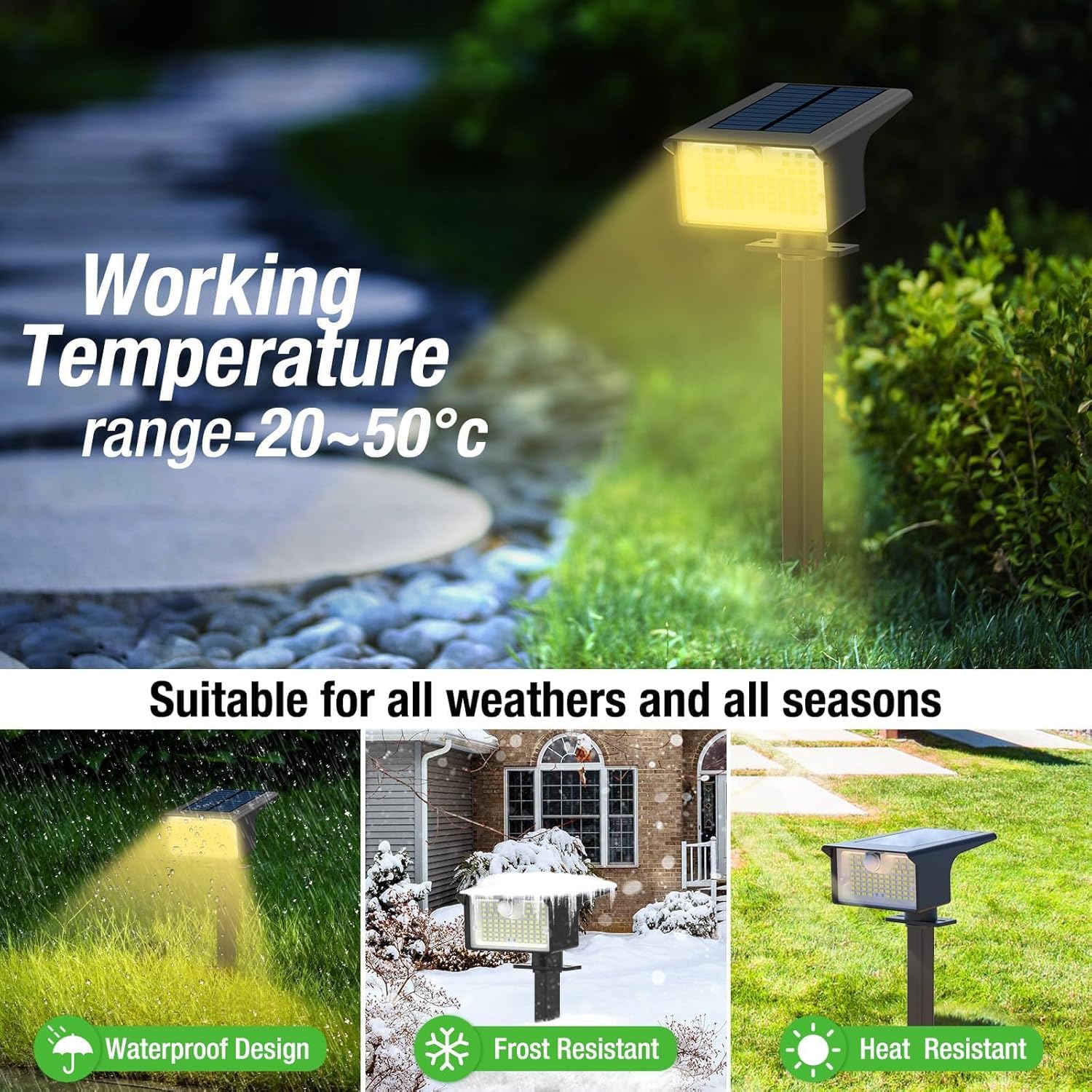
Figure 6: All-Weather Suitability. The lights are built to be waterproof, frost-resistant, and heat-resistant, ensuring reliable operation across various seasons and climates.
Troubleshooting
If you encounter issues with your nipify Solar Spot Light, please refer to the following common solutions:
| Problem | Possible Cause | Solution |
|---|---|---|
| Light does not turn on at night. |
|
|
| Light flickers or has low brightness. |
|
|
| Motion sensor not working. |
|
|
Specifications
| Attribute | Detail |
|---|---|
| Brand | nipify |
| Model Name | GS08Y-6 |
| Light Source Type | LED |
| Number of Light Sources | 62 per light |
| Light Color | Warm White |
| Brightness | 1000 lumen (peak) |
| Color Temperature | 3000 Kelvin |
| Power Source | Battery Powered (Solar) |
| Voltage | 5.5 Volts |
| Material | Acrylonitrile Butadiene Styrene (ABS) |
| Water Resistance Level | IP65 Waterproof |
| Special Feature | Motion Sensor, Auto ON/OFF |
| Installation Type | Wall Mount / Ground Inserted |
| Product Dimensions | 4.72"L x 3.35"W x 12"H (with stake) |
| Item Weight | 1.32 pounds (total for 6 pack) |
| Batteries | 1 Lithium Ion battery required (included) |
| Working Temperature Range | -20°C to 50°C |
Warranty and Support
nipify is committed to providing high-quality products and excellent customer service.
- Warranty: The product comes with a Lifetime Warranty as per manufacturer specifications.
- Customer Service: For any issues or questions during use, nipify offers 1-year return for quality issues and 24-hour friendly after-sales service. Please contact nipify customer support for assistance.
For further information or support, please visit the official nipify store on Amazon: nipify Amazon Store.