
Introduction
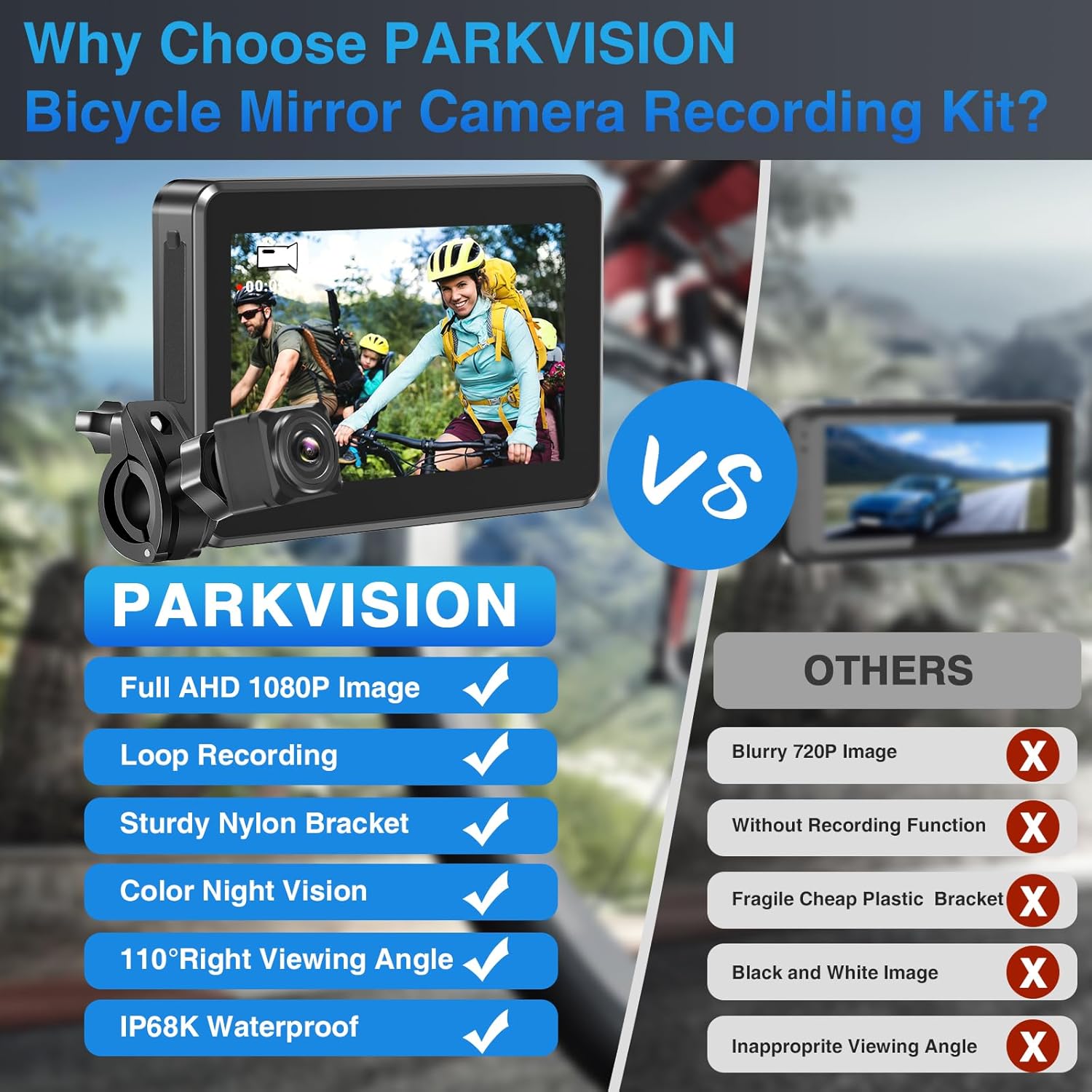
Thank you for choosing the PARKVISION Bicycle Rearview Mirror with Recording Function. This device is designed to enhance your cycling safety by providing a clear rear view and recording capabilities. It features a 360° rotatable AHD 1080P rear camera, a 4.3-inch waterproof screen, and excellent night vision. Please read this manual thoroughly before installation and use to ensure proper operation and maintenance.
Product Overview
The PARKVISION Bicycle Rearview Mirror system includes a monitor, a camera, and various accessories for installation. Familiarize yourself with all components before proceeding.
Package Contents
- 4.3-inch Monitor
- Rear Camera
- Monitor Bracket
- Camera Bracket
- USB Type-C Charging Cable
- Hook & Loop Tape
- Gaskets
- Plastic Ties

Setup and Installation
The PARKVISION Bicycle Rearview Mirror system is designed for tool-free installation on most bicycle handlebars with a diameter of 16mm to 42mm.
Installation Steps:
- Mount the Monitor: Attach the monitor bracket to your bicycle's handlebars. Loosen the screws on the bracket, position it, and then tighten the screws to secure the monitor.
- Mount the Camera: Attach the camera bracket to a suitable location on your bicycle's rear frame or seat post. Ensure the camera has a clear view of the rear. The camera can be rotated 360 degrees for optimal positioning.
- Connect the Camera to the Monitor: Insert the camera's cable into the designated port on the monitor. The system comes with a 3-meter (9.8 ft) cable for flexible routing.
- Adjust Angles: Once mounted, adjust the angles of both the monitor and the camera to achieve your desired rear view.


Operating Instructions
Power On/Off
Press and hold the power button on the monitor to turn the device on or off. The monitor will display the live feed from the rear camera upon startup.
Recording Function
The system features real-time AHD 1080P video recording with loop recording functionality. It also supports taking still photos.
- Micro SD Card: A Micro SD card (up to 128GB, not included) is required for recording. Insert the card into the designated slot on the monitor.
- Loop Recording: When the SD card is full, the system will automatically overwrite the oldest files to continue recording.
- Photo Function: Refer to the on-screen menu or dedicated button (if available) to capture still images.

Battery and Charging
The monitor has a built-in 5000mAh battery, providing approximately 4-5 hours of operation on a full charge. Charging takes about 3-4 hours using the provided USB Type-C cable.
- Battery Indicator: The screen displays a battery icon with three grids: 3 grids (100%), 2 grids (70%), 1 grid (35%), and an empty grid (5%).
- Charging Status: During charging, the icon in the upper right corner of the screen will move from left to right. When the battery grid stops flashing, it indicates a full charge.
- Extended Use: For longer rides, it is recommended to carry a mobile power bank.
Waterproof Design
Both the camera and the 4.3-inch monitor are IP68 waterproof, ensuring normal operation even in rainy weather conditions.
Night Vision
The system offers excellent night vision capabilities, allowing you to see clearly behind you even in low-light conditions.

Maintenance
To ensure the longevity and optimal performance of your PARKVISION Bicycle Rearview Mirror system, follow these maintenance guidelines:
- Cleaning: Use a soft, damp cloth to clean the monitor screen and camera lens. Avoid abrasive cleaners or solvents that could damage the surfaces.
- Water Exposure: While the device is IP68 waterproof, avoid prolonged submersion in water. Ensure all port covers are securely closed to prevent water ingress.
- Storage: When not in use for extended periods, store the device in a cool, dry place away from direct sunlight and extreme temperatures.
- Battery Care: To maintain battery health, avoid fully discharging the battery frequently. Charge the device regularly, even if not in use, to prevent deep discharge.
- Cable Inspection: Periodically check the connection cable for any signs of wear, cuts, or damage. Replace if necessary to ensure reliable operation.
Troubleshooting
If you encounter any issues with your PARKVISION Bicycle Rearview Mirror system, refer to the following troubleshooting tips:
| Problem | Possible Cause | Solution |
|---|---|---|
| No image on screen | Device is off; Camera cable disconnected; Low battery | Press power button; Check cable connection; Charge battery |
| Cannot record video | No SD card; SD card full; SD card error | Insert SD card; Format/replace SD card; Check SD card compatibility |
| Short battery life | Battery not fully charged; Aging battery | Ensure full charge (3-4 hours); Consider using a power bank for long rides |
| Image is blurry or distorted | Camera lens dirty; Condensation on lens; Incorrect camera angle | Clean lens; Allow device to acclimate; Adjust camera angle |
| Buttons unresponsive | System frozen; Low battery | Restart device; Charge battery |
If the problem persists after trying these solutions, please contact customer support.
Specifications
| Feature | Detail |
|---|---|
| Model Number | PJ-BR1 |
| Monitor Size | 4.3 inches |
| Display Type | LCD |
| Video Recording Resolution | 1080p AHD |
| Frame Rate | 30 FPS |
| Field of View | 140 Degrees |
| Connectivity Technology | Wired |
| Waterproof Rating | IP68 |
| Battery Capacity | 5000 mAh (Lithium-ion) |
| Battery Life | 4-5 hours |
| Charging Time | 3-4 hours |
| Memory Card Support | Micro SD Card (up to 128GB, not included) |
| Compatible Handlebar Diameter | 16-42 mm |
| Cable Length | 3 meters (9.8 ft) |
| Product Dimensions (L x W x H) | 7 x 14 x 11 cm |
| Weight | 540 grams |
Warranty and Support
PARKVISION products are designed for reliability and performance. For any questions or assistance with your product, please contact our customer support team.
- Customer Support Email: service-eu@parkvision.com.cn
- Please provide your model number (PJ-BR1) and a detailed description of your issue when contacting support for faster assistance.