
1. Introduction
The Inkerma Bilateral Laser Distance Meter DM-393 is a precision measuring instrument designed for various applications, including construction, interior design, and DIY projects. It features bilateral laser measurement, an angle sensor, and multiple calculation modes to enhance efficiency and accuracy. This manual provides detailed instructions for safe and effective use of your device.

Image 1.1: The Inkerma Bilateral Laser Distance Meter DM-393, showcasing its design and active laser beams.
2. Package Contents
Upon opening the package, verify that all the following items are included:
- Inkerma Bilateral Laser Measurement Tool DM-393
- Rechargeable Lithium Battery (pre-installed)
- User Manual
- Hand Strap
- Carrying Bag
- Type-C Charge Cable
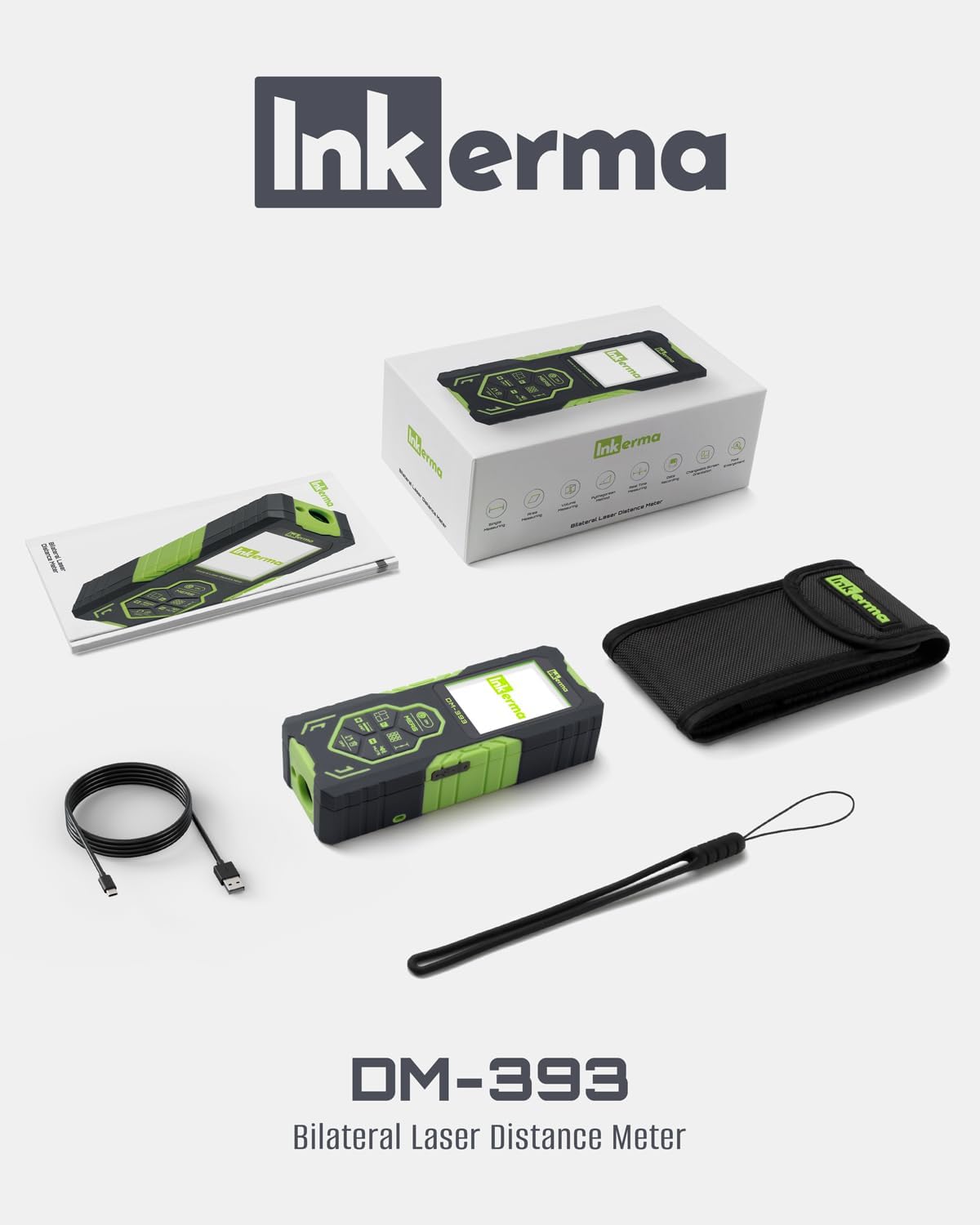
Image 2.1: All items included in the Inkerma DM-393 product package.
3. Device Overview and Key Features
The DM-393 is designed for ease of use and durability. It features a robust casing and an intuitive interface.
3.1. Key Features
- Bilateral Laser Measurement: Measures simultaneously from two directions, reducing the need for repositioning.
- Color Backlit LCD Display: Easy-to-read display with font enlargement and screen rotation capabilities.
- Angle Sensor: Integrated tilt angle capability for measuring angles and facilitating indirect measurements.
- Multiple Measuring Modes: Includes real-time, area, volume, and Pythagorean methods.
- Data Storage: Memory capacity for up to 100 measurements.
- Rechargeable Battery: Long-lasting lithium battery provides over 3000 measurements per charge.
- Accuracy: Provides measurements within 1/8 inch (3mm) up to 393ft (120m).
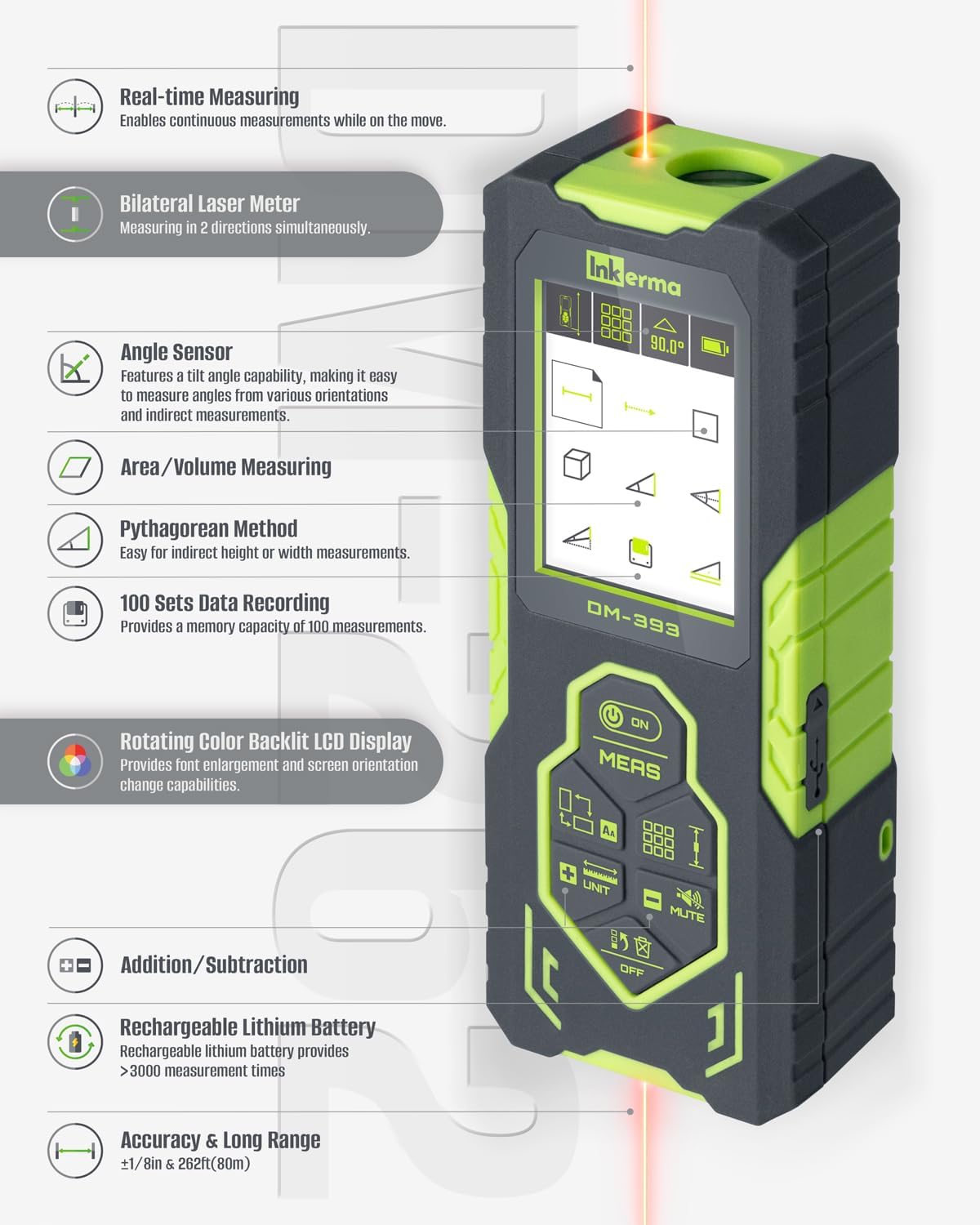
Image 3.1: A visual representation of the DM-393's key features and functionalities.
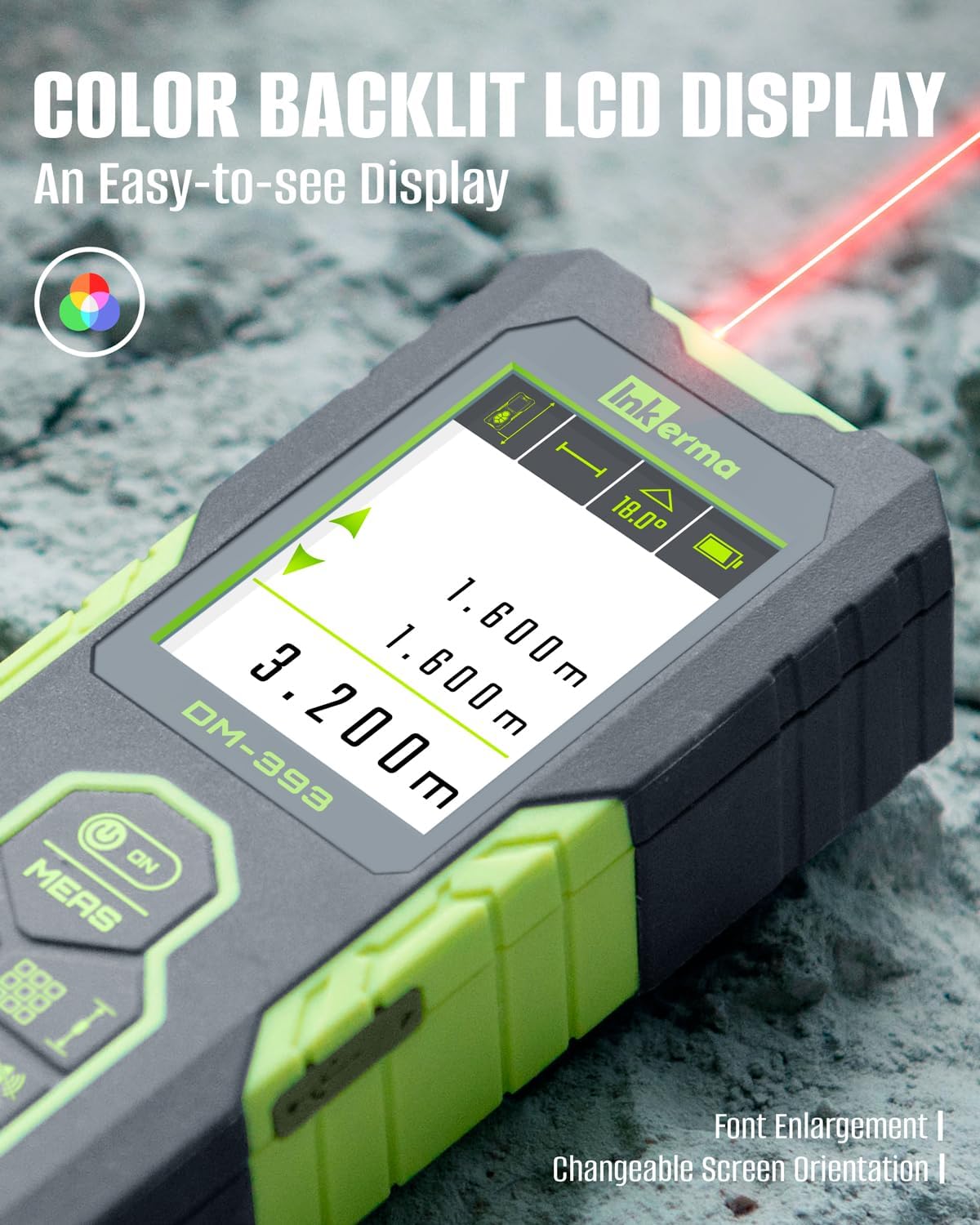
Image 3.2: The device's color backlit LCD display, showing measurement readings and angle information.
4. Setup
4.1. Charging the Device
The DM-393 comes with a built-in rechargeable lithium battery. Before first use, or when the battery indicator on the display shows low power, charge the device using the provided Type-C USB cable.
- Locate the USB-C charging port on the side of the device, usually protected by a rubber cover.
- Gently peel back the rubber cover.
- Insert the smaller (USB-C) end of the charging cable into the device's port.
- Connect the larger (USB-A) end of the cable to a compatible USB power adapter (not included) or a computer's USB port.
- The battery icon on the display will indicate charging status. A full charge typically takes a few hours.
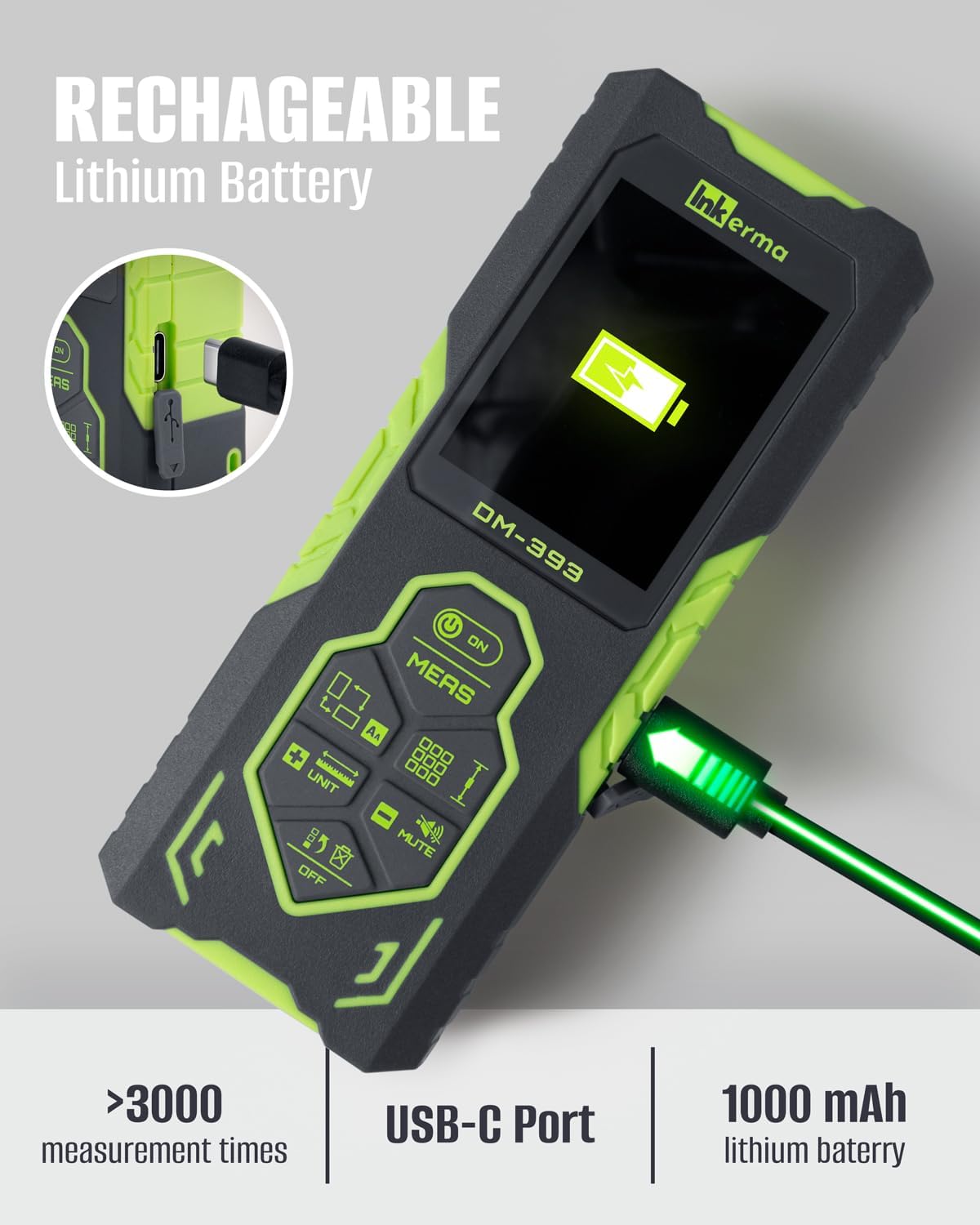
Image 4.1: The DM-393 connected to a USB-C charging cable, showing the charging port and battery indicator.
4.2. Powering On/Off
- To Power On: Press the ON/MEAS button briefly. The device will power on and display the last used measurement mode.
- To Power Off: Press and hold the OFF button for a few seconds. The device will also automatically power off after a period of inactivity to conserve battery.
5. Basic Operation
5.1. Taking a Single Measurement
The DM-393 supports both bilateral (two-way) and unilateral (one-way) measurements.
- Select Measurement Mode: Press the MODE button to cycle through available measurement modes until the desired single measurement icon appears (e.g., bilateral or unilateral).
- Position the Device: Aim the laser(s) at the target point. For bilateral measurement, position the device anywhere between two points. For unilateral, position one end at a reference point.
- Initiate Measurement: Briefly press the ON/MEAS button. The measurement will be displayed on the screen.

Image 5.1: A user holding the DM-393, demonstrating its bilateral laser measurement capability.
5.2. Changing Units
To change the measurement units (e.g., meters, feet, inches), press and hold the UNIT button. The display will cycle through the available units: meters (m), feet (ft), inches (in), and feet+inches (ft'in"). Release the button when your desired unit is shown.
5.3. Screen Rotation and Font Enlargement
The display can be rotated for better viewing angles. Consult the manual for specific button combinations, typically involving a long press on a designated button (e.g., UP/DOWN arrow buttons) to rotate the screen or enlarge the font.
5.4. Mute Function
To mute the device's sound, press the MUTE button. Press it again to unmute.
6. Advanced Measuring Modes
The DM-393 offers several advanced modes for complex measurements.
6.1. Real-time Measuring (Continuous Measurement)
In this mode, the device continuously measures and displays the distance as you move it. This is useful for finding minimum or maximum distances.
- Press the MODE button until the real-time measurement icon appears.
- Press ON/MEAS to start continuous measurement.
- Move the device slowly. The display will update in real-time.
- Press ON/MEAS again to stop.
6.2. Area and Volume Calculation
These modes allow you to calculate area (length x width) or volume (length x width x height) by taking sequential measurements.
- Press the MODE button until the Area or Volume icon is displayed.
- Follow the on-screen prompts to take the required measurements (e.g., first length, then width for area).
- The device will automatically calculate and display the area or volume.
6.3. Pythagorean Method (Indirect Measurement)
The Pythagorean mode allows for indirect measurement of heights or distances when direct measurement is obstructed. The device can calculate one side of a right triangle given the other two, or more complex scenarios.
- Press the MODE button until the Pythagorean icon appears.
- Follow the on-screen diagrams and prompts to take the necessary measurements (e.g., hypotenuse and one leg).
- The device will calculate the unknown dimension.
6.4. Angle Sensor
The integrated angle sensor displays the tilt angle of the device in real-time, which is useful for leveling or for certain indirect measurements.

Image 6.1: The DM-393 measuring an angle on a metal beam, demonstrating the angle sensor feature.

Image 6.2: Visual examples of Pythagorean, Area, and Volume measurement modes.
6.5. Addition and Subtraction
You can add or subtract measurements from previous readings. Use the ADD (+) or SUBTRACT (-) buttons to perform these operations.
6.6. Data Recording
The device automatically stores up to 100 measurements. Refer to the user manual for instructions on how to access and review stored data.
7. Calibration
For optimal accuracy, it is recommended to perform a calibration periodically. The manual outlines a six-step calibration process that can be completed without special tools or reference points. Follow the instructions in the included user manual for detailed steps.
8. Safety Information
The Inkerma DM-393 uses a Class II laser. Observe the following safety precautions:
- Do not stare directly into the laser beam.
- Avoid directing the laser beam at people or animals.
- Do not disassemble or modify the device.
- Keep the device out of reach of children.
- Use the device only as described in this manual.
9. Maintenance
Proper maintenance ensures the longevity and accuracy of your device.
- Cleaning: Use a soft, damp cloth to clean the device's exterior. Do not use abrasive cleaners or solvents. Ensure the laser lenses are clean and free of dust or debris.
- Storage: Store the device in its carrying bag in a cool, dry place when not in use. Avoid extreme temperatures and direct sunlight.
- Battery Care: If storing for extended periods, charge the battery periodically (e.g., every 3-6 months) to maintain battery health.
10. Troubleshooting
If you encounter issues with your DM-393, refer to the following common problems and solutions:
| Problem | Possible Cause | Solution |
|---|---|---|
| Device does not power on | Low battery; Device malfunction | Charge the device fully. If problem persists, contact support. |
| Inaccurate measurements | Dirty laser lens; Uncalibrated device; Unsuitable measuring conditions (e.g., highly reflective surfaces, strong sunlight) | Clean laser lenses. Perform calibration as per manual. Ensure appropriate measuring conditions. |
| Laser beam not visible | Strong ambient light; Device malfunction | Use in lower light conditions. If problem persists, contact support. |
| Display not responding | Software glitch; Low battery | Restart the device. Charge the device. If problem persists, contact support. |
11. Specifications
| Feature | Specification |
|---|---|
| Brand | Inkerma |
| Model Name | DM-393 |
| Measuring Range | Up to 393 feet (120 meters) |
| Accuracy | ±1/8 inch (±3mm) |
| Laser Class | Class II, <1mW |
| Battery Type | Rechargeable Lithium-Ion |
| Battery Capacity | 1000 mAh (estimated from >3000 measurements) |
| Charging Port | Type-C USB |
| Data Storage | 100 measurements |
| Material | Plastic |
| Color | Green |
| Item Weight | 330 Grams |
| Dimensions (LxWxH) | 4.76 x 1.85 x 1.06 inches |
| International Protection Rating | IP54 (Waterproof) |
12. Warranty and Support
Inkerma provides a 3-Year Warranty and Lifetime Support for the DM-393 Bilateral Laser Distance Meter. For any questions, technical assistance, or warranty claims, please contact the Inkerma Professional Team. Refer to the contact information provided in your product packaging or on the official Inkerma website.


