1. Product Overview
The FITNATE Keypad Door Knob is an electronic keyless entry system designed to enhance security and convenience for various residential and commercial applications. It features a touchscreen keypad for easy access and offers multiple unlocking methods.

Image 1.1: The FITNATE Keypad Door Knob, showcasing the main unit and included physical keys.
Key Features:
- Enhanced Security: Sturdy and durable design with an automatic locking function that engages 2.5 seconds after the door is opened.
- Easy Operation: Intuitive touchscreen keypad with a backlit display for visibility in low light.
- Multiple Unlocking Methods: Unlock using a programmable passcode or a traditional spare key.
- Anti-Peep Password: Feature to deter onlookers when entering your code.
- Low Battery Alert: Notifies you when batteries are running low, ensuring continuous operation.
- Emergency Power Supply: Equipped with an emergency USB port for temporary power in case of full battery depletion.
- User Capacity: Supports storage of up to 15 unique user passcodes.
- Wide Applicability: Suitable for various door materials including wooden, stainless steel, and copper doors.

Image 1.2: Detailed view of the sensitive touchscreen keypad with a hand interacting, highlighting the anti-peep code feature.

Image 1.3: The emergency USB port and traditional keyhole for alternative access or power.
2. Package Contents
Please verify that all components are present before beginning installation:
- FITNATE Keypad Door Knob Assembly (Exterior and Interior parts)
- Latch Bolt
- Strike Plate
- Mounting Screws
- 2 x Physical Keys
- Installation Template (if included)
- User Manual (this document)
Note: 4 AA batteries are required for operation and are not included in the package.
3. Installation (Setup)
The FITNATE Keypad Door Knob is designed for easy installation, typically requiring only a screwdriver. Ensure your door meets the standard dimensions for proper fit.

Image 3.1: Dimensional specifications for standard door compatibility, including backset and bore hole measurements.
Installation Steps:
- Prepare the Door: Ensure the door has the correct bore hole (2-1/8" or 54mm) and backset (2-3/8" or 2-3/4", 60mm or 70mm).
- Install the Latch Bolt: Insert the latch bolt into the door edge, ensuring the bevel faces the door frame. Secure with screws.
- Install the Exterior Assembly: Place the exterior keypad assembly through the bore hole, aligning the spindle with the latch bolt.
- Install the Interior Assembly: Connect the interior assembly to the exterior assembly, ensuring all wires are properly routed and not pinched. Secure with mounting screws.
- Insert Batteries: Open the battery cover on the interior assembly and insert 4 AA batteries (not included), observing polarity.
- Test Operation: Close the door and test the knob's mechanical and electronic functions.

Image 3.2: Visual guide demonstrating the simplified installation process for the door knob components.
The lock is suitable for various door types, including wooden, stainless steel, and copper doors, making it versatile for different home and office environments.
4. Operation
Operating the FITNATE Keypad Door Knob is straightforward. It offers both keyless entry via a passcode and traditional key access.
Unlocking with Passcode:
- Activate Keypad: Touch the keypad to illuminate the numbers.
- Enter Passcode: Input your programmed passcode. The keypad supports an anti-peep function, allowing you to enter random digits before or after your actual code to obscure it from onlookers.
- Confirm: Press the '#' key (or designated confirmation key) to confirm the entry.
- Open Door: If the passcode is correct, the lock will disengage. Turn the knob to open the door.
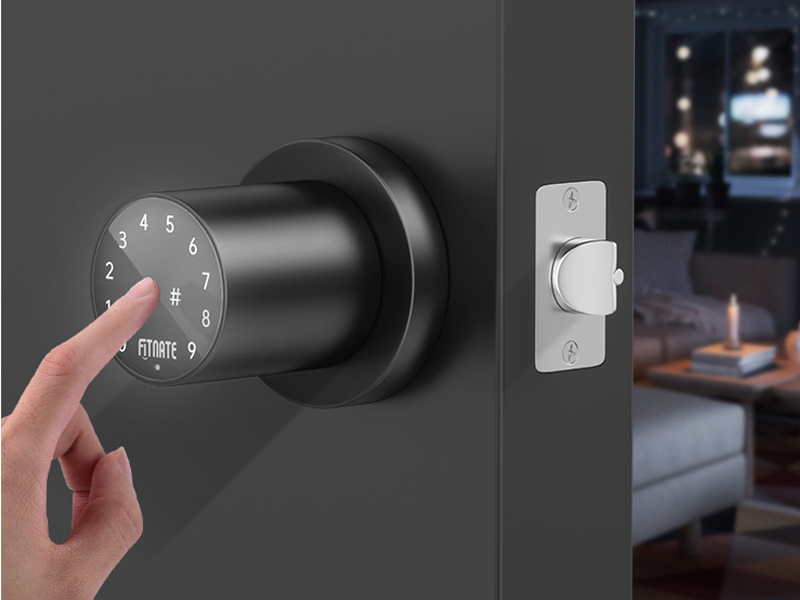
Image 4.1: A user entering a code on the illuminated touchscreen keypad.
Unlocking with Key:
- Insert the physical key into the keyhole located on the exterior knob.
- Turn the key to unlock the mechanism.
- Turn the knob to open the door.
Automatic Locking:
The door knob features an automatic locking function. After the door is opened, the lock will automatically re-engage after 2.5 seconds, providing added security without manual intervention.

Image 4.2: Illustration of the automatic locking feature, securing the door shortly after it closes.
Programming Passcodes:
The lock can store up to 15 unique user passcodes. Refer to the detailed programming instructions provided in the separate programming guide (if applicable) or the quick start guide for specific steps on adding, modifying, or deleting user codes.
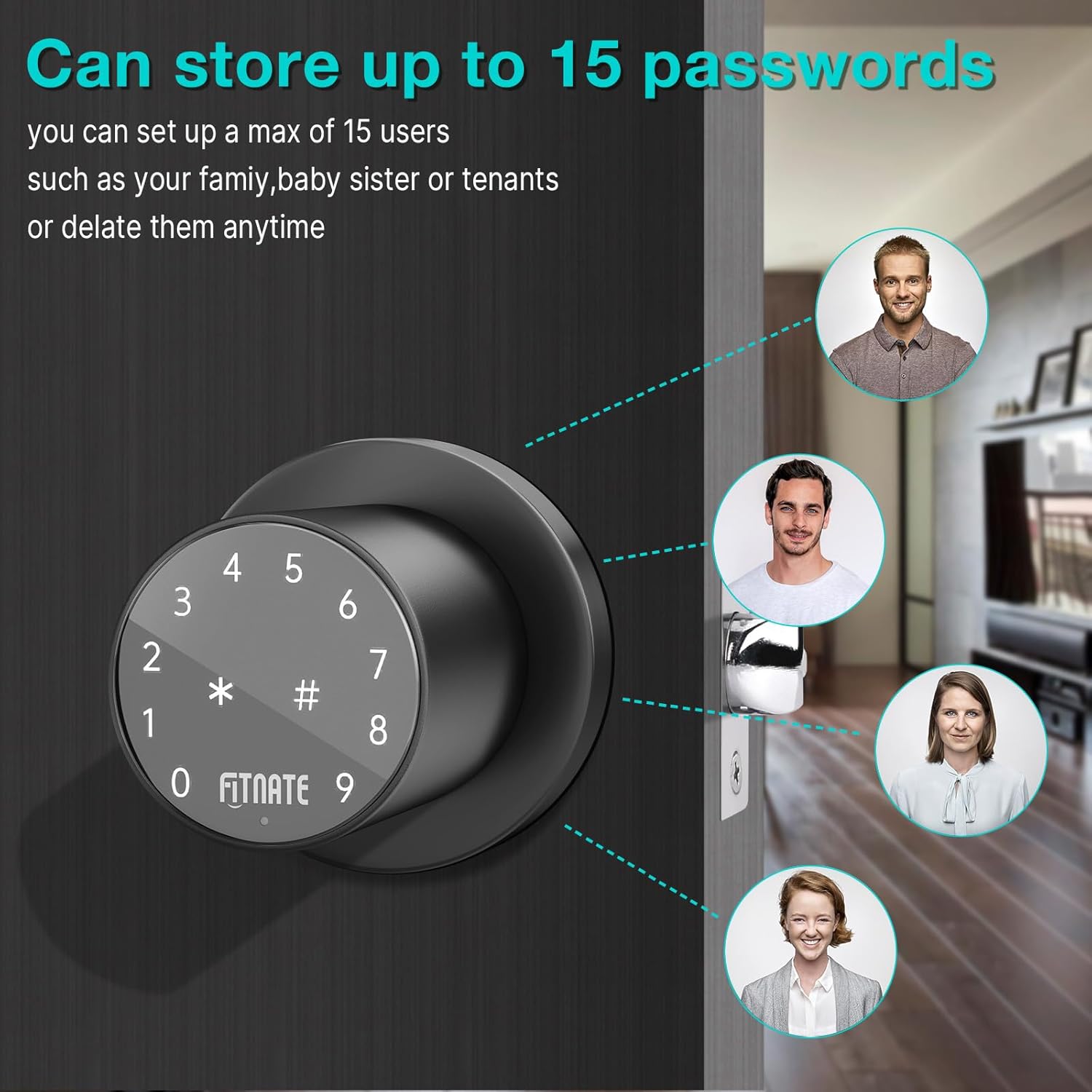
Image 4.3: Visual representation of the lock's capability to store multiple user passcodes.
5. Maintenance
Regular maintenance ensures the longevity and optimal performance of your FITNATE Keypad Door Knob.
Battery Replacement:
The lock will provide a low battery alert when the batteries need to be replaced. When this occurs, replace all four AA batteries with new, high-quality alkaline batteries. Ensure correct polarity during installation.

Image 5.1: The low battery indicator, signaling the need for battery replacement.
Emergency Power:
In case the batteries completely drain before replacement, you can use the emergency USB port to temporarily power the lock with a standard USB power bank (not included) to gain access. Alternatively, use the physical spare key.
Cleaning:
Clean the keypad and knob surfaces with a soft, damp cloth. Avoid using abrasive cleaners, solvents, or harsh chemicals, as these can damage the finish and electronic components.
6. Troubleshooting
If you encounter issues with your FITNATE Keypad Door Knob, refer to the following common troubleshooting steps:
- Lock does not respond to keypad entry:
- Check if the batteries are dead. Replace with new AA batteries.
- Ensure the keypad is activated by touching it before entering the code.
- Verify that the correct passcode is being entered.
- Lock does not engage/disengage properly:
- Check for any obstructions in the door frame or latch bolt path.
- Ensure the lock is properly aligned and installed. Re-check mounting screws for tightness.
- Verify that the door closes completely and is not warped.
- Passcode programming issues:
- Refer to the specific programming instructions for your model. Ensure you are following the sequence correctly.
- If issues persist, perform a factory reset (refer to your specific programming guide for instructions) and re-program all codes.
- Unexpected unlocking:
- Ensure your passcode is sufficiently complex and not easily guessable.
- Utilize the anti-peep function by entering random digits before and after your actual code.
- If unauthorized access is suspected, change all user passcodes immediately.
If these steps do not resolve the issue, please contact FITNATE customer support for further assistance.
7. Specifications
| Attribute | Detail |
|---|---|
| Brand | FITNATE |
| Model Name | Smart Lock (HS0395K-US) |
| Special Feature | Touchscreen |
| Lock Type | Combination Lock, Keypad |
| Material | Metal |
| Color | Black |
| Finish Type | Black Powder Coated |
| Item Dimensions (L x W x H) | 22 x 13.8 x 9 inches |
| Item Weight | 2.09 pounds |
| Power Source | 4 x AA Batteries (not included) |
| Control Method | App, Touch |
| Connectivity Protocol | Wi-Fi |
| Recommended Uses | Residential, commercial, and industrial door security |
| Date First Available | July 12, 2023 |
8. Warranty and Support
Specific warranty details for the FITNATE Keypad Door Knob are not provided in this manual. Please refer to the product packaging or the official FITNATE website for the most current warranty information.
For technical support, troubleshooting assistance, or inquiries regarding your product, please contact FITNATE customer service through their official channels. Contact information can typically be found on the product packaging or the manufacturer's website.
It is recommended to retain your purchase receipt as proof of purchase for any warranty claims.


