
Tecnock S8908C
Tecnock Remote Control Car Instruction Manual
Model: S8908C
Product Overview
The Tecnock Remote Control Car is a versatile 2.4GHz 4WD vehicle designed for dynamic play. It features gesture sensing control, double-sided driving, 360-degree rotation, and vibrant LED lights. Engineered for various terrains, this stunt car offers an engaging and interactive experience.
- Versatile Movement: Moves in all directions, flips on both sides, and performs 360° spins. Easily switches between on-road and off-road modes, suitable for sand, grass, dirt, and rocks.
- Gesture Sensing Control: Control the car's movements using a gesture sensing watch for an interactive experience.
- Extended Playtime: Includes three 500mAh rechargeable batteries for up to 45+ minutes of continuous action. USB charging with overcharge protection ensures quick and safe power-ups.
- Cool Lighting Effects: Wheels light up with mesmerizing effects, enhancing playability day or night.

Image: Overview of the Tecnock RC Stunt Car's key features and capabilities.
What's in the Box
Upon unboxing, verify that all components are present:
- Tecnock RC Stunt Car (1 unit)
- Standard Remote Control (1 unit)
- Gesture Sensing Watch Remote (1 unit)
- 3.7V 500mAh Rechargeable Lithium Ion Batteries (3 units)
- USB Charging Cable (1 unit)
- Screwdriver (1 unit)

Image: All items included in the product packaging.
Setup
- Car Battery Installation:
The RC stunt car comes with one rechargeable battery pre-installed but disconnected for safety during shipping. Use the provided screwdriver to open the battery compartment. Connect the battery to the car's internal connector. Close the compartment securely.

Image: The RC stunt car and its power components.
- Remote Control Batteries:
Both the standard remote control and the gesture sensing watch remote require 2 AAA batteries each (not included). Insert the batteries into their respective compartments, observing correct polarity.
- Charging the Car Batteries:
Connect the rechargeable batteries to the included USB charging cable. Plug the USB end into a compatible USB power source (e.g., computer USB port, USB wall adapter). The charging indicator light will show charging status. Ensure batteries are fully charged before first use for optimal performance.
Operating Instructions
- Power On:
Press the power button on the RC stunt car to turn it on. The LED lights on the car will illuminate.
- Pairing Remotes:
Turn on your preferred remote control (standard or gesture watch). The remote will automatically pair with the car. If pairing fails, turn both devices off and on again.
- Controlling the Car:
Standard Remote Control:
Use the joysticks to control forward, backward, left, and right movements. Specific buttons may control stunts, transformations, and lighting effects.
Gesture Sensing Watch Remote:
Wear the watch on your hand. Specific hand gestures will control the car's movements. For example, moving your hand forward may make the car go forward, and tilting your hand may control turns or transformations.

Image: The RC stunt car transforming between on-road and off-road configurations.
- Stunt Functions:
The car is designed for various stunts including 360° rotations and double-sided driving. Experiment with remote inputs or gestures to perform these actions.
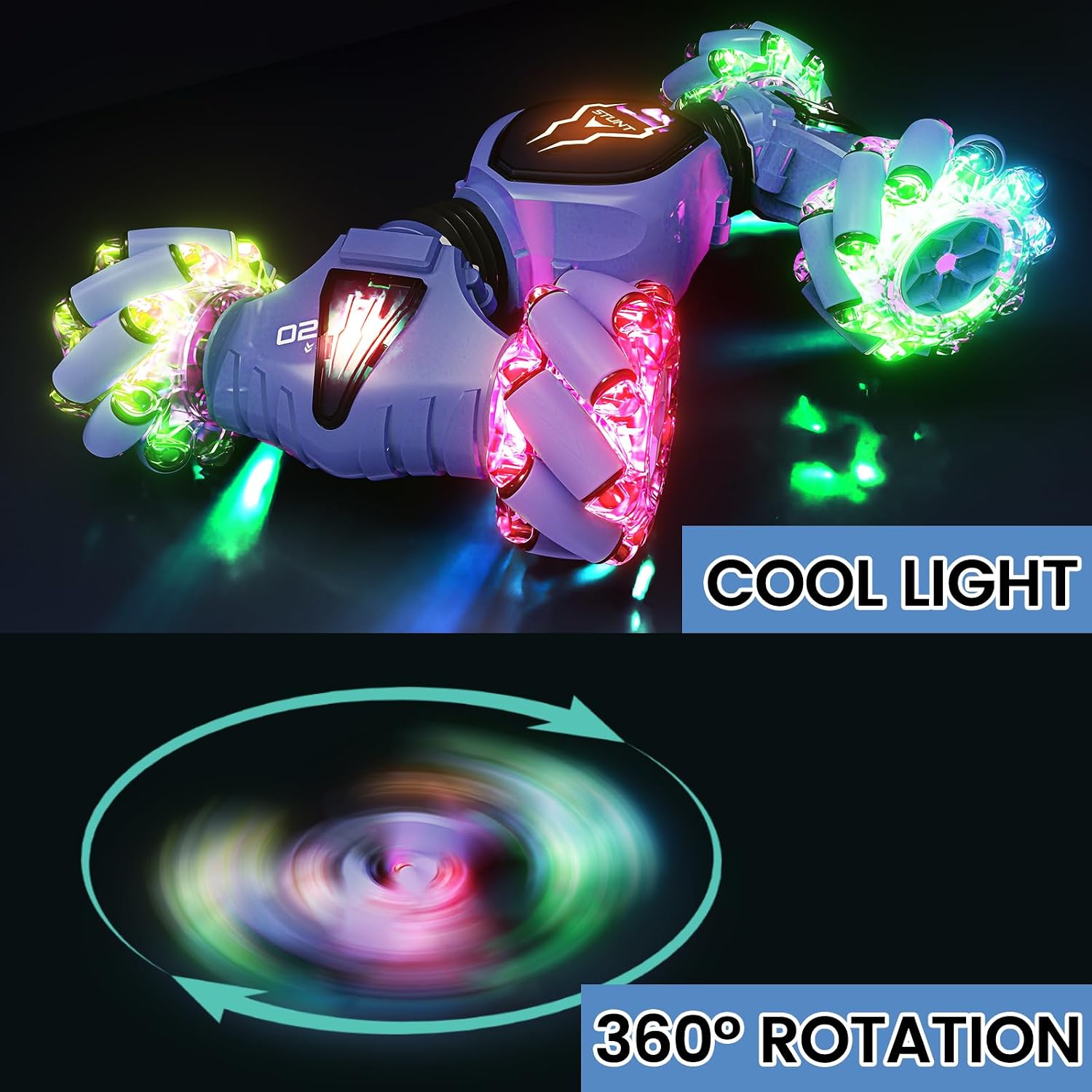
Image: The RC stunt car showcasing its vibrant LED lights and rotational capabilities.
- Terrain Adaptability:
The car's design allows it to operate on various surfaces including sand, grass, dirt, and rocks. Adjust your driving style based on the terrain for optimal performance.

Image: The RC stunt car performing on diverse terrains.
Maintenance
- Battery Care: Always fully charge batteries before use. Do not overcharge. Remove batteries from the car and remotes if storing for extended periods.
- Cleaning: Use a soft, dry cloth to clean the car. Avoid water or harsh chemicals. For stubborn dirt, a slightly damp cloth can be used, ensuring the car is completely dry before next use.
- Storage: Store the car and accessories in a cool, dry place away from direct sunlight and extreme temperatures.
Troubleshooting
| Problem | Possible Cause | Solution |
|---|---|---|
| Car does not respond to remote. | Batteries low or not installed correctly in car/remote. Not paired. | Ensure car battery is connected and charged. Replace AAA batteries in remotes. Turn both car and remote off, then on again to re-pair. |
| Short play time. | Batteries not fully charged or old. | Fully charge all car batteries. Consider replacing old batteries if performance degrades significantly. |
| Car moves erratically. | Interference or low battery in remote. | Move to an area with less interference. Replace remote batteries. |
Specifications
- Model Number: S8908C
- Product Dimensions: 8.27 x 2.28 x 5.31 inches
- Item Weight: 13.9 ounces
- Recommended Age: 6 - 12 years
- Batteries: 3 x 3.7V 500mAh Lithium Ion (included for car), 2 x AAA (not included for each remote)
- Manufacturer: Tecnock
Warranty and Support
Tecnock products are designed for quality and durability. For any questions, technical support, or warranty claims, please contact Tecnock customer service. Refer to the product packaging or the official Tecnock website for the most current contact information.
Website: Visit the Tecnock Store
Related documentsS8908C


Ask a question about this manual
Ask about setup, troubleshooting, compatibility, parts, safety, or missing instructions. Manuals+ will review the question and use this page’s manual context to help answer it.