
Coby CETW572
Coby True Wireless Bluetooth Earbuds User Manual
Model: CETW572
Introduction
Thank you for choosing Coby True Wireless Bluetooth Earbuds. These earbuds are designed to provide high-quality audio and a secure, comfortable fit for an active lifestyle. With interchangeable ear hooks and tips, sweat-resistant design, and intuitive on-ear controls, they are perfect for workouts, travel, and everyday use. This manual will guide you through the setup, operation, maintenance, and troubleshooting of your new earbuds.

Image: Coby True Wireless Bluetooth Earbuds with their charging case, showcasing the sleek white design.
What's in the Box
- Coby True Wireless Bluetooth Earbuds (Left and Right)
- Charging Case
- Interchangeable Ear Hooks
- Interchangeable Ear Tips (Small, Medium, Large)
- USB Charging Cable
- User Manual (this document)
Product Overview
The Coby True Wireless Bluetooth Earbuds are engineered for performance and comfort, integrating advanced features to enhance your audio experience.
Audio Made for Moving
These earbuds combine powerful sound with a tough build and personalized comfort. Featuring Bluetooth Version 5.3 for stable connectivity, one-touch on-ear controls, and up to 14 hours of total playtime with the charging case.

Image: Diagram illustrating key features: Bluetooth Version 5.3, One-Touch Controls On-Ear, and 14-Hours On A Single Charge, alongside the earbuds and case.
Interchangeable Fit Options
Customize your fit with ultra-secure, wrap-around ear hooks for intense workouts or more compact, non-slip tips for everyday use. Both options are removable and interchangeable to ensure the perfect fit for your ears.

Image: An exploded diagram showing the earbud, interchangeable ear hooks, interchangeable ear tips, and ear gels (L, M, S).
Sweat-Resistant Design
Built to withstand sweat, rain, and light splashes, these earbuds ensure you stay focused on your activities without worrying about moisture damage. Ideal for gym sessions and outdoor sports.

Image: A man intensely working out, wearing the Coby earbuds, highlighting their sweat-resistant design.
Crystal Clear Sound & Noise Isolation
Experience high-fidelity audio and effective noise isolation, allowing you to fully immerse yourself in your music or calls, free from distractions.

Image: A woman smiling while working out, wearing the Coby earbuds, illustrating crystal clear sound and noise isolation.
Non-Slip Ear Hooks
The included ear gels in small, medium, and large sizes, combined with the non-slip ear hooks, ensure a secure and comfortable fit that won't slip out during rigorous activities.
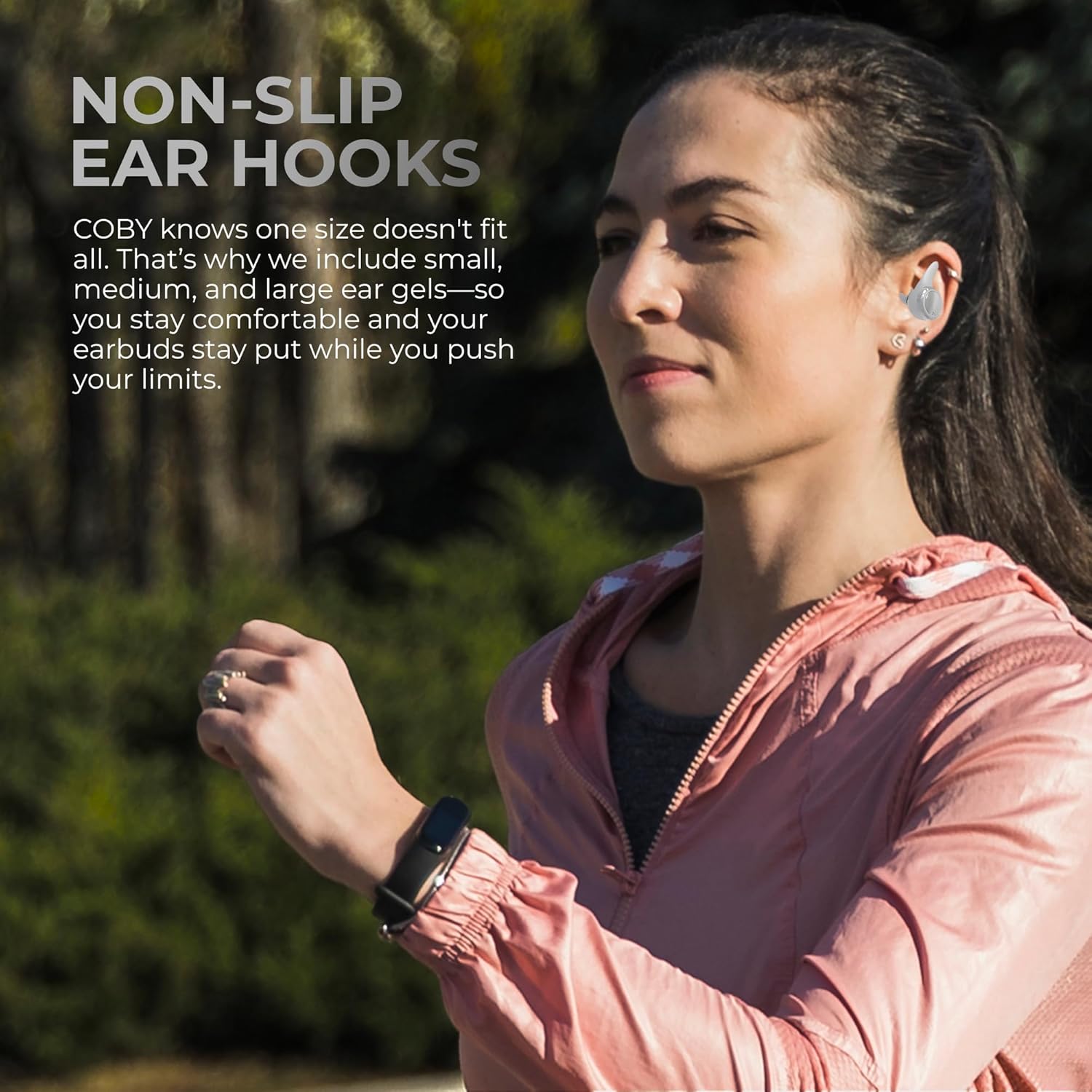
Image: A woman running outdoors, wearing the Coby earbuds, demonstrating the secure fit provided by the non-slip ear hooks.
Product Video
Video: An official product video from Coby showcasing the features and benefits of the True Wireless Bluetooth Earbuds, including their design, fit, and sound quality.
Setup
1. Charging the Earbuds and Case
Before first use, fully charge the earbuds and the charging case.
- Place the earbuds into the charging case. Ensure they are correctly seated; the indicator lights on the earbuds should illuminate.
- Connect the USB charging cable to the charging port on the case and the other end to a USB power source (e.g., computer, wall adapter).
- The indicator lights on the charging case will show the charging status. Once fully charged, the lights will indicate completion or turn off.
2. Pairing with a Bluetooth Device
The earbuds feature Fast Bluetooth Auto Pairing for quick connection.
- Open the charging case. The earbuds will automatically enter pairing mode.
- On your device (smartphone, tablet, laptop), enable Bluetooth.
- Search for "Coby Earbuds" or a similar name in the list of available Bluetooth devices.
- Select the earbuds to connect. Once connected, you will hear an audio prompt, and the earbud indicator lights may change.
- If prompted for a passcode, enter "0000".
Note: The earbuds will automatically reconnect to the last paired device when removed from the case, if Bluetooth is enabled on the device.
3. Fitting the Earbuds
Proper fit is crucial for sound quality and comfort. Experiment with the included ear hooks and ear tips to find the best fit for your ears.
- Ear Tips: Choose the ear tip size (Small, Medium, Large) that creates a comfortable seal in your ear canal.
- Ear Hooks: Attach the ear hooks for added security during active use. Position the hook over the top of your ear.
- Gently insert the earbud into your ear and twist slightly to secure it. The earbud should feel snug but not uncomfortable.
Operating Instructions
The Coby Earbuds feature intuitive on-ear touch controls.
Music Playback Controls
| Action | Control |
|---|---|
| Play/Pause | Single tap on either earbud |
| Next Track | Double tap on the Right earbud |
| Previous Track | Double tap on the Left earbud |
| Volume Up | Triple tap on the Right earbud |
| Volume Down | Triple tap on the Left earbud |
Call Management
| Action | Control |
|---|---|
| Answer/End Call | Single tap on either earbud |
| Reject Call | Press and hold either earbud for 2 seconds |
Voice Assistant Activation
To activate your device's voice assistant (e.g., Siri, Google Assistant), press and hold either earbud for 3 seconds until you hear a prompt.
Maintenance
Proper care will extend the life of your Coby Earbuds.
- Cleaning: Regularly clean the earbuds and charging case with a soft, dry, lint-free cloth. Do not use harsh chemicals or abrasive materials.
- Ear Tips: Remove and clean the ear tips with mild soap and water if necessary. Ensure they are completely dry before reattaching.
- Storage: When not in use, store the earbuds in their charging case to protect them from dust and damage.
- Battery Care: To preserve battery life, avoid fully discharging the earbuds and case frequently. Charge them regularly, even if not in constant use.
- Water Resistance: While sweat-resistant, avoid submerging the earbuds in water or exposing them to heavy rain. Dry them thoroughly if they get wet.
Troubleshooting
If you encounter issues with your earbuds, try the following solutions:
Common Issues and Solutions
| Problem | Solution |
|---|---|
| Earbuds not pairing/connecting |
|
| Only one earbud working |
|
| Low volume or poor sound quality |
|
| Earbuds not charging |
|
Specifications
| Feature | Detail |
|---|---|
| Model Name | TRUE WIRELESS SPORTS EARBUDS |
| Model Number | CETW572 |
| Connectivity Technology | Wireless (Bluetooth) |
| Bluetooth Version | 5.3 |
| Bluetooth Range | 10 Meters |
| Battery Life | Up to 14 Hours (Total Playtime with Charging Case) |
| Water Resistance Level | Water Resistant (Sweat-Resistant) |
| Control Type | Voice Control, On-Ear Touch Controls |
| Audio Driver Type | Dynamic Driver |
| Frequency Range | 20 Hz - 20,000 Hz |
| Material | Acrylonitrile Butadiene Styrene (ABS) |
| Item Weight | 9.1 ounces |
| Product Dimensions | 3.05 x 3.06 x 1.74 inches |
| UPC | 810071493034 |
Warranty and Support
Coby products are designed for reliability and performance. For specific warranty information, please refer to the warranty card included with your product or visit the official Coby website.
For further assistance, technical support, or to explore other Coby products, please visit the Coby Store on Amazon or their official support channels.
Related documentsCETW572


Ask a question about this manual
Ask about setup, troubleshooting, compatibility, parts, safety, or missing instructions. Manuals+ will review the question and use this page’s manual context to help answer it.