
Statik PUP-0290
STATIK 65W GaN Charger User Manual
Model: PUP-0290
Introduction
Thank you for choosing the Statik 65W GaN Charger. This high-performance charger is designed to provide fast, efficient, and safe power delivery to a wide range of your electronic devices. Featuring advanced GaN technology and multiple output ports, it offers a compact and versatile charging solution for both home and travel.

Image: The Statik 65W GaN Charger, showcasing its two USB-C ports and one USB-A port, designed for versatile charging.
Key Features
- Super Fast Charging: Delivers an impressive 65W of power, significantly reducing charging times for compatible devices.
- GaN Technology: Utilizes Gallium Nitride (GaN) technology for a smaller, lighter, and more efficient charger with reduced heat generation.
- Universal Compatibility: Supports a broad range of devices including MacBook Pro/Air, iPad Pro, iPhone 14/13 series, Samsung Galaxy S23/S22, Nintendo Switch, and more.
- Advanced Safety Features: Built-in protection against overheating, overloading, and short circuits ensures the safety of your devices.
- Compact and Portable: Designed for easy travel and everyday use, fitting comfortably in your hand or bag.
- Multiple Ports: Equipped with two USB-C ports and one USB-A port for simultaneous charging of multiple devices.

Image: The Statik 65W GaN Charger connected to a wall outlet, simultaneously charging a laptop, a tablet, and a smartphone, demonstrating its multi-device capability.
Setup Guide
Setting up your Statik 65W GaN Charger is straightforward. Follow these steps to begin charging your devices:
- Unpack the Charger: Carefully remove the Statik 65W GaN Power Adapter from its packaging.
- Unfold the Plug: If the plug prongs are folded, gently unfold them until they click into place.
- Connect to Power Outlet: Insert the charger into a standard wall power outlet (100-240V AC).
- Prepare Your Device Cables: Ensure you have the appropriate USB-C or USB-A cables for your devices.
- Connect Devices: Plug one end of your device's charging cable into the corresponding port (USB-C1, USB-C2, or USB-A) on the Statik charger, and the other end into your device.
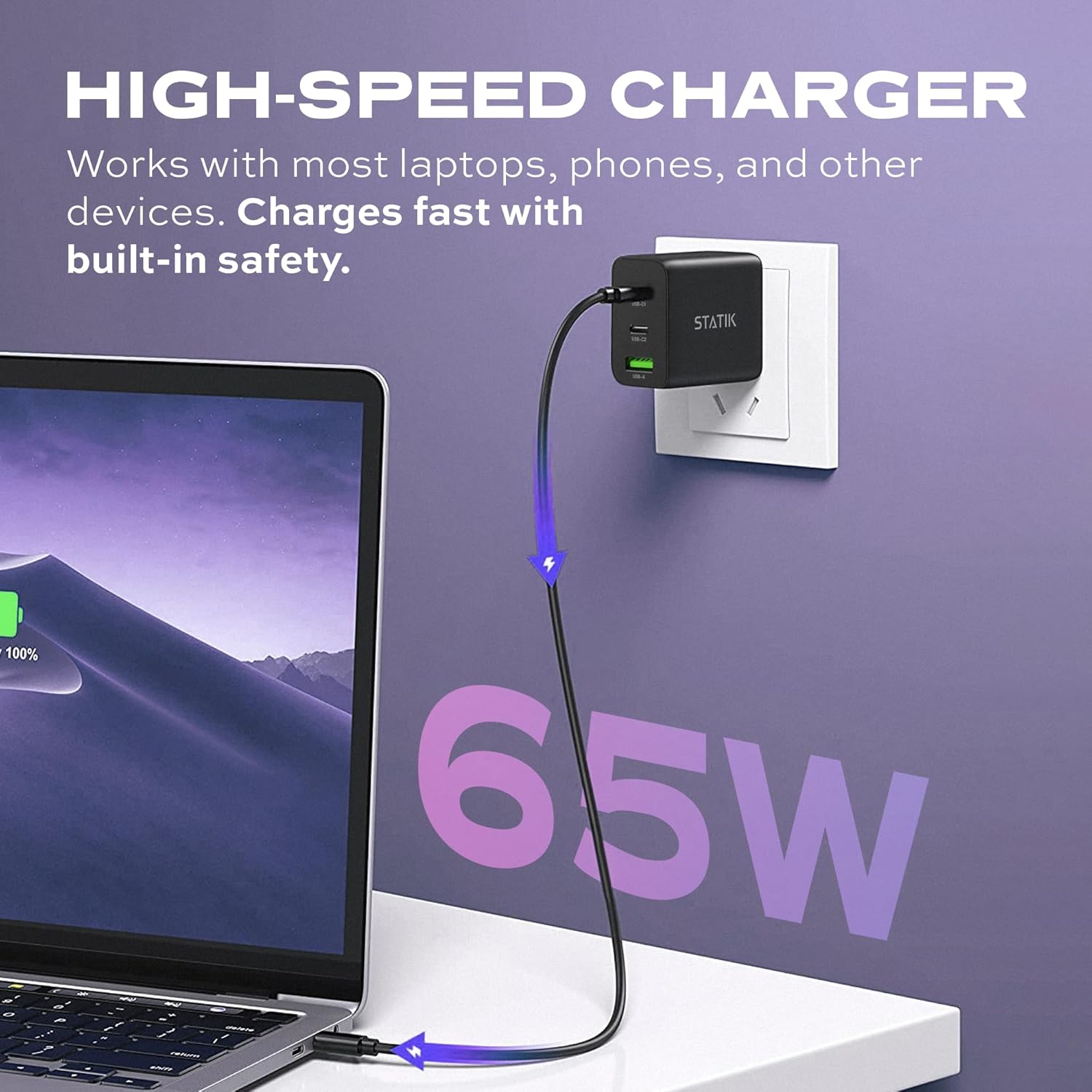
Image: The Statik 65W GaN Charger plugged into a wall socket, with a USB-C cable extending to a laptop, illustrating high-speed charging.
Operating Instructions
The Statik 65W GaN Charger is designed for intelligent power distribution. Here's how to optimize its use:
- Single Device Charging: When only one device is connected, the charger will deliver up to 65W of power through either USB-C port, or up to 18W through the USB-A port, depending on the device's requirements and cable capabilities.
- Multiple Device Charging:
- When two devices are connected (e.g., USB-C1 and USB-C2), the power will be intelligently distributed, typically 45W from USB-C1 and 20W from USB-C2.
- When three devices are connected (USB-C1, USB-C2, and USB-A), the power distribution will adjust, for example, 45W from USB-C1, 7.5W from USB-C2, and 7.5W from USB-A.
- The charger automatically detects the connected devices and adjusts power output to provide optimal and safe charging.
- Smart Overheat & Overcharge Protection: The charger incorporates built-in safeguards to prevent damage from excessive heat or overcharging. You can charge your devices with confidence.

Image: A diagram illustrating the smart energy distribution of the Statik 65W GaN Charger, showing different power outputs across its USB-C and USB-A ports when one, two, or three devices are connected.
Care and Maintenance
To ensure the longevity and optimal performance of your Statik 65W GaN Charger, please follow these maintenance guidelines:
- Cleaning: Disconnect the charger from the power outlet before cleaning. Use a soft, dry cloth to wipe the surface. Do not use liquid cleaners or aerosols.
- Storage: Store the charger in a cool, dry place away from direct sunlight and extreme temperatures.
- Handling: Avoid dropping the charger or subjecting it to strong impacts. Do not attempt to disassemble or modify the charger.
- Moisture: Keep the charger away from water and other liquids. If it comes into contact with liquid, disconnect it immediately and allow it to dry completely before reuse.
Troubleshooting
If you encounter issues with your Statik 65W GaN Charger, refer to the following common problems and solutions:
| Problem | Possible Cause | Solution |
|---|---|---|
| Device not charging. |
|
|
| Slow charging. |
|
|
| Charger feels warm. |
|
|
Product Specifications
| Feature | Detail |
|---|---|
| Model Number | PUP-0290 |
| Brand | Statik |
| Power Output | 65W Max |
| Ports | 2 x USB-C, 1 x USB-A |
| Input Voltage | 100-240 Volts AC |
| Technology | GaN (Gallium Nitride) |
| Special Features | Foldable Plug, Lightweight, Portable, Fast Charging, Smart Overheat & Overcharge Protection |
| Dimensions | 4.02 x 4.02 x 1.89 inches |
| Item Weight | 4.2 ounces |
| Included Components | 65W GaN Power Adapter |
| Manufacturer | Curv Group LLC |
| Country of Origin | China |
Warranty and Support
Statik products are built with quality and reliability in mind. For information regarding warranty coverage and customer support, please refer to the official Statik website or contact their customer service directly.
You can visit the Statik Store on Amazon for more product information and support resources.
Ask a question about this manual
Ask about setup, troubleshooting, compatibility, parts, safety, or missing instructions. Manuals+ will review the question and use this page’s manual context to help answer it.