
Introduction
Thank you for choosing the Gritin LED Neck Reading Light. This manual provides essential information for the safe and efficient use of your device. Please read it thoroughly before operation and retain it for future reference.

Key Features
- Eye Protection & Comfortable Wearing: High-quality LED light beads provide soft, eye-caring illumination. The ergonomic neck-round design ensures comfort during extended use.
- 3 Color Modes & Stepless Dimming: Easily switch between Amber (1800K), Warm White (3400K), and White (6000K) light. Adjust brightness from 10% to 100% with stepless dimming.
- Flexible and Hands-Free: Soft silicone-covered bendable arms allow for precise light positioning. Wear it around your neck for hands-free operation.
- USB-C Rechargeable & Long-lasting: Equipped with a 1000 mAh battery, offering 8 to 80 hours of runtime. Features 4 LED indicators for battery status.
- Portable and Versatile: Lightweight and foldable, ideal for reading in bed, crafting, knitting, mending, or outdoor activities.
Setup
1. Initial Charging
Before first use, fully charge the device. Connect the provided USB-C cable to the charging port located on the neckband and plug the other end into a compatible USB power source (e.g., computer, wall adapter). The 4 LED indicators will show charging progress.

2. Wearing the Device
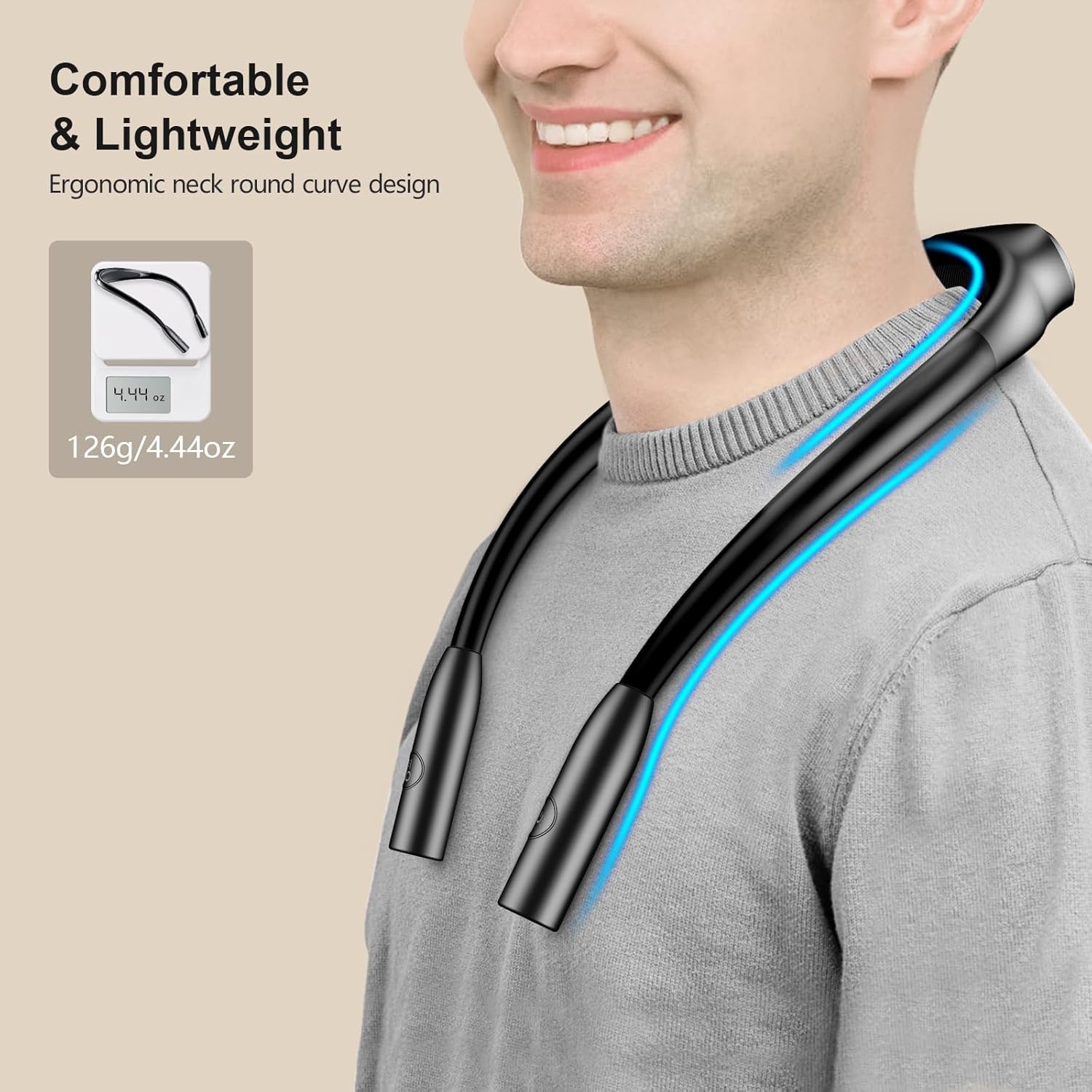
Place the neck light around your neck. The ergonomic design ensures a comfortable fit. The bendable arms can be adjusted to direct the light precisely where needed.

Operating Instructions
1. Power On/Off
Locate the power button on one of the light heads. Short press the power button to turn the light on or off.
2. Changing Color Modes
With the light on, short press the color temperature button (usually on the other light head) to cycle through the three available color modes: Amber (1800K), Warm White (3400K), and White (6000K).
3. Stepless Dimming
To adjust the brightness, long press the power button. The brightness will gradually increase or decrease. Release the button when the desired brightness level is reached. The light supports stepless dimming from 10% to 100%.

4. Adjusting Light Direction
The arms of the neck light are flexible. Bend them gently to direct the light beams precisely onto your reading material or workspace. This allows for focused illumination without disturbing others.

5. Usage Scenarios
The versatile design makes this light suitable for various activities:
- Reading in bed or on the go.
- Crafting activities like knitting, crocheting, or mending.
- Working on detailed tasks requiring focused light.
- Outdoor activities such as camping.

6. Official Product Videos
Video: Diana Doyle demonstrates the features and benefits of the Gritin LED Neck Reading Light, offering insights before purchase.
Video: Michele R reviews the LED Neck Reading Light, showcasing its practical applications and user experience.
Video: Ashley Schreiber provides a book light demonstration, illustrating how to use the device effectively.
Maintenance
1. Cleaning
Wipe the device with a soft, dry cloth. Avoid using abrasive cleaners or solvents that may damage the surface or electronic components.
2. Battery Care
To prolong battery life, avoid completely draining the battery frequently. Recharge the device when the battery indicators show low power. Store the device in a cool, dry place when not in use for extended periods.
Troubleshooting
- Light not turning on: Ensure the device is charged. Connect it to a power source using the USB-C cable and allow it to charge for at least 30 minutes before attempting to turn it on again.
- Light settings not changing: Verify that you are pressing the correct buttons for color mode and dimming. If issues persist, try fully charging the device.
- Discomfort during use: Adjust the bendable arms and the position of the neckband to find a comfortable fit. The device is designed to be lightweight and ergonomic.
Specifications
| Model Number | G1337 |
| Dimensions | 5.63"D x 1.22"W x 7.09"H |
| Item Weight | 4.4 ounces (126 Grams) |
| Battery Capacity | 1000 mAh Lithium Polymer |
| Runtime | 8 to 80 hours (depending on brightness setting) |
| Charging Port | USB-C |
| Light Source Type | LED |
| Color Temperatures | Amber (1800K), Warm White (3400K), White (6000K) |
| Wattage | 2 watts |
| Material | Silicone, Acrylonitrile Butadiene Styrene |

Safety Information
- Do not look directly into the LED lights when they are on, as this may cause temporary visual discomfort.
- Keep out of reach of children.
- Do not disassemble or attempt to repair the device yourself. Contact customer support for assistance.
- Avoid exposing the device to extreme temperatures, direct sunlight, or moisture.
Warranty and Support
For warranty information or technical support, please refer to the manufacturer's official website or contact their customer service directly. Keep your purchase receipt for warranty claims.
Manufacturer: Gritin
Visit the Gritin Store for more products and information.