
Product Overview
The STN Heated Lunch Box is designed to provide warm meals on the go, suitable for various environments including offices, vehicles (12V/24V), and standard electrical outlets (110V). It features durable, food-grade materials and a convenient carrying solution.
Key Features
- Efficient Electric Heating: Transforms lunch experience with warm meals without a microwave.
- Versatile Power Options: Includes car power cord (12V/24V) and standard wall plug (110V).
- Dual Stainless Steel Containers: One 1.5L main container and one 0.45L secondary container, both 304 stainless steel and heatable.
- Large Capacity Insulated Carry Bag: 10-liter bag with additional pockets for accessories, offering excellent insulation.
- Quick and Quiet Heating: 80W heating element warms meals in approximately 20-40 minutes without significant noise or odors.
- Food-Grade Materials: Constructed from 304 stainless steel and food-grade plastics for safe use.
- Easy to Clean: Removable stainless steel containers are dishwasher safe.
Setup Instructions
Unpacking
Carefully remove all components from the packaging: the electric lunch box unit, 1.5L stainless steel container, 0.45L stainless steel container, insulated carry bag, cutlery set, 12V/24V car power cord, and 110V wall power cord.
Initial Cleaning
Before first use, wash both stainless steel containers and the cutlery set with warm, soapy water. Rinse thoroughly and dry. The main electric heating unit should be wiped clean with a damp cloth; do not immerse it in water.
Assembling the Containers
Place the desired stainless steel container(s) into the main heating unit. Ensure they fit securely.

Image Description: A top-down view of the STN Heated Lunch Box showing the main 1.5L stainless steel container filled with food, and a smaller 0.45L secondary container with soup, illustrating the dual container setup.
Operating Instructions
Preparing Your Meal
Place your food into the stainless steel container(s). Ensure the container is not overfilled to allow for proper heating and lid closure.
Connecting to Power
Select the appropriate power cord:
- For standard wall outlets (110V): Use the provided 110V power cord.
- For vehicle use (12V/24V): Use the provided car power cord.
Open the protective cover on the side of the electric lunch box unit to reveal the power input ports. Insert the chosen power cord firmly into the correct port.
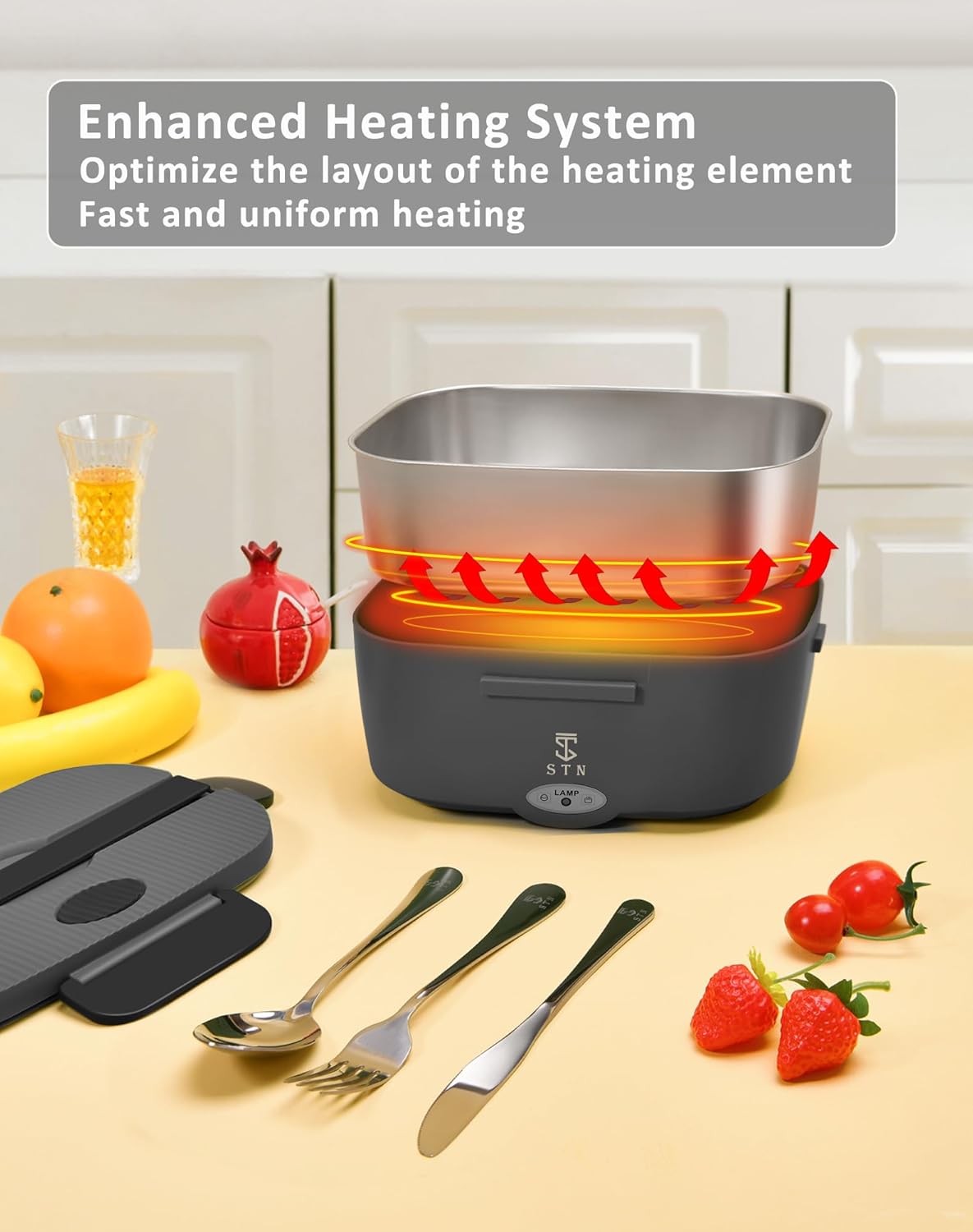
Image Description: A composite image showing the STN Heated Lunch Box being plugged into a standard 110V wall outlet (top) and into a 12V car cigarette lighter adapter (bottom), demonstrating its versatile power options.
Heating Your Food
Close the lid of the lunch box securely using the side clips. Open the small steam vent on the lid to allow steam to escape during heating.
Plug the power cord into the power source. The indicator light on the front of the unit will illuminate, indicating that heating has begun.
Heating typically takes 20-40 minutes, depending on the food type, quantity, and initial temperature. For best results, stir the food halfway through the heating process if possible.

Image Description: A close-up of the STN Heated Lunch Box with its lid open, revealing hot food (pasta, vegetables, chicken) and visible steam, indicating active heating.
After Heating
Once your food is heated to the desired temperature, unplug the unit from the power source. Close the steam vent.
Exercise caution when opening the lid, as hot steam may escape.

Video Description: A user demonstrates the unboxing and setup of the STN Heated Lunch Box, highlighting its components and ease of use.
Maintenance and Care
Cleaning
Always unplug the lunch box before cleaning.
The stainless steel containers and cutlery are dishwasher safe. For manual cleaning, use warm, soapy water and a soft sponge.
The main electric heating unit should never be immersed in water. Wipe the exterior and interior heating plate with a damp cloth. Ensure all parts are completely dry before storage or next use.

Image Description: A composite image showing a hand rinsing the stainless steel container under running water (top) and the container placed in a dishwasher rack (bottom), demonstrating its easy cleaning process.
Storage
Store the lunch box and its accessories in a cool, dry place when not in use.
Troubleshooting
Food Not Heating
- Ensure the power cord is securely plugged into both the lunch box unit and the power source.
- Verify that the power source (outlet or vehicle adapter) is functional.
- Check if the indicator light on the unit is illuminated. If not, try a different power source or cord.
Uneven Heating
- Stir the food periodically during heating to ensure even heat distribution.
- Ensure the steam vent is open during heating.
- Avoid overfilling the container, which can hinder proper heat circulation.
Leakage
- Ensure the lid is securely fastened with all clips engaged before heating or transport.
- Do not overfill the containers, especially with liquids.
Product Specifications
| Feature | Detail |
|---|---|
| Brand | STN |
| Model | 1.95L (1.5L + 0.45L) |
| Material | Plastic, 304 Stainless Steel |
| Color | Black |
| Power | 80W |
| Voltage | 12V, 24V, 110V |
| Main Container Capacity | 1.5 Liters |
| Secondary Container Capacity | 0.45 Liters |
| Carry Bag Capacity | 10 Liters |
| Product Care | Dishwasher Safe (containers only) |
Warranty and Support
For warranty information or technical support, please refer to the contact details provided in your product packaging or visit the official STN website. Keep your purchase receipt as proof of purchase.