
1. Product Overview
The Konduone CH2332 Tumbler Heat Press Machine is designed for transferring sublimation designs onto 11-30oz tumblers. This manual provides essential information for safe and effective operation of your heat press machine.
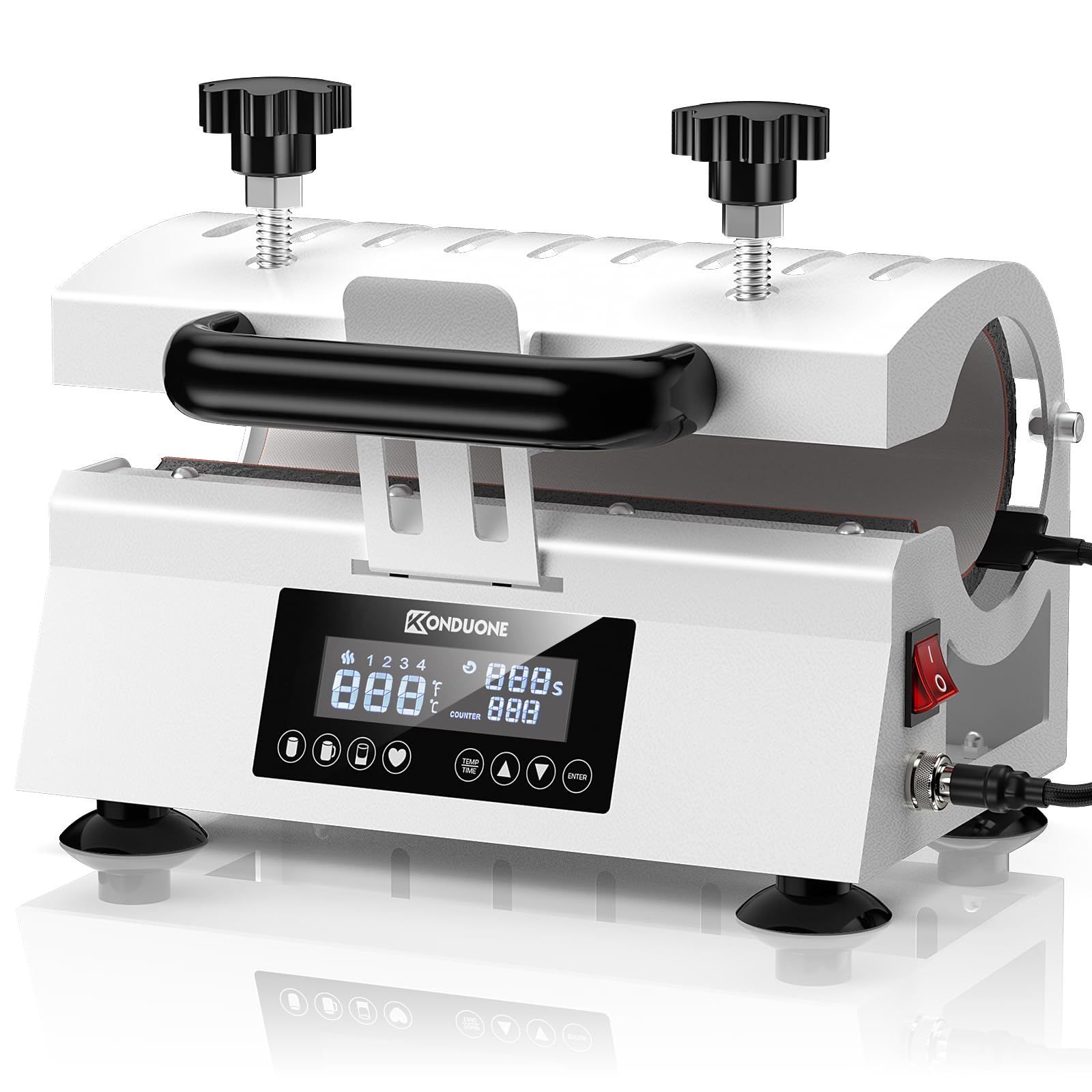
Figure 1: Konduone CH2332 Tumbler Heat Press Machine
2. Safety Information
- Always operate the machine on a stable, heat-resistant surface.
- Keep hands and flammable materials away from the heating element during operation.
- Use heat-resistant gloves when handling hot tumblers or machine parts.
- Do not leave the machine unattended while it is powered on or heating.
- Ensure proper ventilation in your workspace.
- Unplug the machine when not in use or before cleaning.
3. Package Contents
Verify that all items are present in your package:
- Konduone CH2332 Tumbler Heat Press Machine
- Instruction Manual
- Heat-resistant tape
- Two (2) replacement fuses
- Two (2) heat-resistant gloves
- One (1) blank sublimation tumbler (for testing)
- Sublimation paper
- Pre-designed sublimation paper (for testing)
4. Setup Instructions
- Unpack the Machine: Carefully remove the heat press machine and all accessories from the packaging.
- Placement: Place the machine on a flat, stable, and heat-resistant surface. Ensure adequate space around the machine for safe operation.
- Power Connection: Connect the power cord to the machine and then to a grounded electrical outlet (AC110V/60Hz).
- Prepare Tumbler: Ensure the tumbler surface is clean. Cut your design paper to fit the tumbler. Wrap the design paper tightly around the tumbler using heat-resistant tape.
- Pre-warm the Heater: Place a blank tumbler (without design paper) into the heating element for warm-up. This helps ensure even heat distribution.
- Adjust Pressure: Adjust the pressure knob until the cup fits snugly against the heating element. Turn clockwise to increase pressure, counterclockwise to decrease.
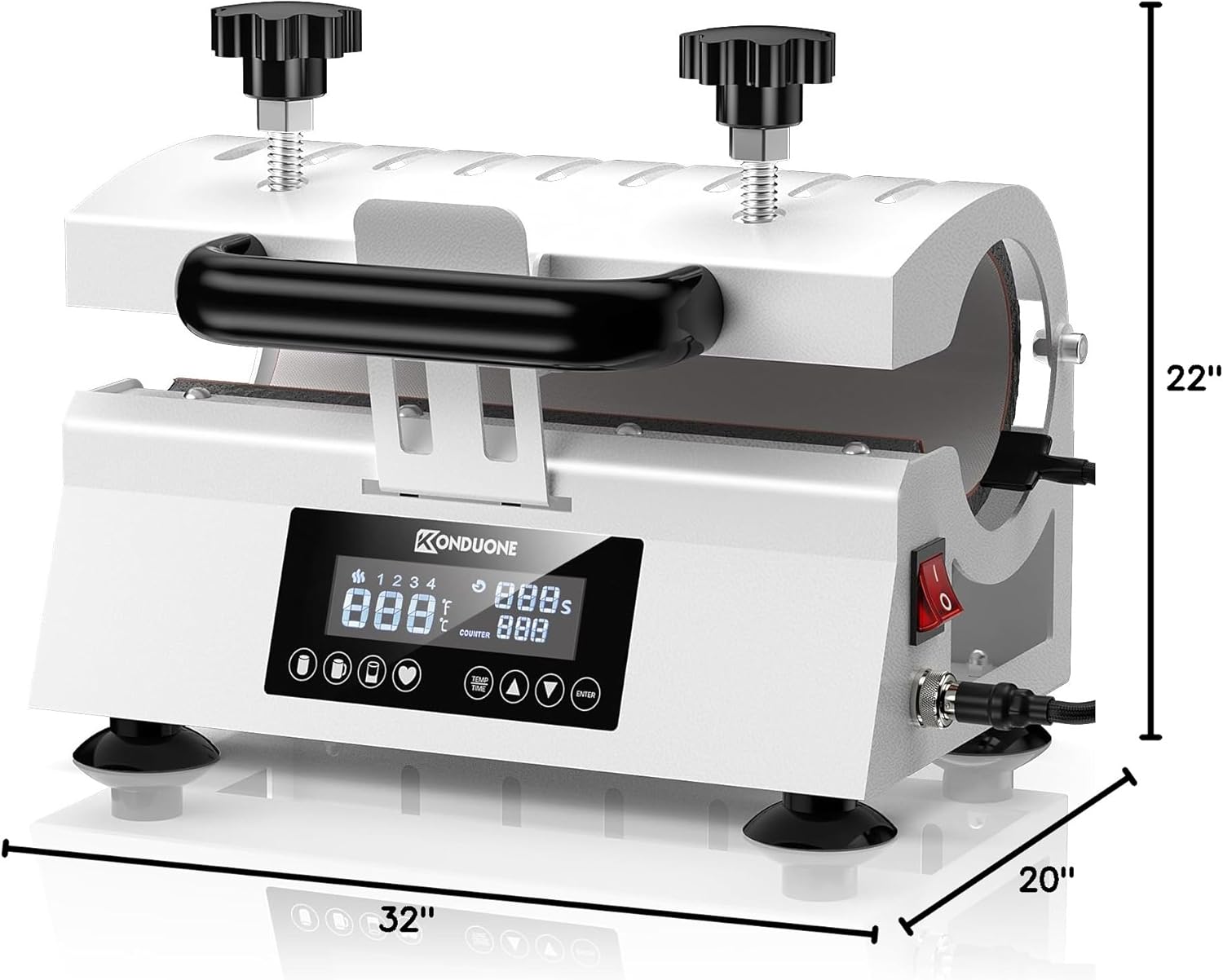
Figure 2: Tumbler Heat Press Machine with dimensions for reference.
Video 1: Overview of the Tumbler Heat Press Machine, demonstrating its features and pressure adjustment. This video is provided by the seller.
5. Operating Instructions
- Power On: Turn on the machine using the power switch.
- Set Temperature and Time: Use the control panel to set the desired temperature and time for your sublimation project. For stainless steel tumblers, preset memory mode 1 is often suitable.
- Wait for Heating: The machine will begin heating. Wait until the temperature reaches the set value and the heating indicator light illuminates.
- Insert Tumbler: Carefully place the prepared tumbler (with design paper) into the heating element. Ensure it is centered and secure.
- Start Timer: Press the “ENTER” button to start the countdown. The dashboard countdown sign will light up.
- Completion: Once the timer reaches zero, a beep will sound.
- Remove Tumbler: Turn off the machine. Using heat-resistant gloves, carefully remove the hot tumbler.
- Cool Down and Peel: Allow the tumbler to cool completely before carefully removing the sublimation paper.
6. Specifications
| Feature | Specification |
|---|---|
| Model | CH2332 |
| Power | 500W |
| Rated Voltage | AC110V/60Hz |
| Temperature Range | 32~400℉ (0~200℃) |
| Timer Control | 0~999s |
| Product Dimensions | 12.5” L x 8.66” W x 7.87” H (32cm x 22cm x 20cm) |
| Item Weight | 14.27 pounds |
| Material | Premium fire-resistant metal, stainless steel, and ABS |
7. Maintenance
- Cleaning: Ensure the machine is unplugged and completely cool before cleaning. Wipe down the exterior with a soft, damp cloth. Do not use abrasive cleaners or immerse the machine in water.
- Heating Element: Periodically inspect the heating element for any residue or damage. Clean gently if necessary.
- Storage: Store the heat press in a dry, dust-free environment when not in use.
8. Troubleshooting
- Machine Not Powering On: Check the power cord connection and ensure the outlet is functional. Verify that the power switch is in the 'ON' position. Check the fuses and replace if necessary.
- Uneven Heat Transfer: Ensure the tumbler is properly centered and the pressure is evenly applied across the heating element. Pre-warming the tumbler can also help.
- Design Not Transferring Fully: Confirm that the correct temperature and time settings are used for your specific sublimation paper and tumbler material. Increase pressure slightly if needed.
- Error Codes: If an error code appears on the display, refer to the specific error code section in the full manual (if available) or contact customer support.
9. Warranty and Support
For warranty information, technical support, or to purchase replacement parts, please contact Konduone customer service through the retailer where you purchased the product or visit the official Konduone website. Please have your model number (CH2332) and purchase date available when contacting support.