
1. Introduction
Welcome to the Skullcandy Crusher Evo Wireless Bluetooth Headphones user manual. These headphones are designed to deliver an immersive audio experience with patented Crusher Bass and personalized sound. This manual provides essential information for setting up, operating, maintaining, and troubleshooting your headphones to ensure optimal performance.
2. What's in the Box
- Crusher Evo Wireless Headphones
- USB-C Charging Cable
- Back-up AUX Cable
- Protective Travel Bag
- Quick Start & User Guides

Image: Skullcandy Crusher Evo headphones shown with the included USB-C charging cable and AUX cable.
3. Setup
3.1 Charging Your Headphones
Before first use, fully charge your Crusher Evo headphones. Connect the included USB-C charging cable to the charging port on the headphones and to a USB power source. The LED indicator will show charging status. A full charge provides up to 40 hours of battery life. A quick 10-minute charge can provide 4 hours of listening time.
3.2 Bluetooth Pairing
- Ensure your headphones are powered off.
- Press and hold the main power button until the LED indicator flashes blue and red, indicating pairing mode.
- On your device (smartphone, tablet, computer), enable Bluetooth and search for available devices.
- Select "Crusher Evo" from the list of devices.
- Once connected, the LED indicator will turn solid blue or off, depending on the model.
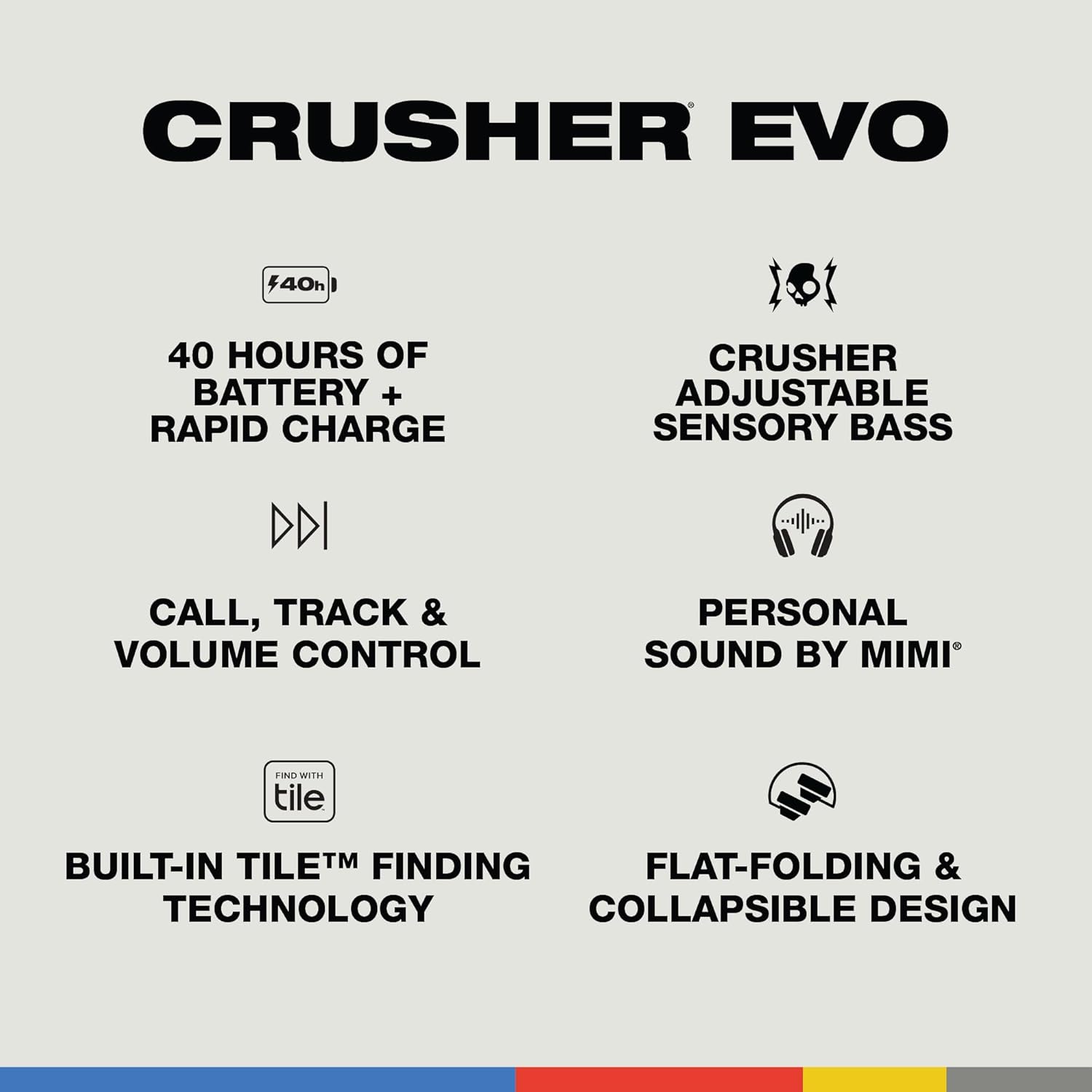
Image: The right earcup of the Skullcandy Crusher Evo, showing the control buttons for power, volume, and track control.
4. Operating Instructions
4.1 Basic Controls
- Power On/Off: Press and hold the main power button.
- Volume Up/Down: Use the dedicated volume buttons.
- Play/Pause: Press the main power button once.
- Next Track: Press the main power button twice.
- Previous Track: Press the main power button three times.
- Answer/End Call: Press the main power button once during an incoming call or active call.
- Reject Call: Press and hold the main power button during an incoming call.
4.2 Adjusting Crusher Bass
The Crusher Evo features an adjustable sensory bass slider located on the left earcup. Slide it up to increase the bass intensity and down to decrease it. This allows you to customize the haptic feedback to your preference, making music and movies come alive with a physical sensation.

Image: A person's hand adjusting the bass slider on the left earcup of the Skullcandy Crusher Evo headphones.
4.3 Personal Sound by Audiodo
For a truly personalized audio experience, download the Skullcandy App. Within the app, you can take a simple hearing test powered by Audiodo. This test creates a unique sound profile tailored to your individual hearing, optimizing the audio output of your Crusher Evo headphones for unparalleled clarity and detail.
5. Features Overview
- Patented Crusher Sensory Bass Technology: Experience immersive, adjustable sensory bass that you can feel.
- Up to 40 Hours of Total Battery: Enjoy extended listening sessions with long-lasting battery life.
- Rapid Charge: Get 4 hours of playback from a quick 10-minute charge.
- Personal Sound by Audiodo: Customize your audio profile through the Skullcandy App for optimized sound tailored to your hearing.
- Call, Track & Volume Control: Convenient earcup controls for managing audio playback and calls without touching your phone.
- Built-in Tile™ Finding Technology: Easily locate your headphones if they are misplaced using the Tile app.
- Flat-Folding & Collapsible Design: Designed for easy portability and storage in the included travel bag.

Image: The Skullcandy Crusher Evo headphones shown in their flat-folding and collapsible design, ideal for portability.
6. Maintenance
To ensure the longevity and optimal performance of your Skullcandy Crusher Evo headphones, follow these maintenance guidelines:
- Cleaning: Use a soft, dry cloth to clean the earcups and headband. Avoid using harsh chemicals or abrasive materials.
- Storage: When not in use, store your headphones in the provided protective travel bag to prevent scratches and damage.
- Temperature: Avoid exposing the headphones to extreme temperatures (hot or cold) or high humidity.
- Water Resistance: The headphones are water resistant, but not waterproof. Avoid submerging them in water.
7. Troubleshooting
7.1 No Power
- Ensure the headphones are fully charged. Connect them to a power source using the USB-C cable.
- Try holding the power button for a longer duration (5-7 seconds) to ensure it's not just a short press.
7.2 Pairing Issues
- Make sure Bluetooth is enabled on your device and the headphones are in pairing mode (flashing blue/red LED).
- Forget/remove the headphones from your device's Bluetooth list and try pairing again.
- Restart both your headphones and your device.
7.3 No Sound or Low Sound
- Check the volume levels on both your headphones and your connected device.
- Ensure the headphones are properly connected via Bluetooth.
- If using the AUX cable, ensure it is fully inserted into both the headphones and the audio source.
7.4 Bass Not Working/Too Strong
- Adjust the sensory bass slider on the left earcup.
- Ensure the headphones are powered on, as the sensory bass feature requires power.
8. Specifications
| Feature | Specification |
|---|---|
| Model Name | Crusher Evo Bundle |
| Connectivity Technology | Wireless, Bluetooth |
| Bluetooth Version | 5.0 |
| Battery Life | Up to 40 Hours |
| Charging Time | Rapid Charge (10 min = 4 hrs) |
| Audio Driver Size | 40 Millimeters |
| Frequency Response | 20 Hz - 20,000 Hz |
| Impedance | 32 Ohm |
| Sensitivity | 100 dB |
| Noise Control | Sound Isolation |
| Headphones Jack | 3.5 mm Jack |
| Item Weight | 10.9 ounces (308 Grams) |
| Product Dimensions | 8.07 x 4.33 x 10.83 inches |
| Material | Faux Leather, Plastic |
| Water Resistance Level | Water Resistant |
9. Warranty and Support
Your Skullcandy Crusher Evo headphones are covered by a 1-Year Limited Warranty. This warranty covers manufacturing defects and ensures your product performs as expected under normal use. For detailed warranty terms and conditions, please refer to the official Skullcandy website or the warranty information included in your product packaging.
For further assistance, technical support, or to register your product, please visit the Skullcandy support page on their official website. You can also find FAQs and additional troubleshooting tips there.