
Introduction
Thank you for choosing the HamiltonBuhl SC-7V SchoolMate Deluxe Stereo Headphones. These headphones are designed for educational environments, offering durability, comfort, and clear audio for focused learning. This manual provides essential information for the proper setup, operation, maintenance, and troubleshooting of your headphones.

Image: Side view of the HamiltonBuhl SC-7V headphones, showing the over-ear design and the durable Dura-Cord with a 3.5mm slim-barrel plug.
Package Contents
The HamiltonBuhl SC-7V SchoolMate Deluxe Stereo Headphones package includes:
- 50 x HamiltonBuhl SC-7V Deluxe Stereo Headphones

Image: A single HamiltonBuhl SC-7V headphone unit sealed in its clear plastic packaging, indicating individual packaging for the 50-pack.
Setup
Follow these steps to set up your HamiltonBuhl SC-7V headphones:
- Unpack: Carefully remove the headphones from their packaging.
- Identify the Plug: Locate the 3.5mm slim-barrel stereo plug at the end of the Dura-Cord.
- Connect: Insert the 3.5mm plug into the headphone jack of your audio device (e.g., Chromebook, PC, Mac, tablet, smartphone). Ensure the plug is fully inserted for proper audio transmission.
- Adjust Headband: Gently extend or retract the headband to fit comfortably over your head. The earcups should fully cover your ears.
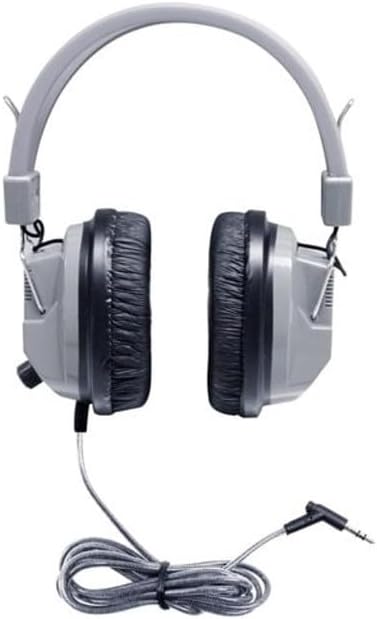
Image: Front view of the HamiltonBuhl SC-7V headphones, showing the adjustable headband and over-ear cushions.
Operating Instructions
Using your HamiltonBuhl SC-7V headphones is straightforward:
- Wear the Headphones: Place the headphones over your ears, ensuring the earcups fully enclose them for optimal noise isolation and comfort.
- Adjust Volume: The headphones feature an integrated volume control knob located on one of the earcups. Rotate the knob to increase or decrease the audio volume to your preferred level.
- Audio Playback: Start audio playback on your connected device. The headphones will deliver clear stereo sound.
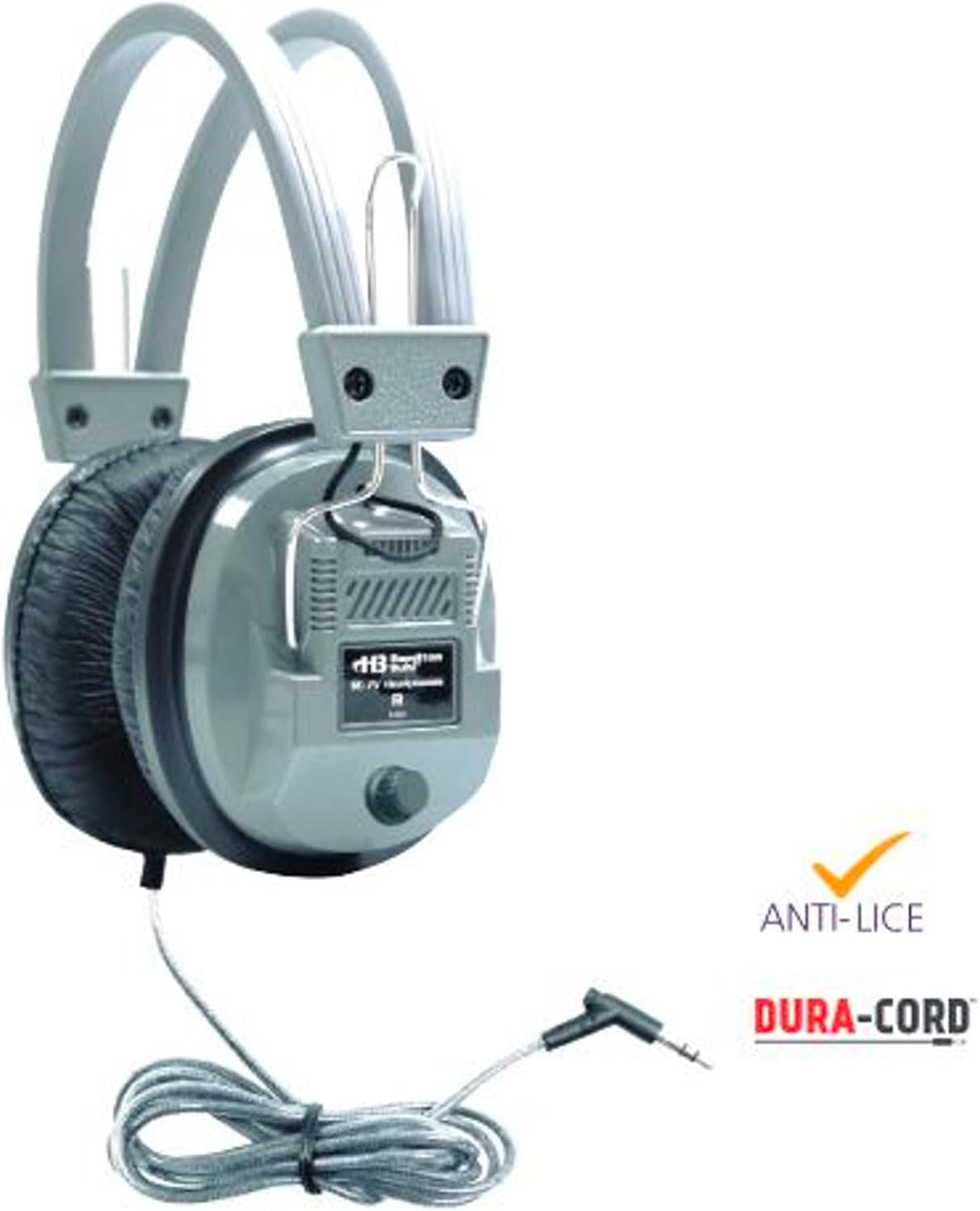
Image: Side view of the HamiltonBuhl SC-7V headphones, highlighting the volume control knob on the earcup and the Dura-Cord.
Maintenance
Proper maintenance ensures the longevity and hygiene of your headphones:
- Cleaning Ear Cushions: The leatherette ear cushions can be wiped clean with a damp cloth and mild soap. Ensure they are completely dry before use.
- Replacing Ear Cushions: For hygiene and extended use, the ear cushions are replaceable. Gently pull off the old cushions and snap new ones into place. Replacement cushions can be purchased separately from HamiltonBuhl.
- Cord Care: The Dura-Cord is designed to be chew-resistant and kink-resistant. Avoid excessive pulling or sharp bending of the cord to prevent damage.
- Storage: Store headphones in a clean, dry place when not in use. Avoid extreme temperatures.
Troubleshooting
If you encounter issues with your headphones, refer to the following common solutions:
- No Sound:
- Ensure the 3.5mm plug is fully inserted into the audio device's jack.
- Check the volume level on both the headphones (earcup knob) and the connected audio device.
- Test the headphones with a different audio device to rule out a device-specific issue.
- Ensure the audio source is playing and not paused or muted.
- Distorted Sound:
- Lower the volume on both the headphones and the audio device.
- Check for loose connections at the 3.5mm plug.
- Test with another audio source to determine if the distortion is from the source or the headphones.
- Sound in One Earcup Only:
- Ensure the 3.5mm plug is fully and correctly inserted. A partial insertion can sometimes cause sound in only one channel.
- Check the audio balance settings on your connected device.
- Test with a different audio device.
Specifications
| Feature | Detail |
|---|---|
| Model Name | SC-7V |
| Brand | HamiltonBuhl |
| Ear Placement | Over Ear |
| Color | Gray |
| Impedance | 32 Ohms |
| Connectivity Technology | Wired |
| Headphone Jack | 3.5 mm Jack |
| Control Type | Volume Control (on earcup) |
| Noise Control | Sound Isolation (Over-Ear Design) |
| Cable Features | Chew-Resistant, Kink-Resistant Dura-Cord |
| Earcup Material | Replaceable Leatherette Cushions |
| Compatible Devices | Chromebooks, PCs, Macs, Tablets, Smartphones, Cellphones, Music Production Equipment, Gaming Consoles (with 3.5mm port) |
| Number of Items | 50 (in this pack) |
Warranty Information
The HamiltonBuhl SC-7V SchoolMate Deluxe Stereo Headphones come with a 1-year limited warranty from the date of purchase. This warranty covers manufacturing defects in materials and workmanship under normal use. It does not cover damage caused by misuse, abuse, accidents, unauthorized modifications, or normal wear and tear.
For warranty claims or further details, please contact HamiltonBuhl customer support.
Support
For technical assistance, replacement parts (such as ear cushions), or general inquiries regarding your HamiltonBuhl SC-7V headphones, please visit the official HamiltonBuhl website or contact their customer service department.
Official Website: www.hamiltonbuhl.com
You can also find more information and products at the HamiltonBuhl Amazon Store.


