
1. Important Safety Information
Please read this instruction manual carefully before using the Lefant M210 Robot Vacuum Cleaner. Keep this manual for future reference.
- This appliance can be used by children aged 8 years and above and persons with reduced physical, sensory or mental capabilities or lack of experience and knowledge if they have been given supervision or instruction concerning use of the appliance in a safe way and understand the hazards involved.
- Children shall not play with the appliance. Cleaning and user maintenance shall not be made by children without supervision.
- Only use the original power adapter provided by the manufacturer.
- Do not use the robot in environments with open flames or fragile objects.
- Ensure the charging base is placed on a flat surface against a wall, with adequate clear space around it.
- Before cleaning, remove loose cables, small objects, or anything that could entangle the robot.
2. Package Contents
Verify that all components are present in the package:
- Lefant M210 Robot Vacuum Cleaner
- Charging Base
- Power Adapter
- Side Brushes (2 pairs)
- High-Performance Filter
- Cleaning Tool
- Remote Control (with batteries)
- User Manual

Image: The Lefant M210 Robot Vacuum Cleaner shown with its included accessories, such as the charging base, power adapter, side brushes, and remote control.
3. Product Overview
3.1 Robot Vacuum Components
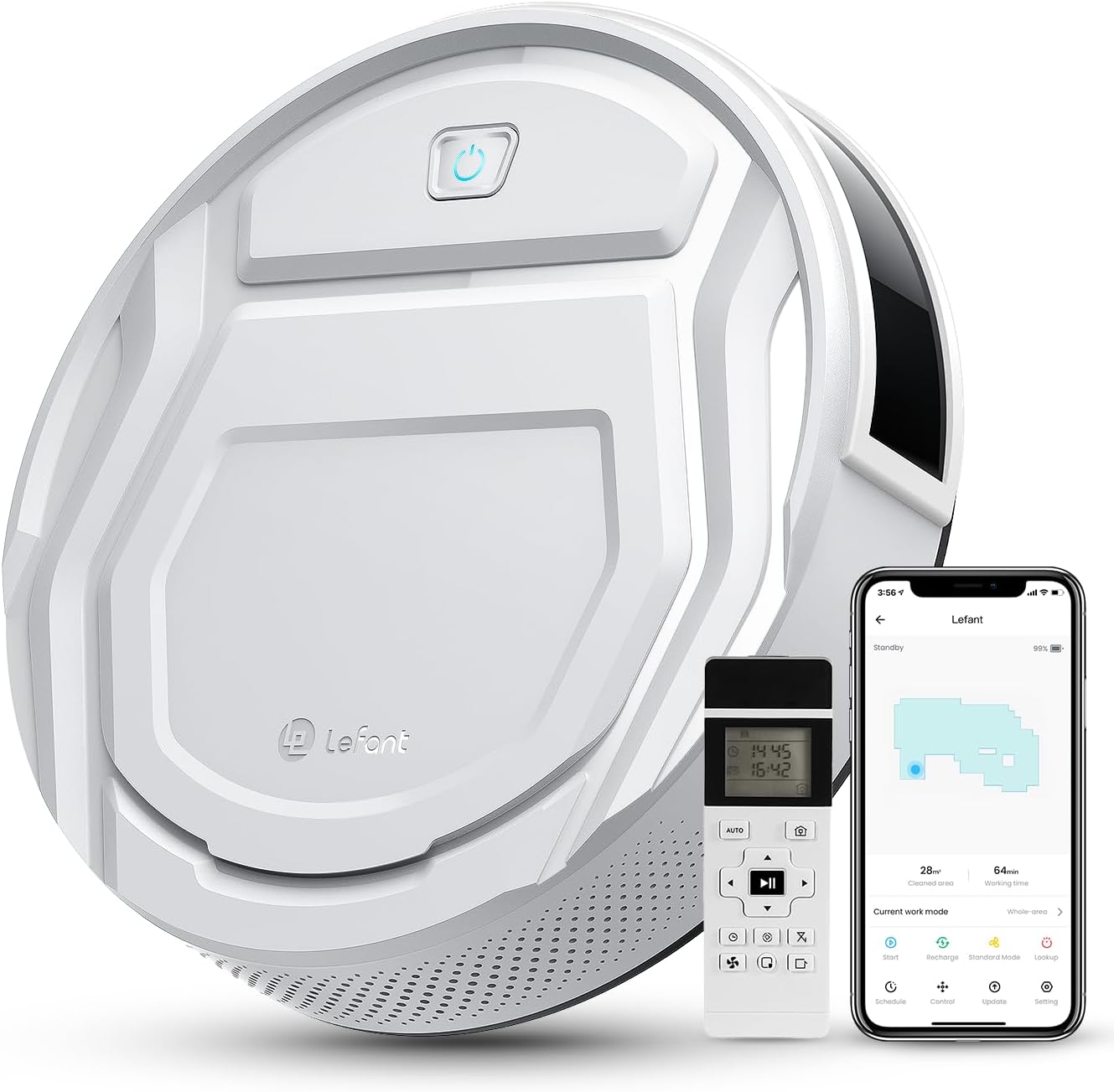
Image: Top view of the Lefant M210 Robot Vacuum Cleaner, highlighting its compact design and main controls.
The Lefant M210 is an autonomous robot vacuum cleaner designed for efficient cleaning of various floor types. It features a powerful suction and advanced navigation capabilities.
3.2 Charging Base
The charging base serves as the robot's home station, where it automatically returns to recharge its battery.
4. Setup
4.1 Charging Base Placement
- Place the charging base against a wall in an open, uncluttered area.
- Ensure there is at least 0.5 meters (1.6 feet) of clear space on both sides of the charging base and 1.5 meters (4.9 feet) in front of it.
- Connect the power adapter to the charging base and plug it into a wall outlet.
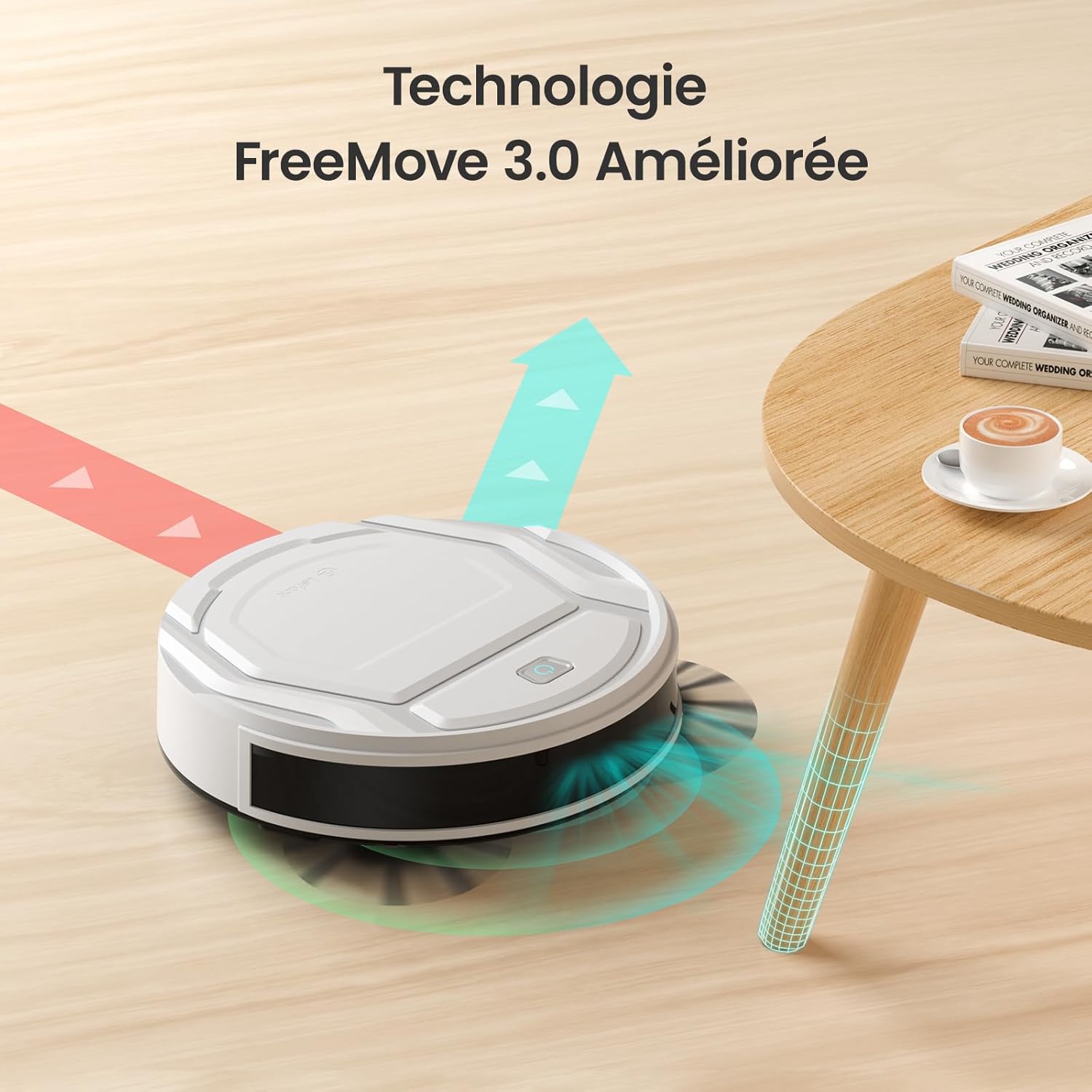
Image: The robot vacuum approaching its charging base, illustrating proper placement for automatic return.
4.2 Initial Charging
- Place the robot vacuum onto the charging base, ensuring the charging contacts align.
- The indicator light on the robot will show charging status. Allow the robot to fully charge before its first use (approximately 4-5 hours).
4.3 App Connection (WiFi/Alexa)
- Download the "Lefant Life" app from your smartphone's app store.
- Open the app and follow the on-screen instructions to create an account and add your M210 robot vacuum.
- Ensure your Wi-Fi network is 2.4GHz for successful connection.
- For Alexa integration, enable the "Lefant Life" skill in the Alexa app and link your accounts.

Image: A smartphone displaying the Lefant app, illustrating options for scheduling, control, and monitoring the robot vacuum.
5. Operating the Robot Vacuum
5.1 Starting and Stopping Cleaning
- Manual Start: Press the power button on the robot once to start cleaning. Press again to pause.
- App/Remote Start: Use the "Start" button in the Lefant Life app or on the remote control to begin a cleaning cycle.
- To send the robot back to its charging base, press the "Recharge" button on the robot, app, or remote control.
5.2 Suction Power and Quiet Operation
The M210 provides 2200Pa of suction power to effectively clean dust, debris, and pet hair. Its design ensures quiet operation, typically around 55 decibels, allowing for cleaning without significant disturbance.

Image: The Lefant M210 robot vacuum illustrating its 2200Pa suction power, effectively collecting debris from the floor.

Image: The slim Lefant M210 robot vacuum (7.8cm height) cleaning quietly under a sofa, with a noise level of 55dB, indicating minimal disturbance.
5.3 Cleaning Modes
The M210 offers multiple cleaning modes to suit different needs:
- Automatic Mode: The robot cleans in a systematic pattern, adapting to the environment.
- Zigzag Mode: Ideal for large, open areas, the robot cleans in a back-and-forth pattern.
- Edge Mode: The robot cleans along walls and furniture edges.
- Spot Mode: For concentrated cleaning of a specific dirty area, the robot cleans in a spiral pattern.
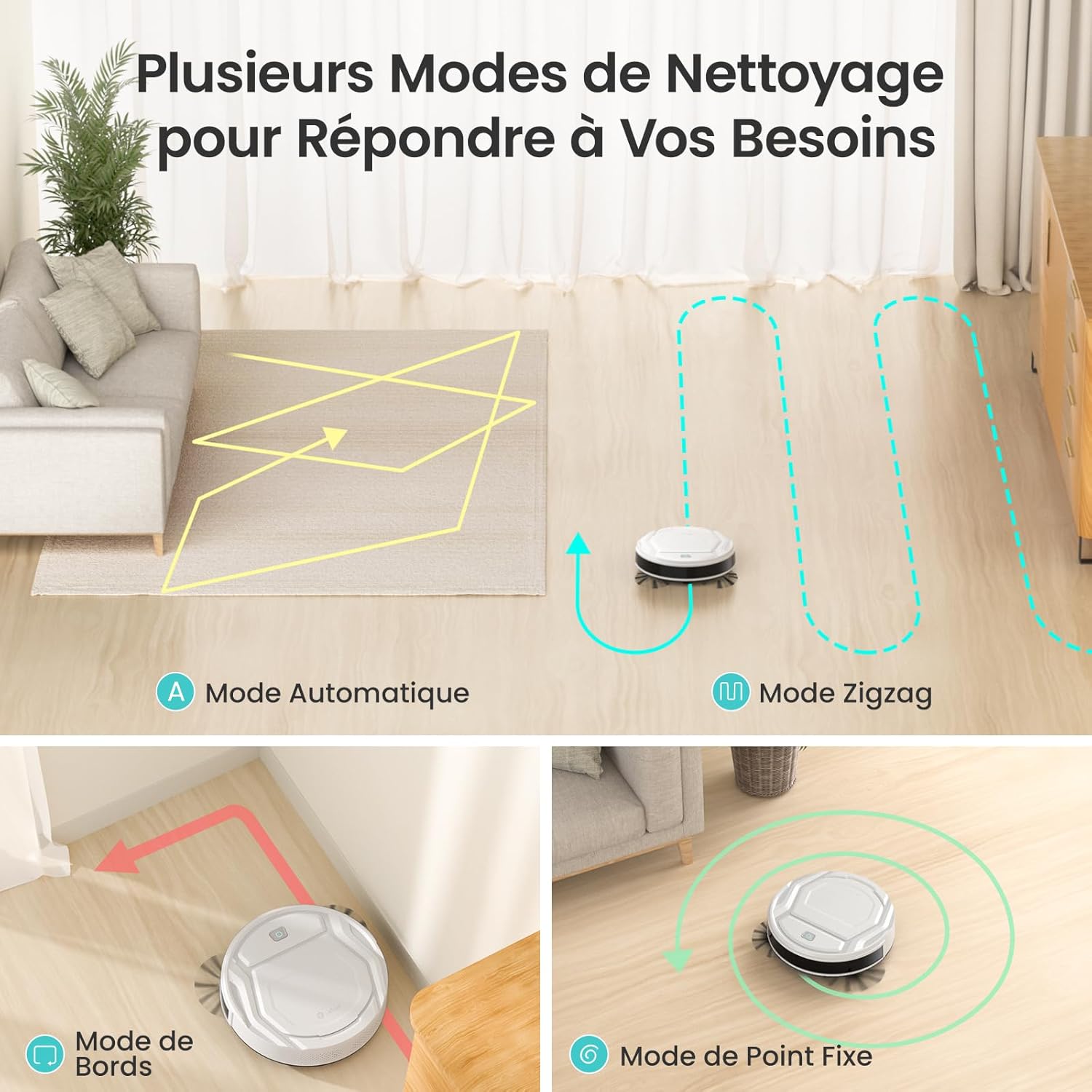
Image: Visual representation of the robot vacuum's various cleaning modes, including automatic, zigzag, edge, and spot cleaning patterns.
5.4 App and Remote Control
Control your M210 robot vacuum using the Lefant Life app or the included remote control. Both allow you to start/stop cleaning, change modes, schedule cleaning, and direct the robot manually.
Image: A smartphone displaying the Lefant app, illustrating options for scheduling, control, and monitoring the robot vacuum.

Image: A user comfortably controlling the robot vacuum via a smartphone app, demonstrating ease of use.
5.5 Navigation and Obstacle Avoidance
Equipped with FreeMove 3.0 technology, the M210 navigates efficiently around furniture and obstacles, preventing collisions and getting stuck.

Image: The robot vacuum demonstrating its FreeMove 3.0 navigation by smoothly moving around a table leg, avoiding collision.
5.6 Pet Hair Cleaning
The M210 is designed to effectively pick up pet hair from various surfaces. Regular cleaning of the dustbin and brushes is recommended when cleaning pet hair frequently.

Image: The Lefant M210 robot vacuum positioned on a floor with visible pet hair, demonstrating its suitability for homes with pets.
6. Maintenance
Regular maintenance ensures optimal performance and extends the lifespan of your robot vacuum.
6.1 Emptying the Dustbin
- Press the dustbin release button and pull out the dustbin.
- Open the dustbin cover and empty its contents into a trash bin.
- Rinse the dustbin with water if necessary, ensuring it is completely dry before reinserting.
6.2 Cleaning the Filter
- Remove the filter from the dustbin.
- Tap the filter gently to remove dust and debris. Do not wash the high-performance filter with water.
- Replace the filter every 2-3 months, or as needed, depending on usage.
6.3 Cleaning Side Brushes
- Gently pull the side brushes upwards to remove them.
- Remove any hair or debris tangled around the brushes. Use the provided cleaning tool if necessary.
- Snap the brushes back into place, ensuring they are securely attached.
6.4 Cleaning Sensors and Charging Contacts
- Wipe the anti-drop sensors, infrared sensors, and charging contacts on both the robot and the charging base with a clean, dry cloth.
- Ensure no dust or debris obstructs these components for proper operation.
7. Troubleshooting
| Problem | Possible Cause | Solution |
|---|---|---|
| Robot does not turn on. | Low battery; Power switch off. | Charge the robot; Ensure the main power switch is on. |
| Robot cannot charge. | Charging contacts are dirty; Charging base not powered. | Clean charging contacts on robot and base; Ensure power adapter is plugged in. |
| Robot gets stuck frequently. | Too many obstacles; Sensors are dirty. | Clear the cleaning area; Clean all sensors. |
| Poor cleaning performance. | Dustbin full; Filter clogged; Brushes tangled. | Empty dustbin; Clean/replace filter; Clean side brushes. |
| Cannot connect to Wi-Fi/App. | Incorrect Wi-Fi password; Router is 5GHz; Robot too far from router. | Verify password; Ensure 2.4GHz Wi-Fi; Move robot closer to router. |
8. Specifications
| Feature | Detail |
|---|---|
| Brand | Lefant |
| Model Name | M210 |
| Surface Recommendation | Wood, Carpets, Hard Floors |
| Special Feature | Smart |
| Color | Ivory |
| Controller Type | App Control, Remote Control |
| Filter Type | Cartridge |
| Battery Life | 120 minutes |
| Battery Type | Lithium Ion |
| Voltage | 19 Volts |
| Dustbin Capacity | 500 Milliliters |
| Power Source | Battery Powered |
| Item Dimensions (L x W x H) | 11"L x 11"W x 2.99"H |
| Item Weight | 3.1 Kilograms |
| Noise Level | 55 Decibels |
| Indoor Outdoor Usage | Indoor |
| Included Components | Lefant M210 Robot Vacuum |
| UPC | 769577079450 |

Image: The robot vacuum with an overlay indicating its 120-minute battery life and coverage area of 120 square meters.
9. Warranty and Support
Lefant provides a standard warranty for the M210 Robot Vacuum Cleaner. For detailed warranty information, please refer to the warranty card included in your package or visit the official Lefant website.
For technical support, troubleshooting assistance, or to purchase replacement parts, please contact Lefant customer service through the following channels:
- Email: Refer to your warranty card or product packaging.
- Website: www.lefant.com
- Lefant Life App: Access support features directly within the application.


