
1. Introduction
Thank you for choosing the OTTOCAST 10-inch Wireless CarPlay Android Auto Car Display. This device is designed to enhance your driving experience by integrating smartphone functionalities directly into your vehicle's dashboard. It offers wireless connectivity for Apple CarPlay and Android Auto, providing access to navigation, music, calls, and more. This manual will guide you through the installation, operation, and maintenance of your new car display.
2. Package Contents
Please check the box for the following items:
- 1 x 10-inch Touch Screen Display
- 1 x Car Charger
- 1 x Rear View Camera
- 1 x Memory Card
- 1 x User Manual
3. Setup and Installation
The OTTOCAST car display is designed for quick and easy installation without professional assistance.
3.1 Mounting the Display
Attach the display securely to your dashboard using the provided adhesive mount. Ensure the display is positioned to allow clear visibility without obstructing your view of the road.
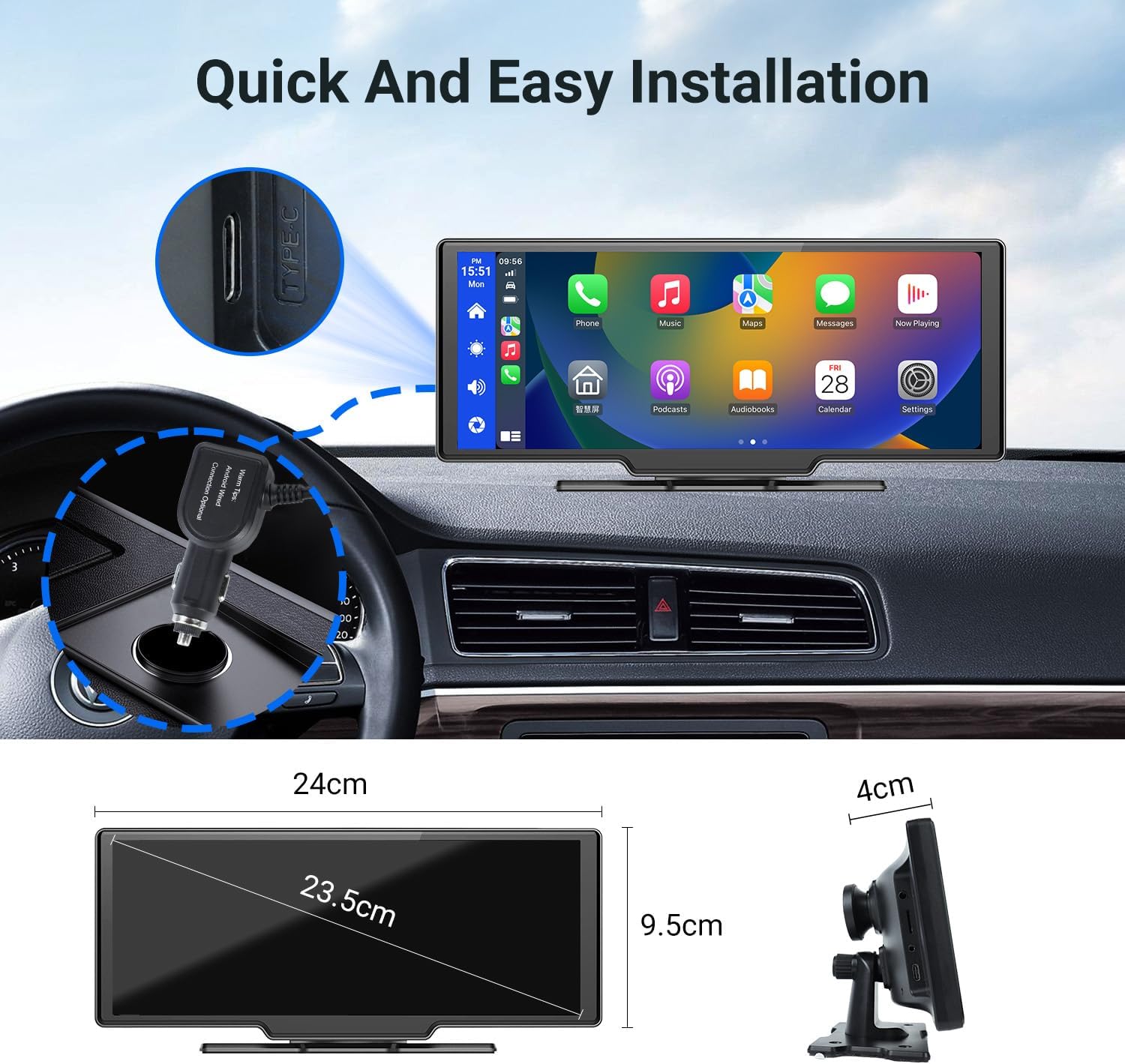
Image: Quick and Easy Installation. The image shows the display mounted on a dashboard, highlighting the Type-C port for power and the overall dimensions of the unit (24cm width, 9.5cm height, 4cm depth).
3.2 Power Connection
Connect the provided car charger to the display's Type-C port and plug it into your vehicle's 12V power outlet (cigarette lighter socket).
3.3 Rear View Camera Installation
Install the rear view camera at the back of your vehicle. Connect the camera cable to the designated input port on the main display unit. Ensure proper routing of the cable to avoid interference with vehicle operations.
4. Operating Instructions
4.1 Wireless CarPlay and Android Auto Connectivity
Connect your iPhone or Android smartphone wirelessly via Bluetooth to enable Apple CarPlay or Android Auto. This allows access to navigation, phone calls, messages, music, and other compatible applications directly on the display.

Image: Wireless CarPlay and Android Auto Support. The display shows a CarPlay interface with various app icons, flanked by smartphones displaying Android Auto and Apple CarPlay logos, indicating wireless connectivity.
4.2 Audio Output Options
The display offers multiple ways to output audio to your car's speakers:
- Built-in Speaker: For direct audio output from the display.
- FM Transmitter: Tune your car radio to a specific FM frequency to receive audio from the display.
- AUX IN: Connect the display to your car's AUX input using an audio cable for high-quality sound.

Image: Audio and Recording Features. This image illustrates Bluetooth connectivity, DVR loop recording, FM transmitter function, the built-in speaker, and the AUX IN port for audio output.
4.3 Voice Control
Utilize your smartphone's AI assistant (Siri or Google Assistant) for hands-free control of calls, music playback, and navigation, allowing you to focus on driving.
4.4 Multiple Operating Modes
The display supports various modes to suit your needs:
- Android Auto Mode
- CarPlay Mode + Camera View
- Front Camera View
- Front + Rear Camera View

Image: Multiple Operating Modes. This graphic displays the screen in four different configurations: Android Auto, CarPlay with camera overlay, front camera view, and a split view showing both front and rear camera feeds.
4.5 Camera Functions and Parking Monitoring
The integrated camera system provides enhanced safety features:
- Seamless Loop Recording: Recordings are automatically overwritten when the memory card is full.
- Emergency Locking: Automatically locks recordings during emergency situations (e.g., sudden impact).
- Emergency Recording: Manually lock important recordings to prevent them from being overwritten.
- 24 Hours Parking Monitoring: Provides continuous surveillance of your vehicle when parked.
- Rear Camera Display: The rear camera image automatically appears on the screen when reversing, with a 170° wide-angle view for safer parking.

Image: Advanced Camera Features. This image illustrates seamless loop recording, emergency locking, manual emergency recording, and 24-hour parking monitoring capabilities.
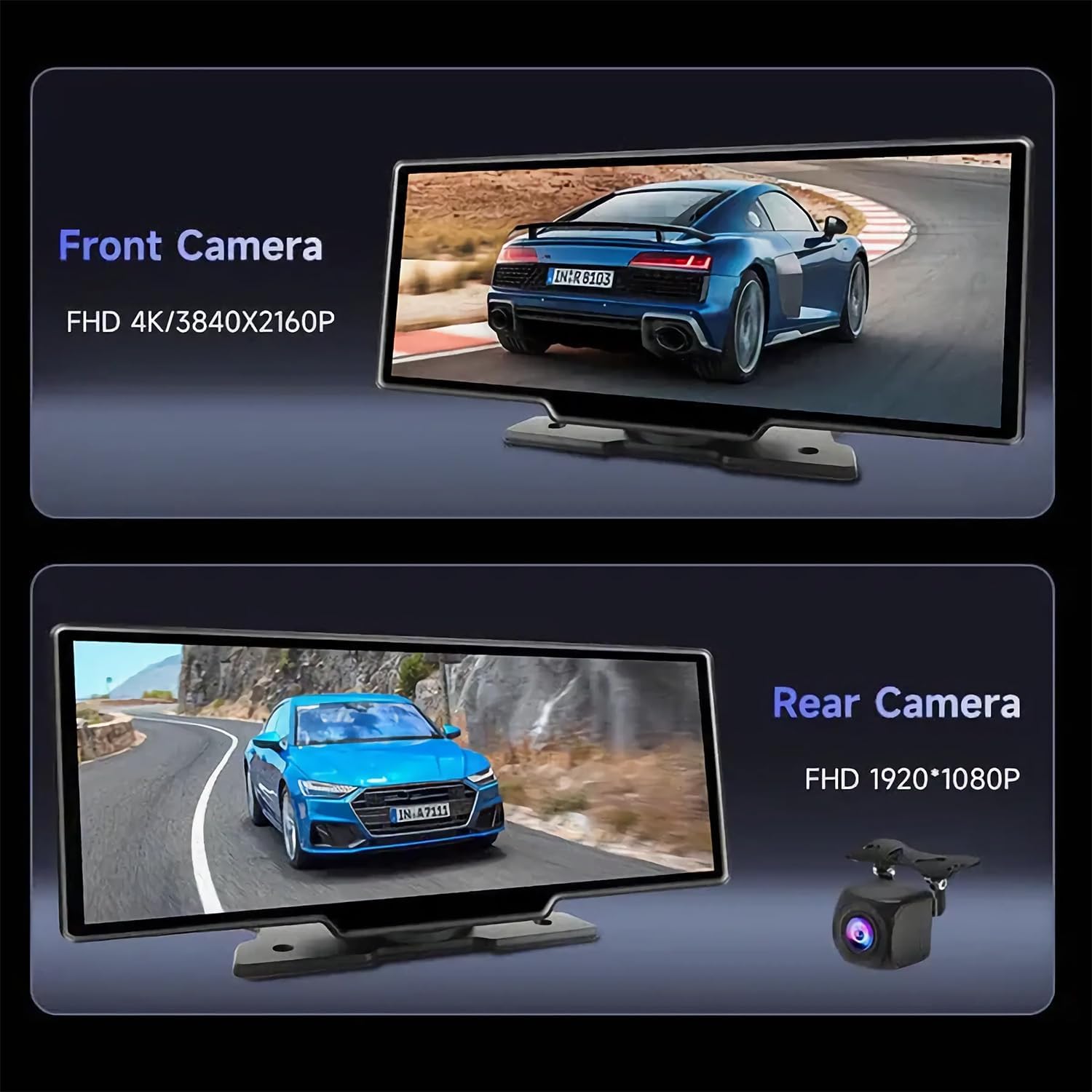
Image: Front and Rear Camera Clarity. This image shows the display presenting a 4K (3840x2160P) front camera view and a 1080P (1920x1080P) rear camera view, emphasizing high-definition recording.
4.6 Split-Screen Functionality
The display supports multiple views and split-screen functionality, allowing you to effortlessly switch between CarPlay, Android Auto, front camera, and rear camera view combinations. This feature helps you monitor different aspects of your driving environment simultaneously.
5. Maintenance
To ensure the longevity and optimal performance of your OTTOCAST car display, follow these maintenance guidelines:
- Cleaning: Use a soft, dry cloth to clean the display screen. For stubborn smudges, lightly dampen the cloth with water or a screen-safe cleaner. Avoid abrasive materials or harsh chemicals.
- Temperature: Avoid exposing the device to extreme temperatures, both hot and cold, for extended periods.
- Storage: If removing the device for storage, keep it in a cool, dry place away from direct sunlight.
- Cable Management: Ensure all cables are properly secured and not pinched or damaged.
6. Troubleshooting
If you encounter issues with your OTTOCAST car display, refer to the following common troubleshooting steps:
- No Power: Ensure the car charger is securely plugged into both the display and the vehicle's 12V outlet. Check if the vehicle's power outlet is functioning.
- No Audio: Verify the selected audio output method (Built-in Speaker, FM Transmitter, or AUX IN). If using FM, ensure your car radio is tuned to the correct frequency. If using AUX, check the cable connection.
- Wireless CarPlay/Android Auto Disconnection: Ensure Bluetooth and Wi-Fi are enabled on your smartphone. Try restarting both your phone and the car display. Ensure no other devices are interfering with the connection.
- Camera Not Displaying: Check the camera cable connection to the main unit. Ensure the camera lens is clean and unobstructed.
- Unresponsive Touchscreen: Try restarting the device. If the issue persists, contact customer support.
7. Specifications
| Feature | Specification |
|---|---|
| Model Number | N91C |
| Display Size | 10 Inches |
| Package Dimensions | 29.3 x 13.8 x 10.7 cm |
| Product Weight | 1.28 kg |
| Color | Black |
| Connectivity Technology | Bluetooth |
| Controller Type | iOS |
| Special Features | Integrated Bluetooth, Touch Screen, WAZE |
| Compatible Devices | Smartphone |
| Audio Output Mode | Stereo |
| Number of Channels | 2 |
| Supported Internet Services | Pandora, Spotify |
| Control Method | Touch |
8. Warranty and Support
The OTTOCAST 10-inch Wireless CarPlay Android Auto Car Display comes with a one-year warranty. Our dedicated technical support team is available 24 hours a day to assist you with any questions or issues you may encounter. Please refer to the contact information provided in your product packaging for support.


