
1. Introduction
Thank you for choosing the UGREEN 30W USB C Charger. This compact and powerful wall charger is designed to provide efficient and safe charging for a wide range of devices, including smartphones, tablets, and laptops. Featuring advanced GaN II chip technology and a foldable plug, it offers groundbreaking performance in a portable design.
2. Key Features
- Powerful 30W Charging: Capable of charging an iPhone 16 from 0 to 55% in approximately 30 minutes.
- Ultra Compact Size: Equipped with an upgraded GaN II chip for high performance and a small footprint. The foldable plug enhances portability.
- Real-Time Protection: Incorporates Thermal Guard technology, scanning temperature 800 times per second to ensure charging safety.
- Universal Compatibility: Supports multiple fast charging protocols, making it compatible with earbuds, phones, tablets, and even MacBook Air.
- Multiple Safety System: Built-in protections against short circuit, overload, over-temperature, and overvoltage for comprehensive security.
3. Package Contents
The UGREEN 30W USB C Charger package includes:
- One (1) UGREEN 30W USB C Wall Charger
Note: Charging cables are typically sold separately.
4. Setup and Installation
- Unfold the Prongs: Gently unfold the AC prongs from the charger body until they lock into place.
- Connect Charging Cable: Plug one end of a compatible USB-C charging cable (not included) into the USB-C port on the UGREEN charger.
- Connect to Device: Plug the other end of the charging cable into your device (e.g., smartphone, tablet, laptop).
- Plug into Power Outlet: Insert the charger's prongs into a standard AC wall outlet (100-240V).
The charger will automatically begin delivering power to your connected device.

Figure 1: UGREEN 30W USB C Charger showing its foldable prongs and USB-C port.
5. Operating Instructions
The UGREEN 30W USB C Charger operates automatically once connected to a power source and a compatible device. It intelligently detects the connected device's power requirements and delivers the optimal charging speed up to 30W.
- Fast Charging: For devices that support fast charging protocols (e.g., Power Delivery, PPS), the charger will activate fast charging mode. Note that for some Samsung phones, the "super fast charging" display may only appear when charging begins.
- Temperature Monitoring: The built-in Thermal Guard technology continuously monitors the charger's temperature to prevent overheating, ensuring safe operation.
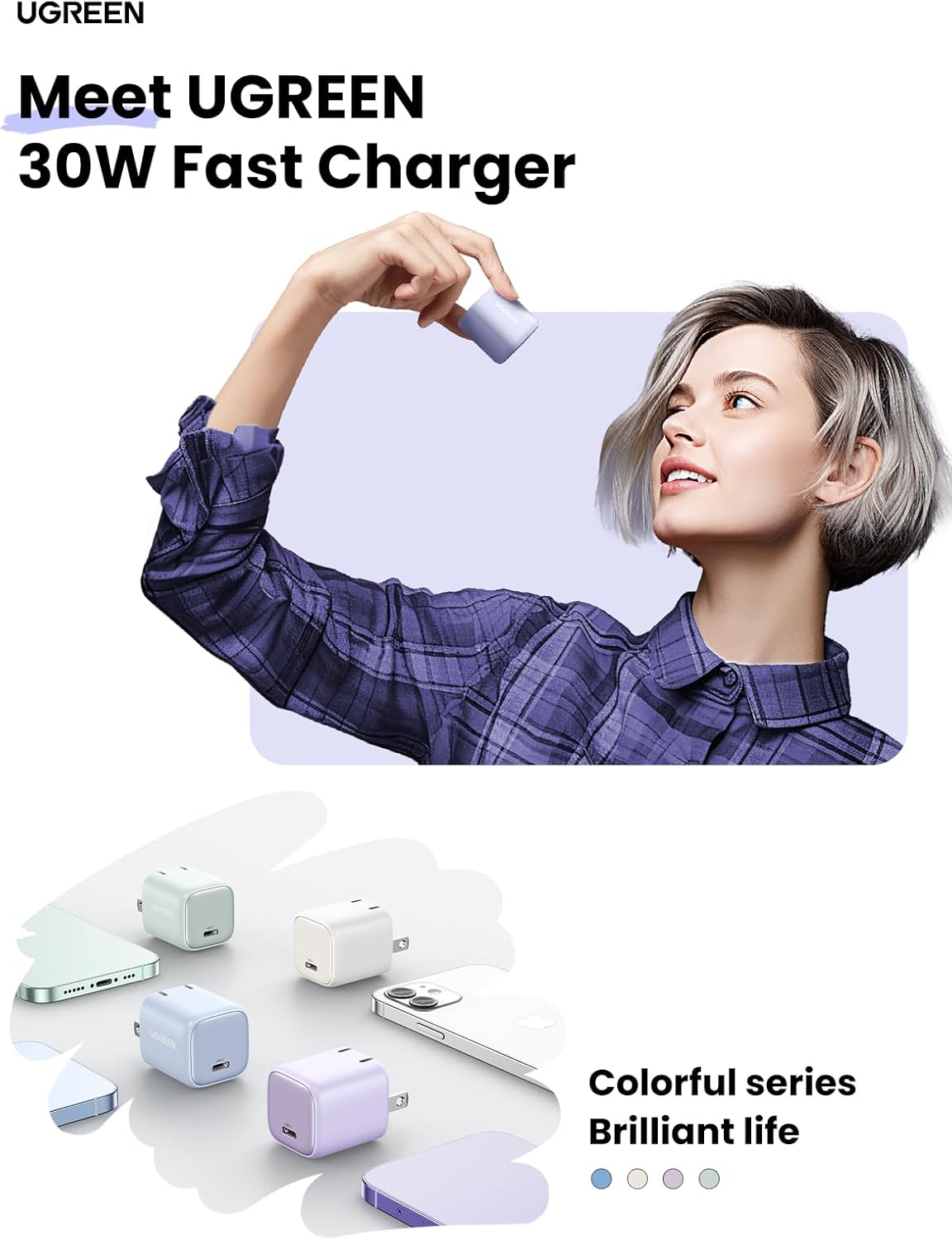
Figure 2: Illustrates the compact size and ease of use of the UGREEN 30W charger.

Figure 3: Size comparison highlighting the compact design of the UGREEN 30W charger.
6. Maintenance and Care
- Cleaning: Disconnect the charger from the power outlet and all devices before cleaning. Use a soft, dry cloth to wipe the surface. Do not use liquid cleaners or aerosols.
- Storage: When not in use, fold the prongs back into the charger body to protect them. Store the charger in a cool, dry place away from direct sunlight and extreme temperatures.
- Handling: Avoid dropping the charger or subjecting it to strong impacts. Do not attempt to disassemble or modify the charger, as this will void the warranty and could pose a safety risk.
7. Troubleshooting
| Problem | Possible Cause | Solution |
|---|---|---|
| Charger not charging device. |
|
|
| Slow charging speed. |
|
|
| Charger feels warm during use. | Normal operation, especially during fast charging. | This is normal. The charger is designed with Thermal Guard technology to manage heat. If it becomes excessively hot or emits smoke/smell, disconnect immediately and contact support. |
8. Specifications
| Attribute | Detail |
|---|---|
| Model Number | CD319 |
| Wattage | 30 watts |
| Total USB Ports | 1 |
| Input Voltage | 240 Volts (AC) |
| Special Feature | Compact and foldable |
| Item Weight | 1.69 ounces |
| Package Dimensions | 4.02 x 3.94 x 1.54 inches |
| Color | Purple |
| Manufacturer | Ugreen Group Limited |
| Date First Available | July 10, 2023 |
9. Compatible Devices
The UGREEN 30W USB C Charger is widely compatible with various devices, including but not limited to:
- Cellular Phones: iPhone 16/15/14/13/12/11 series, Galaxy S25/S24/S23 series, Pixel 9/8/7 series, and other USB-C compatible smartphones.
- Tablets: iPad Pro/Air/Mini, and other USB-C compatible tablets.
- Laptops: MacBook Air models (e.g., MacBook Air 2020, MacBook Air 2022) and other USB-C compatible laptops requiring up to 30W.
- Other Devices: Earbuds, Kindle E-readers, DJI Mini 3 Pro, Apple Vision Pro battery, Nintendo Switch, and other small electronic devices.

Figure 4: Demonstrates the universal compatibility of the UGREEN 30W charger with various devices.
10. Safety Information
Please read and follow all safety instructions carefully to prevent injury or damage.
- Do not expose the charger to liquids, moisture, or extreme temperatures.
- Do not use the charger if it has been damaged or dropped.
- Keep out of reach of children.
- Ensure the charger is plugged into a properly grounded and accessible power outlet.
- Do not overload power outlets or extension cords.
- Disconnect the charger during lightning storms or when unused for long periods.
- Use only compatible charging cables.
11. Warranty and Support
UGREEN products come with a standard manufacturer's warranty. For specific warranty terms and conditions, please refer to the warranty card included with your purchase or visit the official UGREEN website.
For technical support, troubleshooting assistance, or warranty claims, please contact UGREEN customer service through their official website or the retailer where you purchased the product.
UGREEN Official Website: www.ugreen.com