
1. Introduction
This manual provides essential instructions for the safe operation, installation, and maintenance of your Dreo Wall-Mounted Smart Space Heater, Model WH729S. Please read this manual thoroughly before use and retain it for future reference.

Image 1.1: The Dreo Wall-Mounted Smart Space Heater (WH729S) with remote control and smartphone app interface shown.
2. Safety Instructions
Your safety is paramount. This heater is designed with multiple safety features. Always follow these guidelines to prevent fire, electric shock, injury, or property damage.
- FortPlug Technology: The patented FortPlug includes built-in overheat protection. If the plug area overheats, power will be automatically cut off to prevent fire hazards.
- Internal Overheat Protection: Equipped with an Internal NTC sensor for additional overheat protection.
- Flame Retardant Material: Constructed with 5VA flame retardant materials for enhanced safety.
- ETL Listed: This product meets recognized safety standards.
- Do not cover the heater or block air inlets/outlets.
- Ensure the heater is placed on a stable, level surface or securely wall-mounted.
- Keep flammable materials at least 3 feet (0.9 meters) away from the heater.
- Do not use in wet or damp locations, such as bathrooms or laundry areas.
- Unplug the heater when not in use or before cleaning.

Image 2.1: Close-up of the Dreo FortPlug, highlighting its internal NTC overheat protection and 5VA flame retardant material for enhanced safety.
3. Product Components
The package for your Dreo Wall-Mounted Smart Space Heater includes the following items:
- Space Heater Body
- Remote Control
- Accessory Package (for mounting)
- Quick Start Guide
- User Manual (this document)
4. Setup and Installation
The Dreo WH729S heater is designed for wall-mounted installation. Follow these steps for proper setup:
- Choose Location: Select a suitable wall location, ensuring it is away from curtains, furniture, and other obstructions. Ensure there is a power outlet within reach of the power cord.
- Identify Studs: It is highly recommended to mount at least one side of the heater into a wall stud for secure installation. Use a stud finder to locate wall studs.
- Use Drilling Guide: Utilize the included drilling guide template to mark the precise positions for drilling holes. Ensure the template is level before marking.
- Drill Holes: Drill holes at the marked positions. If mounting into drywall without a stud, use the provided drywall anchors.
- Mount Heater: Securely attach the heater to the wall using the provided screws and accessories.
- Plug In: Once securely mounted, plug the FortPlug into a grounded 120V AC outlet.

Image 4.1: Diagram illustrating the dimensions of the Dreo Wall-Mounted Heater and the included drilling guide for hassle-free installation.

Image 4.2: Overview of additional features including hassle-free installation, a detachable filter for easy cleaning, a 24-hour timer, and a convenient cable recess for tidy power cord management.
5. Operating Instructions
The Dreo WH729S heater offers multiple control methods for your convenience.
5.1. Control Panel
The heater features an intuitive control panel on the unit itself. Use the buttons to power on/off, adjust temperature, select modes, and activate oscillation.
5.2. Remote Control
A remote control is included for convenient operation from a distance. It allows you to adjust all settings available on the control panel.
5.3. Smart Control (Dreo App, Alexa, Google Home)
Enhance your experience by connecting the heater to the Dreo app via Wi-Fi. This enables advanced features:
- Remote Access: Control your heater settings from anywhere using the Dreo app.
- Customizable Schedules: Program heating hours to match your daily routine, ensuring warmth when needed and energy savings when not.
- Voice Control: Integrate with Alexa or Google Home for hands-free operation.
- Accurate Temperature Control: Set the desired room temperature between 41°F and 95°F with 1°F accuracy.
- 120° Vertical Oscillation: Distributes warm air evenly across the room, from top to bottom.
- Sleep Mode: The LED panel brightness automatically adjusts to low-light conditions, and the heater operates with reduced noise for an undisturbed sleep environment.

Image 5.1: A smartphone displaying the Dreo app interface, demonstrating smart control and customizable scheduling features for the wall-mounted heater.
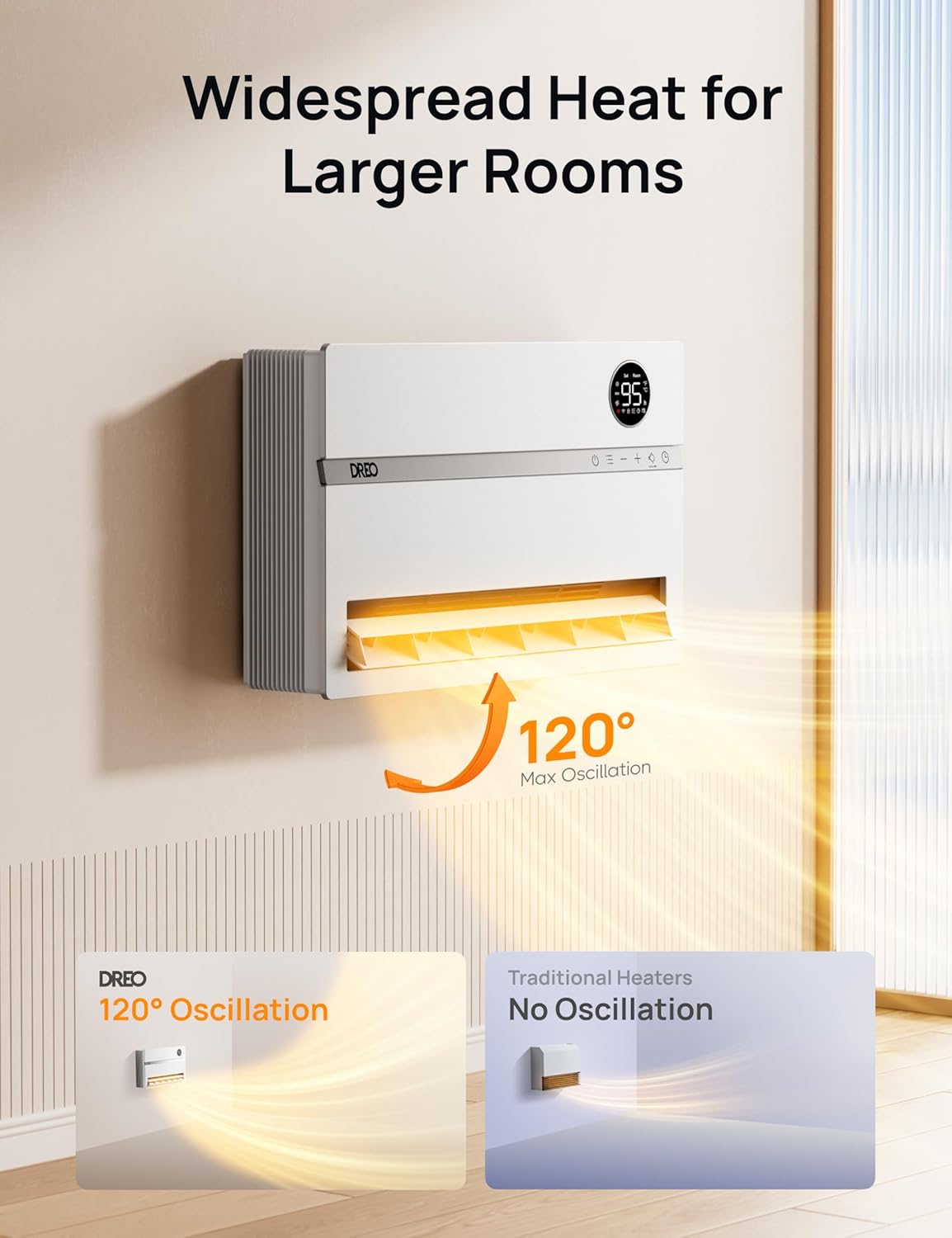
Image 5.2: Illustration of the Dreo heater's 120° maximum oscillation for widespread heat distribution, contrasted with traditional heaters that lack oscillation.

Image 5.3: Close-up of the heater's display showing temperature settings and highlighting the dedicated thermal sensor for accurate temperature control (±1°F accuracy).

Image 5.4: The heater operating in a bedroom, demonstrating its auto-dimming LED panel for minimal light disturbance during sleep.
6. Maintenance
Regular maintenance ensures optimal performance and longevity of your heater.
- Cleaning: Always unplug the heater before cleaning. Use a soft, dry cloth to wipe the exterior surfaces. Do not use abrasive cleaners or solvents.
- Detachable Filter: The heater features a detachable filter for easy cleaning. Regularly clean the filter to maintain air quality and heating efficiency. Refer to the Quick Start Guide for instructions on removing and cleaning the filter.
- Storage: If storing the heater for an extended period, ensure it is clean and dry. Store it in a cool, dry place.
7. Troubleshooting
If you encounter issues with your Dreo Wall-Mounted Smart Space Heater, refer to the following common solutions. If the problem persists, contact customer support.
| Problem | Possible Cause | Solution |
|---|---|---|
| Heater does not turn on. | No power, FortPlug activated, or unit is off. | Ensure the heater is plugged into a working outlet. Check if the FortPlug has tripped (reset if necessary). Press the power button on the unit or remote. |
| Heater stops unexpectedly. | Overheat protection activated, or timer/schedule ended. | Unplug the heater, allow it to cool for 30 minutes, then plug it back in. Check if a timer or schedule is set in the app. |
| No heat output. | Temperature setting too low, or fan mode selected. | Increase the target temperature. Ensure a heating mode (e.g., High, Low) is selected, not just Fan mode. |
| Wi-Fi connection issues. | Incorrect Wi-Fi password, router issues, or out of range. | Ensure correct Wi-Fi password. Restart your router. Move the heater closer to the router or use a Wi-Fi extender. Follow in-app pairing instructions carefully. |
8. Specifications
| Brand | Dreo |
| Model Number | DR-HSH009BS (WH729S) |
| Color | White |
| Product Dimensions | 4.72"D x 20.08"W x 13.39"H |
| Item Weight | 9.15 pounds |
| Mounting Type | Wall Mount |
| Indoor/Outdoor Usage | Indoor |
| Heating Coverage | Up to 215 sq ft (primary), up to 750 sq ft (supplementary) |
| Fuel Type | Electric |
| Voltage | 120 Volts |
| Amperage | 12.5 Amps |
| Min Temperature Setting | 41 Degrees Fahrenheit |
| Max Temperature Setting | 95 Degrees Fahrenheit |
| Special Features | Adjustable Temperature, Electronic Thermostat, Overheat Protection Plug (FortPlug), Remote Control, Wi-Fi Enabled |
| UPC | 850049246484 |
| Batteries (for remote) | 1 Lithium Metal battery (included) |
9. Warranty and Support
Dreo provides a warranty for its products. Please refer to the warranty card included in your accessory package or visit the official Dreo website for detailed warranty information and terms.
For technical support, troubleshooting assistance, or any questions regarding your Dreo Wall-Mounted Smart Space Heater, please contact Dreo Customer Support. Contact information can typically be found in the Quick Start Guide or on the official Dreo website.
Online Resources:
- Visit the Dreo Store on Amazon for product information and updates.


