1. Introduction
Welcome to the user manual for your new Kieslect Ks Mini Smartwatch. This guide will help you set up, operate, and maintain your device to ensure optimal performance and a seamless user experience. The Ks Mini is designed to be a health-focused companion, offering advanced monitoring features and smart connectivity.
2. Safety Information
- Do not attempt to disassemble or modify the device. This may void the warranty and cause damage.
- Keep the device away from extreme temperatures, direct sunlight, and high humidity.
- Avoid exposing the device to strong impacts or drops.
- Use only the provided charging cable and adapter to prevent damage.
- Consult a medical professional before starting any new exercise regimen or if you have health concerns. The health data provided by the watch is for reference only and should not be used for medical diagnosis.
- Keep out of reach of children.
3. Package Contents
Please check the box for the following items:
- Kieslect Ks Mini Smartwatch
- Charging Cable
- User Manual (this document)
4. Product Overview
Familiarize yourself with the components of your Kieslect Ks Mini Smartwatch.

Figure 4.1: Front view of the Kieslect Ks Mini Smartwatch, displaying its vibrant interface with time, step count, heart rate, and calorie burn metrics.

Figure 4.2: Rear view of the Kieslect Ks Mini Smartwatch, highlighting the advanced optical sensor used for heart rate and SpO2 monitoring, indicated by a green light.
Key Components:
- Display: 1.7-inch color screen (AMOLED).
- Side Button: Used for power, screen wake-up, and navigation.
- Sensors: Located on the back for heart rate and SpO2 monitoring.
- Charging Contacts: Magnetic contacts on the back for charging.
5. Setup
5.1 Initial Charging
Before first use, fully charge your Kieslect Ks Mini Smartwatch.
- Connect the magnetic charging cable to the charging contacts on the back of the watch.
- Plug the USB end of the cable into a USB power adapter (5V/1A recommended) or a computer's USB port.
- The watch display will show the charging progress. A full charge typically takes about 2 hours.
5.2 App Installation and Pairing
To unlock the full potential of your smartwatch, download and install the companion app.
- Download the App: Search for "VeryFitPro" (or the specified app in your product packaging) on the App Store (iOS) or Google Play Store (Android).
- Create Account: Open the app and follow the on-screen instructions to create an account and set up your profile.
- Pairing:
- Ensure Bluetooth is enabled on your smartphone.
- Open the app and navigate to the "Device" or "Add Device" section.
- The app will search for available devices. Select "Ks Mini" from the list.
- Confirm the pairing request on both your phone and the watch if prompted.
Note: The watch requires iOS 9.0 or Android 4.4 and above for compatibility.
6. Operating Instructions
6.1 Basic Navigation
- Wake Screen: Raise your wrist or press the side button.
- Swipe Up/Down: Scroll through menus and notifications.
- Swipe Left/Right: Access quick functions or widgets (e.g., heart rate, weather).
- Tap: Select an item or confirm an action.
- Side Button Press: Return to the previous screen or watch face. Long press for power options.

Figure 6.1: The 1.78-inch Colorful AMOLED Display of the Kieslect Ks Mini, offering clear visual enjoyment and ample space for performance data.
6.2 Health Management
The Ks Mini provides 24-hour intelligent monitoring of key health metrics.
- Heart Rate Monitoring: Tracks your heart rate in real-time. View historical data in the app.
- Blood Oxygen (SpO2) Monitoring: Measures your blood oxygen levels.
- Sleep Tracking: Monitors your sleep patterns, including deep sleep, light sleep, and wake times.
- Stress Management: Offers breathing exercises to help you relax and relieve stress.
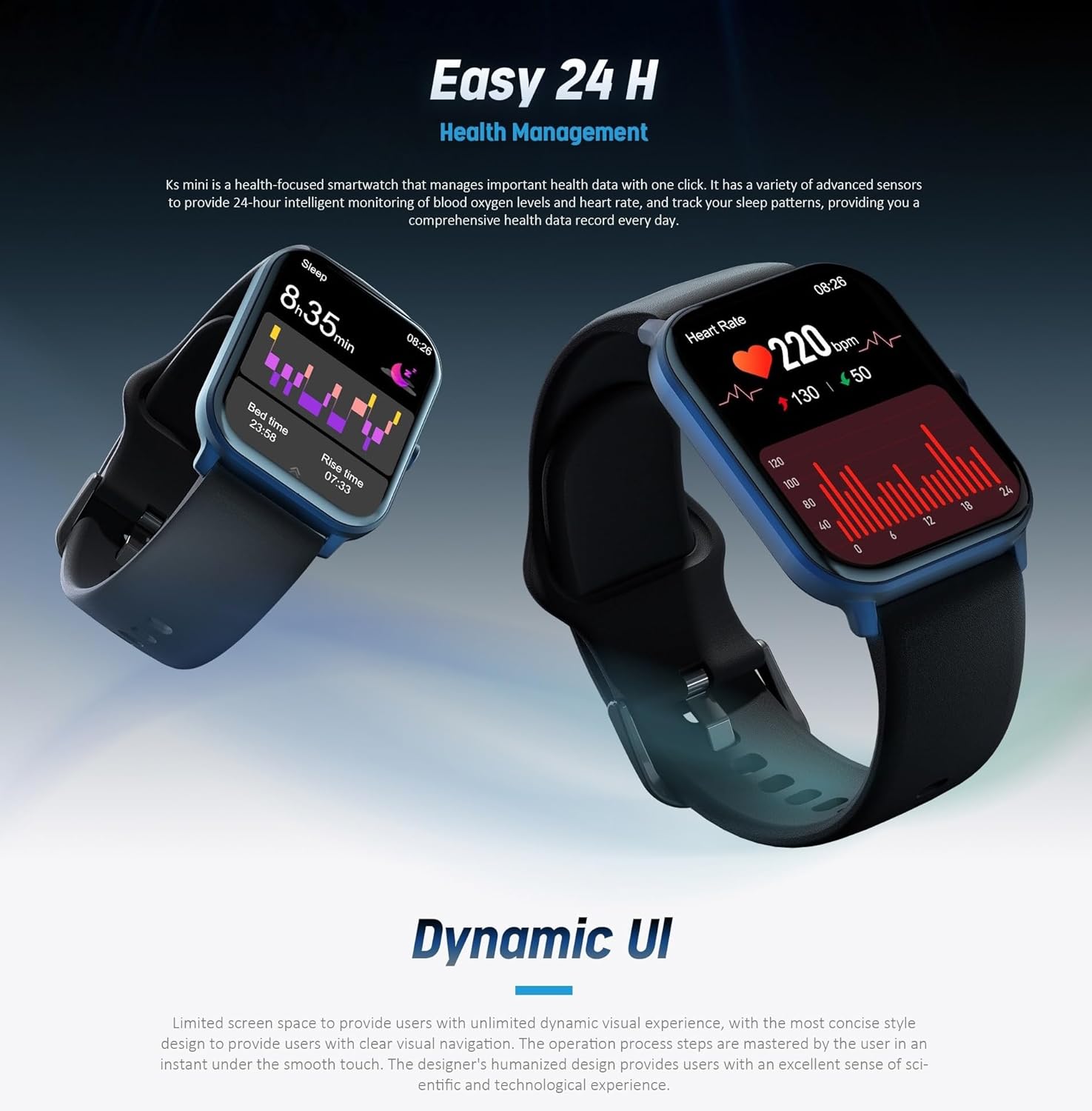
Figure 6.2: The Kieslect Ks Mini's health management interface, displaying sleep data and real-time heart rate graphs for comprehensive health insights.
6.3 Sports Modes
The watch supports 70 sports modes to track your workouts accurately.
- Navigate to the "Workout" or "Sports" section on your watch.
- Select your desired activity (e.g., running, cycling, swimming).
- The watch will start tracking your duration, calories burned, and other relevant metrics.
6.4 Bluetooth Calls & Smart Notifications
Stay connected with Bluetooth calling and smart notifications.
- Incoming Calls: The watch will vibrate and display caller ID.
- To answer: Tap the green icon on the screen.
- To reject: Tap the red icon on the screen.
- During a call: Press the side button once to mute/unmute. Double-press to reject the call.
- Making Calls: In Bluetooth call mode, long-press the side button for two seconds to initiate a call or access recent contacts.
- Message & App Notifications: The watch vibrates and displays notifications from your phone (e.g., SMS, WeChat, WhatsApp, Facebook). Ensure notifications are enabled in the app settings.
6.5 Other Features
- Always-On Display: The watch supports an always-on display feature for continuous time visibility.
- Custom Watch Faces: Personalize your watch with various watch faces available through the app.
- Weather Forecast: Get real-time weather updates on your wrist.
- Find Phone: Use your watch to locate your misplaced phone.
- World Clocks: Keep track of time in different time zones.
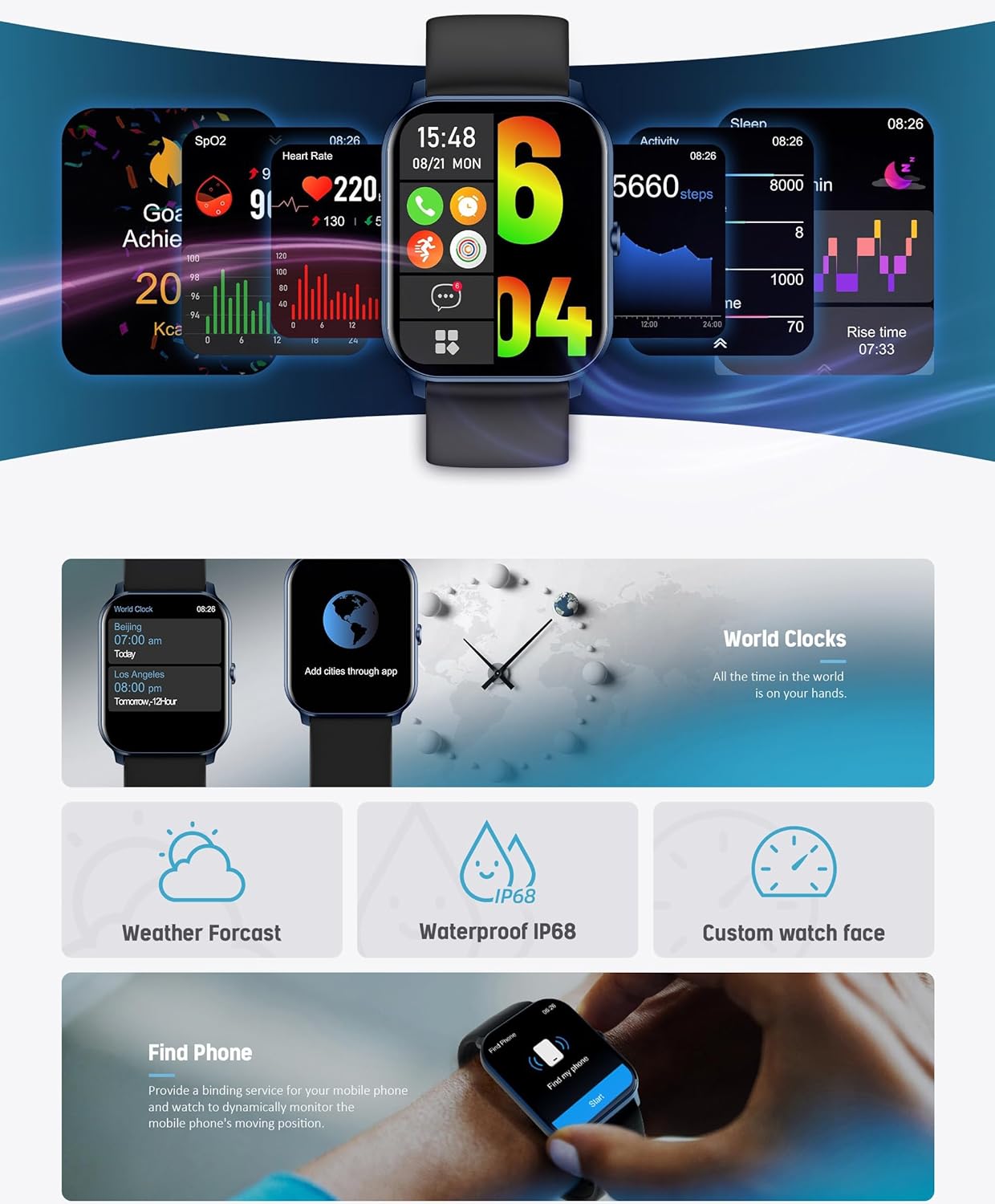
Figure 6.3: A comprehensive view of the Kieslect Ks Mini's dynamic user interface and additional functionalities, including world clocks, weather, IP68 water resistance, custom watch faces, and the 'Find Phone' feature.
7. Battery Life
The Kieslect Ks Mini Smartwatch offers impressive battery performance:
- Typical Usage: 3-6 days
- Heavy Usage: 2-4 days
- Battery Saver Mode: Up to 10 days
- Standby Time: Up to 15 days
Battery life may vary based on usage patterns, enabled features (e.g., Always-On Display, continuous heart rate monitoring), and environmental factors.
8. Maintenance
8.1 Cleaning
- Wipe the watch and strap regularly with a soft, damp cloth.
- Do not use harsh chemicals or abrasive cleaners.
- Ensure the charging contacts are clean and dry before charging.
8.2 Water Resistance (IP68)
The Kieslect Ks Mini is IP68 water-resistant, meaning it can withstand dust, dirt, and sand, and is resistant to submersion up to a maximum depth of 1.5m underwater for up to 30 minutes.
- It is suitable for daily use, hand washing, and light rain.
- Not suitable for hot showers, saunas, or diving.
- Avoid contact with hot water, steam, or corrosive liquids.
- After contact with water, wipe the watch dry before charging.
9. Troubleshooting
| Problem | Possible Solution |
|---|---|
| Watch not turning on | Ensure the watch is fully charged. Press and hold the side button for several seconds. |
| Cannot pair with phone |
|
| Inaccurate health data | Ensure the watch is worn snugly on your wrist, not too tight or too loose. Clean the sensor area. Avoid excessive movement during measurements. |
| Notifications not received |
|
10. Specifications
| Feature | Detail |
|---|---|
| Model Name | Ks Mini |
| Model Number | YFT2054EU |
| Brand | Kieslect |
| Display Size | 1.7 inches |
| Display Type | AMOLED |
| Battery Capacity | 280 mAh |
| Connectivity | Bluetooth |
| Water Resistance | IP68 |
| Operating System Compatibility | Android 4.4+, iOS 9.0+ |
| Special Features | Always-On Display, 24H Health Monitoring (SpO2, HR, Sleep), Bluetooth Calls, 70 Sports Modes, Stress Management |
| Product Dimensions | 25.4 x 3.81 x 1.22 cm; 3.12 grams |
11. Warranty and Support
Kieslect provides a limited warranty for this product. Please refer to the warranty card included in your package or visit the official Kieslect website for detailed warranty terms and conditions.
For technical support, troubleshooting assistance, or service inquiries, please contact Kieslect customer support through their official channels. Keep your purchase receipt as proof of purchase for warranty claims.


