1. Introduction
The ULANZI 40W Pro RGB Portable LED Video Light is a versatile and compact lighting solution designed for various photography and videography needs. Featuring a high-output COB LED, adjustable color temperature, RGB capabilities, and multiple scene effects, this light offers flexible illumination for both indoor and outdoor use. Its built-in battery and dual charging options ensure extended operation and convenience.

Image: The ULANZI 40W Pro RGB Portable LED Video Light being used in diverse settings, showcasing its adaptability for different creative projects.
2. What's in the Box
The package includes the following items:
- ULANZI 40W Pro RGB Portable LED Video Light
- Power Adapter
- Power Cord
- Reflector
- Diffusion Dome
- Velvet Bag
- User Manual
Image: An illustration detailing the contents of the product packaging, ensuring all accessories are accounted for.
3. Product Features
- High-Brightness COB Lighting: Equipped with a 40W high-output COB LED light source, delivering uniform brightness. Overclock mode boosts output to 50W, achieving 9100Lux at 0.5m. Features reinforced glass for high light transmittance and heat resistance.
- Long Battery Life & Fast Charging: Powered by a 3400mAh built-in battery, offering extended operating hours. Supports Type-C and DC charging ports, allowing full charge in 3 hours when connected to an external battery.
- Versatile Scene Effects: Offers 20 customizable scene modes, including RGB strobe, emergency lights, and party effects, suitable for various creative lighting setups.
- Compact & Ergonomic Design: Weighing just 490g, its square, palm-friendly design allows one-handed operation, making it lightweight and portable.
- Convenient Charging Options: Dual charging ports (Type-C and DC) enable charging while in use, providing flexibility and fast charging capabilities.

Image: Detailed view of the COB light source and its performance metrics.

Image: Visual representation of the light's overclocking feature.
4. Setup
4.1 Powering On/Off
To power on the device, press the power button (labeled CCT/FX). The screen will display "Power On? Rotate Right". Rotate the CCT/FX knob clockwise until the progress bar fills up. The screen will then display "Welcome" and the light will activate.
To power off, press and hold the power button until the screen turns off.
4.2 Attaching Accessories
The light features a Mini Bowens Mount for attaching accessories like the included reflector and diffusion dome. Align the accessory with the mount and twist clockwise until it locks securely into place. To remove, twist counter-clockwise.
4.3 Mounting
The ULANZI 40W Pro RGB Portable LED Video Light includes a 1/4" screw hole at the bottom for mounting onto tripods, light stands, or other compatible accessories. Securely attach the light by screwing it onto the mounting point.
4.4 Charging
The light supports both DC 19V and Type-C PD 65W charging. Connect the appropriate power adapter and cable to the respective port. The device can be fully charged in approximately 3 hours. It can also be used while charging.

Image: Close-up of the dual charging ports for flexible power options.
5. Operating Instructions
The light features two main control knobs: the CCT/FX knob (left) and the DIM/MAX knob (right), along with a power button.
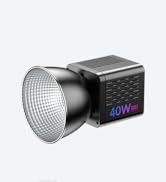
Image: Control panel overview with labeled components.
5.1 Mode Selection (CCT/FX Knob)
Press the CCT/FX knob to cycle through the main operating modes: CCT (Color Temperature), RGB, and FX (Special Effects).
5.2 CCT Mode (Color Temperature)
In CCT mode, rotate the CCT/FX knob to adjust the color temperature from 2500K (warm) to 6500K (cool). Rotate the DIM/MAX knob to adjust the brightness from 0% to 100%.
5.3 RGB Mode
In RGB mode, press the CCT/FX knob to switch between adjusting Hue (0-359°) and Saturation (0-100%). Rotate the CCT/FX knob to change the selected parameter. Use the DIM/MAX knob to adjust the overall intensity (brightness) of the RGB color.

Image: Visual guide to CCT and RGB color adjustments.
5.4 FX Mode (Special Effects)
In FX mode, rotate the CCT/FX knob to select from 20 preset special effects, such as RGB strobe, emergency lights, party effects, fireworks, and more. Use the DIM/MAX knob to adjust the brightness or intensity of the selected effect.

Image: Icons representing the 20 special scene effects.
5.5 Brightness Adjustment (DIM/MAX Knob)
The DIM/MAX knob controls the brightness level in all modes. Rotate clockwise to increase brightness and counter-clockwise to decrease it. Press the knob to quickly switch between 1%, 50%, and 100% brightness, or to activate ECO mode (1%) or Overclock mode (up to 125% in CCT mode).
Video: A demonstration of the ULANZI 40W Pro RGB Portable LED Video Light's features, including color temperature adjustment, RGB modes, and special effects. The video showcases the light's versatility for various studio and creative lighting scenarios.
6. Maintenance
- Keep the device dry. Do not expose it to moisture or rain.
- Clean the light with a soft, dry cloth. Avoid using harsh chemicals or abrasive materials.
- Store the light in the included velvet bag to protect it from dust and scratches when not in use.
- Ensure proper ventilation during operation to prevent overheating. The built-in fan helps maintain optimal temperature.
7. Troubleshooting
- Light not turning on: Ensure the battery is charged or the device is connected to a power source. Follow the power-on sequence by pressing the power button and rotating the CCT/FX knob.
- Inconsistent brightness/color: Check the selected mode (CCT, RGB, FX) and adjust the corresponding knobs. Ensure the battery level is sufficient.
- Overheating: If the device feels excessively hot, discontinue use and allow it to cool down. Ensure the ventilation grilles are not obstructed.
- Accessories not attaching securely: Verify that the Mini Bowens Mount is clean and free of debris. Align the accessory correctly and twist firmly until it locks.
8. Specifications
| Feature | Specification |
|---|---|
| Model | 40W RGB (LT028) |
| Output Power (Normal Mode) | 40W |
| Max. Output (Overclock Mode) | 50W |
| Illuminance (6500K@125%, 0.5m with reflector) | 9100Lux |
| Color Temperature (CCT) | 2500K-6500K |
| CRI | ≥95 |
| TLCI | ≥96 |
| Battery | 14.8V/3400mAh (50.3Wh) |
| Runtime (Max. Brightness 50W) | ≥50min |
| Runtime (Max. Brightness 40W) | ≥70min |
| Runtime (Min. Brightness) | ≥180min |
| Charging Port | DC 19V/3.42A, Type-C PD 65W |
| Charging Time | About 3H |
| Weight (without reflector) | 490g |
| Dimensions (without reflector) | 10.5 x 8.5 x 8.5 cm |
| Beam Angle | 120° |
| LED Beads | Bi-color COB lamp bead |
| Hardware Interface | USB Type C |
Image: Visual representation of the product specifications.
9. Warranty and Support
For warranty information, technical support, or if you find any accessories missing upon receiving the package, please contact our online service team. Refer to the official ULANZI website or your purchase documentation for detailed contact information.


