1. Introduction
Thank you for choosing the AGPTEK 80GB MP3 Player. This device combines online music streaming and local playback capabilities with a responsive full-touch screen, Bluetooth, and Wi-Fi connectivity. This manual provides detailed instructions to help you get started and make the most of your new MP3 player.

Image: Front and back view of the AGPTEK 80GB MP3 Player, showcasing its sleek design and touch screen interface.
2. What's in the Box
Please check the package contents to ensure all items are present:
- 1 x AGPTEK W1S MP3 Player
- 1 x Type-C Cable
- 1 x Pair of Earphones
- 1 x User Manual
- 1 x Silicone Case
- 1 x Screen Protector
- 1 x Packing Box

Image: All components included in the AGPTEK MP3 Player package, neatly laid out.
3. Product Overview
Physical Features and Controls
Familiarize yourself with the device's buttons and ports:
- Power Button: Press and hold to turn on/off. Short press to lock/unlock screen.
- Volume Buttons (+/-): Adjust audio volume.
- Type-C Port: For charging and data transfer.
- 3.5mm Headphone Jack: Connect wired earphones.
- Micro SD Card Slot: Insert memory card for expanded storage.
- Speaker: Integrated speaker for audio playback without headphones.
4. Setup
4.1 Initial Charging
Before first use, fully charge the device. Connect the provided Type-C cable to the player and a USB power adapter (not included) or a computer's USB port.
- Charging time: Approximately 2-2.5 hours for a full charge.
- Battery life: Up to 8 hours for Wi-Fi music, 4 hours for Wi-Fi video playback. Local playback offers longer durations.

Image: The AGPTEK MP3 Player connected to a laptop via its Type-C port for charging, with a table detailing battery life for various usage scenarios.
4.2 Power On/Off
- To Power On: Press and hold the Power button until the screen lights up.
- To Power Off: Press and hold the Power button, then select 'Power off' from the options.
4.3 Memory Card Installation
The device comes with 16GB built-in memory and a 64GB memory card. You can expand storage up to 128GB.
- Locate the Micro SD card slot on the side of the device.
- Insert the Micro SD card into the slot until it clicks into place.
- To remove, gently push the card in until it springs out.
5. Operating Instructions
5.1 Connecting to Wi-Fi
To access online music services and download songs, connect your device to a Wi-Fi network:
- Go to 'Settings' from the home screen.
- Tap on 'Network & Internet' or 'Wi-Fi'.
- Turn on Wi-Fi and select your desired network from the list.
- Enter the password if prompted and tap 'Connect'.

Image: The AGPTEK MP3 Player displaying a music streaming interface, illustrating its Wi-Fi capabilities for online music and downloads.
5.2 Bluetooth Pairing
Connect your MP3 player to Bluetooth headphones or speakers for a wireless audio experience.
- Ensure your Bluetooth device is in pairing mode.
- On the MP3 player, go to 'Settings' > 'Connected devices' > 'Bluetooth'.
- Turn on Bluetooth. The player will scan for available devices.
- Select your Bluetooth device from the list to pair.

Image: The AGPTEK MP3 Player wirelessly connected to a pair of over-ear headphones and a portable Bluetooth speaker, demonstrating its Bluetooth 4.0 capabilities.
5.3 Music Playback
The player supports various audio formats including MP3, MP4, AVI, FLAC, AAC, WAV, etc.
- Access your music through the pre-installed music apps or the local 'Music' application.
- Browse by artist, album, song, or playlist.
- Tap on a song to begin playback. Use on-screen controls for play/pause, skip, and volume.
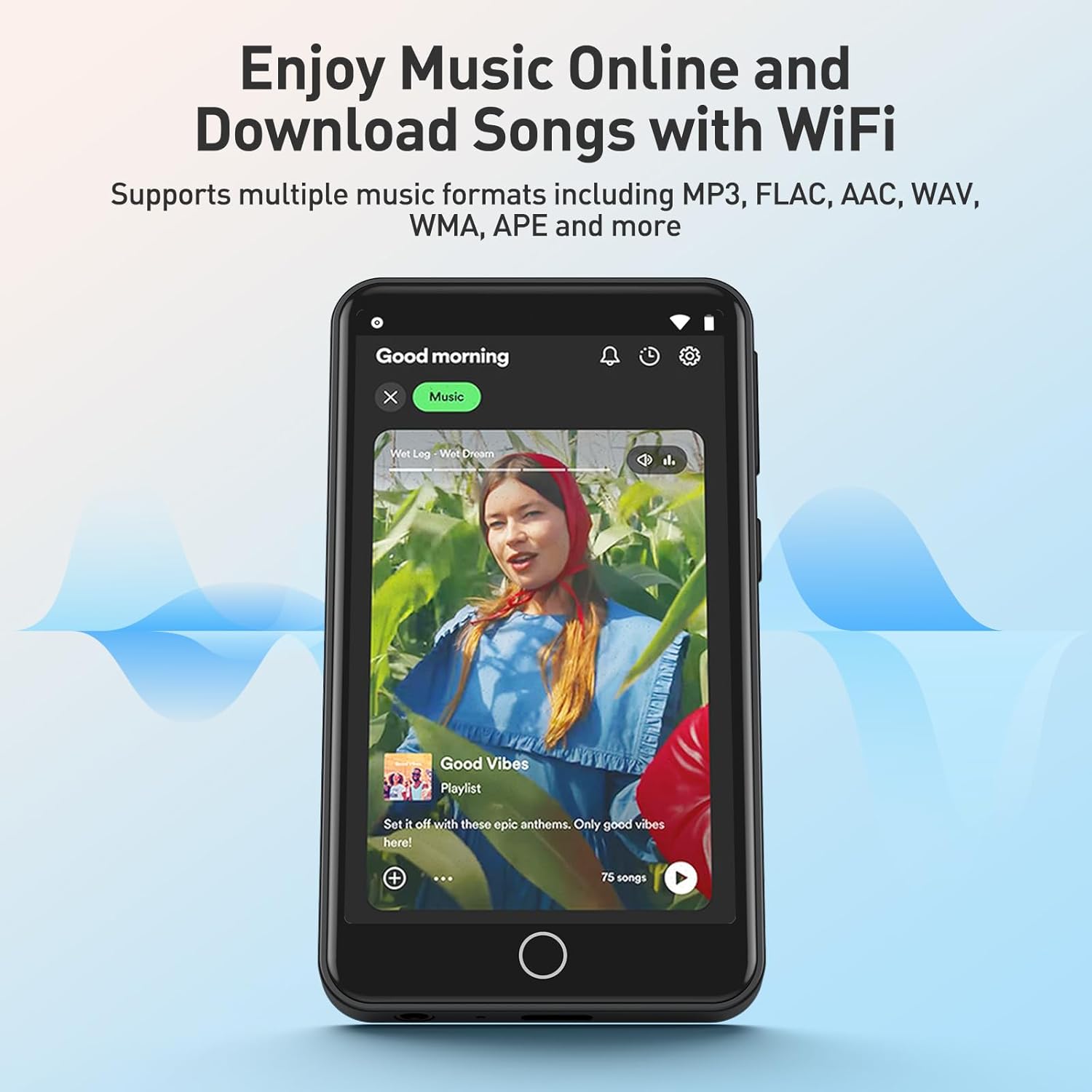
Image: The AGPTEK MP3 Player showing a music playback screen with album art and controls, highlighting its high-fidelity lossless sound quality.
5.4 Video Playback
Enjoy HD videos on the vibrant 3.5-inch full HD display (480*800 resolution) without the need for conversion.
- Navigate to the 'Gallery' or 'Video' app.
- Select a video file to play.
- The full-touch operation allows for easy navigation and control during video playback.

Image: The AGPTEK MP3 Player's 3.5-inch HD screen displaying a vibrant high-definition video, emphasizing its capability for lag-free video playback.
5.5 FM Radio
The device includes an FM radio function. A wired earphone must be plugged in to act as an antenna.
- Plug in your wired earphones.
- Open the 'FM Radio' application.
- Use the auto-search feature to find available stations.
5.6 E-reading
The MP3 player supports e-reading, allowing you to view text files.
- Open the 'E-book' or 'Files' application.
- Navigate to your text files (e.g., TXT format).
- Tap to open and read.
5.7 Pre-installed Applications
The device comes pre-installed with popular music applications such as Spotify, Pandora, Amazon Music Unlimited, Deezer, and more. Please note that this device does not support additional app installations beyond the pre-installed ones.

Image: The AGPTEK MP3 Player's screen displaying various pre-installed music and media applications like Spotify, Pandora, Amazon Music, and YouTube.
5.8 Official Product Video
Watch this official video for a visual guide to the AGPTEK W1S 80GB Full Touch MP3 Player's features and functions.
Video: An official product video showcasing the AGPTEK W1S 80GB Full Touch MP3 Player, highlighting its key features and user interface.
6. Maintenance
6.1 Cleaning
To keep your MP3 player in optimal condition:
- Use a soft, lint-free cloth to wipe the screen and body.
- Avoid using harsh chemicals, abrasive cleaners, or aerosol sprays.
- Do not expose the device to excessive moisture.
6.2 Storage
When not in use for extended periods, store the device in a cool, dry place away from direct sunlight and extreme temperatures. It is recommended to charge the battery to about 50% before long-term storage.
7. Troubleshooting
If you encounter issues with your AGPTEK MP3 Player, refer to the table below for common problems and solutions:
| Problem | Possible Cause | Solution |
|---|---|---|
| Device won't turn on | Low battery; System crash | Charge the device; Press and hold the power button for 10-15 seconds to force restart. |
| Cannot connect to Wi-Fi | Incorrect password; Out of range; Router issue | Verify password; Move closer to router; Restart router. |
| Bluetooth pairing fails | Device not in pairing mode; Interference | Ensure Bluetooth device is discoverable; Move away from other wireless devices. |
| Music/Video playback issues | Unsupported file format; Corrupted file | Check file format compatibility; Try another file. |
| Screen unresponsive | Temporary software glitch | Restart the device. |
| Memory card not recognized | Improper insertion; Incompatible card; Corrupted card | Reinsert card; Try a different card; Format card (data loss will occur). |
8. Specifications
| Feature | Detail |
|---|---|
| Model | W1S |
| Display | 3.5-inch Full Touch HD Screen (480*800) |
| Internal Memory | 16GB |
| Expandable Memory | Up to 128GB (64GB card included) |
| RAM | 2GB |
| CPU | High-speed 2GHz Octa-Core Processor |
| Connectivity | Bluetooth 4.0, Wi-Fi |
| Battery | 1500mAh Lithium Polymer |
| Charging Port | Type-C |
| Supported Audio Formats | MP3, FLAC, AAC, WAV, etc. |
| Supported Video Formats | MP4, AVI, etc. |
| Dimensions | 7.72 x 5.35 x 1.02 inches (Package) |
| Item Weight | 11.3 ounces |
9. Warranty and Support
AGPTEK products come with a standard manufacturer's warranty. For detailed warranty information, technical support, or service inquiries, please refer to the warranty card included in your package or visit the official AGPTEK website. Please retain your proof of purchase for warranty claims.