
1. Introduction
Thank you for choosing the JUMMICO Electric Height Adjustable Desk. This manual provides essential information for the safe and efficient assembly, operation, and maintenance of your new desk. This ergonomic desk is designed to allow seamless transitions between sitting and standing positions, promoting a healthier work environment.
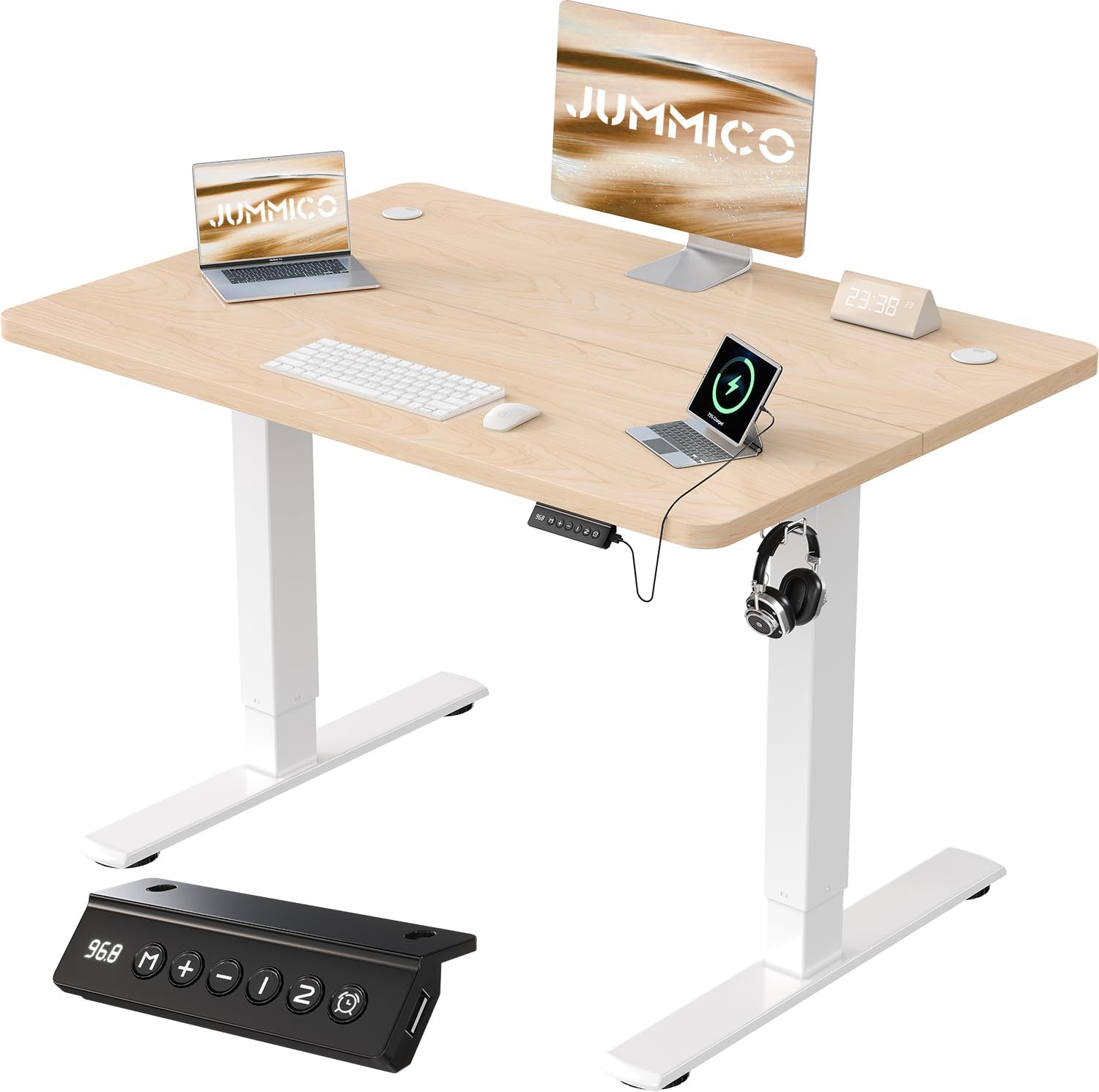
Image 1.1: The JUMMICO Electric Height Adjustable Desk, showcasing its design and integrated USB charging port.

Image 1.2: The JUMMICO desk integrated into a home office, demonstrating its aesthetic appeal and functionality.
2. Safety Information
Please read all safety instructions carefully before assembly and use.
- Weight Limit: The maximum weight capacity for this desk is 70 kg. Do not exceed this limit to prevent damage or injury.
- Stability: Ensure the desk is stable and level on a flat surface before and during use, especially when adjusting height.
- Clearance: Keep the area around the desk clear of obstructions during height adjustments to prevent collisions.
- Children and Pets: Keep children and pets away from the desk during operation to avoid accidents.
- Power Supply: Use only the provided power adapter. Do not expose the control unit or motor to moisture.
- Maintenance: Do not attempt to disassemble or repair the motor or control unit yourself. Contact qualified service personnel if issues arise.
3. Package Contents
Please verify that all components are present before beginning assembly. If any parts are missing or damaged, contact JUMMICO customer support.
- Desk Frame (Legs and Crossbar)
- Tabletop Sections (Multi-piece design)
- Control Panel with LED Display and USB Charging Port
- Power Adapter and Cable
- Cable Management Hub
- Headphone/Bag Hooks
- Assembly Hardware (Screws, Allen wrenches, etc.)
- Instruction Manual
4. Setup and Assembly
The JUMMICO Electric Height Adjustable Desk is designed for straightforward assembly. Illustrated instructions and all necessary tools are included in the package. The tabletop consists of multiple pieces that are joined during assembly.

Image 4.1: An exploded diagram illustrating the main components of the desk and the assembly process, designed for quick setup.
Assembly Steps:
- Unpack Components: Carefully remove all parts from the packaging and lay them out on a clean, soft surface to prevent scratches.
- Assemble Desk Frame: Follow the detailed instructions to connect the legs to the crossbar, ensuring all screws are tightened securely.
- Attach Tabletop: Join the tabletop sections as instructed, then secure the assembled tabletop to the desk frame using the provided hardware. Pre-drilled holes simplify this process.
- Install Control Panel and Accessories: Mount the control panel, cable management hub, and hooks in their designated positions.
- Connect Power: Plug the power adapter into the control unit and then into a wall outlet.
- Initial Calibration: Perform the initial calibration as described in the detailed manual to ensure proper height adjustment functionality.

Image 4.2: Detail of the desk's stability features, including integrated hooks for headphones or bags, extra-large cable routing holes, and a reinforced galvanized steel tube frame.
5. Operating Instructions
Your JUMMICO desk offers convenient electric height adjustment and smart features for an optimized workspace.

Image 5.1: The control panel featuring an LED display, 'M' for memory height setting, '+' and '-' for up/down adjustment, '1' and '2' for two memory presets, a sitting reminder function, and a USB charging port.
Height Adjustment:
- Use the '+' button to raise the desk and the '-' button to lower it. The height range is from 73 cm to 118 cm.
- The LED display will show the current desk height.
Memory Presets:
- To save a height: Adjust the desk to your desired height. Press the 'M' button, then press either '1' or '2' within 3 seconds. The height is now saved.
- To use a saved height: Simply press '1' or '2' to automatically move the desk to the corresponding preset height.
USB Charging Port:
- A convenient USB charging port is integrated into the control panel for charging your devices.
Safety Features:
- Anti-Collision Function: The motor system includes an anti-collision feature that stops and slightly reverses the desk's movement if it encounters an obstruction during adjustment.
- Overheat Protection: The motor is equipped with overheat protection to prevent damage from prolonged use.

Image 5.2: The desk demonstrating its adaptable height range, from a minimum of 73 cm for sitting to a maximum of 118 cm for standing, accommodating various user heights.

Image 5.3: Illustration of the desk's ultra-quiet operation, with noise levels below 55 dB, significantly quieter than typical engine sounds or normal conversation.

Image 5.4: A visual comparison demonstrating the superior stability of the JUMMICO desk at maximum height, shown by dominoes remaining upright, versus another desk where dominoes have fallen.
6. Maintenance
Proper care will ensure the longevity and optimal performance of your JUMMICO desk.
- Cleaning: Wipe the desk surface and frame with a soft, damp cloth. Avoid abrasive cleaners or harsh chemicals that could damage the finish.
- Cable Management: Regularly check and organize cables using the integrated cable management system to prevent tangles and damage.
- Inspection: Periodically inspect all screws and connections to ensure they remain tight. Retighten if necessary.
7. Troubleshooting
If you encounter any issues with your JUMMICO desk, refer to the following common solutions:
- Desk Not Moving:
- Check if the power cable is securely connected to both the desk and the wall outlet.
- Ensure the power outlet is functional.
- Perform a reset/recalibration as described in the full manual (if applicable).
- Uneven Movement:
- Ensure the desk is on a level surface.
- Check for any obstructions under the desk.
- Verify that the weight on the desk is evenly distributed and within the 70 kg limit.
- Anti-Collision Activated Frequently:
- Ensure there are no objects in the path of the desk's movement.
- Check if any cables are snagging.
If the problem persists, please contact JUMMICO customer support for assistance.
8. Specifications
| Feature | Detail |
|---|---|
| Brand | JUMMICO |
| Model Number | 0403 |
| Product Dimensions | 80 cm (Width) x 60 cm (Depth) x 73-118 cm (Height) |
| Item Weight | 16.6 kg |
| Height Adjustment Range | 73 cm - 118 cm |
| Maximum Weight Capacity | 70 kg |
| Base Material | Metal |
| Tabletop Material | Engineered Wood (Laminated) |
| Noise Level (Operation) | < 55 dB |
| Features | Electric Height Adjustment, USB Charging Port, 2 Memory Presets, Anti-Collision, Overheat Protection, Cable Management, Headphone Hooks |
9. Warranty and Support
JUMMICO provides a worry-free warranty for this product. For specific warranty terms and conditions, please refer to the documentation included with your purchase or visit the official JUMMICO website.
If you require technical assistance, have questions about assembly, or need to report a missing/damaged part, please contact JUMMICO customer support. Contact information can typically be found on the JUMMICO website or on the packaging.
You can also visit the JUMMICO Store on Amazon for more product information and support resources.


