
GESKE GK000075BK02
GESKE SmartAppGuided Sonic Facial Brush 5-in-1 Instruction Manual
Model: GK000075BK02 | Brand: GESKE
1. Introduction
The GESKE SmartAppGuided Sonic Facial Brush 5-in-1 is a versatile device designed for comprehensive facial care. It combines five functions: cleansing, pore refining, skin scrubbing, exfoliating, and massaging. This rechargeable device utilizes SmartSonic Pulsation Technology and soft silicone bristles to effectively remove impurities, dead skin, and makeup, promoting smoother, cleaner skin. Its ergonomic design allows for easy use across all facial contours.
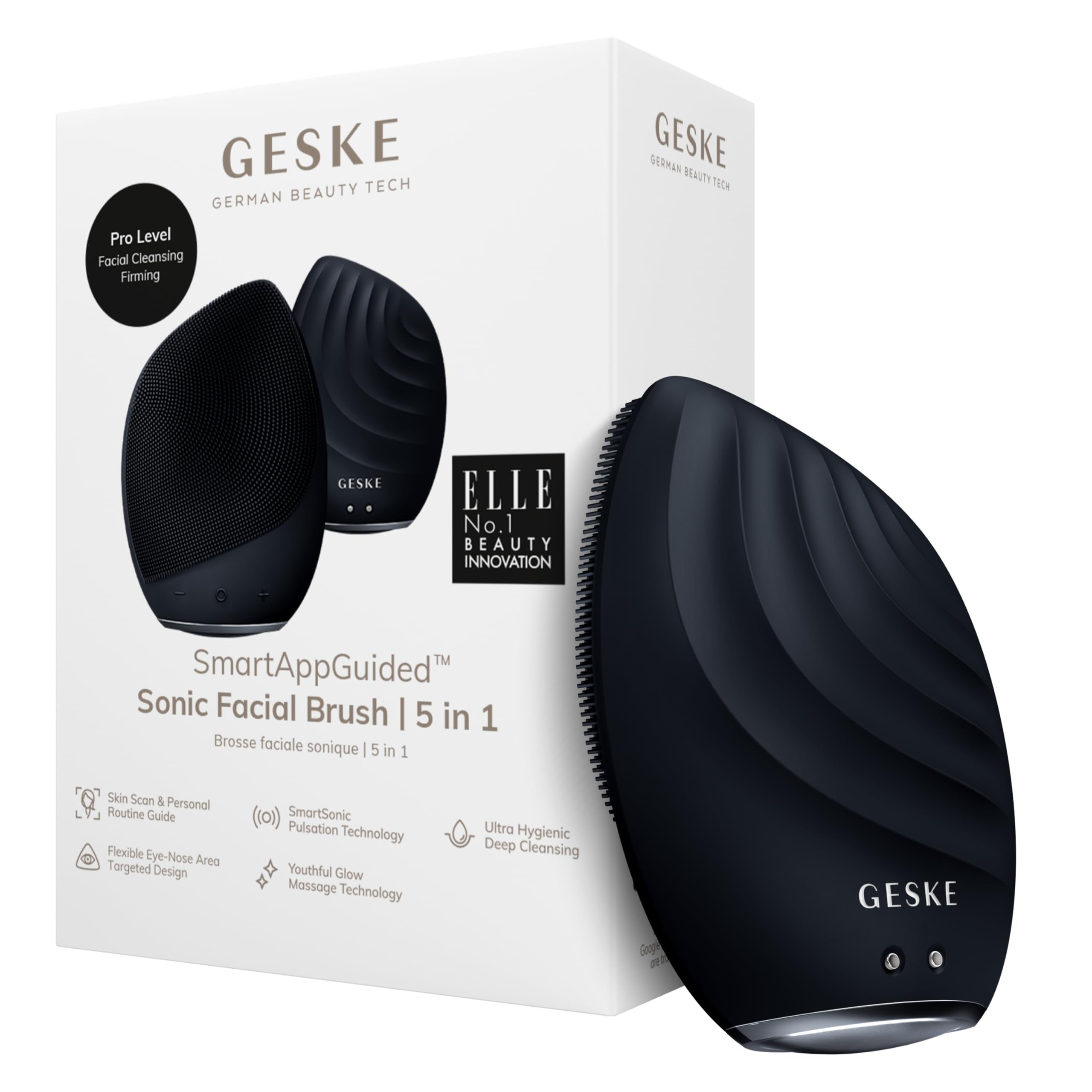
Image: The GESKE SmartAppGuided Sonic Facial Brush 5-in-1 in black, showcasing its ergonomic design.
2. Safety Information
- For external use only.
- Avoid contact with eyes.
- Do not use the device while charging.
- Avoid using the device on sensitive or irritated skin, open wounds, cuts, or rashes.
- Ensure skin is completely healed before using the device on affected areas.
- Do not use the device if you have an infection.
- If irritation occurs, discontinue use immediately.
3. Setup
3.1 Initial Charging
Before first use, fully charge your GESKE SmartAppGuided Sonic Facial Brush. Connect the magnetic charging cable to the device and a suitable USB power source. The device is powered by a rechargeable battery.
3.2 Powering On/Off
To turn the device on or off, press and hold the power button for 1-2 seconds. The device will activate its SmartSonic Pulsation Technology.
Video: Demonstrates how to power on/off and adjust intensity of the GESKE Sonic Facial Brush.
4. Operating Instructions
4.1 Controls and Intensity Adjustment
Once powered on, you can select the desired intensity of the Sonic Pulsations using the '+' and '-' buttons located on the device. There are 14 intensity levels available to customize your experience.

Image: Front view of the GESKE Sonic Facial Brush showing the power, plus, and minus buttons for control.
4.2 Sonic Facial Cleanse
Follow these steps for a deep and effective facial cleanse:
- Splash water onto your face and apply your preferred facial cleanser directly to your face or onto the silicone bristles of the brush.
- Turn on the device by holding the power button for 2 seconds.
- Using the side with the silicone nubs, gently move the brush in small, circular motions across your face.
- The device will provide a haptic signal every 15 seconds, indicating when to move to the next area of your face.
- Repeat the process on the other side of your face.
- If needed, wet the brush to maintain a consistent foam layer.
- Conclude the cleansing by moving the device to your chin for the final 15 seconds.
- Rinse your face thoroughly with clean water and pat dry with a towel.
- You may then apply your preferred cosmetics or continue with other skincare devices.
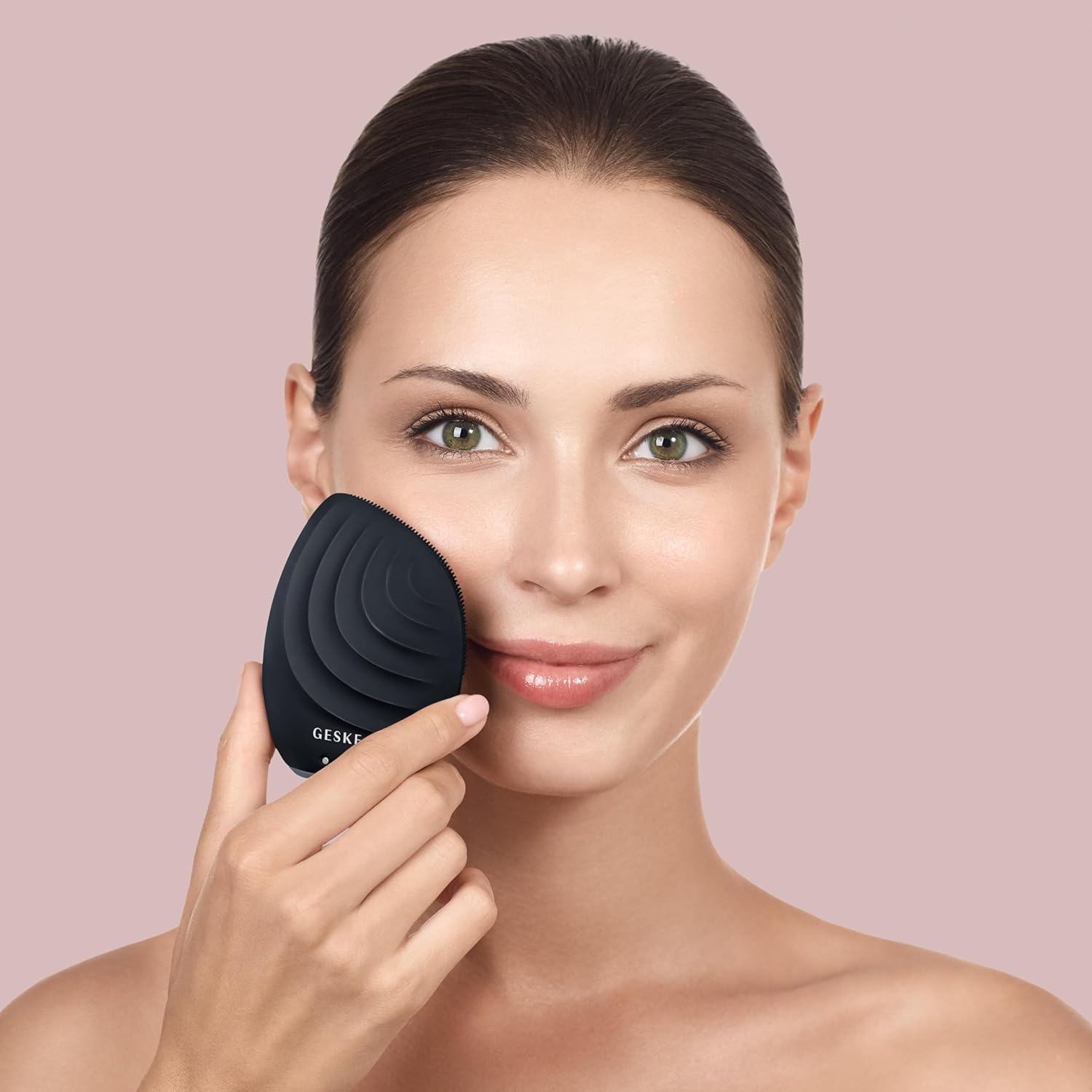
Image: A woman demonstrating the use of the GESKE Sonic Facial Brush for facial cleansing.
4.3 Full Facial Uplifting Massage
To give your skin a rejuvenating massage for a revitalizing glow, follow these steps:
- Ensure your face is clean and free of makeup.
- Turn on the device by holding the power button for 2 seconds.
- Apply your preferred serum or moisturizer to the back (ridged side) of the brush.
- Eye Area: Glide the device in an upward motion from the corner of the eye towards the temple. Repeat this motion once more.
- Brow Bone & Nose: Place the device on the outer corner of the brow bone and glide in a circular motion towards the nose, then under the eye, and back to the temple. Repeat this motion four more times.
- Forehead: Place the device on the outer corner of the brow bone and glide in an upward motion, moving across the forehead.
- Temple: Place the device near the temple and lightly massage in circular motions. Repeat this process on the other side of your face.
- Chin & Mouth: Place the device on the chin. Glide the device around the mouth to under the nose, then reverse this motion back to the chin. Repeat this motion four more times.
- Jawline: Place the device on the chin and glide it along the jawbone to the bottom of the ear. Repeat this motion four more times.
- Neck: Place the device on the underside of the chin and move it along the lower jawline to the bottom of the ear. Repeat this twice.
- Neck to Shoulder: Place the device at the bottom center of the neck and move it in an upward motion to the chin, along the jawbone, and then down to the shoulder. Repeat this motion four more times.
- Repeat the entire massage process on the other side of your face.

Image: Detailed view of the GESKE Sonic Facial Brush highlighting its features for full facial cleansing.
5. Maintenance
5.1 Cleaning Your Device
- After each use, turn off the device by holding the power button for 2 seconds.
- Rinse the device thoroughly with warm water.
- For a deeper clean, spray an organic device cleanser all over the device.
- Ensure the device is left to air dry in a well-ventilated area to prevent bacterial growth.
Note: The device is waterproof (IPX7 rated), allowing for safe rinsing under water.

Image: The GESKE Sonic Facial Brush highlighting its waterproof design and skin-friendly silicone material.
6. Troubleshooting
| Problem | Possible Cause | Solution |
|---|---|---|
| Device does not turn on. | Low battery or improper power button press. | Ensure the device is fully charged. Press and hold the power button for 1-2 seconds. |
| Weak pulsations. | Low battery or intensity setting is too low. | Recharge the device. Increase the intensity using the '+' button. |
| Skin irritation after use. | Excessive pressure, too high intensity, or sensitive skin. | Reduce pressure, lower intensity, or use less frequently. Consult a dermatologist if irritation persists. |
7. Specifications
- Model Name: SmartAppGuided Sonic Facial Brush 5-in-1
- Item Model Number: GK000075BK02
- Brand: GESKE
- Product Dimensions: 3.5 x 2.56 x 1.42 inches; 7.05 ounces
- Material Type: Silicone
- Power Source: Rechargeable Battery
- Operation Mode: Manual (with sonic pulsations)
- Skin Type: Suitable for all skin types
- Product Benefits: Deep cleanses, exfoliates, removes dead skin and blackheads, shrinks pores, massages, environmentally friendly.
- Waterproof Rating: IPX7
8. Warranty & Support
The GESKE SmartAppGuided Sonic Facial Brush comes with a 15-year product protection. For detailed warranty information, product support, or to explore personalized skincare routines, please visit the official GESKE store or download the GESKE App.
- Official GESKE Store: Visit Store
- GESKE App: Download the SmartAppGuided App for personalized skincare routines and guidance. Download App

Image: GESKE SmartApp Guidance showing app interface and QR codes for download.
Related documentsGK000075BK02


Ask a question about this manual
Ask about setup, troubleshooting, compatibility, parts, safety, or missing instructions. Manuals+ will review the question and use this page’s manual context to help answer it.