
1. Introduction
The Minelab ML 85 Wireless Headphones are designed to provide clear, low-latency audio for metal detecting. These over-ear headphones offer both wireless Bluetooth connectivity and a wired option, ensuring versatile use with compatible Minelab metal detectors. This manual provides instructions for proper setup, operation, and maintenance of your ML 85 headphones.

Image 1.1: Minelab ML 85 Wireless Headphones, black over-ear design with Minelab logo on the earcup.
2. What's in the Box
Verify that all items are present in the package:
- ML 85 Wireless Headphones
- 3.5mm (1/8") Auxiliary Cable
- USB-C Charging Cable
- Hard Shell Carrying Case

Image 2.1: Minelab ML 85 Headphones shown with the included 3.5mm auxiliary cable and USB-C charging cable.
3. Setup
3.1 Initial Charging
Before first use, fully charge the ML 85 headphones. Connect the supplied USB-C charging cable to the headphone's charging port and to a compatible USB power source. The charging indicator light will show charging status. A full charge takes approximately 3 hours.
3.2 Wireless Connection (Bluetooth)
- Ensure the headphones are powered off.
- Press and hold the power button on the headphones until the indicator light flashes, indicating pairing mode.
- On your compatible Minelab metal detector (MANTICORE, EQUINOX 900/700, X-TERRA PRO), navigate to the Bluetooth settings menu.
- Select "ML 85" from the list of available devices to pair.
- Once paired, the indicator light on the headphones will change to a steady color, confirming connection.
Note: For optimal performance, ensure your metal detector's firmware is up to date.
3.3 Wired Connection
To use the headphones in wired mode, connect the supplied 3.5mm auxiliary cable to the headphone's audio jack and to the headphone socket on your metal detector. This connection bypasses the wireless functionality and does not require battery power from the headphones.

Image 3.1: Minelab ML 85 Wireless Headphones with text indicating compatibility with X-TERRA PRO, EQUINOX 700, EQUINOX 900, and MANTICORE metal detectors.
4. Operation
4.1 Power On/Off
- To power on: Press and hold the power button until the indicator light illuminates.
- To power off: Press and hold the power button until the indicator light turns off.
4.2 Volume Control
Use the volume up (+) and volume down (-) buttons located on the headphones to adjust the audio level. These controls operate independently or in conjunction with your connected device's volume, depending on the connection type.
4.3 Wearing the Headphones
Adjust the headband for a comfortable and secure fit. The over-ear design provides passive noise isolation and comfort during extended use. Ensure the earcups fully cover your ears for optimal audio experience and noise control.
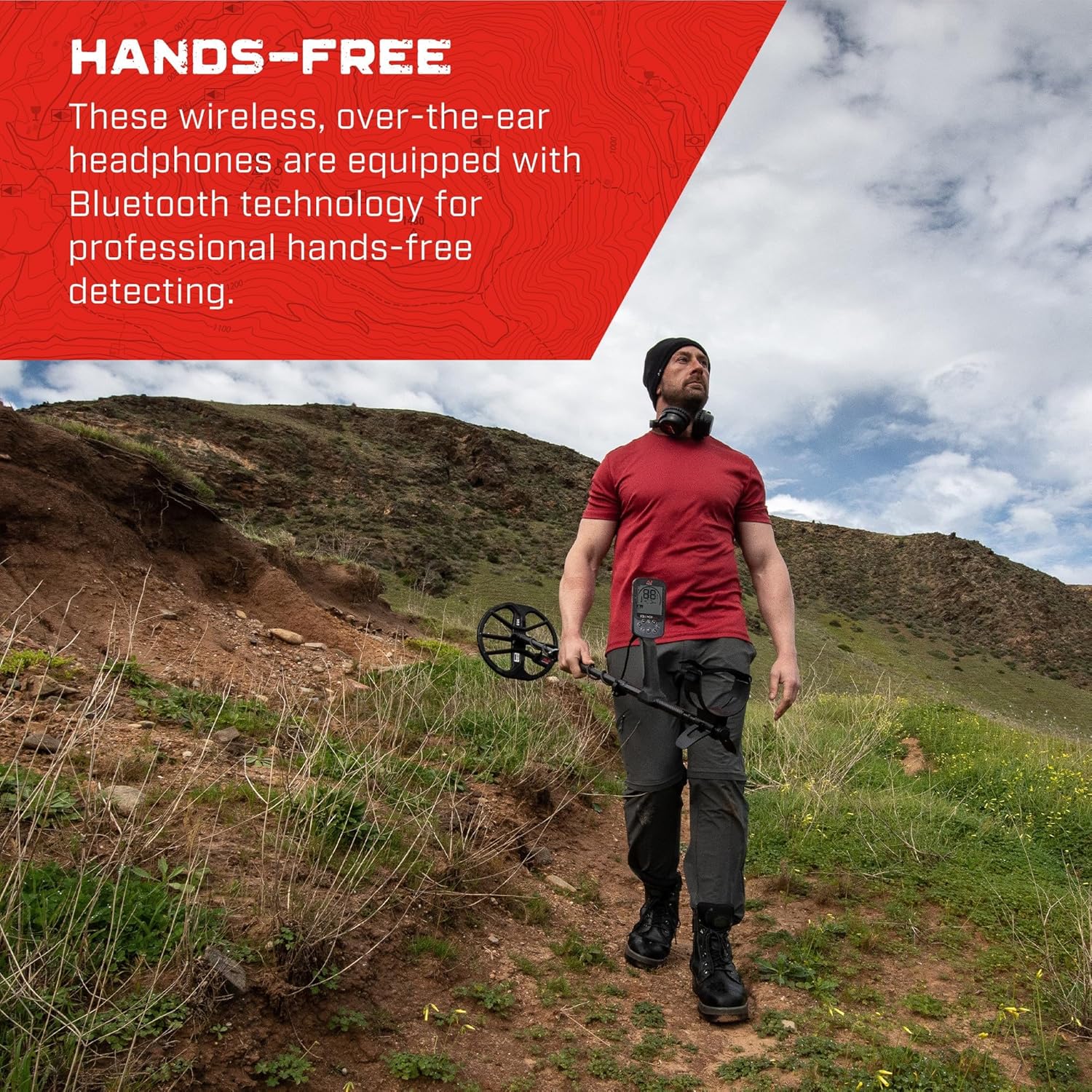
Image 4.1: A person wearing Minelab ML 85 headphones while operating a metal detector in an outdoor environment, demonstrating hands-free use.
5. Charging and Battery
- Battery Type: Lithium Ion (included)
- Battery Life: Up to 32 hours of continuous use.
- Charging Time: Approximately 3 hours for a full charge.
- Charging Port: USB-C.
Connect the USB-C charging cable to the port on the headphones and to a standard USB power adapter (not included) or computer USB port. The LED indicator will show charging status (e.g., red for charging, green for fully charged). Avoid using damaged cables or chargers.
6. Maintenance
- Cleaning: Wipe the headphones with a soft, dry cloth. Do not use abrasive cleaners or solvents.
- Storage: Store the headphones in the provided hard shell case when not in use to protect them from dust, moisture, and physical damage.
- Water Resistance: The headphones are rated as waterproof. However, avoid prolonged submersion and ensure charging ports are dry before charging.
- Cable Care: Handle the auxiliary and charging cables gently. Avoid sharp bends or excessive pulling to prevent damage.
7. Troubleshooting
7.1 No Audio
- Check Power: Ensure the headphones are powered on and have sufficient battery charge.
- Volume: Verify that the volume on both the headphones and the connected device is turned up.
- Wireless Connection: If using wirelessly, ensure the headphones are properly paired and connected to your metal detector. Try re-pairing if necessary.
- Wired Connection: If using wired, ensure the 3.5mm auxiliary cable is securely plugged into both the headphones and the metal detector. Test with a different cable if available.
7.2 Pairing Issues
- Proximity: Ensure the headphones are within close range of the metal detector during pairing.
- Other Devices: Disconnect the headphones from any other Bluetooth devices that may be attempting to connect.
- Reset: Refer to your metal detector's manual for instructions on how to reset its Bluetooth connection or clear paired devices.
7.3 Short Battery Life
- Full Charge: Ensure the headphones are fully charged for the recommended 3 hours.
- Charging Cable/Source: Try a different USB-C charging cable or power source to rule out issues with charging accessories.
- Environmental Factors: Extreme temperatures can affect battery performance.
8. Specifications
| Model Name | ML85 |
| Connectivity Technology | Wired, Wireless (Bluetooth 5.0) |
| Headphones Jack | 3.5 mm Jack |
| Noise Control | Hybrid Noise Cancellation |
| Battery Life | Up to 32 Hours |
| Charging Time | 3 Hours |
| Compatible Devices | MANTICORE, EQUINOX 900, EQUINOX 700, X-TERRA PRO |
| Water Resistance Level | Waterproof |
| Item Weight | 320 Grams (11.3 ounces) |
| Product Dimensions | 9.5 x 7.5 x 2.5 inches |
| Material | Polycarbonate (PC), Thermoplastic Elastomer (TPE) |
| UPC | 811493017983 |
9. Warranty and Support
For detailed warranty information and customer support, please refer to the official Minelab website or contact Minelab customer service directly. Keep your proof of purchase for warranty claims.
Minelab Official Website: www.minelab.com


