
1. Introduction
Thank you for choosing the Sades Whisper Wireless Multiplatform Gaming Headset. This manual provides detailed instructions for setting up, operating, and maintaining your headset to ensure optimal performance and longevity. The Sades Whisper headset offers premium audio, long-lasting battery life, fast charging, and comfortable use, designed for an immersive gaming experience across multiple platforms.
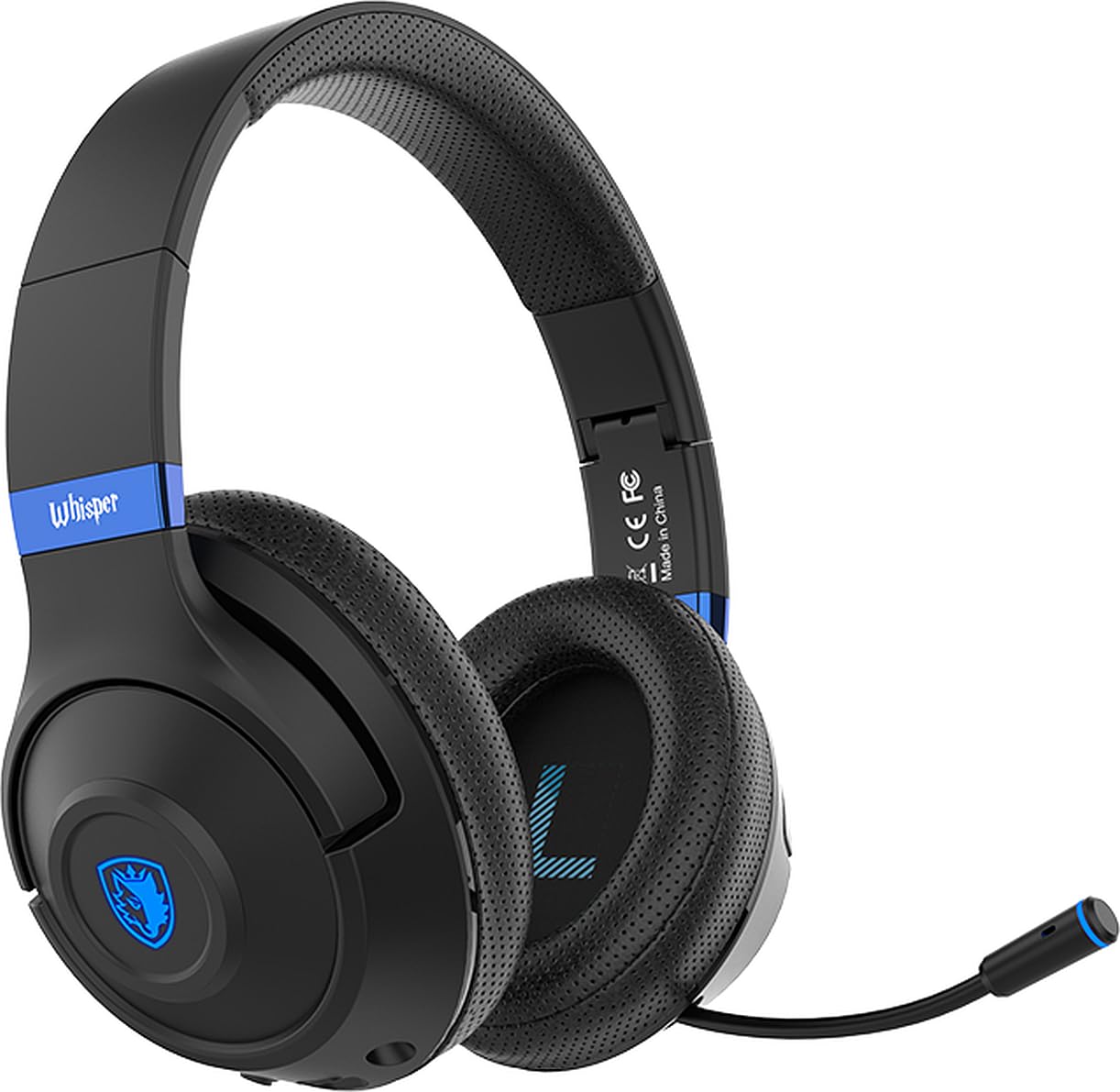
Image 1.1: Sades Whisper Wireless Gaming Headset. This image displays the overall design of the Sades Whisper headset, highlighting its sleek black finish and blue accents.
2. Product Overview
2.1 Key Features
- Flexible Retractable Microphone: For clear communication.
- Fashion Blue Lights: Enhances the gaming environment.
- Quick Charging: Via Type-C port.
- Soft Earmuffs: For extended comfort.
- Comfortable Tiara (Headband): Adjustable for a secure fit.
- Folding Headphones: For easy portability and storage.
- Adjustable Headband: Ensures a personalized fit.
2.2 Headset Components and Controls
Familiarize yourself with the various parts and controls of your Sades Whisper headset.

Image 2.1: Headset Controls. This image provides a detailed view of the control buttons located on the earcup, including volume, multifunction, and power buttons, along with the Type-C charging port and 3.5mm audio jack.
- Volume Control: Adjusts audio output level.
- Multifunction Button (M Button): Controls various functions such as play/pause, mute, game mode, and call management.
- Power Button: Used for powering on/off, pairing, and other functions.
- Type-C Port: For charging the headset.
- 3.5mm Audio Jack: For wired connection.
- Retractable Microphone: Can be extended for use and retracted for storage.
3. Setup
3.1 Initial Charging
Before first use, fully charge your Sades Whisper headset. Connect the provided Type-C charging cable to the headset's Type-C port and a compatible USB power source. A full charge takes approximately 2 hours and provides up to 32 hours of battery life.
3.2 Powering On/Off
- To Power On: Press and hold the Power button until the LED indicator lights up.
- To Power Off: Press and hold the Power button until the LED indicator turns off.
4. Operating Instructions
4.1 Connectivity Options
The Sades Whisper headset supports both wireless (Bluetooth 5.3) and wired (3.5mm audio jack) connections.

Image 4.1: Dual Connection Options. This image illustrates the headset's ability to connect wirelessly via Bluetooth 5.3 and through a wired 3.5mm audio cable, showing compatibility with various devices.
4.1.1 Bluetooth Connection (Wireless)
- Ensure the headset is powered on and in pairing mode (LED indicator will flash, typically blue). If not, press and hold the Power button or Multifunction button to initiate pairing.
- On your device (mobile phone, TV with Bluetooth, laptop, MAC, iPad, etc.), go to Bluetooth settings and search for available devices.
- Select "Sades Whisper" from the list of found devices to pair.
- Once connected, the LED indicator will typically show a steady blue light.
4.1.2 3.5mm Wired Connection
For devices without Bluetooth or when a wired connection is preferred (e.g., PS4, PS5, Xbox, phones with 3.5mm jack), use the included 3.5mm audio cable.
- Plug one end of the 3.5mm audio cable into the headset's 3.5mm audio jack.
- Plug the other end into the 3.5mm audio port of your device.
- The headset will operate in wired mode, bypassing Bluetooth functionality.
4.2 Microphone Usage
The Sades Whisper features an omni-directional retractable microphone with noise reduction capabilities for clear voice capture.
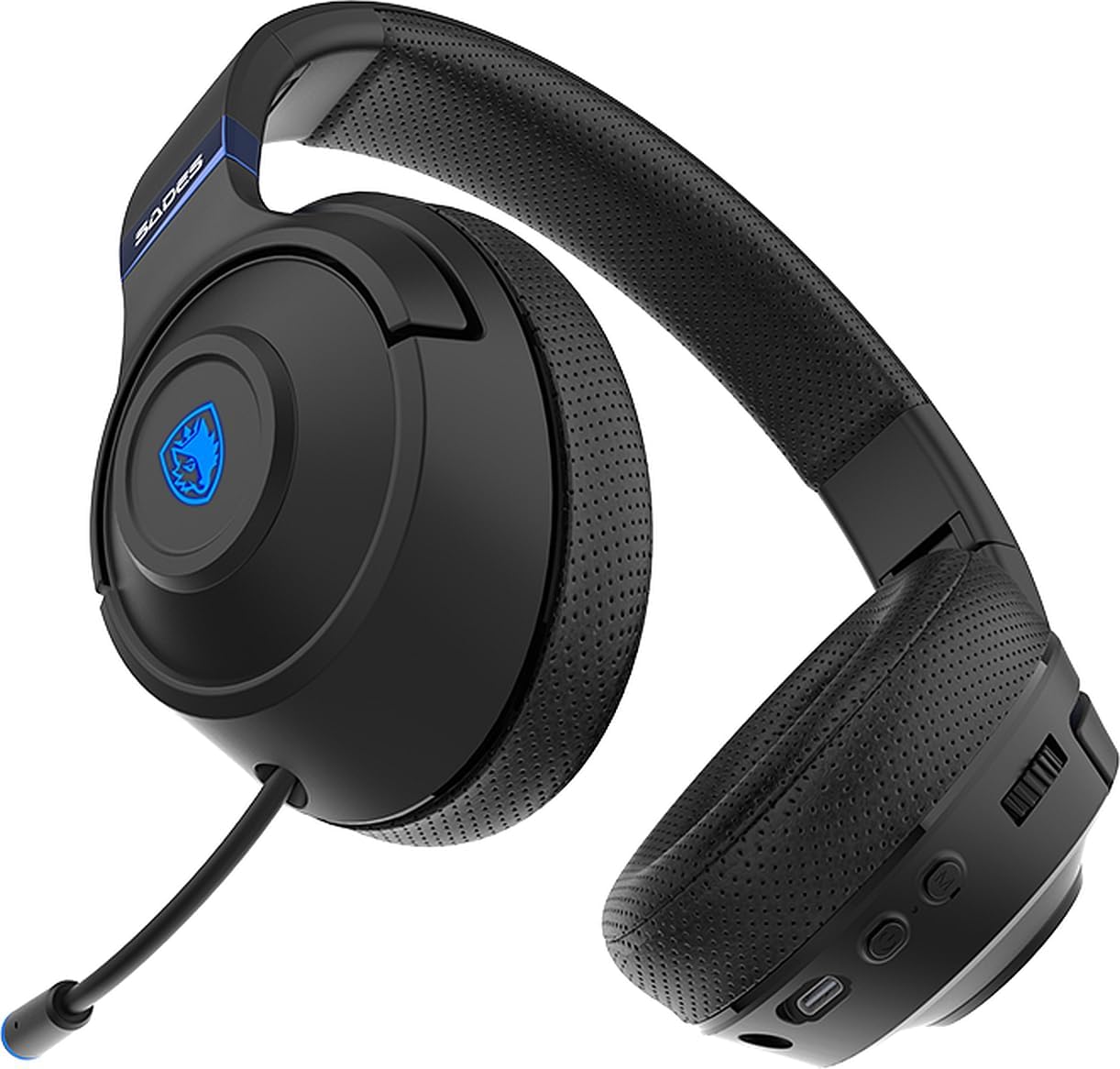
Image 4.2: Retractable Microphone. This image shows the flexible, retractable microphone extended from the headset, ready for use.
- To Use: Gently pull out the microphone from its housing until it is in position. Adjust its flexible arm for optimal voice pickup.
- To Store: Gently push the microphone back into its housing until it is fully retracted.
- Mute Function: Use the multifunction button on the headset to mute or unmute the microphone during calls or gaming.
5. Maintenance
Proper maintenance ensures the longevity and performance of your Sades Whisper headset.
- Cleaning: Use a soft, dry cloth to clean the headset. Do not use abrasive cleaners or solvents. For earcups, a slightly damp cloth can be used, but ensure no moisture enters the speaker grilles.
- Storage: When not in use, store the headset in a cool, dry place. The foldable design allows for compact storage.
- Battery Care: Avoid fully discharging the battery frequently. Charge the headset regularly, even if not in constant use, to maintain battery health.
- Avoid Extreme Conditions: Do not expose the headset to extreme temperatures, humidity, or direct sunlight.

Image 5.1: Foldable Headset Design. This image demonstrates the headset's foldable earcups, illustrating its compact form factor for easy storage and transport.
6. Troubleshooting
If you encounter issues with your Sades Whisper headset, refer to the following common solutions:
6.1 No Sound or Low Volume
- Check Volume: Ensure the volume control on the headset and your connected device is turned up.
- Connection: Verify that the headset is properly connected via Bluetooth or the 3.5mm cable. For Bluetooth, ensure it is paired and connected.
- Device Output: Confirm that your device's audio output is set to the Sades Whisper headset.
- Battery Level: A low battery can affect performance. Charge the headset fully.
6.2 Cannot Connect via Bluetooth
- Pairing Mode: Ensure the headset is in Bluetooth pairing mode (LED flashing).
- Device Bluetooth: Make sure Bluetooth is enabled on your device.
- Distance: Keep the headset within 10 meters (33 feet) of your device.
- Interference: Move away from other wireless devices that might cause interference.
- Forget Device: On your device, try forgetting "Sades Whisper" from the Bluetooth list and then re-pairing.
6.3 Microphone Not Working
- Microphone Position: Ensure the microphone is fully extended and positioned correctly.
- Mute Function: Check if the microphone is muted using the headset's multifunction button.
- Device Settings: Verify that the correct microphone input (Sades Whisper) is selected in your device's audio settings.
7. Specifications
| Category | Specification |
|---|---|
| Model Number | SA-205 |
| Bluetooth Version | V5.3 |
| Bluetooth Profile Support | A2DP, HFP, SP, AVRCP |
| Bluetooth Range | 10 meters (33 feet) |
| Speaker Diameter | 40mm |
| Speaker Sensitivity | 113±3dB/ 1kHz |
| Speaker Frequency Response | 20-20kHz |
| Speaker Impedance | 32 Ω/ 1 kHz |
| Speaker Handling Power Capacity | 20mW |
| Microphone Dimension | 4mm |
| Microphone Sensitivity | -42 +/- 3 dB/ 1 kHz |
| Microphone Frequency Response | 100-10kHz |
| Microphone Impedance | <2.2 KΩ 1 kHz |
| Microphone Directivity | Omni-Directional |
| Battery Life | Up to 32 hours |
| Charging Time | Approximately 2 hours (via Type-C) |
| Battery Type | 602040 |
| Dimensions (Shipping) | 21.5 x 17.3 x 10 cm |
| Weight (Shipping) | 440 grams |
| Compatibility | Mobile phone, TV with Bluetooth, mobile devices with Bluetooth (laptop, MAC, iPad, etc.), 3.5mm audio devices (PS4, PS5, XBOX, phones) |
8. Warranty and Support
For warranty information and customer support, please refer to the documentation provided with your purchase or contact your retailer. You may also visit the official Sades website for further assistance and product registration.