
1. Introduction
The Retevis RT68 is a portable FRS (Family Radio Service) two-way radio designed for reliable and clear communication. This manual provides essential information for setting up, operating, and maintaining your RT68 radios to ensure optimal performance and longevity.
2. Safety Information
- Do not operate the radio in explosive atmospheres (e.g., flammable gases, dust particles, metallic powders).
- Do not replace or charge batteries in potentially explosive environments.
- Use only Retevis-approved batteries and chargers.
- Do not disassemble or modify the radio. Repairs should only be performed by authorized personnel.
- Keep the radio away from medical devices to avoid interference.
- Avoid prolonged exposure to direct sunlight or extreme temperatures.
3. Package Contents
Your Retevis RT68 package includes the following items:
- 2 x Retevis RT68 Walkie Talkies
- 2 x Li-ion Batteries (1200 mAh)
- 2 x USB Charging Bases
- 2 x Adapters
- 2 x Belt Clips
- 2 x Strings (Lanyards)
- 1 x User Manual
- 2 x Retevis Waterproof Shoulder Speaker Microphones (IP54)

Figure 1: Complete package contents of the Retevis RT68 Two-Way Radio set.
4. Product Overview
Familiarize yourself with the main components of your RT68 walkie-talkie:

Figure 2: Labeled diagram of the Retevis RT68 Walkie Talkie showing its various parts.
- Antenna: For transmitting and receiving signals.
- Power/Volume Knob: Turns the radio on/off and adjusts the listening volume.
- Channel Selector: Rotates to select one of the 16 available FRS channels.
- PTT (Push-to-Talk) Button: Press and hold to transmit your voice. Release to listen.
- Mic/Speaker Jack: Port for connecting external audio accessories like the included shoulder microphone.
- USB-C Charging Port: Located on the side, protected by a cover, for direct charging.
- Indicator Light: Shows power status, transmission, and reception.
- Microphone: Built-in microphone for voice transmission.
- Speaker: Built-in speaker for receiving audio.
5. Setup
5.1 Battery Installation
- Ensure the radio is powered off.
- Locate the battery compartment cover on the back of the radio.
- Gently pry open the cover using a fingernail or a small tool.
- Insert the 1200 mAh Li-ion battery into the compartment, ensuring the contacts align correctly.
- Replace the battery compartment cover until it clicks securely into place.

Figure 3: Battery compartment and battery pack for the RT68 radio.
5.2 Charging the Battery
Your RT68 radios can be charged using the included USB charging base or directly via the USB-C port.
- Using the Charging Base: Connect the adapter to the USB charging base and plug it into a power outlet. Place the radio into the charging slot. The indicator light on the base will show the charging status.
- Using USB-C: Open the protective cover on the side of the radio to reveal the USB-C port. Connect a USB-C cable (included) to the radio and a power source (e.g., adapter, power bank, computer).
A full charge typically takes 3-4 hours and provides up to 24 hours of battery life.
5.3 Attaching Belt Clip and Lanyard
- Belt Clip: Align the belt clip with the screw holes on the back of the radio and secure it with the provided screws.
- Lanyard: Thread the string (lanyard) through the lanyard hole located near the antenna for convenient carrying.

Figure 4: Retevis RT68 radio with the belt clip attached.
6. Operating Instructions
6.1 Power On/Off and Volume Adjustment
Rotate the Power/Volume knob clockwise to turn the radio ON. Continue rotating clockwise to increase the volume. Rotate counter-clockwise to decrease the volume. Rotate fully counter-clockwise until a click is heard to turn the radio OFF.
6.2 Channel Selection
Rotate the Channel Selector knob to choose one of the 16 pre-programmed FRS channels. Ensure all radios intended for communication are set to the same channel.
6.3 Transmitting and Receiving
- To transmit, press and hold the PTT (Push-to-Talk) button. Speak clearly into the microphone. The indicator light will turn red.
- To receive, release the PTT button. The indicator light will turn green when a signal is being received.
6.4 Hands-Free Operation (VOX)
The RT68 supports hands-free communication when an external earpiece with microphone (like the included shoulder mic) is connected to the Mic/Speaker Jack. This feature, often called VOX (Voice Operated Exchange), allows you to transmit by speaking without pressing the PTT button. Refer to the full user manual for detailed VOX activation and sensitivity settings.
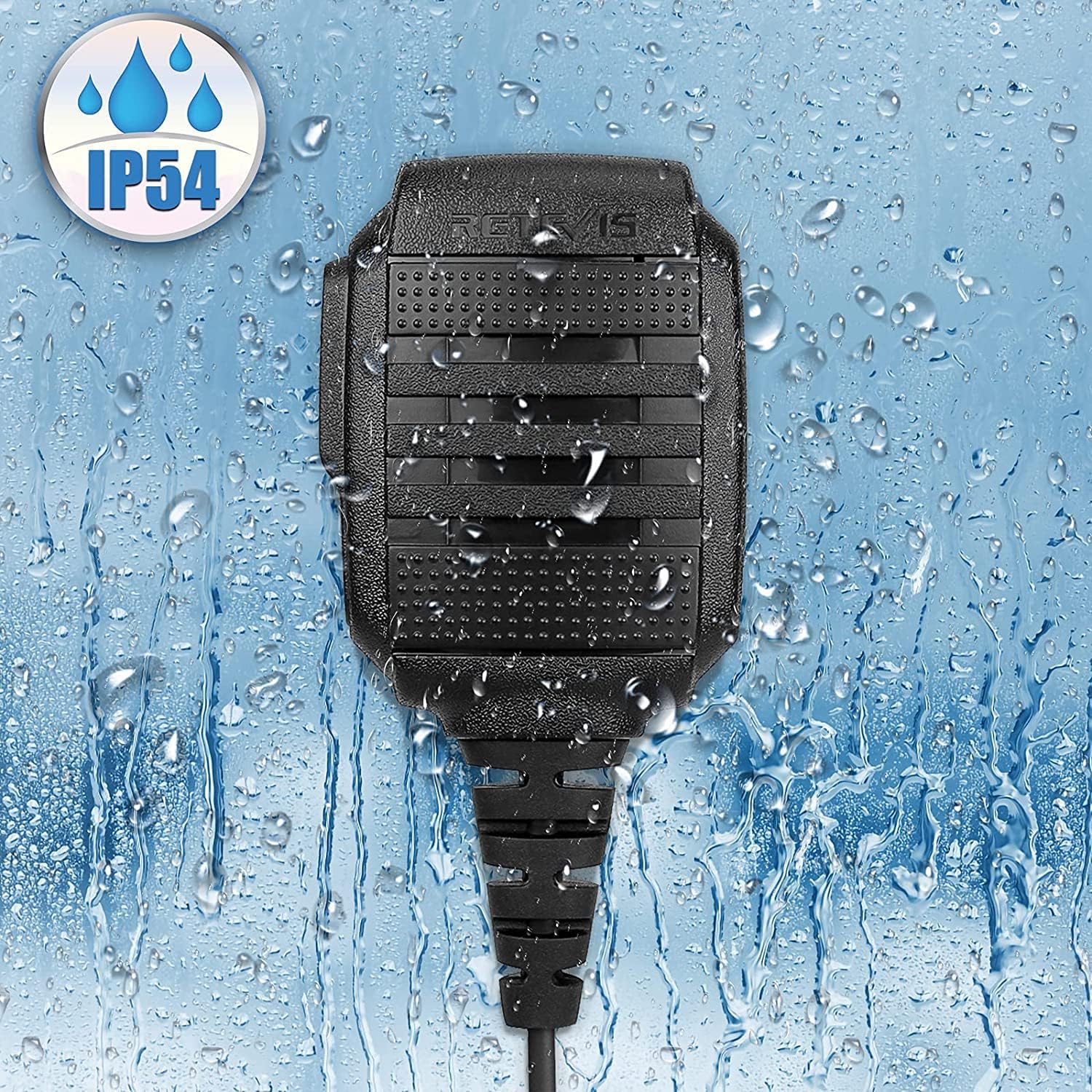
Figure 5: The included IP54 waterproof shoulder speaker microphone.
6.5 Channel Lock
The RT68 features a channel lock function to prevent accidental channel changes. Consult the full user manual for instructions on how to activate and deactivate this feature.
7. Features
- Portable FRS Two-Way Radios: License-free operation, ready to use out of the box. Compact size for comfortable handling.
- Wider Compatibility: Can communicate with other FRS radios on the same channel and CTCSS (Continuous Tone-Coded Squelch System).
- Wide Range and Strong Penetrating Power: Designed to work effectively in buildings and through concrete walls, providing clear communication over a good range.
- Durable Construction: Features a rugged enclosure designed to withstand a one-meter free fall without damage, ensuring a longer service life.
- Safe and Orderly Charging: Equipped with USB charging bases and adapters, offering multiple charging methods. Indicator lights show charging status.
- Long Battery Life: Includes a 1200 mAh Li-ion battery, providing up to 24 hours of battery life on a typical 3-4 hour charge.
- IP54 Waterproof Shoulder Speaker Mic: The included shoulder microphone is rated IP54 for water resistance, ensuring clear sound even in challenging environments.
8. Maintenance
- Cleaning: Wipe the radio and accessories with a soft, damp cloth. Do not use harsh chemicals or abrasive cleaners.
- Battery Care: To prolong battery life, avoid overcharging and fully discharging the battery regularly. Store batteries in a cool, dry place.
- Storage: When not in use for extended periods, remove the battery from the radio and store it separately.
9. Troubleshooting
| Problem | Possible Cause | Solution |
|---|---|---|
| No power | Battery low or not installed correctly | Charge the battery or re-install it correctly. |
| Cannot transmit or receive | Incorrect channel selected; out of range; battery low | Ensure all radios are on the same channel; move closer to other radios; charge battery. |
| Poor audio quality | Volume too low/high; interference; out of range | Adjust volume; move away from sources of interference; move closer to other radios. |
| Channel changes accidentally | Channel lock is off | Activate the channel lock feature (refer to full manual). |
10. Specifications
| Feature | Detail |
|---|---|
| Brand | Retevis |
| Model Number | RT68 |
| Color | Black |
| Number of Channels | 16 |
| Battery Life | Up to 24 Hours |
| Battery Capacity | 1200 mAh Li-ion |
| Charging Type | USB-C, Charging Base |
| Water Resistance Level (Shoulder Mic) | IP54 |
| Compatible Devices | Other FRS radios, Retevis RT22, RT21, H-777 |
11. Warranty and Support
Retevis products are covered by a limited warranty. For specific warranty details, technical support, or service inquiries, please refer to the warranty card included in your package or visit the official Retevis website. Please retain your proof of purchase for warranty claims.


