
Lemorele G57-TX
Lemorele Wireless HDMI Transmitter and Receiver Kit User Manual
Model: G57-TX
1. Introduction
This manual provides detailed instructions for the Lemorele Wireless HDMI Transmitter and Receiver Kit (Model G57-TX). This device allows you to wirelessly transmit HDMI video and audio signals from a source device (like a laptop or set-top box) to a display device (like a TV or projector) without the need for long HDMI cables. It supports 1080P@60Hz resolution and is designed for ease of use with plug-and-play functionality.
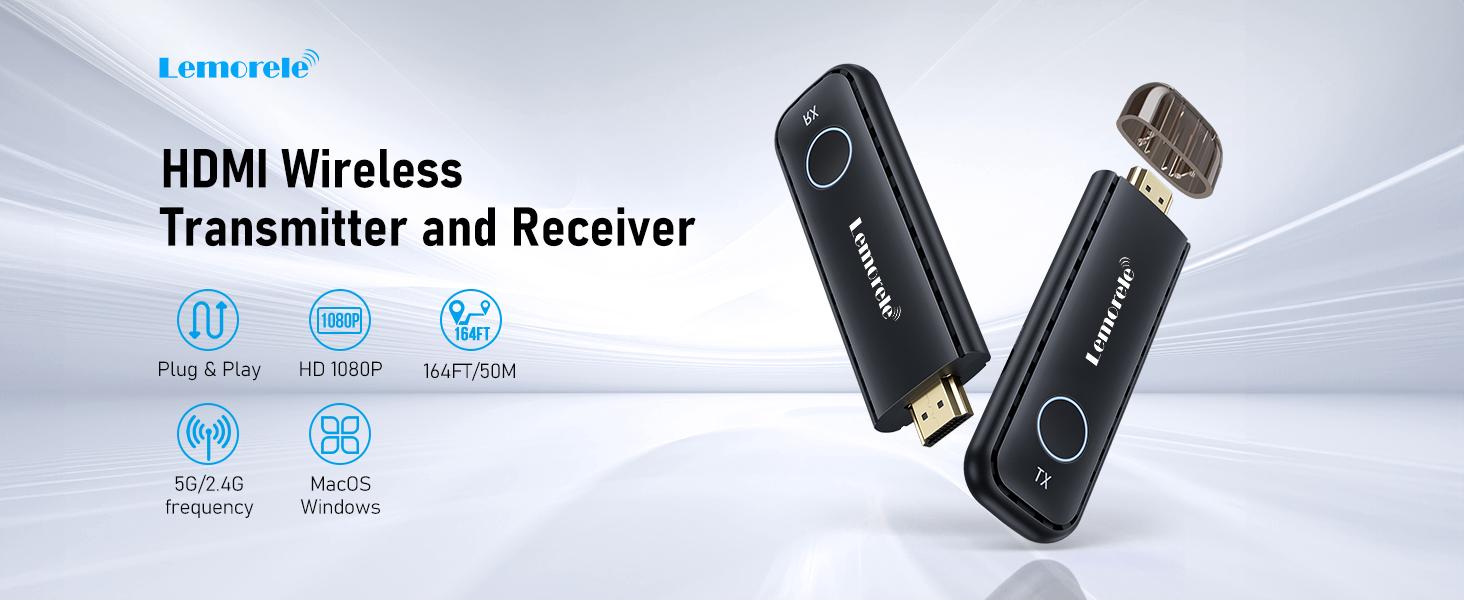
Image: Overview of the Lemorele Wireless HDMI Transmitter and Receiver Kit.
2. Package Contents
Please check the package carefully to ensure all items are present:
- 1 x HDMI Transmitter (TX)
- 1 x HDMI Receiver (RX)
- 1 x HDMI Cable (for extension)
- 2 x USB-C Cable (for power)
- 1 x User Manual

Image: The product packaging and included components. Note: The image displays the transmitter, a USB-C cable, and the manual. The full kit includes a receiver and an additional HDMI cable.
3. Product Overview
The Lemorele Wireless HDMI Transmitter (TX) is a compact device designed to send video and audio signals wirelessly. It features an HDMI connector for input and a USB-C port for power.

Image: The Lemorele Wireless HDMI Transmitter (TX).
4. Setup Instructions
4.1 Connecting the Transmitter (TX)
- Plug the HDMI Transmitter (TX) into the HDMI output port of your source device (e.g., laptop, set-top box, game console).
- Connect one end of the provided USB-C cable to the USB-C power port on the TX unit.
- Connect the other end of the USB-C cable to a USB power source (e.g., a USB port on your laptop, a USB wall adapter). Ensure the power source provides sufficient power.

Image: Transmitter connected to a laptop. An external USB power supply is required if the HDMI interface does not provide power.

Image: Detailed view of the transmitter connected to a laptop.
4.2 Connecting the Receiver (RX)
- Plug the HDMI Receiver (RX) into an available HDMI input port on your display device (e.g., TV, projector, monitor).
- Connect the second USB-C cable to the USB-C power port on the RX unit.
- Connect the other end of the USB-C cable to a USB power source (e.g., a USB port on your TV, a USB wall adapter).

Image: Receiver connected to a display.

Image: Receiver connected to a display with power cable.
5. Operating Instructions
5.1 Initial Pairing
For the first use, or when pairing a new transmitter with an existing receiver, follow these steps:
- Ensure both the Transmitter (TX) and Receiver (RX) are powered on and connected to their respective devices.
- The RX unit will display a pairing screen.
- Press the button on the TX unit. The devices should automatically pair.
- Once paired, the content from your source device will be mirrored on the display.
5.2 Mirroring Content
After successful setup and pairing, the content from your source device will be automatically mirrored to the connected display. Simply ensure both TX and RX units are powered and connected.

Image: Laptop screen mirrored to a television.
5.3 Multiple Transmitters with One Receiver
The system supports pairing up to 8 transmitters (TX) with a single receiver (RX). This is useful for environments like conference rooms where multiple presenters may need to share their screens.
- Pair each additional TX unit with the RX unit as described in Section 5.1.
- To switch between active transmitters, simply press the button on the desired TX unit. The receiver will automatically switch to display the content from that transmitter.

Image: Multiple transmitters connected to a single receiver in a conference setting.

Image: Diagram showing one receiver supporting up to eight transmitters.
5.4 Display Modes: Mirror and Extend
The Lemorele Wireless HDMI Kit supports both Mirror and Extend display modes, depending on your source device's operating system settings. You can configure these settings on your computer or laptop to either duplicate your screen (Mirror mode) or use the external display as an additional workspace (Extend mode).

Image: Comparison of Mirror and Extend display modes.
6. Key Features
- Plug and Play: No drivers or software installation required. Simply connect and use.
- High-Definition Visual Experience: Supports video output up to 1080P@60Hz with full RGB color gamut, ensuring clear and vibrant visuals.
- HDCP Support: Compatible with content protected by HDCP protocol, allowing streaming from platforms like Netflix, Prime Video, Apple TV, HBO, Sky Go, HULU, and YouTube.
- Dual Band Transmission: Utilizes both 5G and 2.4G frequencies for stable transmission and low latency (less than 80ms).
- Wide Compatibility: Works with most devices featuring an HDMI output, including laptops, desktops, cable TV boxes, satellite TV boxes, Blu-ray players, set-top boxes, DVRs, and more.
- Multi-Transmitter Support: One receiver can be paired with up to 8 transmitters, facilitating easy switching between multiple source devices.

Image: Dual-band 5G/2.4G transmission for stable connection.

Image: Support for major streaming platforms.
7. Troubleshooting
If you encounter issues while using the Lemorele Wireless HDMI Kit, please refer to the following common problems and solutions:
| Problem | Possible Cause / Solution |
|---|---|
| No signal on display |
|
| Intermittent signal or poor video quality |
|
| Audio but no video, or vice versa |
|
| Transmitter not powering on |
|
8. Technical Specifications
| Feature | Specification |
|---|---|
| Model Number | G57-TX |
| Product Dimensions | 3.9 x 1.3 x 0.47 inches |
| Item Weight | 2.89 ounces |
| Brand | Lemorele |
| Connectivity Technology | Wireless, HDMI |
| Special Feature | Wireless |
| Compatible Devices | MacBook, Projectors, Monitors, Laptops, Televisions, Desktops |
| Connector Type | HDMI |
| Audio Output Mode | Surround |
| Surround Sound Channel Configuration | 5.1 |
| Video Encoding | H.264, H.265/HEVC |
| Color | Black |
| Manufacturer | Lemorele |
9. Care and Maintenance
- Keep the device away from water, moisture, and extreme temperatures.
- Avoid dropping or subjecting the device to strong impacts.
- Clean the device with a soft, dry cloth. Do not use liquid cleaners or aerosols.
- Store the device in a cool, dry place when not in use.
10. Warranty and Customer Support
Lemorele offers a one-year product warranty. During this period, you may request unconditional return and exchange for eligible issues. For any inquiries or support needs, please contact Lemorele customer service. They maintain a 24-hour online human customer service to assist you.
For further assistance, please refer to the contact information provided with your purchase or visit the official Lemorele website.
11. Important Safety Information
- Do not attempt to disassemble or modify the device. This may void the warranty and pose safety risks.
- Use only the provided or recommended power cables and adapters.
- Avoid exposing the device to direct sunlight or heat sources.
- Keep the device out of reach of children.
- If the device is damaged or malfunctions, discontinue use immediately and contact customer support.
Related documentsG57-TX


Ask a question about this manual
Ask about setup, troubleshooting, compatibility, parts, safety, or missing instructions. Manuals+ will review the question and use this page’s manual context to help answer it.