
1. Introduction
This manual provides essential information for the safe and efficient installation, operation, and maintenance of your ACROTOR FP-108EX-S1-B Cooling Fan. Please read this manual thoroughly before using the product and retain it for future reference.
The ACROTOR FP-108EX-S1-B is a robust AC cooling fan designed for various applications requiring effective air circulation. It features a ball bearing design for durability and operates on 110V AC power.
2. Safety Instructions
- Always disconnect power before installation, maintenance, or troubleshooting.
- Ensure the fan is installed in a well-ventilated area, free from obstructions.
- Verify that the power supply voltage matches the fan's specifications (AC110V).
- Avoid touching moving parts during operation.
- Do not operate the fan in environments with excessive moisture or corrosive gases.
- Proper grounding is essential for electrical safety.
3. Setup and Installation
The FP-108EX-S1-B fan is designed for easy integration into compatible systems, typically desktop computer cases or industrial enclosures. Follow these steps for proper installation:
- Unpacking: Carefully remove the fan from its packaging. Inspect for any visible damage.
- Mounting: Secure the fan using appropriate screws through the mounting holes on the fan frame. Ensure it is firmly attached to prevent vibration. The fan dimensions are 172mm x 150mm x 50mm (approximately 6.77"L x 5.91"W x 1.97"H).
- Airflow Direction: Observe the airflow direction indicator, usually an arrow on the side of the fan frame, to ensure proper air circulation for your application.
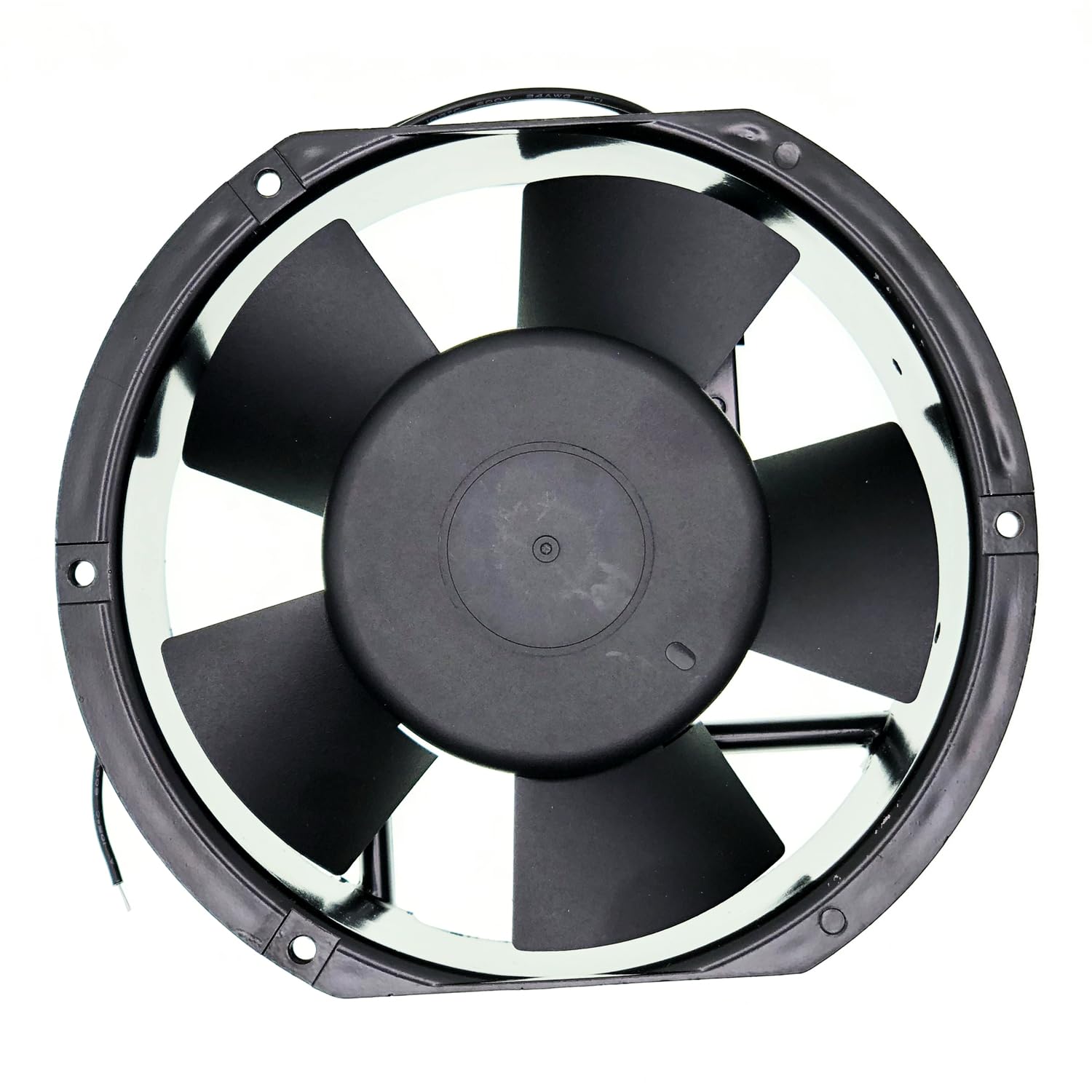
Image: Side view of the fan, highlighting the airflow direction indicator. This arrow helps ensure correct installation for optimal cooling performance.
- Electrical Connection: Connect the fan's 3-Pin power connector to a compatible AC110V power source. Ensure connections are secure and insulated.

Image: Angled view of the fan, illustrating the power wires for electrical connection. Ensure these wires are connected correctly to the 110V AC power supply.
- Final Check: Before applying power, double-check all connections and mounting to ensure stability and safety.
4. Operating Instructions
Once properly installed and connected, the ACROTOR FP-108EX-S1-B fan operates automatically when power is supplied. It is designed to provide continuous cooling for your equipment.
- Power On: Apply AC110V power to the fan. The fan should begin rotating immediately, generating airflow.
- Monitoring: Periodically check the fan's operation to ensure it is spinning freely and providing adequate cooling. Listen for any unusual noises.
- Cooling Performance: The fan delivers a maximum rotational speed of 5200 RPM, providing substantial airflow for heat dissipation.

Image: Front view of the fan, displaying the product label. This label confirms the model (FP-108EX-S1-B), voltage (AC110V), frequency (50/60Hz), current (0.50A), and power (38W).
5. Maintenance
Regular maintenance helps ensure the longevity and optimal performance of your ACROTOR cooling fan.
- Cleaning: Periodically clean the fan blades and grille to remove dust and debris. Accumulated dust can reduce airflow and increase operating temperature. Use a soft brush or compressed air. Always disconnect power before cleaning.
- Inspection: Inspect the fan for any signs of wear, such as loose wires or damaged blades.
- Ball Bearings: The fan utilizes ball bearings, which are generally maintenance-free. Avoid applying lubricants unless specifically instructed by the manufacturer.
6. Troubleshooting
If you encounter issues with your ACROTOR FP-108EX-S1-B fan, refer to the following troubleshooting guide:
- Fan Not Spinning:
- Check if the power supply is connected and active.
- Verify that the power cable is securely connected to the fan.
- Ensure the voltage supplied matches the fan's requirement (AC110V).
- Check for any physical obstructions preventing the blades from rotating.
- Unusual Noise or Vibration:
- Inspect for loose mounting screws.
- Check for debris caught in the fan blades.
- Ensure the fan is not touching any other components.
- Insufficient Cooling:
- Verify the fan is installed with the correct airflow direction.
- Clean any dust or obstructions from the fan blades and surrounding area.
- Ensure the environment allows for proper air intake and exhaust.
If problems persist after performing these checks, please contact customer support.
7. Specifications
Detailed technical specifications for the ACROTOR FP-108EX-S1-B Cooling Fan:
| Feature | Specification |
|---|---|
| Model | FP-108EX-S1-B |
| Dimensions (L x W x H) | 172mm x 150mm x 50mm (6.77" x 5.91" x 1.97") |
| Voltage | AC 110V |
| Frequency | 50/60Hz |
| Power | 38W |
| Current | 0.50A |
| Bearing Type | Ball Bearing |
| Cooling Method | Air |
| Maximum Rotational Speed | 5200 RPM |
| Power Connector Type | 3-Pin |
| Material | Copper (internal wiring) |
| Compatible Devices | Desktop (and other compatible enclosures) |
| Manufacturer | XYDZus |
| UPC | 732322891560 |
8. Warranty and Support
The ACROTOR FP-108EX-S1-B Cooling Fan comes with a return and refund service for 365 days from the date of purchase. This warranty covers defects in materials and workmanship under normal use.
For technical assistance, warranty claims, or any questions regarding your product, please contact the manufacturer, XYDZus, or your point of purchase. When contacting support, please have your model number (FP-108EX-S1-B) and purchase information readily available.