Introduction
Thank you for choosing the Hoover H3W47TE 7kg 1400 Spin Washing Machine. This manual provides essential information for the correct installation, safe use, and maintenance of your appliance. Please read these instructions carefully before using the washing machine and keep them for future reference.
Safety Information
Always follow basic safety precautions when using electrical appliances to reduce the risk of fire, electric shock, and injury to persons.
- Ensure the appliance is properly earthed.
- Do not allow children to play with the appliance.
- Do not touch the appliance with wet hands.
- Unplug the appliance before cleaning or performing maintenance.
- Do not use extension cords or multiple adapters.
- Keep packaging materials out of reach of children.
- Only use detergents suitable for automatic washing machines.
Setup
1. Unpacking
Carefully remove all packaging materials from the washing machine. Check for any damage during transit. Retain packaging for future transport if needed.
2. Removing Transit Bolts
Before operating the machine, it is crucial to remove the transit bolts located at the rear of the appliance. These bolts secure the drum during transport and must be removed to prevent damage during operation.
- Locate the transit bolts on the back panel of the washing machine.
- Using a suitable wrench, loosen and remove all bolts.
- Insert the plastic caps provided into the holes.
- Store the transit bolts for future use, such as moving the appliance.
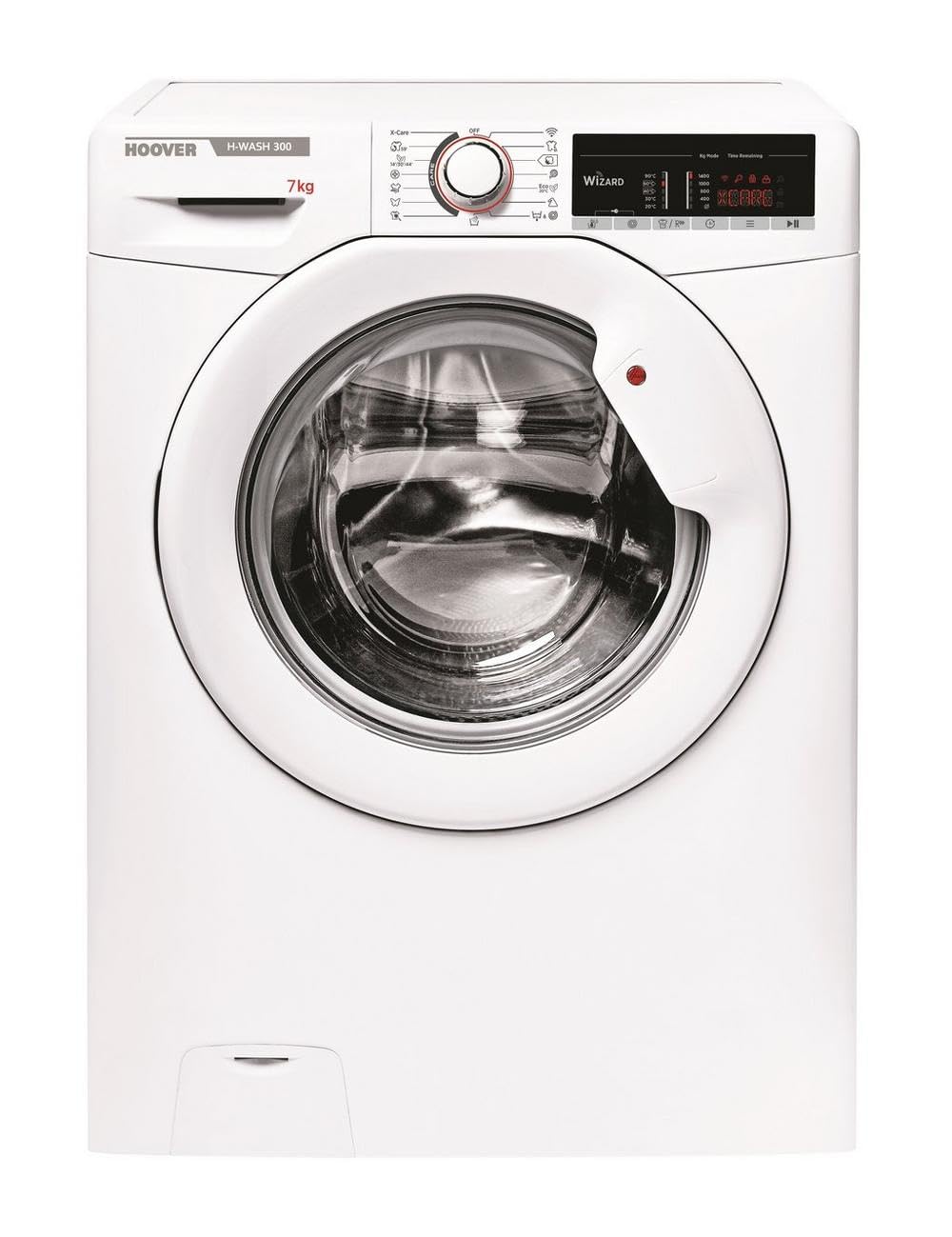
Figure 1: Front view of the Hoover H3W47TE Washing Machine. The rear panel contains transit bolts that must be removed before use.
3. Location and Leveling
Place the washing machine on a firm, level floor. Adjust the adjustable feet to ensure the appliance is perfectly stable and level. An unlevel machine can cause excessive vibration and noise.
4. Water Connection
Connect the water inlet hose to a cold water tap with a 3/4" thread. Ensure the connection is tight to prevent leaks. Position the drain hose into a standpipe or over the edge of a sink, ensuring it is securely fixed to prevent displacement during draining.
5. Electrical Connection
Plug the power cord into a grounded electrical outlet. Ensure the voltage matches the appliance's requirements (220 Volts AC). Do not use adapter plugs or extension cords.
Operating Instructions
1. Control Panel Overview
The control panel features a program selector dial, function buttons, and a digital display. The program selector allows you to choose the desired wash cycle. Function buttons enable additional options like temperature, spin speed, and delay start. The digital display shows program status and remaining time.
2. Loading Laundry
Open the door and load laundry into the drum. Do not overload the machine; ensure there is enough space for clothes to tumble freely. Close the door firmly.
3. Adding Detergent
Pull out the detergent dispenser drawer. Add the appropriate amount of detergent to the main wash compartment and fabric softener to its designated compartment. Refer to detergent packaging for dosage recommendations.
4. Selecting a Program
Turn the program selector dial to choose the desired wash program (e.g., Cotton, Synthetics, Delicates, Eco). The display will show the default temperature and spin speed for the selected program.
5. Adjusting Options
Use the function buttons to adjust temperature, spin speed, or add other options like pre-wash or extra rinse, if available for the selected program.
6. Starting a Cycle
Press the Start/Pause button to begin the wash cycle. The door will lock, and the machine will start filling with water.
7. Using NFC (Smart Touch)
The Hoover H3W47TE features NFC (Near Field Communication) for Smart Touch functionality. Download the Hoover Wizard app to your smartphone. Enable NFC on your phone and place it near the Smart Touch logo on the appliance to access additional programs, monitor cycles, and perform diagnostics.
8. Ending a Cycle
Once the cycle is complete, the machine will signal with an audible alert or display "End". The door will unlock after a short delay. Open the door and remove your laundry.
Maintenance
Regular maintenance ensures optimal performance and extends the lifespan of your washing machine. Always unplug the appliance before performing any cleaning or maintenance.
1. Cleaning the Detergent Dispenser
Remove the detergent dispenser drawer by pressing the release lever. Rinse it under running water to remove any detergent residue. Clean the housing of the drawer with a brush. Reinsert the drawer.
2. Cleaning the Filter
The filter should be cleaned periodically to prevent blockages. Locate the filter cover at the bottom front of the machine. Place a shallow container underneath to catch any residual water. Unscrew the filter, remove any lint or foreign objects, rinse it, and then screw it back in securely.
3. Cleaning the Drum and Door Seal
Run a maintenance wash cycle (e.g., a hot wash with no laundry and a descaling agent) periodically. Wipe the door seal with a damp cloth after each wash to prevent mold and mildew buildup.
4. Cleaning the Exterior
Wipe the exterior surfaces of the washing machine with a soft, damp cloth. Do not use abrasive cleaners or solvents.
Troubleshooting
Before contacting customer service, please refer to the following table for common issues and their solutions.
| Problem | Possible Cause | Solution |
|---|---|---|
| Machine does not start | Power cord unplugged, door not closed, program not selected, Start/Pause button not pressed. | Check power connection, ensure door is firmly closed, select a program, press Start/Pause. |
| No water filling | Water tap closed, inlet hose kinked, water supply cut off. | Open water tap, straighten hose, check household water supply. |
| Water not draining | Drain hose kinked or blocked, filter blocked. | Straighten drain hose, clean the filter (refer to Maintenance section). |
| Excessive vibration/noise | Transit bolts not removed, machine not level, uneven load. | Remove transit bolts, adjust feet to level machine, redistribute laundry inside drum. |
| Detergent residue in dispenser | Low water pressure, dispenser blocked, too much detergent. | Check water pressure, clean dispenser, reduce detergent amount. |
Specifications
| Feature | Detail |
|---|---|
| Brand | Hoover |
| Model Info | H3W47TE |
| Capacity | 7 Kilograms |
| Spin Speed | 1400 RPM (implied from title) |
| Access Location | Front Load |
| Product Dimensions (W x D x H) | 58 x 55 x 85 cm |
| Item Weight | 61 Kilograms |
| Voltage | 220 Volts (AC) |
| Efficiency (10 classes) | A to G |
| Human Interface Input | Dial |
| Special Features | NFC Connection (Smart Touch) |
Warranty and Support
Information regarding specific warranty terms and customer support contact details is not available in the provided product data. Please refer to the warranty card included with your appliance or contact your retailer for details on warranty coverage and technical assistance.


