
Introduction
This manual provides detailed instructions for the safe and effective use of your Ytuomzi USB Mini Disco Ball Party Lights. Please read this manual thoroughly before operation and retain it for future reference.
The Ytuomzi USB Mini Disco Ball is a compact, portable LED light designed to create a dynamic lighting atmosphere. It features sound activation and multiple color modes, making it suitable for various settings.
Package Contents
Verify that all items listed below are present in your package:
- 10x Mini USB Disco Lights
- 10x iPhone Adapters (Lightning)
- 10x Type-C Adapters
- 10x Android Micro Adapters
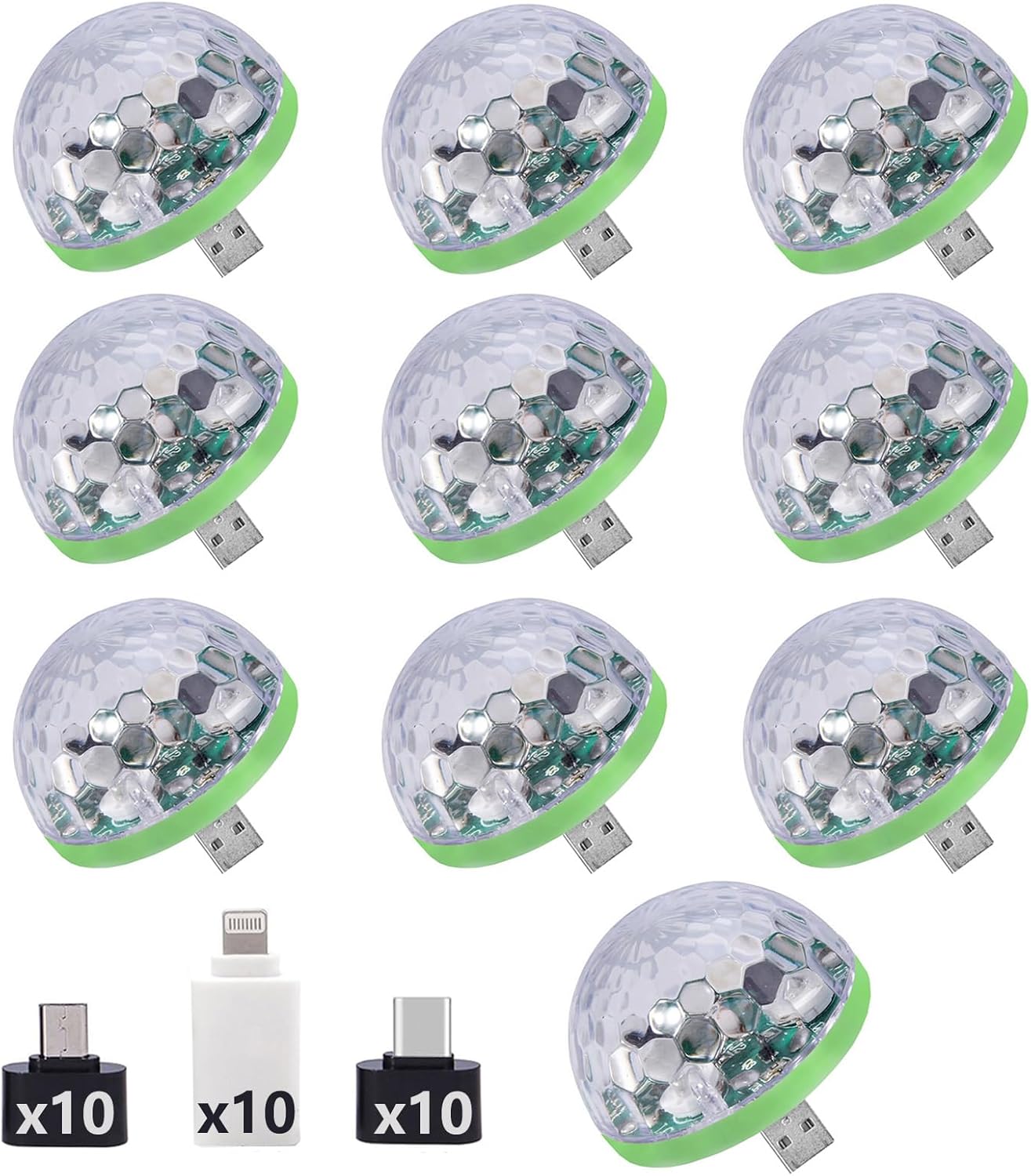
Figure 1: Contents of the Ytuomzi USB Mini Disco Ball Party Lights package, including the disco lights and various adapters.
Specifications
| Model Number | Disco RGB Light 001 |
| Voltage | 5V |
| Power | 4W |
| Flash Range | 5-10 meters |
| Light Source Type | LED (Light Emitting Diode) |
| Material | Plastic, Acrylic |
| Dimensions (L x W x H) | 1.64" x 1.5" x 1.5" |
| Item Weight | 30 grams (1.06 ounces) |
| Features | Sound Activation, Music Beat Synchronization, Color Changing |
Setup
The Ytuomzi USB Mini Disco Ball is designed for plug-and-play operation. Follow these steps to set up your device:
- Identify Power Source: The disco light requires a 5V USB power source. This can be a USB port on a computer, a power bank, a USB wall adapter, or a car USB port.
- Select Correct Adapter: Choose the appropriate adapter for your device:
- Lightning Adapter: For Apple devices (e.g., iPhone, iPad).
- Type-C Adapter: For modern Android phones and other devices with a USB Type-C port.
- Micro USB Adapter: For older Android phones and other devices with a Micro USB port.
- Connect Adapter (if needed): If using with a mobile phone, connect the appropriate adapter to the disco light's USB plug.
- Plug In: Insert the disco light (with or without adapter) into the USB power source. The light will automatically activate.

Figure 2: Connection methods for the disco light with various adapters.
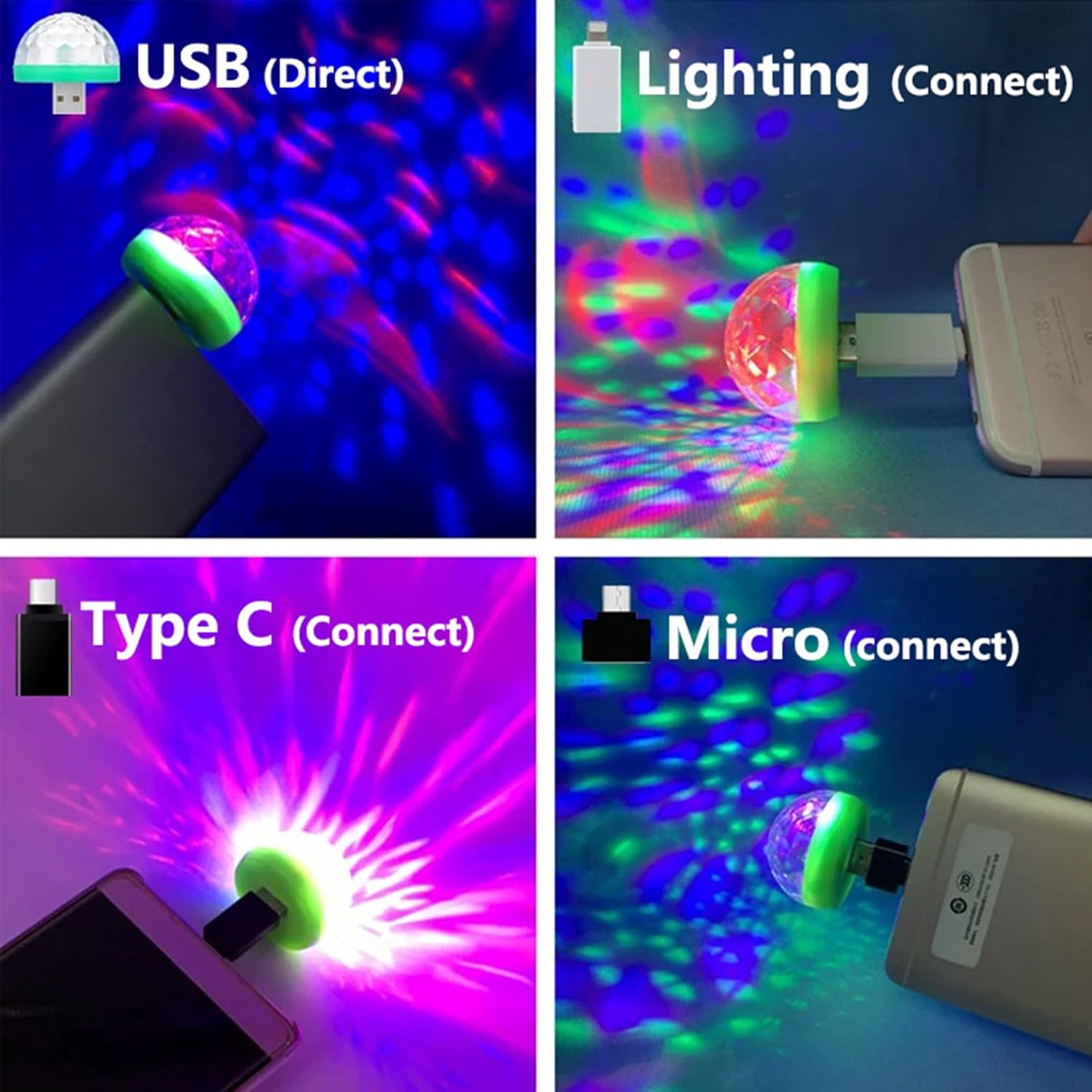
Figure 3: Examples of connecting the disco light to various USB ports and mobile devices.
Operating Instructions
The Ytuomzi USB Mini Disco Ball operates automatically once powered on. It features sound activation for dynamic lighting effects.
- Automatic Activation: Upon plugging into a 5V USB power source, the disco light will immediately begin projecting colorful patterns.
- Sound Activation: The built-in sound sensor detects ambient music or sounds. The light patterns and colors will synchronize and change in response to the beat, creating a dynamic effect.
- Color Modes: The light cycles through various color combinations (Red, Green, Blue, and mixed colors) to create a vibrant display. There are 7 distinct color modes.

Figure 4: Visual representation of the 7 color modes available.
The compact size allows for versatile placement, including use in vehicles to create an ambient atmosphere.

Figure 5: Examples of the disco light creating a multi-color atmosphere inside a car.
Compatibility
The Ytuomzi USB Mini Disco Ball is compatible with a wide range of devices that provide a 5V USB power output. The included adapters ensure broad compatibility:
- Direct USB Connection: Compatible with power banks, portable chargers, computers, USB wall adapters, car USB ports, and karaoke microphones with a standard USB-A port.
- With Lightning Adapter: Compatible with most Apple devices such as iPhone 5 and newer models, iPad Mini, etc.
- With Micro USB Adapter: Compatible with most Android mobile phones and tablets featuring an OTG function and a Micro USB connector (e.g., Samsung Galaxy or Note series).
- With Type-C Adapter: Compatible with tablets and smartphones featuring a USB Type-C connector (e.g., Galaxy S8, Lumia 950 XL, Nexus 6P, and newer Android devices).
Note:
- A small number of mobile phones may not be fully compatible. For example, some users have reported issues with iPhone 7 Plus, iPhone 11, and Galaxy S9+.
- Ensure your device supports OTG (On-The-Go) functionality for optimal performance with Micro USB and Type-C connections to mobile devices.

Figure 6: Overview of device compatibility with the Ytuomzi USB Mini Disco Ball.
Maintenance
To ensure the longevity and optimal performance of your Ytuomzi USB Mini Disco Ball, follow these simple maintenance guidelines:
- Cleaning: Gently wipe the exterior of the disco light with a soft, dry cloth. Do not use liquid cleaners or abrasive materials, as they may damage the plastic and acrylic components.
- Storage: When not in use, store the disco light and its adapters in a cool, dry place, away from direct sunlight and extreme temperatures.
- Handling: Handle the device with care. Avoid dropping it or subjecting it to strong impacts, which could damage internal components or the outer casing.
- Power Off: Disconnect the light from its power source when not in use to conserve energy and prolong its lifespan.
Troubleshooting
If you encounter issues with your Ytuomzi USB Mini Disco Ball, refer to the following common problems and solutions:
- Light Does Not Turn On:
- Ensure the disco light is securely plugged into a functional 5V USB power source.
- If using an adapter, ensure it is correctly connected to both the disco light and your device.
- Test with a different USB power source (e.g., a different power bank, computer port, or wall adapter) to rule out a faulty power source.
- Verify that the adapter is compatible with your specific mobile device model. Some phone models may have limited compatibility (e.g., iPhone 11, Galaxy S9+).
- Light Does Not Respond to Music (Sound Activation):
- Ensure there is sufficient ambient sound or music for the sensor to detect. The light requires a noticeable audio input to react.
- Increase the volume of the music source.
- Ensure the light's sensor is not obstructed.
- Light Appears Dim or Flickers:
- Check the power source. An unstable or insufficient power supply (less than 5V) can cause dimming or flickering.
- Ensure the light is not overheating. Allow it to cool down if it has been operating for an extended period in a confined space.
- Physical Damage or Malfunction:
- If the product breaks after initial use or exhibits physical damage, discontinue use. Refer to the warranty information for support.
Warranty and Support
Ytuomzi provides a warranty for this product. If you have any questions or encounter issues with your USB LED Disco Light, please contact Ytuomzi customer support. They commit to replying within 24 hours.
For support, refer to the contact information provided with your purchase or visit the official Ytuomzi store page on Amazon.
(Please retain your proof of purchase for warranty claims.)